A pose library is the reference book every photographer ends up building: a folder of stances, angles and hand positions that you can hand to a model, a client or an assistant before the shoot starts. This page shows how to build one with AI, aimed at boudoir, glamour, swimwear and lingerie work, so you can plan a session, test a look and send mood boards without booking a studio for every idea. Everything here is provocative at most, never explicit, and every character is a fictional adult.
The tool you work in is the toolkit, a browser app with nothing to install. You describe a pose in plain words, pick a model, and get a photoreal frame back. Because the same description can be rerun with one detail changed, you can keep a set of poses consistent: same woman, same wardrobe family, same light, different stance. That is what makes a library useful instead of a pile of random pictures.
If you already work with a reference photo, read NSFW art from a reference pose as well. It covers the case where you start from an existing picture and want the pose carried into a new image.
Before you generate anything, decide what the library is for. A library for a boudoir photographer who briefs clients is different from one for a glamour shooter who wants test frames for a hotel location. Write down the deliverable in one sentence, for example: "a set of standing, seated, reclining and close-up poses in satin and lace, shot in soft daylight, to send to clients before a session."
Then decide the structure. A practical library is sorted by body position, because that is how you think on set:
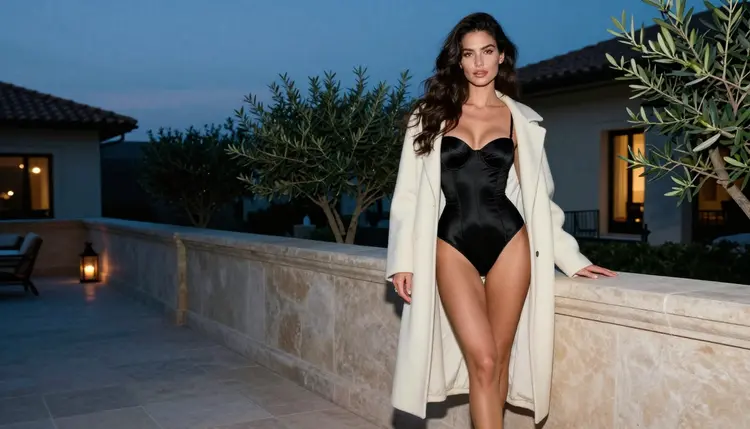
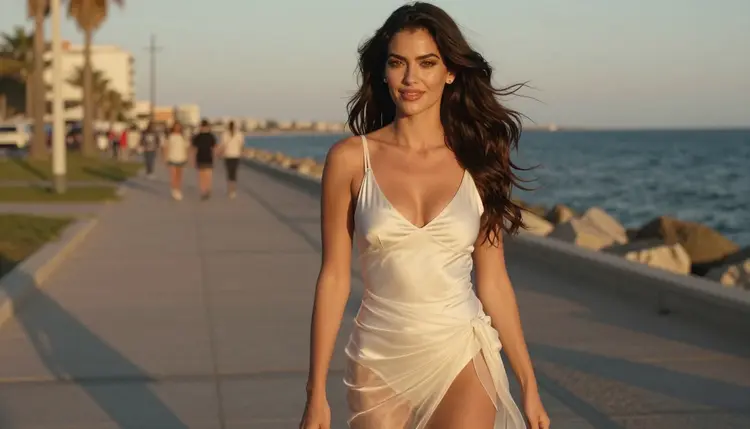
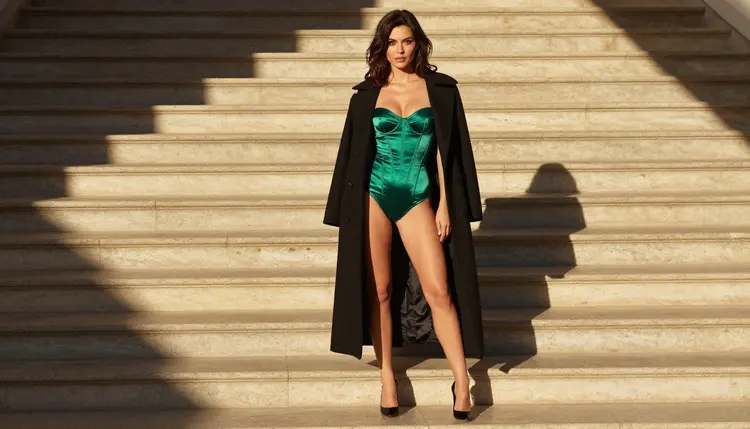
Standing. Full-length frames, three-quarter views, leaning on a doorway, hand on a door handle, a walking shot with the coat open. Standing poses show the whole outfit, so they carry the wardrobe.
Seated. A chair, a stool, the edge of a bed or a window seat. Seated poses are where posture matters most: shoulders back, chin slightly down, one hand relaxed on the knee.
Reclining. A chaise, a sofa arm, a bed with white linen. Keep the wardrobe fully lined and opaque in your prompt, and describe the pose as a calm, elegant lean rather than anything more.
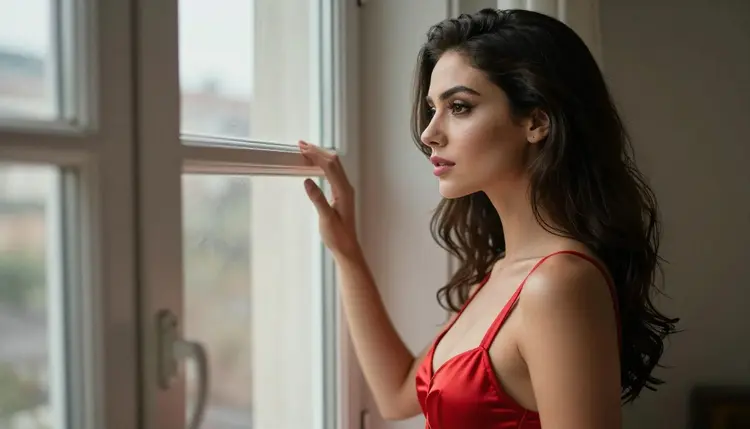
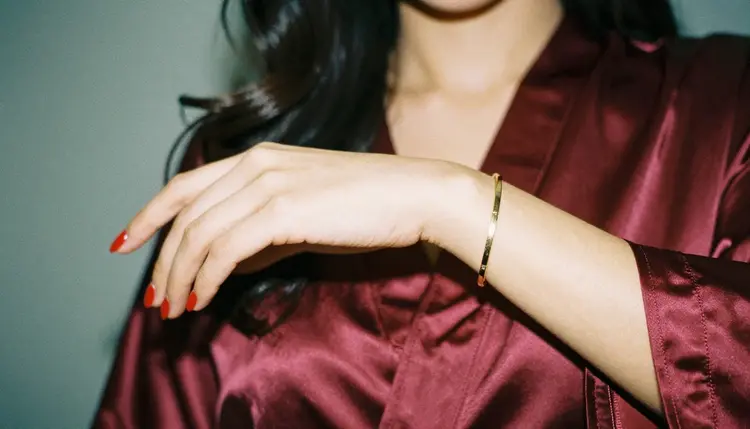
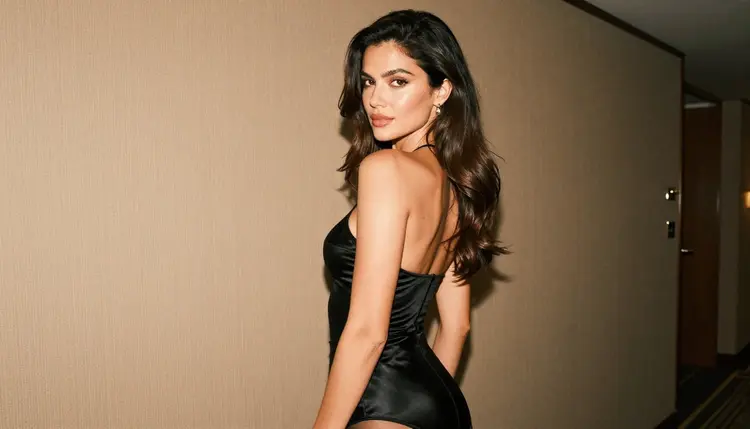
Close and detail. Tight portraits, a hand with a bracelet on satin, fabric folds, an over-the-shoulder glance. These frames set the mood and give a client something to react to.
Next, fix the things that keep the set consistent. Pick one fictional woman and describe her the same way every time: age (a mature adult, in her late twenties or older), hair, eye color, makeup and build. Pick a wardrobe family, for example satin slips, lined lace bralettes, corset bodysuits and long coats. Pick one light for the whole set, such as soft window daylight or late-afternoon side light. When those three stay fixed, only the pose changes, and you can compare poses side by side.
Finally, decide on format. A library for a client deck works well in 16:9. A library you plan to print as a pose card may want a taller crop. Seedream 4.5 reaches 4K for sharp detail, and Recraft v4.1 Pro is listed for print-ready images at 2K, so the format question and the model choice are connected.
Picasso IA keeps an app list of models it has tested with adult prompts, repeatedly, and watched generate instead of reject. "Confirmed" describes that testing. It is not a setting published by the maker of the model, and makers can change their rules at any time. For a pose library, these are the ones to start with:
| Model | Best for | Format |
|---|
| Seedream 4.5 | Photoreal pose frames from text | Image, up to 4K |
| Recraft v4.1 Pro | Illustrated pose sheets and design-style cards | Image, 2K, print-ready |
| Picasso IA Image Editor Pro | Editing an existing frame: outfit, light, background | Image edit, unlimited tag |
| LTX 2.3 Pro | Moving a pose into a 4K clip from text | Video, 4K |
| Picasso IA Video | Turning a still or a text prompt into a short clip | Video, unlimited tag |
| Seedance 2.5 Lite | Short clips of a pose in motion, listed up to 10 seconds | Video, unlimited tag |
For the still frames of a pose library, Seedream 4.5 is the main choice. It takes a written scene and returns a photoreal image, and it handles the details a photographer cares about: fabric sheen, window light, lens language such as 85mm f/1.8 or 135mm f/2. Write the prompt like a shot list and it follows the camera, the light and the wardrobe.
Picasso IA Image Editor Pro is the second tool you will use constantly. A pose can be right and the robe the wrong color, or the light too flat. Instead of regenerating the whole frame, open it in the editor and change that one thing. The model carries the unlimited tag in the catalog, which means it does not spend credits on the plans that include unlimited generation (the pricing page has the details), so it suits the many small corrections a library needs.
Recraft v4.1 Pro is worth a place if you want the library as a designed object: a printable pose card with a clean illustrated look rather than a photograph. It is listed for print-ready images at 2K and is strong on illustration and design.
The video models matter when a pose needs to be seen in motion. A walking pose, a turn over the shoulder, a coat sliding open: these read better as a few seconds of clip than as a still. Picasso IA Video and Seedance 2.5 Lite are listed with the unlimited tag, and LTX 2.3 Pro is the choice when you want 4K video from text.
Other models in the full catalog are untested: they are worth a try, and they are not confirmed either way. Qwen Image 2 is one of them. If you try an untested model and the app declines a prompt, you will see a message titled "Content Not Supported by This Model", with recommended models that accept adult prompts and your prompt carried over, so nothing has to be retyped.
The workflow below takes a library from an idea to a finished, consistent set. Work in order the first time. Once you have a character description you trust, you can jump straight to step three for every new pose.
- Plan the pose set. Write the list of poses by body position (standing, seated, reclining, close) and give each one a short name, like "doorway lean" or "window look". Decide how many frames you need and which wardrobe and light the whole set will share.
- Write the character and scene description. Describe the fictional adult woman once, in full: hair, eyes, makeup, build and a mature age. Add the wardrobe, the setting and the light as separate sentences so you can swap one without touching the others.
- Generate the key frame. Open the toolkit, choose Seedream 4.5 and paste the description with the first pose. This frame decides the look of the library, so rerun it until the woman, the light and the lens feel right.
- Build the rest of the set consistently. Reuse the identical character and wardrobe text and change only the pose sentence and the camera. If you need the same person across frames, attach the key frame as a reference: each attached image gets an @1 badge you can refer to in the prompt, on models that accept several inputs.
- Refine with Picasso IA Image Editor Pro and export. Fix small things in the editor: a collar, a hand, a background object, the brightness of the window. Then download the frames and sort them into folders by body position.
When the set is done, look at every frame before it goes into a client deck. Check the hands first, then the fabric edges, then the eyes. Re-run any frame that looks off. A library is only as good as its weakest pose.
Prompts for a pose library read like notes from a photographer, not like a poem. A good structure is: subject, wardrobe, pose, setting, light, lens, finish. Here are examples for each group of the library, written for Seedream 4.5.
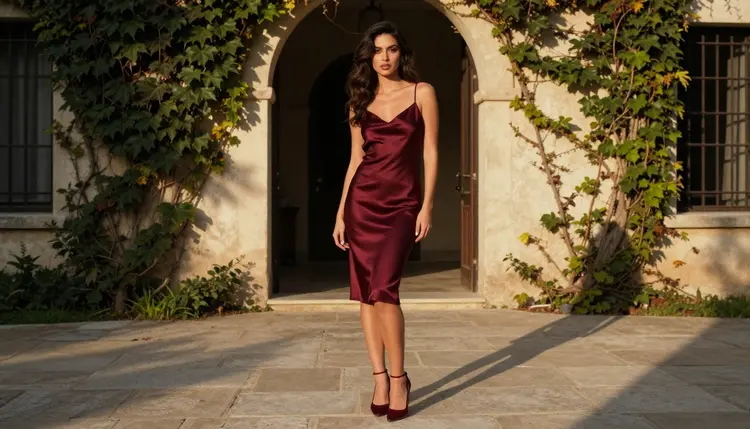
A standing pose: "A 29-year-old woman with long dark-chestnut waves, brown eyes and polished glamour makeup, standing upright in a burgundy satin slip and heels on a sunlit stone courtyard, leaning her shoulder on an arched doorway, late-afternoon side light, 135mm f/2, raw 8K film photograph, film grain." The words that do the work here are "leaning her shoulder", which fixes the pose, and "late-afternoon side light", which fixes the shadows.
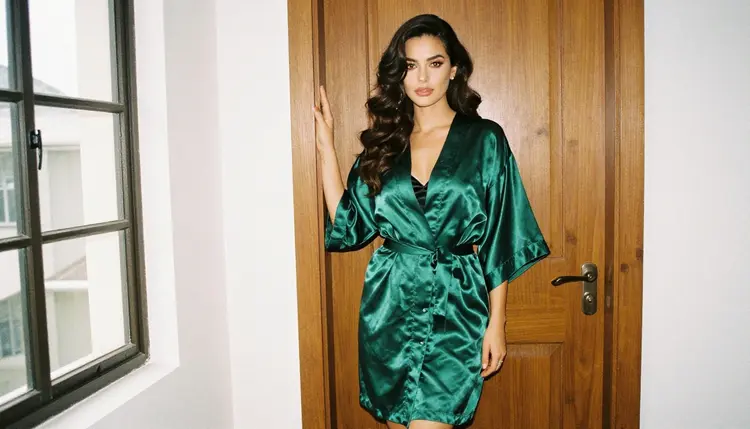
A seated pose: "The same woman seated on the edge of a wooden chair by a tall window in a closed emerald satin robe over a black slip, knees together, one hand resting on her thigh, soft window daylight from the left, eye-level camera, 50mm f/2." Notice that the pose is described by what the hands, knees and shoulders do. The more of the body you place, the less the model guesses.
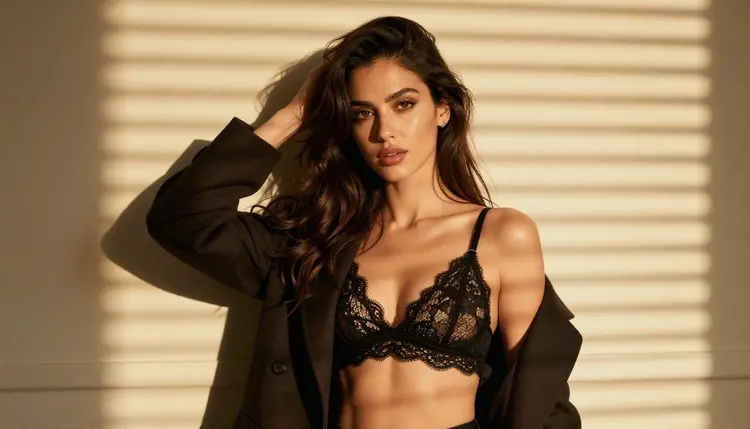
A reclining pose: "The same woman reclining on a chaise longue in a fully lined black lace bralette with a camel coat worn open, head resting on one hand, hard morning sun through blinds casting stripes across the linen, 85mm f/1.8." Keep reclining prompts calm and styled. The point of a pose library is posture, not shock value, and fully lined wardrobe words keep the output on the glamour side.
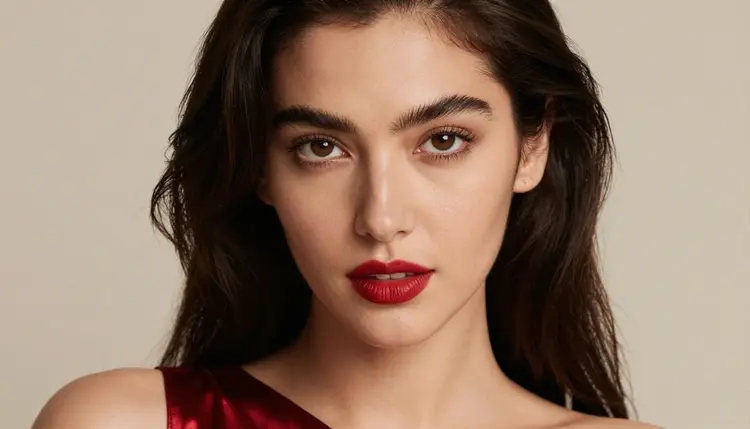
A close pose: "Tight close-up portrait of the same woman, red lips softly parted, confident adult gaze to camera, soft diffused studio daylight, 50mm f/1.4." For a detail pose, change the subject entirely: "ONE manicured hand with red nail polish and a thin gold bracelet resting on burgundy satin folds, overcast soft daylight, 85mm f/1.8." Writing "one hand" matters, because models sometimes add extra fingers or a second hand when the prompt is vague about it.
Three habits keep a library consistent from the first frame to the last.
Reuse the character block. Copy and paste the same sentence about the woman into every prompt. Do not paraphrase it. A changed adjective can change the face.
Change one thing at a time. If you swap the pose and the light and the wardrobe in the same run, you will not know which change made the frame better or worse. Keep a note of what each change did.
Name the camera. Lens and distance are pose information. A 24mm frame near the subject bends the body differently from a 135mm frame from across the room. A library that lists the lens next to each pose is a library a photographer can actually use on set.
For motion, move from stills to clips only after the still is approved. Take the key frame, open Picasso IA Video and describe a small movement: "she turns her head toward the window and lets the coat fall off one shoulder, slow, steady camera." Short, simple movements work best, and a clip of a walking pose can show you how fabric moves, which a still cannot. For a clip written from text, LTX 2.3 Pro gives 4K. Seedance 2.5 Lite is listed up to 10 seconds, which is plenty for a pose reference.
If you want a set of pose ideas to start from, pose ideas for portraits lists concrete stances you can paste into a prompt. If your library is going to feed a recurring fictional model, the fictional influencer generator page explains how to keep one character stable across a whole feed.
This section is the boundary of the project, and it applies to every pose you generate.
Picasso IA's NSFW pages are for adults only. You must be 18 or older, and the content is made for adult audiences. If you are younger, or if you are unsure whether it is appropriate where you live, do not use it.
Every character must be a fictional adult. Do not use a real person's name, face or likeness, and do not use a celebrity or someone you know as a reference. Do not describe anyone who could read as a minor: no one who could read as a minor, in age, wording or styling. A pose library works on invented models only, and that is also the safest basis for sharing it with clients.
What you create is private by default: tied to your account and not published or shown to other people. You decide what leaves your account, and where.
If you plan to show the library outside your own folders, in a client deck, a portfolio, a store or a social feed, check the rules of wherever you publish. Each place has its own policy on adult-themed imagery, and those policies change. A frame that works as a private reference may not be accepted as a public post, and that decision belongs to the place you publish, not to this page.
A new account can try a few generations for free on selected Picasso IA models: Picasso IA Image, Picasso IA Editor Pro, Picasso IA Video and Seedance 2.5 Lite. It is a small free trial on selected models, not the whole catalog. That is enough to try the pose workflow once: generate a key frame, adjust it in the editor and make a short clip from it. Plans, prices and what the unlimited tag covers are explained on the pricing page, and credits per generation vary with the model and with options such as resolution or duration.
When you outgrow the first few models, the full catalog holds hundreds of models for image and video. Every model outside the confirmed list is untested for adult prompts. Try them as you would any new lens: with a simple prompt first, and without assuming they behave like the confirmed ones. Qwen Image 2 and Picasso Video (Pruna P-Video) are examples of untested models you can try for stills and clips.
The pose workflow also applies to other projects. A pin-up lookbook uses the same standing and seated stances, which the pin-up calendar guide turns into twelve monthly pages. A fiction writer can reuse a set of poses as cover art, as in the spicy romance book cover guide. A fresh library in one afternoon is realistic: plan the list, generate the key frame, repeat with one change per pose.
A last practical note on saving work. Keep a text file with every prompt that produced a frame you liked, named by pose: "doorway lean", "window look", "over the shoulder". The prompt is the real asset of a pose library. Images can be regenerated at any time, but only if you kept the words that made them. Add the lens and the light to the file name, and your library becomes searchable the way a photographer searches an archive.
What is an NSFW AI pose library for photographers?
It is a set of AI-generated reference frames sorted by pose: standing, seated, reclining and close. Photographers use it to plan boudoir, glamour or swimwear sessions and to brief clients. Everything on Picasso IA is for adults and uses fictional characters only.
Which model should I start with for pose frames?
Start with Seedream 4.5. It creates photoreal images from text, up to 4K, and it follows lens, light and wardrobe words closely. Then use Picasso IA Image Editor Pro to adjust single details without regenerating the full frame.
How do I keep the same woman across every pose?
Copy the same character description into each prompt without rewording it, and change only the pose and the camera. On models that accept several inputs, attach your best frame as a reference: it gets an @1 badge that you can mention in the prompt.
Can I turn a pose into a short clip?
Yes. Open a still in Picasso IA Video, or write a text prompt for LTX 2.3 Pro or Seedance 2.5 Lite, and describe a small movement such as a turn over the shoulder. Simple movements read best, and Seedance 2.5 Lite is listed up to 10 seconds.
What does confirmed mean for a model?
It means Picasso IA tested adult prompts against that exact model repeatedly and watched it generate instead of reject. It is not a published setting of the model's maker, who can change it at any time. Models outside the list are untested, not filtered.
What happens if a model refuses my prompt?
The app shows a message titled "Content Not Supported by This Model". It recommends models that accept adult prompts and carries your prompt over, so you do not need to retype anything. Pick one of the recommended models and run it again.
Are the people in these images real?
No. Every character is a fictional adult. Do not use a real or identifiable person as a reference, and do not describe anyone who could read as a minor. The pages are for adults only, 18 and older, and the images are private by default.
Can I try this without paying?
A new account gets a small free trial on selected models: Picasso IA Image, Picasso IA Editor Pro, Picasso IA Video and Seedance 2.5 Lite. It does not cover the whole catalog. Details on credits and unlimited generation are on the pricing page.
Can I print the poses or sell the library?
Check the rules of wherever you print, publish or sell. Each store, print service and platform has its own policy on adult-themed images, and those policies change. Picasso IA does not promise that any place will accept a result. Recraft v4.1 Pro is listed for print-ready images at 2K.
Is what I generate public?
No. Generations are private by default: tied to your account and not published or shown to others. You choose what to share. Keep adults-only and fictional-only rules in mind for anything you share, and check the policy of the place where you post.