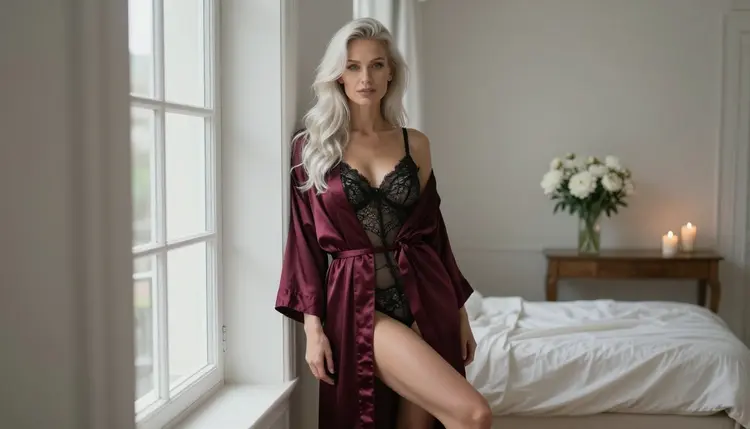
Boudoir photography is the easiest NSFW genre to get wrong with an AI model. The idea is simple: a woman in a robe, lace or a satin slip, soft light from a window, a bed that has just been left. But a short prompt like "boudoir photo of a woman" returns the same flat, over-lit studio picture every time. This page gives you a fill-in template that fixes that. You change the wardrobe, the light and the pose, and the structure around them stays the same.
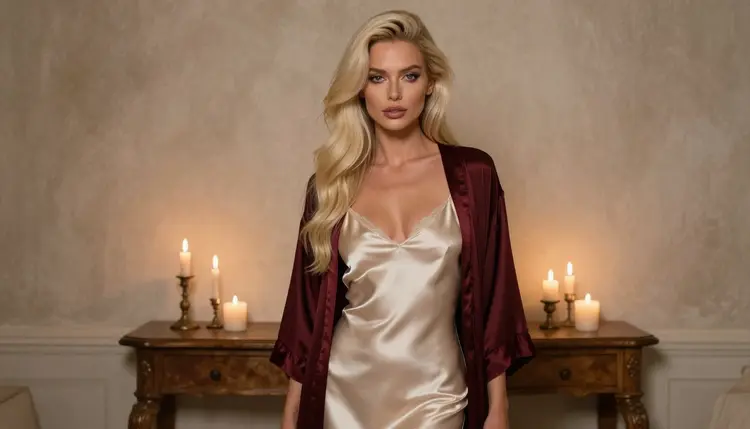
Everything here is written for adults and for fictional characters only. The style is provocative and suggestive, never explicit: glamour, lace, satin, candlelight, implied intimacy. If you want to go further into one corner of the genre, the template pairs well with the lingerie photos template and the realistic portraits template.
A boudoir picture is made of small decisions. Which robe, which fabric, where the window is, how far the camera stands, what the face is doing. When you leave those decisions out, the model fills them with its defaults: a front-facing pose, even light, a neutral background. The result looks like a catalog shot, not like a private, warm portrait.
A template solves this by turning every decision into a labelled slot. You always answer the same questions in the same order, so you can change one slot at a time and see exactly what it did. If the light was wrong, you rewrite the light line and leave the rest alone. That is how you get from a lucky picture to a repeatable one.
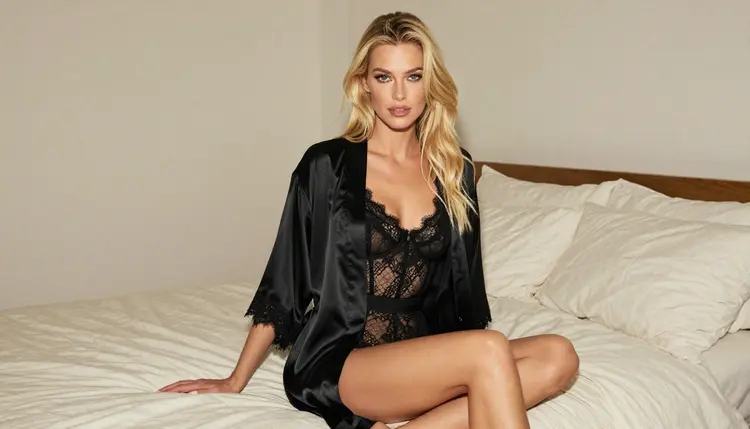
The second reason is consistency. Boudoir sets work best as a series: the standing frame, the seated frame, the detail of the fabric, the profile against the window. When every prompt shares the same wardrobe and the same character description, the series holds together. You only swap the shot and the light. The template below keeps the character line fixed for exactly that reason.
The third reason is control over the adult line. Picasso IA pages in this section are built around suggestion, not explicitness. A template with a wardrobe slot that always names opaque, fully lined fabric (satin, lace over a lining, a robe worn open over a slip) keeps every result inside that line without you having to think about it each time.
For this technique, three image models are confirmed in the app. Confirmed means Picasso IA tested adult prompts against that exact model repeatedly and watched it generate instead of reject. It is the app's own testing, not a published setting from the model's maker, and the maker can change the behavior at any time.
| Model | Best for | Format |
|---|
| Seedream 4.5 | Photoreal boudoir portraits from a text prompt | Text to image, 4K |
| Recraft V4.1 Pro | Print-ready boudoir art with an illustrated or designed look | Text to image, 2K |
| Picasso Image Editor Pro | Changing the robe, the light or the room of a picture you already have | Image editing, unlimited tag |
Start with Seedream 4.5 when you want a photograph. It is the natural fit for window light, fabric texture and a shallow depth of field. Use Recraft V4.1 Pro when you want the same scene as a styled poster or a print piece. Use Picasso Image Editor Pro when the picture is nearly right and you only want to swap one thing, for example a black robe for a burgundy one. It carries the infinity tag in the catalog and is included in the small free trial on selected models, which is a good place to practice the template.
Other models in the full catalog can also take this template. Every model outside the confirmed list is untested: worth a try, not confirmed either way. If one of them refuses a prompt, the app shows a message titled "Content Not Supported by This Model", suggests models that accept adult prompts and carries your prompt over, so you do not retype it.
If you want to bring a finished portrait to life later, the confirmed video models listed on the Picasso IA Video page and in the video motion template take it from there. Build the still first. A good still is the best starting frame for a clip.
Open the toolkit, choose a confirmed image model and work through these five steps. The template itself follows in the next section.
- Lock the character line. Write one sentence that describes the woman once: hair, eyes, makeup, build, an adult in her thirties. Copy it unchanged into every prompt of the series.
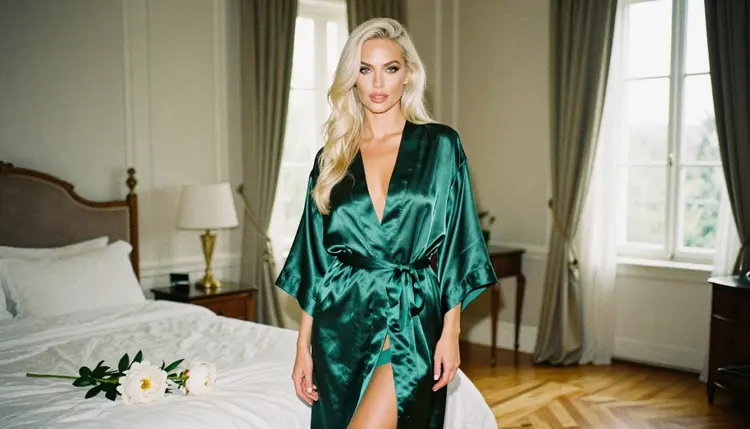
- Choose an opaque wardrobe. Name the exact garment and fabric: burgundy satin robe over a black lace bodysuit, ivory satin slip, emerald robe over a lined slip.
- Pick one shot type. Standing full-length, seated on the bed edge, over the shoulder, a detail of fabric, a profile silhouette. One shot per prompt.
- Set light and lens together. Say where the light comes from and add a lens, such as soft window light from the left with an 85mm f/1.8 lens.
- Generate, then change one line. Read the result, rewrite only the slot that missed, and run it again. Keep the winning prompt as your base.
Here is the template as labelled lines. Each label is one slot. Write the slots as one continuous prompt, in this order, separated by commas.
Format. Say what kind of picture it is: raw 8K film photograph, fine film grain, boudoir portrait.
Character. One fixed sentence: a fictional adult woman in her thirties, long platinum-blonde hair, light eyes, polished glamour makeup, slim fashion-model figure.
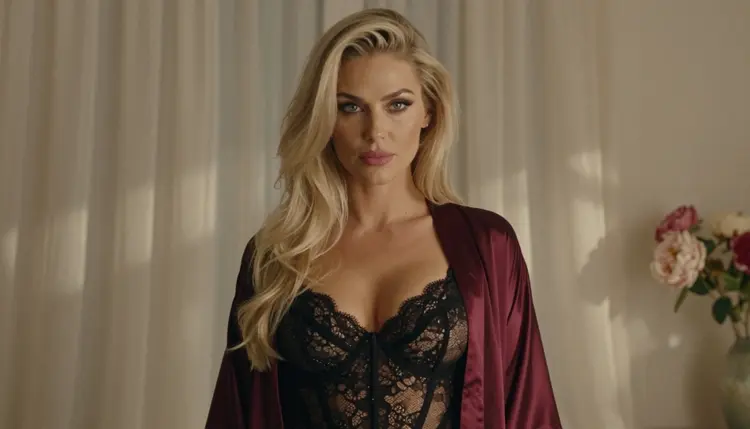
Wardrobe. Garment, fabric and color, always opaque and fully lined: burgundy satin robe over a black lace bodysuit.
Pose and shot. Where she is and how the camera sees her: standing by a tall window, three-quarter view, over the shoulder, profile silhouette.
Setting. The room in three objects at most: ivory linen bed, peonies, candles, a doorframe, a bright hallway.
Light. One source and its quality: soft window light from the left, candlelight, hard morning sun through blinds, overcast daylight.
Lens. A focal length and aperture: 85mm f/1.8 for portraits, 35mm f/2 for a room, 135mm f/2 for compression, 24mm f/2.8 for a hallway.
Mood. Two words about the expression: confident, calm, sultry gaze, quiet, unhurried.
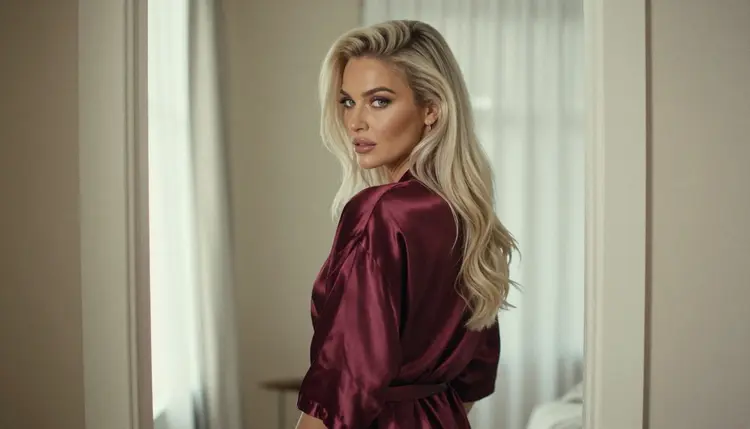
The first filled example is a standing portrait. The prompt text stays in English, because that is the language the models read best:
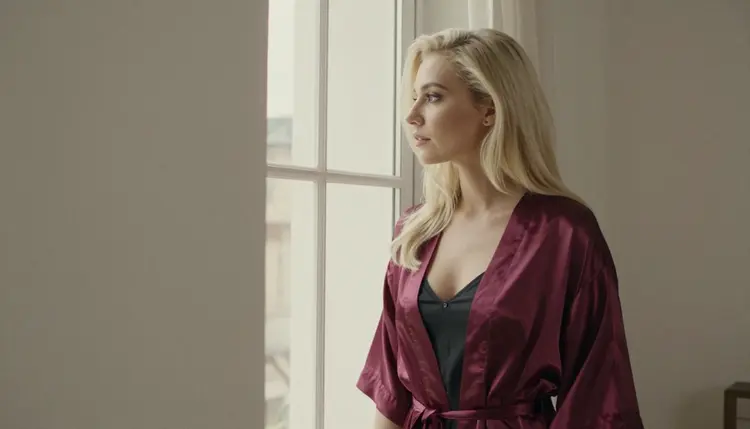
Example one, prompt text. "Raw 8K film photograph, boudoir portrait, fine film grain. A fictional adult woman in her thirties with long platinum-blonde hair, light eyes, polished glamour makeup and a slim fashion-model figure stands beside a tall window in a burgundy satin robe over a fully lined black lace bodysuit. Ivory linen bed, peonies and candles behind her. Overcast soft daylight, 100mm macro f/2.8, confident sultry gaze."
Notice what each part does. The format line sets the look. The character line keeps her recognizable from picture to picture. The wardrobe names the fabric twice, which stops the model from guessing. The setting has three objects. The light and lens finish the prompt, so the model knows how deep the focus should be.
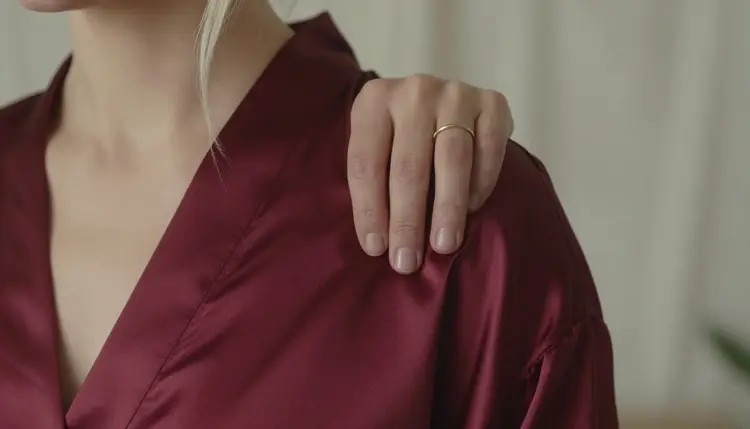
The second example is a quieter, closer frame, the kind you use as a detail between two portraits:
Example two, prompt text. "Raw 8K film photograph, close detail shot, fine film grain. The shoulder of a burgundy satin robe with one single hand resting on the fabric, a fictional adult woman with platinum-blonde hair, dappled shade light, 35mm f/2, soft shallow depth of field, calm mood."
The phrase "one single hand" matters. Hands are where image models slip most often, so asking for exactly one hand in frame removes most of the risk. If a picture still shows a strange hand, run it again or move the hand out of the frame with a different shot type.
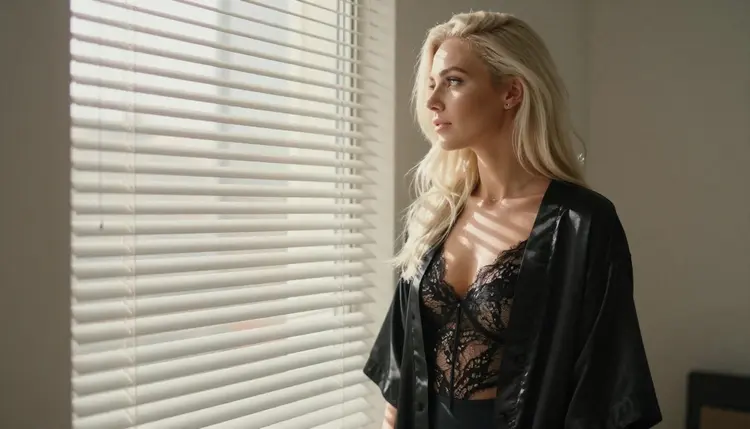
You can also build a profile silhouette from the same template. Keep the character, the wardrobe and the setting lines, then change the pose to a profile facing a window with blinds, the light to hard morning sun, and the lens to 50mm f/1.4. The stripes of light across the robe do most of the work, so the prompt can stay short.
Too short. "Boudoir photo of a woman in lingerie" leaves every decision to the model. Fix: fill all eight slots, even with a few words each.
Two light sources. Asking for candlelight and hard sun and window light in one prompt gives a muddy result. Fix: one source per prompt. If you want candles in the picture, keep them as set objects and let the window do the lighting.
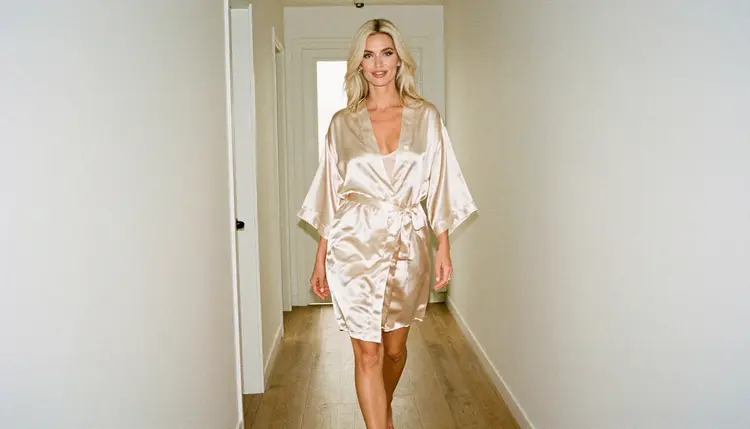
A new character every time. If the character line changes between prompts, the woman changes too. Fix: paste the same sentence unchanged and vary only the pose, the light and the lens.
Vague fabric. "Pretty robe" or "something silky" gives random clothes. Fix: name the fabric and the color, and add "opaque" or "fully lined" so the garment stays in the suggestive range.
Too many props. A bed, a mirror, flowers, candles, a chair, a rug and a lamp turn the picture into a cluttered set. Fix: three objects at most, and no mirror. Mirrors confuse most models and double the face.
The wrong lens for the shot. A wide 24mm lens on a close portrait stretches the face. A 135mm lens in a small room cannot fit the scene. Fix: use 85mm f/1.8 or 100mm for portraits, 35mm for rooms, 24mm only for hallways and wide frames.
Rewriting everything after one miss. If the pose was right and the light was wrong, do not start from zero. Fix: change only the light line. This is the main reason to use a template.
Asking for too much in one frame. Two people, a hand holding a glass, a pet on the bed and a window view in one prompt invites errors. Fix: one subject, one action, one background.
Picasso IA is for adults only. The NSFW features are 18+, and this template is meant for people who are of legal age in their country.
Every character you create must be a fictional adult. Never use the name or likeness of a real or identifiable person, and never describe anyone who could read as a minor. Keep the character line in your prompt clearly adult, and keep the glamour in the wardrobe, the light and the pose.
What you create is private by default: it is tied to your account and not published or shown to others. Models can still refuse a prompt, and if that happens you will see the message "Content Not Supported by This Model". A small free trial on selected models lets you practice before you commit, and the pricing page explains credits and the models marked with the infinity tag.
What is a boudoir prompt template?
It is a fixed set of labelled slots you fill in for every picture: format, character, wardrobe, pose, setting, light, lens and mood. Because the order never changes, you can edit one slot at a time and see exactly what changed in the result.
Which model should I use for boudoir photos?
Start with Seedream 4.5 for photoreal portraits. Use Recraft V4.1 Pro for a designed or print-ready look, and Picasso Image Editor Pro when you only want to change part of an existing picture.
Do I need to write the prompt in English?
English works best for the prompt text, because the models read it most reliably. Picasso IA itself is available in six languages, so you can use the toolkit in your own language and keep the template wording in English.
How do I keep the same woman across a series?
Write one character sentence and paste it unchanged into every prompt. Change only the pose, the light and the lens. You can also attach a picture you like in the toolkit and refer to it with its @1 badge, on models that accept several inputs.
How long should the prompt be?
Between 60 and 120 words is a good range for this template. That is enough to fill all eight slots with a few specific words each, and short enough that no slot gets lost.
Why does the template name an opaque, fully lined garment?
This section is built around suggestion, not explicitness. Naming satin, lace over a lining or a robe worn over a slip keeps the result in the glamour range and gives the model a clear picture of the clothes, which also improves the fabric detail.
Can I turn a boudoir portrait into a video?
Yes. Build the still first, then use a confirmed video model such as Picasso IA Video or Seedance 2.5 Lite. The video motion template shows how to write the movement.
Is this only for adults and fictional characters?
Yes. Picasso IA's NSFW features are 18+ only, every character must be a fictional adult, and you should never use a real or identifiable person or anyone who could read as a minor. Your creations are private by default.
What if a model refuses my prompt?
You will see a message titled "Content Not Supported by This Model". The app recommends models that accept adult prompts and carries your prompt over. Models outside the confirmed list are untested, so you can also try a different one from the full catalog.
Can I try the template for free?
A new account gets a small free trial on selected models, and Picasso Image Editor Pro is one of them. Check the pricing page for the details, and use the trial to run the template a few times before you decide.