Lingerie portraits look simple on paper and go wrong in a dozen small ways. The fabric turns into plastic, the light comes from nowhere, the pose looks stiff, or the frame crops the one detail you wanted. Most of those failures start in the prompt, not in the model. A loose line like "woman in lingerie, nice photo" leaves every decision to chance, and chance rarely picks satin, a window and a 50mm lens on its own.
This guide gives you a fill-in template for adult lingerie photos: seven labelled lines you complete with wardrobe, setting, light, lens and mood, plus two finished examples you can copy and change. It is written for adults who want a spicy, glamour-style result that stays suggestive and never explicit, with fictional characters only. Everything below works in the toolkit, and the confirmed models are linked where they come up.
An image model reads your prompt as a list of constraints. Each line you leave out becomes a guess. When you ask for "lingerie" and nothing else, the model fills in the fabric, the color, the room, the light and the camera with the most average choices it knows, and the average lingerie picture looks like a catalog thumbnail. A template fixes that by forcing you to decide the same seven things every time, in the same order, so each result is a deliberate photo and not a lucky one.
The second benefit is repeatability. If a frame works, you change one line, for example the light from morning sun to blue hour, and keep the other six. You see exactly what that one line did. Without a template you rewrite the whole sentence each time and never learn which word mattered. This is the same habit photographers use on a shoot: lock the subject, then move one variable at a time.
The third benefit is vocabulary. Lingerie has its own words, and the model responds to them better than to general praise. "Satin bralette set with lined lace trim" gives it a garment, a material and a detail. "beautiful flirty outfit" gives it nothing to draw. The template below leaves room for the specific nouns: bodysuit, corset, balconette bra, slip dress, robe, silk scarf, stockings, heels. Pick one or two per picture and name the fabric and the color next to them.
Last, a template keeps the picture tasteful by design. Every line describes something a photographer would arrange: wardrobe, pose, light, lens. None of them asks for anything explicit, and the result reads as boudoir or fashion editorial, which is the goal here. If you want the broader approach to intimate portraits, the boudoir photography template covers it, and the realistic portraits template goes deeper on skin, hair and eyes.
Picasso IA marks a model as confirmed when it has tested adult prompts against that exact model repeatedly and watched it generate instead of reject. That is a result of our own testing, not a published setting from the model's maker, and it can change. For still lingerie photos, three confirmed models do the work, and each fits a different job.
| Model | Best for | Format |
|---|
| Seedream 4.5 | Photoreal lingerie portraits from a text prompt | Text to image, 4K |
| Recraft V4.1 Pro | Illustrated or designed looks, pin-up style art | Image, 2K, print-ready |
| Picasso Image Editor Pro | Changing wardrobe, light or background on an existing picture | Photo editing, unlimited tag |
Start with Seedream 4.5 for the template in this guide, because it is built for photographic detail and the template is written in photographic language: lens, light, fabric. Use Recraft V4.1 Pro when you want the same wardrobe and mood drawn as illustration or a poster layout. Use Picasso Image Editor Pro when you already have a frame you like and only want to swap the bralette color, soften the light or change the room. It carries the infinity tag in the catalog, which means it does not spend credits on the plans that include unlimited generation, and the free trial includes it.
Beyond those three, the full catalog holds hundreds of models, and any of them can take the template. Treat the rest as untested: worth a try, not confirmed either way. If a model stops a prompt, Picasso IA shows a message titled "Content Not Supported by This Model", suggests models that accept adult prompts and carries your text over, so you do not retype it. If you want to learn what the confirmed label means in detail, the page on content moderation and confirmed models explains it.
Work through these in order the first few times. After a while the sequence becomes automatic and you will fill the lines in your head before you type.
- Open the toolkit and choose a model. Go to the toolkit, pick Seedream 4.5 for a photoreal result, and set the landscape ratio if you want a wide frame.
- Copy the template and lock the subject. Paste the seven labelled lines from the next section and write the subject line once: one adult woman, hair, makeup, build. Keep it identical between runs.
- Fill wardrobe, setting and light. Name the garment with its fabric and color, one room or place, and one light source. Three details are enough.
- Add lens and mood, then generate. Write the focal length and aperture, plus two mood words, and run it. Look at the result before you change anything.
- Change one line and run again. Swap only the light, the pose or the garment. Compare the two pictures, keep the better line and repeat. Use Picasso Image Editor Pro for small fixes on a frame you already like.
Here is the template. Each label is a line in your prompt. Write them as one flowing paragraph or as short lines separated by commas; the model reads both the same way. The labels are for you, so you do not need to type them.
Format. Start with the medium and the framing: "Raw 8K film photograph, waist-up portrait" or "wide environmental portrait". This sets the look of the whole picture before anything else is read.
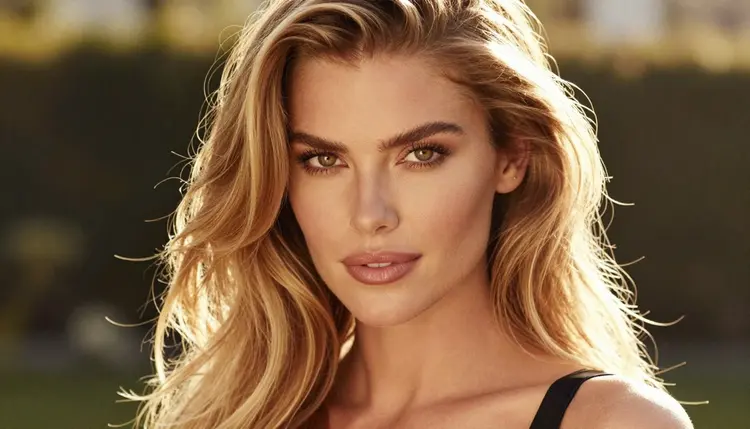
Subject. One adult, described once: "a 29-year-old woman with long wavy golden-blonde hair, hazel eyes, polished glamour makeup". Always an adult, always fictional, never a real person.
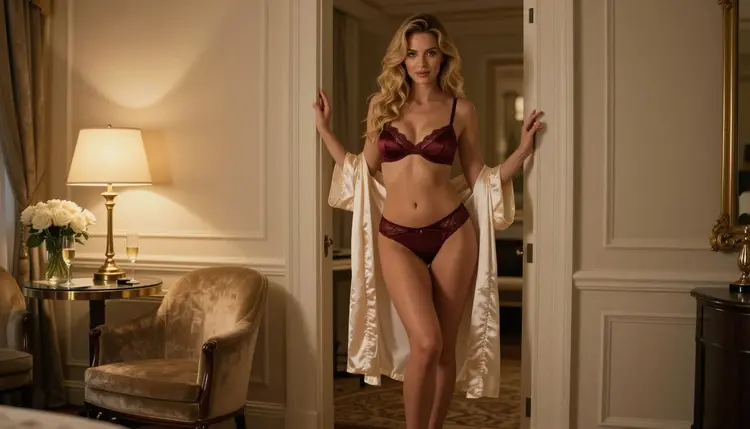
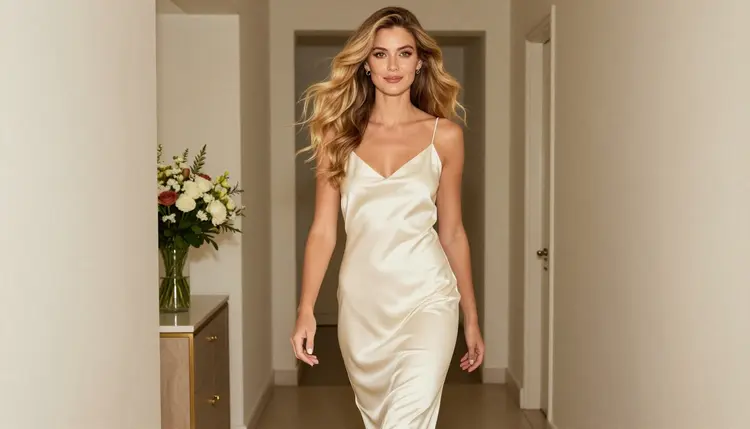
Wardrobe. The garment, the fabric, the color and one trim detail: "black satin bodysuit with lined lace trim", "red satin corset set", "ivory satin slip dress". Add one accessory at most: heels, a silk scarf, a long open coat.
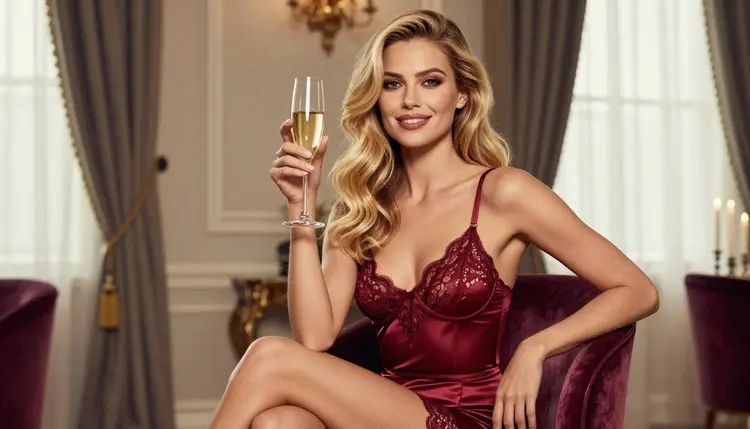
Pose. One simple action: "looking over her shoulder", "walking down a hallway", "seated upright on a velvet chair, knees crossed". Natural verbs read better than stiff pose lists.
Setting. One place with two objects: "hotel suite, doorframe and silk robe", "terrace at blue hour", "tall window with sheer curtain".
Light. One source and its quality: "soft window light from the left", "hard morning sun through blinds", "golden hour backlight", "warm tungsten lamp light".
Lens and finish. The focal length, the aperture and the film feel: "50mm f/1.4, natural skin texture, fine film grain". The lens decides how close and how soft the picture feels.
The order matters a little. Models weigh the start of a prompt more heavily, so format and subject go first, wardrobe next, and lens last. If a result ignores your garment, move the wardrobe line earlier. If the face looks too edited, move the film grain and skin texture words to the end and keep them short.
Two details deserve a note. First, name the light direction, not just the light. "Soft window light from the left" gives the picture a shadow side and a shape. "Soft light" gives it a flat wash. Second, match the lens to the shot. A 35mm lens suits a wide room or a profile against a doorway, 50mm suits a standing or waist-up frame, 70mm to 100mm suits a seated or close portrait, and 135mm compresses a terrace or a street behind the subject.
Here are two filled-in examples. Copy them as plain prompt text and change one line at a time.
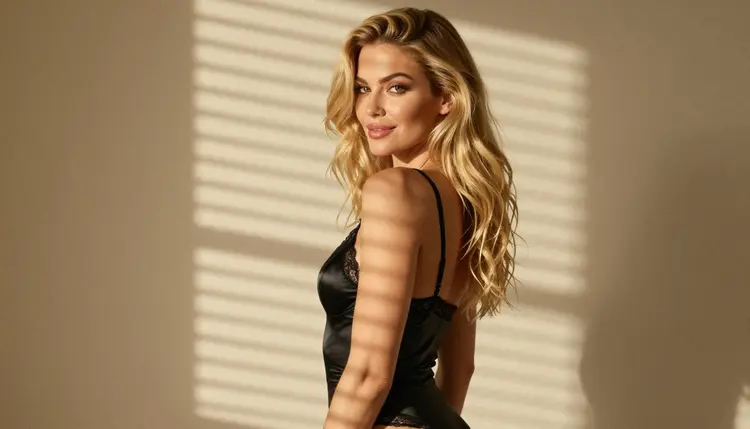
Example A, morning glimpse. Raw 8K film photograph, over-the-shoulder frame of a 29-year-old woman with long wavy golden-blonde hair, hazel eyes, polished glamour makeup, black satin bodysuit with lined lace trim, glancing back toward the camera, bedroom with blinds, hard morning sun casting stripes across her shoulder, 100mm macro f/2.8, natural skin texture, fine film grain, quiet and flirty mood. Run it in Seedream 4.5 and expect a warm, high-contrast frame with striped light across the fabric.
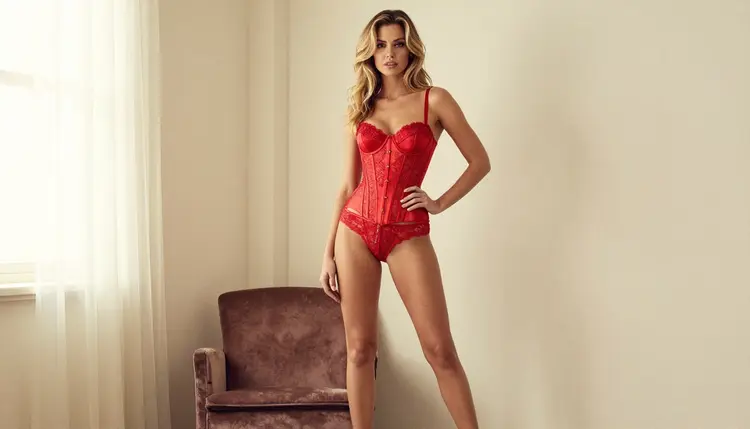
Example B, red satin portrait. Raw 8K film photograph, eye-level full-length standing portrait of the same woman, red satin corset set with lined lace and black heels, standing beside a tall window, soft window light from the left, 50mm f/1.4, shallow depth of field, Kodak Portra 400 color, calm and confident mood. The window gives the satin a soft highlight line, and the heels add height to the frame.
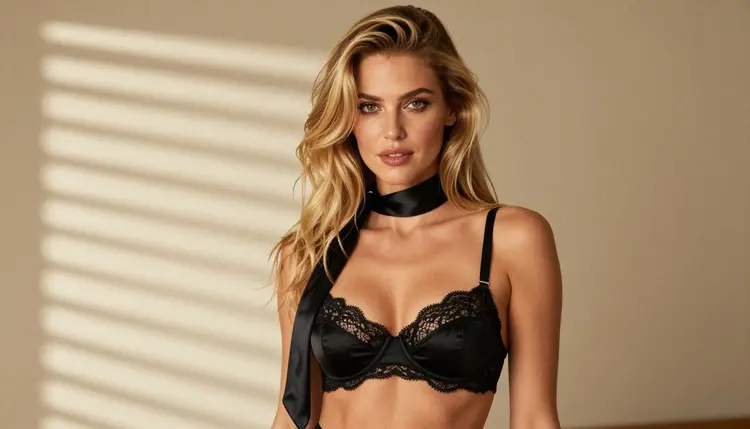
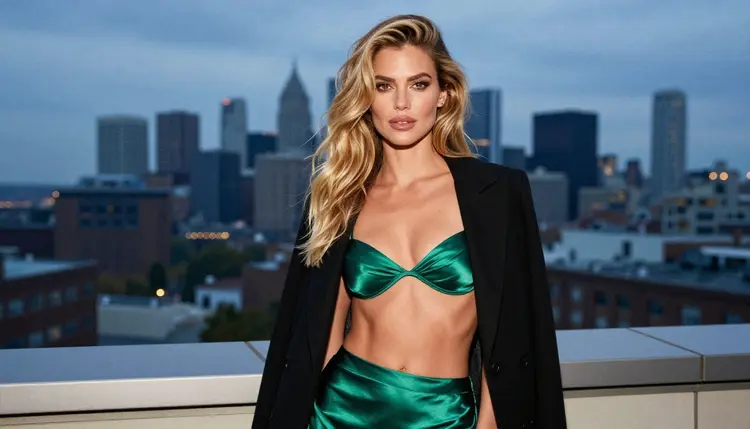
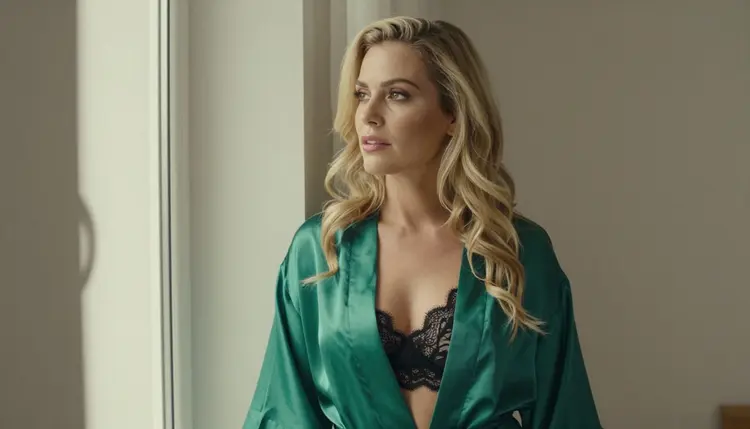
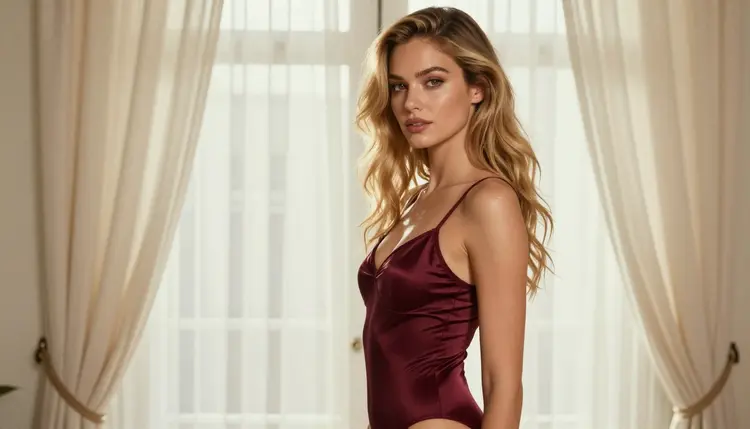
To make a series, keep the subject line word for word and rotate the other lines: burgundy bodysuit in late-afternoon side light, emerald robe over a black lace set at a window, a waist-up frame with a silk scarf. The same woman appears across the set because the subject line never changes. If your model accepts several reference images, attach your favorite frame in the toolkit and it gets an @1 badge you can mention in the prompt; this works only on models that accept more than one input. For a moving version of a favorite still, the video motion template shows how to write the clip, and models such as Picasso IA Video take an image as the starting frame.
Most bad lingerie pictures trace back to a short list of prompt habits. Here are the ones that show up most, with the fix for each.
Vague wardrobe. "Lingerie" alone returns the average. Name the garment, the fabric and the color: "emerald satin bralette set" beats "green lingerie". If the fabric looks like plastic, add "satin with soft sheen" or "matte lace" and drop words like "shiny" and "glossy".
Too many garments. Four items in one prompt make the model blend them into a confusing mix. Keep one main garment and one layer on top, for example a bodysuit and a coat. If you want a different layer, make a second picture.
Two light sources. "Window light and neon and candles" produces muddy shadows. Choose one source. Real boudoir photographers work the same way, and the picture gains depth from the single direction.
Pose lists. A string of body positions makes a rigid picture. Use one natural action instead: walking, glancing, sitting upright, looking out of a window. If a hand or a strap looks wrong, regenerate once, then simplify the pose before you add words.
Face drift between pictures. If the woman changes from run to run, your subject line is changing. Copy it exactly. For a stricter match, edit a frame you like in Picasso Image Editor Pro instead of generating a new one.
Skipping the lens. Without a focal length the model picks a wide, flat default. Add one lens and one aperture, and the depth of field comes back. A 35mm f/2 or a 50mm f/1.4 is a safe pair to start with.
Chasing a style the template does not need. Neon, cartoon looks and glow effects fight the photographic tone. If you want an illustrated version, switch to Recraft V4.1 Pro and write the prompt for illustration there. For themed ideas, the cosplay photos template shows how to bring a costume in through wardrobe and props.
Asking for too much in one picture. A single frame holds one idea. If you want a hotel room, a terrace and a bedroom, make three prompts. The set will look better and each one will be easier to correct.
Picasso IA is for adults only. You must be 18 or older to use the NSFW tools, and the lingerie photos you make here are meant for adult audiences, not for anyone under that age.
Every person in your prompts must be a fictional adult. Do not use the name or likeness of a real or identifiable person, and never describe anyone who could read as a minor. Prompts say woman or man, never a word that suggests youth, and the template above is written with that rule built in.
What you create is private by default: it is tied to your account and not published or shown to others. New accounts can try a small free trial on selected models, and the pricing page explains how credits work and which models carry the unlimited tag. Credit use varies by model and by options such as resolution.
What is a lingerie prompt template?
It is a fixed set of labelled lines (format, subject, wardrobe, pose, setting, light, lens) that you fill in for each picture. The structure stays the same and only the details change, so every result is a deliberate photo and you can compare runs fairly.
Which model should I start with?
Start with Seedream 4.5 for photoreal lingerie portraits from text. It is one of the confirmed models, which means Picasso IA tested adult prompts against it repeatedly and saw it generate. Move to another model only if you want a different look.
Do I need to type the labels in the prompt?
No. The labels are for you, to make sure every line gets filled. Write the content as one paragraph or as short phrases separated by commas. Models read both forms the same way, and a clean paragraph is easier to edit later.
How long should the prompt be?
Between 50 and 120 words is a good range. Shorter prompts leave gaps the model fills with defaults, and much longer ones start to contradict themselves. Aim for one garment, one place, one light source and one lens.
Why does the fabric look like plastic?
Usually the wardrobe line is vague or contains words like glossy and shiny. Name the material and its finish, for example "satin with soft sheen" or "matte lace trim", and pair it with soft window light rather than a hard spotlight.
How do I keep the same woman across several pictures?
Copy the subject line word for word in every prompt and change only the other lines. For a closer match, take a frame you like into Picasso Image Editor Pro and edit the wardrobe or the light there instead of generating from scratch.
Can I make the picture an illustration instead of a photo?
Yes. Open Recraft V4.1 Pro, which is confirmed and strong on illustration and design, and keep the wardrobe, pose and light lines. Replace the lens line with a style line such as "pin-up poster illustration".
Can I turn a lingerie photo into a video?
You can start from a still. Models such as Picasso IA Video and Seedance 2.5 Lite are confirmed for video, and the video motion template explains how to write the movement. Keep the motion small, like a slow turn or a hair adjustment.
What happens if a model rejects my prompt?
Picasso IA shows a message titled "Content Not Supported by This Model", suggests models that accept adult prompts and carries your prompt over so you do not retype it. Try one of the confirmed models, or soften the wardrobe wording.
Is this only for adults and fictional characters?
Yes. Picasso IA is 18+ only, every character must be a fictional adult, and you should never use a real or identifiable person or anyone who could read as a minor. What you make stays private by default. See the toolkit to start.