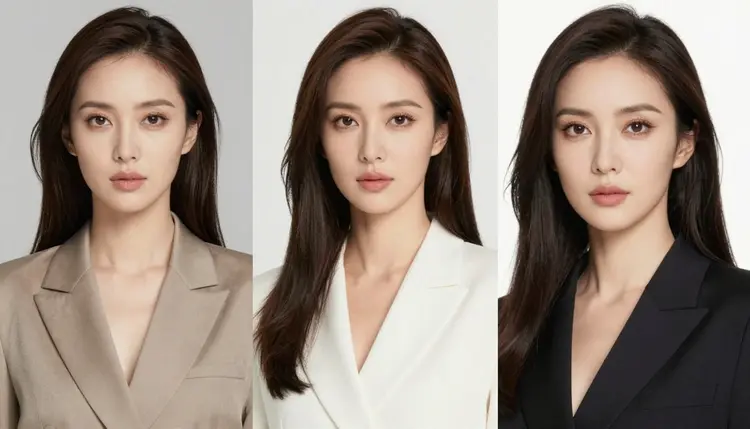
Most AI image editors either refuse an adult edit outright or blur the result before it reaches you. Picasso Image Editor Pro is different: it is one of six models on Picasso IA confirmed to run with no content filter, and unlike the other five it does not generate an image from a blank prompt. It takes an image you already have and changes it, a pose, an outfit, a background, the light in the room, whatever the instruction says. This page covers why that matters, what the model is good at, how to run an edit start to finish, and the rules that apply to every image it touches.
Most of the 488 models in the Picasso IA catalog check a prompt against a content filter before it runs, and an adult instruction gets refused outright. When that happens the app shows a Content Not Supported by This Model message and carries the prompt over to a model built to actually run it, so nothing typed gets lost. Picasso Image Editor Pro is one of those alternatives, and it is confirmed filter free: an instruction to change a pose, swap an outfit, or adjust lighting on an adult image runs the same way any other edit does, with nothing to reword or soften first.
It shares that status with five other models, and each one covers different ground. Seedream 4.5 and Qwen Image 2 generate a photorealistic image from a blank prompt rather than editing one you already have. Recraft V4.1 Pro does the same for illustration and stylized art. Picasso Video and LTX 2.3 Pro handle video. Picasso Image Editor Pro is the one to reach for once an image already exists, whether it came out of one of those models or you uploaded it yourself, and the brief is to change something about it rather than start over. See the full catalog for everything else the app offers.
Picasso Image Editor Pro is an image editor, not a text-to-image generator, and that distinction shapes how it is best used. Feed it a source image and a plain instruction, and it changes what the instruction names while leaving the rest of the picture alone: a pose shifts, an outfit changes, a background swaps out, the light moves from daylight to lamplight, and the subject, framing, and everything else not mentioned stays as it was.
That makes it the right tool for a specific kind of job, refining a result that is close but not quite right, rather than producing one from nothing. If a generation from Seedream 4.5 has the right subject and framing but the wrong outfit, or the right pose but flat lighting, Picasso Image Editor Pro is what turns that near miss into a keeper without starting the whole generation over. It is not the tool for inventing a scene from a text description alone; for that, a text-to-image model is the better starting point, with Picasso Image Editor Pro picking up the result afterward.
The kinds of edits it handles well track directly to what most people actually need adjusted: pose and body position, clothing and outfit changes, background and setting swaps, and lighting, from harsh overhead light to a softer lamp or window glow. Smaller edits, changing one clear thing at a time, tend to hold together better than an instruction trying to change five things in one pass.
Editing an existing image follows a short, repeatable loop, whether the source image came from another model in the catalog or was uploaded directly.
- Start with a clear source image. Pick the image you want to change, ideally one where the parts you are not editing, the subject, framing, and pose you want to keep, are already close to right.
- Open the toolkit and select Picasso Image Editor Pro. Upload the source image once the model is selected, so the edit runs against the right starting point from the first attempt.
- Write the edit as one plain instruction. Name the exact change: swap the outfit for a black silk robe, change the lighting to a single bedside lamp, move the pose to seated rather than standing. One clear instruction beats a long list of small adjustments in the same pass.
- Generate and compare the result against the original. Check that the named change landed and that everything else, the subject, the framing, the parts you did not mention, held steady.
- Repeat with one change at a time until it is right. Treat each pass as a single adjustment rather than a full rewrite, and stack a few small edits, outfit, then light, then background, to reach a result that would have been hard to get in one shot.
An editing instruction works best when it names one change clearly rather than several at once. Change the outfit to a red dress gets a cleaner result than an instruction that also tries to move the pose, swap the background, and adjust the lighting in the same sentence; each of those is its own edit, and running them one after another holds the rest of the image steady better than asking for all of it at once.
Be specific about what should change and let everything else stay implied. Change the lighting to golden hour through a window tells the model exactly what to touch; it does not need to be told to keep the subject and pose the same, since an editing instruction changes only what it names. Naming a material or a light source, silk rather than just fabric, a lamp rather than just light, gives the model something concrete to work from in the same way it does for a from-scratch generation.
Keep every subject fictional in every edit, the same as in a fresh generation: an edited image is still a generated image, and the same rule about real likenesses applies to it. If an edit does not land the way you wanted, undo it back to the prior version rather than layering a second instruction on top of a result that already went sideways; editing from a clean base is more reliable than trying to correct a correction. And treat a background or lighting swap as a good first edit to try, since those tend to be the most forgiving changes for the model to apply cleanly.
This is stated plainly because it matters more than any editing tip: everything generated or edited here is for adults, eighteen and over, and every subject must be a fictional adult character. No real person's likeness, with or without a claimed resemblance, and no public figure at all, whether the image is generated from scratch or edited from a source you uploaded. No minor, and no character made to look like one, in any style. Prompts and edits that cross these lines are refused, and attempting them violates the platform's terms.
That rule applies to the source image as much as to the instruction. Uploading a real photograph of a real person and asking Picasso Image Editor Pro to edit it into an adult scene is not permitted, regardless of the wording used or how the request is phrased. Picasso Image Editor Pro having no content filter does not change any of this: removing the filter that blocks adult content in general is not the same as removing the rules about whose likeness can be generated or how old a character must read as, and those rules hold on every model in the catalog.
The tool also does not take your judgment off your hands once an image exists. What you generate, edit, and share is governed by local law and by the rules of whatever platform you post to, on top of anything covered here. Legal to generate is not automatically the same as allowed to publish.
Generations on Picasso IA, edits included, are paid for with credits, spent per generation rather than through a separate subscription tier for each model. A new account starts with free credits, which is enough room to try the loop above, a source image and a few rounds of edited variations, before you need to decide whether to buy more. Editing an existing image sits in the same low range as a fresh image generation, well below the cost of a video generation.
Exact credit amounts and plan pricing change as the catalog and the plans evolve, so check pricing for the current numbers rather than a number printed here that would go stale. What stays true regardless of the number: editing one clear change at a time, rather than trying to fix everything in a single sweeping instruction, is the efficient way to spend credits on Picasso Image Editor Pro.
Does Picasso Image Editor Pro really edit NSFW images with no filter?
Yes. Picasso Image Editor Pro is one of six models on Picasso IA confirmed to run with no content filter, alongside Seedream 4.5, Qwen Image 2, Recraft V4.1 Pro, Picasso Video, and LTX 2.3 Pro. An instruction to edit an adult image runs on it the same way any other edit does, with no need to reword or disguise anything to get past a filter that simply is not there.
What is the difference between Picasso Image Editor Pro and the other five uncensored models?
The other five generate an image or video from a blank prompt. Picasso Image Editor Pro instead takes an image that already exists and changes something about it, a pose, an outfit, a background, or the lighting, based on a plain instruction, leaving everything not mentioned as it was.
Can Picasso Image Editor Pro create an image from nothing, or does it need a starting image?
It needs a starting image. Picasso Image Editor Pro is built for editing rather than generating from a blank prompt, so a source image has to be uploaded or carried over from a prior generation before an instruction can be applied to it. For a from-scratch generation, Seedream 4.5 or Qwen Image 2 is the better starting point.
What kinds of edits does Picasso Image Editor Pro handle well?
Pose and body position, clothing and outfit changes, background and setting swaps, and lighting changes, from harsh overhead light to a softer lamp or window glow. Naming one of these clearly in a single instruction tends to produce a cleaner result than asking for several changes in the same pass.
Can I upload my own photo and edit it with Picasso Image Editor Pro?
Only if the subject is a fictional adult character. Uploading a real photograph of an actual person and asking for it to be edited into an adult scene is not permitted, regardless of wording, since every subject on this page must be fictional, eighteen and over, and never a real person's likeness or a public figure.
Is Picasso Image Editor Pro free to use on Picasso IA?
New accounts start with free credits, which cover a source image and several rounds of edits before anything needs to be purchased. Beyond that, edits are paid for with credits rather than a flat subscription per model, and how far a given amount of credits goes depends on current numbers, kept up to date on pricing rather than stated here.
Why did my edit change more of the image than I asked for?
An instruction that names several changes at once tends to shift more than intended, since the model is doing several jobs in one pass. Naming a single clear change, the outfit, the background, or the lighting, and generating again for the next change usually holds the rest of the image steadier than one long combined instruction.
Can I keep editing the same image multiple times?
Yes. Stacking a few small edits, an outfit change, then a lighting change, then a background swap, is a normal way to work toward a result that would be hard to reach in one instruction. Editing from the most recent clean result, rather than layering a new instruction on top of one that already went wrong, tends to hold up better.
Can an edited image become a video afterward?
Yes, through a separate step. Picasso Video takes a still image and animates it into a short clip built from that frame, and both it and LTX 2.3 Pro run with no content filter. The efficient order is to finish editing the still image first, since editing costs less than video generation, and only animate the frame you have already settled on.
Do I need any special software to use Picasso Image Editor Pro?
No. Picasso IA runs in a browser, on a phone or a laptop, and the model runs on hosted infrastructure rather than on your own hardware, so there is nothing to install and no local setup required. Open the toolkit, select Picasso Image Editor Pro, upload a source image, and the first edit can start on the free credits a new account already has.