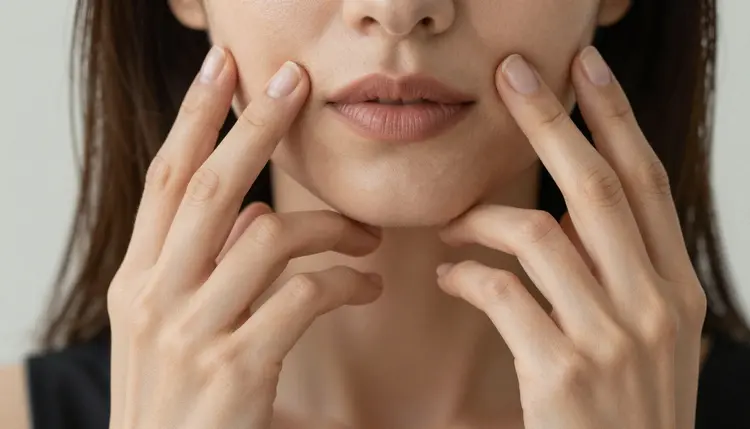
Every filter-free image model on Picasso IA can put out an NSFW image with six fingers on one hand, a thumb bent the wrong way, or a face that goes slightly wrong where two features overlap. Picasso Image Editor Pro is not another generator that starts over from a blank prompt. It takes the image you already have and corrects the exact part that broke, in the same uncensored lane as the model that made it. This page covers why the editor is the right tool for that specific job, the five-step loop for fixing a hand or a face, and the limits that apply to every image on this site regardless of which model touches it.
Hands are the hardest thing for almost every image model to get right, filtered or not. Fingers overlap, a thumb sits where a pinky should, a hand fuses into a prop or into another limb, and it happens on Seedream 4.5 and Qwen Image 2 the same as it happens anywhere else in the catalog. The usual fix is throwing the whole image away and generating a new batch, hoping the next attempt lands better. That wastes credits on the parts of the image that were already right, and there is no guarantee the next batch does better on hands than the last one did.
Picasso Image Editor Pro solves it differently. Instead of a new image from a fresh prompt, it edits the pixels of the one you already have, changing only the region you point it at. Because it is one of the six models on Picasso IA confirmed to run with no content filter, it does that on an adult image the same way it does on any other, no refusal, no need to reword an instruction to get it past a filter. It shares that filter-free status with Seedream 4.5, Qwen Image 2, Recraft V4.1 Pro, Picasso Video, and LTX 2.3 Pro, and it is the only one of the six built to edit rather than generate. This page stays narrow to one job in particular: repairing hands, fingers, and faces on an image that is otherwise close to done. Editing the rest of an image, a background swap or a wardrobe change, is a different job with its own page; see the full catalog for everything else Picasso IA offers.
Picasso Image Editor Pro takes two inputs, an existing image and a plain instruction describing what to change, and it outputs a version of that same image with the named region altered and the rest of the frame left as it was. It is not working from a blank prompt, so it is not generating a scene, it is correcting one.
For hands and faces, that usually means one of a short list of common repairs. An extra or missing finger gets corrected to a natural count. A thumb or wrist bent at an angle a joint cannot actually make gets straightened. A hand that fused into a prop, a piece of clothing, or another limb gets separated back into a recognizable shape. A face with a slightly warped eye, ear, or jawline after a close crop or an unusual angle gets smoothed back toward something anatomically plausible. In every one of these cases the edit is local: the lighting, the pose, the background, and everything else already correct in the image stays untouched, which is the entire advantage over regenerating from scratch. And because the model carries the same filter-free status as the rest of the six, it makes these repairs on an adult image exactly as it would on any other, with no separate workaround needed.
The loop for a hand or face repair is short, and the same five steps apply whether this is the first fix you have made or the fiftieth.
- Open the flawed image in the editor. Upload the image with the problem, straight out of a Picasso IA generation or from your own device, to the toolkit and select Picasso Image Editor Pro.
- Name the exact flaw in plain words. Point at the specific region and say what is wrong and what it should look like instead: the right hand has six fingers, correct it to five with natural proportions, or the left eye sits too high, align it with the right.
- Generate and compare against the original. Put the edited version next to the source image and confirm the named region changed while the pose, the lighting, and the rest of the face held steady.
- Zoom in on the fixed region before saving. A hand or face repair can introduce a small new flaw of its own, a nail that reads oddly, a shadow that no longer matches, so check the specific area closely rather than judging the image from a thumbnail.
- Repeat for a second flaw, one instruction at a time. If both a hand and an eye need work, confirm the first fix before starting the second rather than describing two separate repairs in a single instruction.
A vague instruction like fix the hands gives the model too little to work with. Naming the exact hand, the exact problem, and the exact target is what makes a repair land: which side, left or right, what is currently wrong, extra finger, bent thumb, fused with the sleeve, and what a correct version looks like, five fingers, relaxed grip, natural spacing. The more concrete the description of the flaw, the more precisely the edit lands on it.
Mention the pose when it matters to the fix. A hand resting flat on a table needs a different correction than a hand gripping an object or crossed behind a back, and telling the model which one it is looking at narrows what a natural result should look like. The same goes for a face: a three-quarter angle and a straight-on shot call for different corrections to the same feature, so naming the angle helps the model reason about what proportion actually looks right from that view.
Edit one region per instruction rather than several at once. A single pass asking for a hand fix, an eye fix, and a background change in the same sentence tends to blur the model's attention across all three instead of nailing any one of them; the five-step loop above works because each pass has one target. It is also normal, and expected, to run more than one pass on the same image, confirming each fix before asking for the next, rather than trying to get everything right in a single generation.
This applies to every edit made with Picasso Image Editor Pro the same way it applies to every image generated anywhere on Picasso IA: everything is for adults, eighteen and over, and every subject must be a fictional character. No real person's likeness, with or without a claimed resemblance, and no public figure at all, whether the image is being generated from scratch or repaired from an existing one. No minor, and no character made to look like one, in any style. An instruction that crosses these lines is refused, and attempting one violates the platform's terms.
Removing the content filter on six models, including this one, does not remove any of these rules. A filter-free model skips the block on adult content in general; it does not touch the separate rule about whose likeness can appear or how old a character must read as, and that second rule holds regardless of which model is running an instruction, edit or generation alike.
What you do with an edited image afterward is still governed by local law and by the rules of wherever you choose to share it, on top of everything covered here. An image being legal to generate or edit on this platform is not the same thing as it being allowed on any given destination.
Picasso IA runs on credits spent per generation rather than a separate subscription tier for each model, and an edit through Picasso Image Editor Pro is charged the same way a fresh generation is. A new account starts with free credits, enough to run the five-step loop above across more than one image before any purchase is needed.
Because a hand or face repair changes only part of an image rather than producing a whole new scene, running a second or third pass to fix a remaining flaw costs the same as any other single edit, not a multiple of what a full regeneration would. Exact credit amounts change as the catalog and the plans evolve, so the current numbers live on the pricing page rather than printed here where they would go stale.
Does Picasso Image Editor Pro really edit NSFW images with no filter?
Yes. It is one of six models on Picasso IA confirmed to run with no content filter, alongside Seedream 4.5, Qwen Image 2, Recraft V4.1 Pro, Picasso Video, and LTX 2.3 Pro. An instruction to fix a hand or a face on an adult image runs the same way it would on any other image, with nothing to reword or disguise to get past a filter that is not there.
Why do hands and fingers go wrong so often in AI-generated images?
Hands involve many small overlapping parts in a huge range of possible positions, which makes them one of the hardest structures for any image model to render consistently, filter-free or not. It happens across the catalog, including on Seedream 4.5 and Qwen Image 2, which is exactly the gap Picasso Image Editor Pro is built to close after the fact rather than by hoping the next generation avoids it.
Can Picasso Image Editor Pro fix a face without changing the rest of the image?
Yes, that is the point of an edit rather than a regeneration. Naming the specific region, an eye, a jawline, an ear, keeps the change local to that area while the lighting, the pose, the background, and the rest of the face stay as they were in the source image.
What is the difference between fixing a hand with the editor and just regenerating the image?
Regenerating produces an entirely new image from the prompt, which means everything that was already right, the pose, the lighting, the outfit, is put back at risk along with the hand you were trying to fix. Editing changes only the region named in the instruction, so a correct pose or a correct background is never gambled again just to fix one hand.
How do I describe a hand problem so the fix actually works?
Name the side, left or right, state exactly what is wrong, an extra finger, a bent thumb, a hand fused into a prop, and describe the target, five fingers with natural proportions and a relaxed grip. A specific description of both the flaw and the intended result gives the model a clear target; a vague instruction like fix the hand gives it very little to work with.
Can I fix more than one flaw, like a hand and an eye, in a single edit?
It works better as two separate passes. Asking for a hand fix and a face fix in one instruction tends to split the model's attention across both instead of nailing either, while confirming one repair before starting the next keeps each edit focused on a single, clearly named target.
Is Picasso Image Editor Pro free to use on Picasso IA?
New accounts start with free credits, which cover a run through the five-step loop across more than one image before anything needs to be purchased. Beyond that, an edit costs credits the same way a generation does, and current pricing is kept up to date on the pricing page rather than stated here.
Can I use Picasso Image Editor Pro on an image I made outside Picasso IA?
Yes, the editor works on any image you upload, not only ones generated on the platform, provided it meets the same rules as anything else here: a fictional adult character, never a real person or anyone resembling a minor. Upload it through the toolkit and select Picasso Image Editor Pro the same way you would for an image generated on the app.
Can I generate a real person or a celebrity with Picasso Image Editor Pro?
No. Every subject edited or generated on Picasso IA must be a fictional adult character. A real person's likeness, including a celebrity or any other public figure, is not permitted, with or without a claimed resemblance, and an instruction that attempts it is refused and violates the platform's terms regardless of which model is running it.
What if the edited hand or face still looks wrong after one pass?
Run a second pass with a more specific instruction rather than starting over from a fresh generation. Naming what is still wrong about the first attempt, a finger that is still too long, a jaw that is still off, and what the corrected version should look like, is usually enough to close the gap the first pass left, and it costs the same as any other single edit.