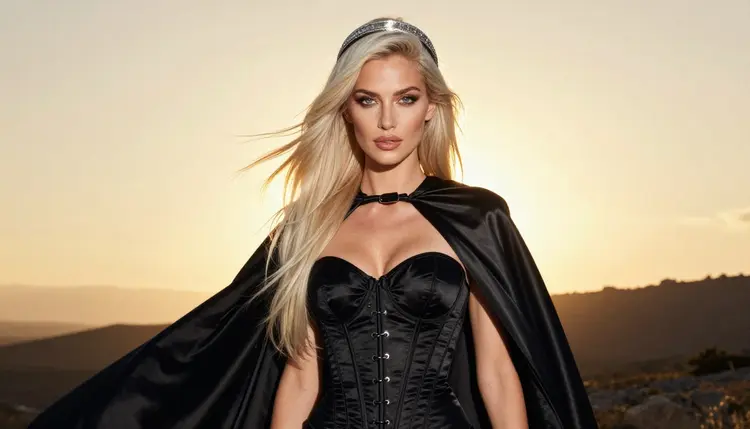
Anime character looks work well as AI prompts because they come with a built-in checklist: a silhouette you can name, a color pair, one prop and a setting that explains the costume. This list gives you eleven original character ideas for adults who want flirty, suggestive, glamour-style pictures with an anime-inspired wardrobe. Every idea is an original character, never a named franchise hero, and every one is written for a fictional adult.
The pictures on this page are raw-photo style cosplay frames, the kind of result you get when you ask a photoreal model for an anime-inspired costume worn by a real-looking adult model. If you prefer a drawn look, the same ideas work with an illustration model, and you will find that route in the model section below. Each idea names the wardrobe, the setting, the light and the angle, so you can paste it into the toolkit and change one detail at a time.
A short note on method. Anime costumes are mostly about contrast: a dark corset against a bright cape, gloves against bare light, a metal circlet against loose hair. When you write a prompt, put the costume first, then the pose, then the place, then the light. Models read the first words with the most weight, so a prompt that opens with "black satin corset bodice, burgundy silk cape" gets the costume right more often than one that opens with a mood.
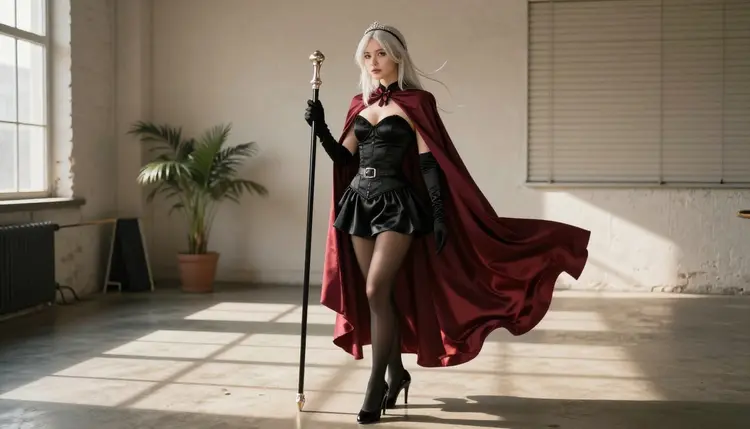
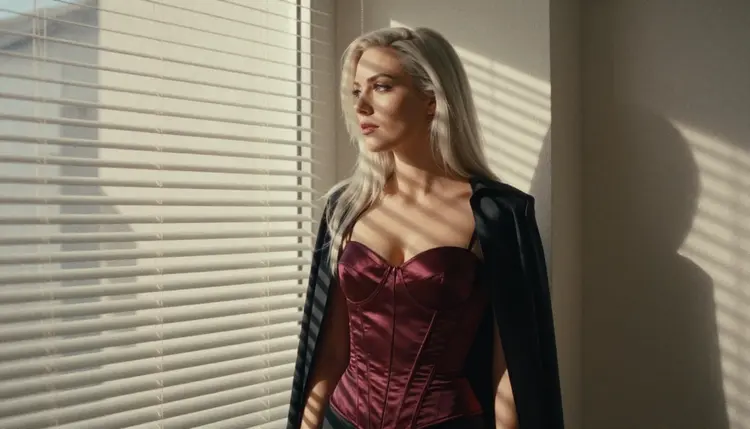
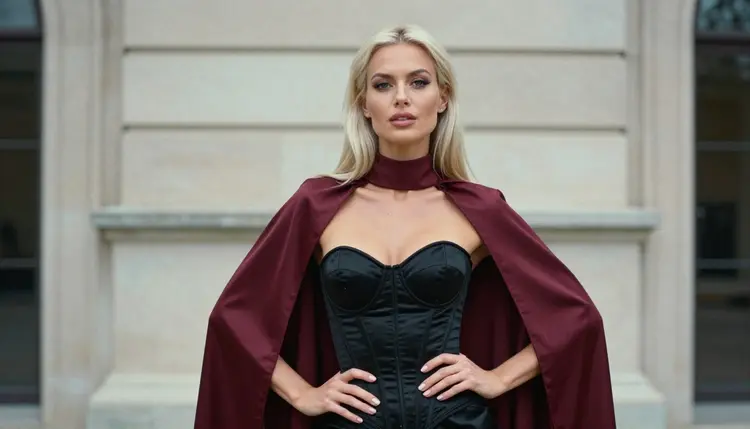
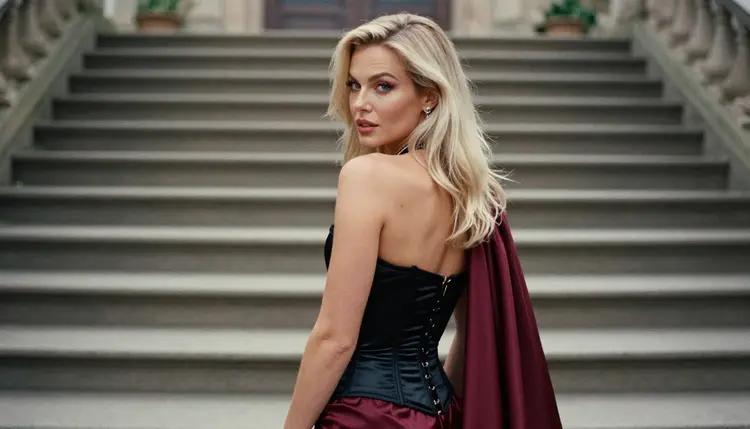
1. Burgundy Cape Heroine. A black satin corset bodice, a long burgundy silk cape, opera gloves, heels and a silver circlet, with a wooden staff in one hand. Shoot it in a sunlit loft with hard morning light through blinds and a 35mm look. Write "full-length, confident gaze" so the model keeps the whole costume in frame.
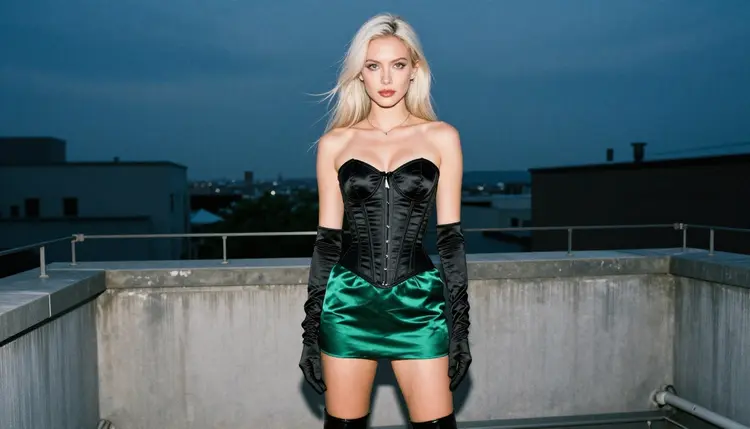
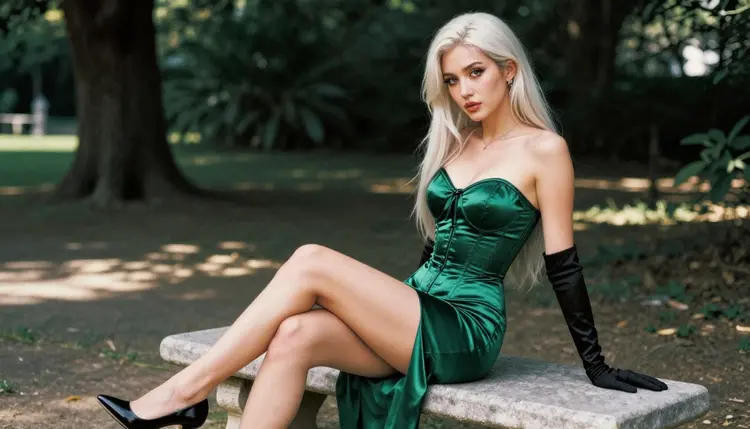
2. Emerald Rogue on the Roof. An emerald satin corset, a short skirt, long black gloves and heels, standing on a quiet rooftop terrace at blue hour. Ask for an eye-level full-length frame with the knees together and a sultry, confident look. The cool light makes the green read as deep and rich rather than flat.
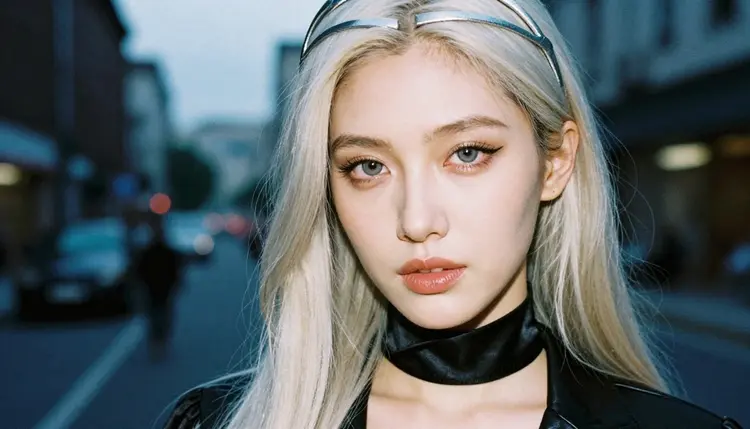
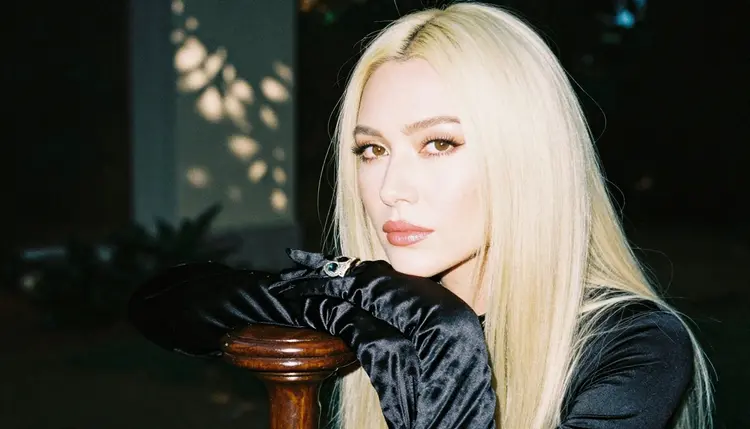
3. Silver Circlet Sorceress. A high black satin collar, a slender silver circlet and loose platinum hair, framed as a tight close-up portrait. Keep the background a soft, dark blur of city lights and say "50mm, shallow depth of field". This is the best idea here for testing skin finish and makeup detail, because the face fills the frame.
4. Staff Bearer in the Garden. One hand in a long satin glove resting on a polished dark wood staff, with a silver ring on a finger. It is a detail shot, so tell the model "exactly one hand in frame" to avoid extra fingers. Dappled shade under old trees gives the satin a realistic, soft highlight.
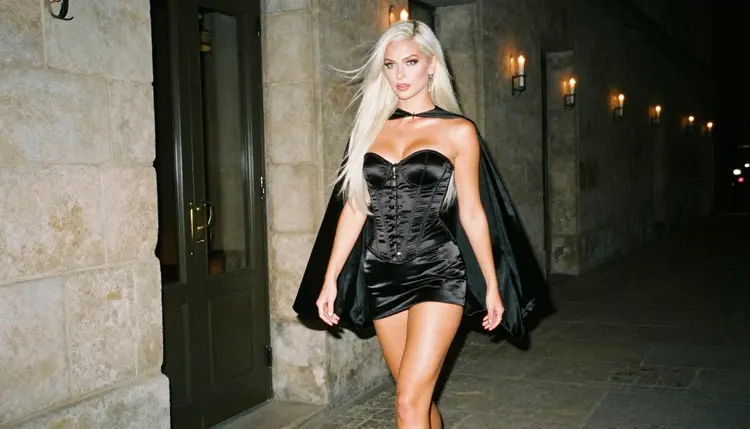
5. Masquerade Duchess. A deep wine velvet jacket cut like a short tailcoat, a satin corset, a half mask on a ribbon and long gloves, walking down a candlelit stone hallway. Candlelight keeps the mood romantic and a little theatrical. Ask for a candid three-quarter walking shot so the cape or coat tails show movement.
6. Street Racer Captain. A fitted glossy racing jacket zipped to the collarbone, leather gloves, tall boots and a sash in team colors, leaning on a car in a parking structure at dusk. The costume is anime-inspired, so choose two strong colors, such as white and crimson, and repeat them in the gloves and boots.
7. Space Station Pilot. A fitted satin flight jacket with a high collar, a belt of small pouches, opera gloves and heels, in a bright white corridor. Ask for a medium shot, waist up, in overcast soft daylight so the white set does not blow out. A single patch on the shoulder gives the character an identity without naming anyone.
8. Lantern Shrine Priestess. A long silk robe in ivory and red, tied with a wide sash, with a loose neckline kept modest and opaque, and paper lanterns behind her. This idea is about layers and fabric flow. Mention "silk catches the light" and ask for a profile view so the sash line is clear.
9. Moonlit Swordswoman. A long dark coat over a corset bodice, a silk sash, tall boots and a prop sword resting on her shoulder, shot over the shoulder on a misty stone stairway. The back view shows the coat length and the glance back keeps it flirty. Soft overcast light helps the mist look natural.
10. Winter Queen. A pale satin corset, a white cape with a fur-style trim, long gloves and a crown of silver branches, in a frosted glasshouse. Cold, flat light suits the pale palette. Add a warm accent, such as a red lip, so the face still leads the picture.
11. Corsair Captain. A long captain coat with brass buttons over a satin corset, a wide belt, tall boots and a feathered hat, on a weathered dock at golden hour. A backlit profile silhouette is the strongest angle: the rim light traces the hair and the hat brim. Say "golden hour backlight, 100mm" and keep the sky bright.
Some ideas on this list work better as drawn art than as photographs, mostly the ones with oversized props or impossible hair colors. Idea 7 with pink hair or idea 10 with ice-blue hair is easier to hold in an illustration style. If a photoreal model keeps muddying a color, switch the model before you rewrite the prompt.
Choosing from eleven ideas is easier when you test them the same way each time. The routine below takes a few minutes per character and keeps your results comparable, so you can see what the prompt did and not what the dice did.
- Pick one idea. Choose a single character from the list and write down its wardrobe, prop, setting and light in one line each.
- Write the prompt in order. Start with the costume, then the pose, the place, the light and the lens, in plain short phrases.
- Run it on a confirmed model. Open the toolkit, choose a confirmed model for adult prompts and generate one picture first.
- Change one detail. Swap the light, the angle or the cape color, never three things at once, and compare the new result with the first.
- Add motion or edits. When the still works, edit small details with an image editor or turn it into a short clip with a video model.
Picasso IA keeps a list of models it has tested with adult prompts and watched generate instead of reject. "Confirmed" is Picasso IA's own finding and not a published setting of the model's maker, who can change it at any time. Here is where each confirmed model fits for the character ideas above.
For the photoreal ideas, start with Seedream 4.5. For the drawn versions, Recraft V4.1 Pro is the one that is strong on illustration and design. If the costume is close but a glove, a collar or a color is off, Picasso IA Image Editor Pro lets you fix that on the existing picture instead of starting over.
Other models in the catalog are untested for adult prompts. That means worth a try, not confirmed either way. Qwen Image 2 and Picasso Video (Pruna P-Video) are in that group, and so are the rest of the catalog. If one of them rejects a prompt, the app shows a message titled "Content Not Supported by This Model", recommends models that accept adult prompts and carries your prompt over, so you do not retype it. For a longer look at drawn styles, read NSFW Anime: Best AI Generator.
This page is for adults. You must be 18 or older to use it, and the characters on it are written for an adult audience. The tone is flirty, romantic and suggestive, built from wardrobe, pose, light and mood, and it stays short of anything explicit.
Every character you create must be a fictional adult. Do not use a real or identifiable person, a celebrity or a public figure, and do not make anyone who could read as a minor. That includes costume choices, props and settings that would suggest someone below adult age. If a picture comes out that way, delete it and change the prompt.
Your creations are private by default: they are tied to your account and are not published or shown to other people. What you do with a picture after you download it is your responsibility, so follow the law where you live and the rules of any place you share it.
A new account can try a few generations for free on selected Picasso IA models: Picasso IA Image, Picasso IA Editor Pro, Picasso IA Video and Seedance 2.5 Lite. It is a small free trial on selected models, not on the whole catalog. The pricing page explains how credits work, and costs vary by model and by options such as resolution or duration.
Models marked with the infinity tag in the catalog do not spend credits on the plans that include unlimited generation. Picasso IA Image Editor Pro, Picasso IA Video and Seedance 2.5 Lite carry that tag, which makes them a good place to run many small tests of the same character idea. The details of each plan are on the pricing page.
When you are ready to go further, open the full catalog and try more models with your favorite prompt. To keep one character consistent across many pictures, follow How to Generate an NSFW Character Turnaround. For more concepts, Top 10 NSFW AI Character Concept Ideas and Top 10 NSFW Fantasy Creature Ideas to Generate are good next reads, and Top 7 NSFW AI Anime Video Generators covers the motion side.
Are the characters on this list real franchise characters?
No. Every idea is an original character built from a costume, a prop and a setting. None of them is a named hero or villain from a series, and you should keep your own prompts that way too, so the result is yours.
Can I use these ideas for drawn anime art as well as photos?
Yes. The photos on this page come from photoreal prompts, but the wardrobe, prop and setting work in an illustration style too. For drawn results, try Recraft V4.1 Pro, which is strong on illustration and design.
Which model should I try first?
Start with Seedream 4.5 for photoreal cosplay frames. It is a confirmed model for adult prompts here and creates 4K images from text. Move to an illustration or editing model when you want a different look.
What does confirmed mean?
It means Picasso IA tested adult prompts against that exact model repeatedly and watched it generate instead of reject. It is Picasso IA's own finding, not a published setting of the model's maker, who can change it at any time.
Why did a model refuse my prompt?
Some models decline adult prompts, and models marked untested may do so. The app then shows "Content Not Supported by This Model", suggests models that accept adult prompts and carries your prompt over, so you only choose the new model and run it again.
How do I keep the same character in several pictures?
Describe the costume the same way each time, with the same colors, prop and hair, and change only the pose and place. In the toolkit you can also attach a picture as a reference and mention it in the prompt. Only models that accept several inputs show that option.
Can I turn a character into a video?
Yes. Take a finished picture and use an image-to-video model such as Picasso IA Video or Seedance 2.5 Lite, which is listed up to 10 seconds. A cape, a coat tail or loose hair are the easiest things to animate.
Is it free?
A new account gets a small free trial on selected models, and models with the infinity tag do not spend credits on the plans that include unlimited generation. Everything else costs credits that vary by model and options. See the pricing page for the details.
Who can I make pictures of?
Only fictional adults. This page is for 18+ users, never uses a real or identifiable person, and has no place for anyone who could read as a minor. Keep your prompts to original adult characters and delete any result that breaks that rule.
Are my pictures private?
Yes. Generations are private by default: they are tied to your account and are not published or shown to other people. You decide whether to download or share a picture, and you remain responsible for following the rules where you live.