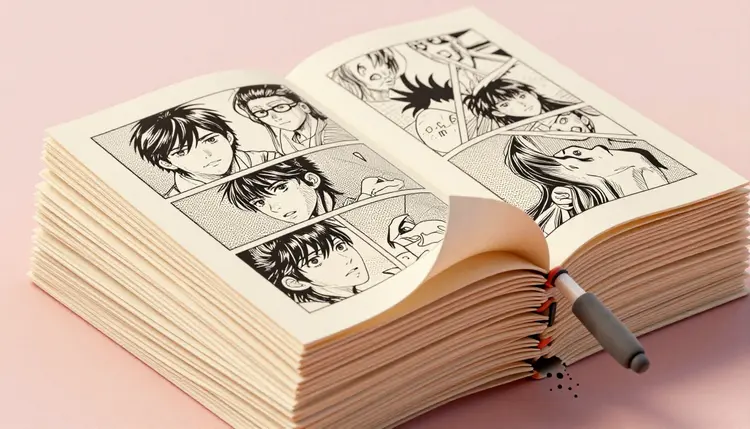
A comic page starts as six panels in your head and usually falls apart around panel three, when the second character stops looking like the first sketch. AI comic and manga tools exist for exactly that gap. Lock a character to a reference image, describe the shot, and get inked panels back in the style you named, manga screentone or Western flat color, in minutes rather than a weekend, before a single line goes down on paper.
Comics live and die on volume. A single page needs backgrounds, expressions, poses and consistent costuming repeated panel after panel, page after page, and drawing all of it by hand is the reason so many series stall after chapter one. Picasso IA runs 488 models behind one interface, including FLUX, Seedream, nano banana and Ideogram Character, so a solo creator can rough out a page in the time it used to take to thumbnail one panel. The full catalog is worth a scroll to see what else sits next to the models named here.
New accounts get free credits, enough to test whether a character design or a panel layout actually reads before committing a chapter to it. A generation takes seconds, so changing your mind about a hairstyle or a panel angle costs nothing, which is not true once ink is on the page. The planning side of this overlaps with general AI storyboards work, if you are blocking out a script before drawing anything.
Manga and Western comics are not the same request, even for an identical story. Manga leans on screentone shading, dynamic speed lines and expressive, simplified faces; American and European comics lean on flat color, heavier outlines and more literal rendering. Naming the tradition in the prompt changes the result more than almost any other word you can add.
| Style | Prompt words that steer it | Where it reads best |
|---|
| Shonen manga | black and white, screentone shading, speed lines, dynamic pose | Action and adventure pages |
| Shojo manga | delicate linework, large expressive eyes, floral screentone, soft gradients | Romance and slice of life |
| Seinen manga | gritty crosshatching, heavy shadow, realistic proportions, muted tone | Mature drama and thriller |
| American comic | bold ink outlines, flat cel color, halftone dots, dramatic lighting | Superhero and pulp pages |
| Bande dessinée | ligne claire, even line weight, flat color blocks, clean backgrounds | European adventure albums |
| Webtoon panel | full color, soft shading, vertical scroll composition, no gutters | Mobile-first serialized strips |
Pick one tradition per project and stay inside it across the whole run. A page that mixes shonen speed lines with ligne claire flat color in the same panel reads as a mistake, not a style choice, so decide early and repeat the same style words in every prompt for that series.
The hardest part of an AI-made comic is not one good panel, it is the tenth panel starring the same person. Ideogram Character was built for exactly this: upload one reference portrait, choose the Fiction or Realistic style, and the model anchors the face and proportions across every new scene you describe, panel by panel through a whole chapter.
nano-banana-2 and Seedream 4.5 also accept reference images and cover the moments Ideogram Character is not built for, dropping your character into a full page next to a second character, or swapping an outfit while keeping the pose. flux-kontext-pro takes an image plus a plain instruction, which suits a small fix, changing the background behind a character without redrawing the figure itself. The deeper workflow, including how to build a reusable character sheet, lives in the consistent AI characters guide. For teams weighing a single specialized tool against a full catalog, the Picasso IA vs Ideogram comparison walks through that tradeoff.
None of these models remember a character between sessions the way a human artist would. The reference image is the memory, so keep the file you approved and feed it back in every time. Losing it and re-describing the character from words alone is how a series quietly recasts its lead partway through.
How to Draw a Comic Page with AI in Five Steps
This is the order that produces a usable page instead of five unrelated panels. It assumes a script, even a rough one, and a single reference photo or sketch for your main character.
- Build a character reference first. Generate or upload one clean portrait of your lead in the toolkit, pick a style with Ideogram Character's style selector, and treat this image as the anchor for the whole chapter.
- Draft the panel layout in plain words. Write each panel as a short shot description, wide establishing shot, close-up on a face, low angle on a reveal, before generating anything, the way a thumbnail sketch works for a human artist.
- Generate each panel against the reference. Feed the character reference into nano-banana-2 or Seedream 4.5 alongside the panel description, and generate two or three takes per panel rather than accepting the first result.
- Fix continuity errors panel by panel. Use flux-kontext-pro to correct one detail at a time, a prop in the wrong hand, a costume color that drifted, without regenerating the whole panel from scratch.
- Letter and export at full resolution. Add speech bubbles and sound effects in your layout tool of choice, then upscale the final panels so the linework stays crisp at print or webtoon export size.
Five habits separate a page that reads cleanly from a folder of pretty but disconnected panels.
- Keep panel counts low per prompt: ask for one panel at a time rather than a full page in a single generation, since multi-panel prompts blur which character belongs in which box.
- Write speech bubbles after the art, not before: generate the panel clean, then add lettering in a layout tool, so a model never has to render legible text inside a bubble.
- Lock one style vocabulary per series: save the exact words that produced your look and reuse them verbatim, since even a small synonym swap can shift a whole page's tone.
- Separate character and background generations for busy pages: generate a clean background first, then place the character reference into it with an editing model, instead of asking for both at once.
- Batch four variants before judging a panel: a single generation can be an outlier, so compare a small set before deciding a style or a pose is not working.
Generate panels at the resolution you intend to publish, not smaller. Upscaling an AI comic page after the fact softens fine linework and screentone dots in a way that reads immediately as a scan of a scan, even when the original panel looked sharp on screen.
An honest page says where the tool still struggles. For AI comics and manga there are five recurring problems worth knowing about before committing a whole chapter to the workflow.
Hands, props and background objects drift across a run of panels more than faces do, since a reference image locks identity but not everything else in frame, so check hands before finalizing a panel. Long dialogue rendered as generated text inside a speech bubble comes out garbled often enough that lettering should always happen afterward, in a layout tool, never inside the image prompt itself. Background continuity across a multi-panel scene, the same room from a different angle, needs a fresh generation per angle, since these models carry no 3D model of your set between prompts, only an impression built from words and the reference. Full-page compositions with many small panels crammed into one generation tend to blur which character belongs where, so panel-by-panel generation stays more reliable than one-shot layouts. And a distinctive personal art style, the kind a human artist spends years developing, is hard to fully replicate from a written brief alone; the closest you can get is a consistent style reference fed back every time.
None of this rules the workflow out. It rules out treating a first draft as a finished page, which was never realistic for hand-drawn comics.
Is there a free AI manga and comic generator?
Picasso IA gives new accounts free credits, and a single comic panel is one of the cheaper generations you can run, since it is a still image rather than video or a 3D model. That is enough to draft a few panels in different styles and see whether a character design and a manga or Western comic look actually hold up before committing to a full chapter. Paid plans are listed on the pricing page, and they change often enough that a specific number written here would go stale fast.
Which model keeps a manga character consistent across panels?
Ideogram Character is built specifically for this: one reference portrait, then the same face across new scenes, poses and outfits. nano-banana-2 and Seedream 4.5 are strong alternatives when you need to place your character next to a second one or change more of the scene at once. flux-kontext-pro handles small continuity fixes, correcting one detail in an already-generated panel without touching the rest.
Can I turn a rough sketch into a finished manga panel?
Yes. Editing models such as flux-kontext-pro and qwen-image-edit-plus accept a sketch plus a plain instruction and redraw it as an inked panel in the style you describe, screentone shading, bold outlines or flat color. This keeps your composition and poses intact while the model handles the rendering, which is faster than starting from a text description alone.
Does AI comic art come out in screentone or full color?
Either, depending on the words in the prompt. Ask for black and white, screentone shading, halftone dots for a traditional manga look, or full color, cel shading, flat color blocks for a Western or webtoon look. The same character reference works under both instructions, so you can test a page in both looks before choosing one for the whole series.
Can AI write the speech bubbles and dialogue lettering?
Not reliably. Models can attempt short text inside a generated image, but longer dialogue inside a speech bubble comes out garbled often enough that professional workflows always add lettering afterward, in a dedicated layout or comic-editing tool, once the clean art panel is finished.
Who owns an AI-generated comic or manga page?
It depends on where you live, and the law is still settling. Several jurisdictions give purely machine-generated images limited or no copyright protection, which matters more once you are publishing or selling a series than for a page made for practice. If you plan to publish commercially, treat an AI draft as raw material, rework it meaningfully, and check the rules that apply in your country first.
How many panels can I generate in one AI image?
Technically several, but quality drops fast past two or three, since the model has to keep every character, prop and background straight in one generation and tends to blur which face belongs in which box. Generating one panel at a time against the same reference, then assembling the page in a layout tool, produces far more reliable results than asking for a full page in a single pass.
What is the best AI model for shonen-style manga art?
FLUX models and Ideogram Character set to the Fiction style both handle bold linework and dynamic action poses well. Pair either with explicit screentone and speed-line prompt words, since the style label alone is not enough, the model needs the visual vocabulary spelled out to commit fully to the look rather than drifting toward a generic illustration.
Can I keep the same background across multiple panels?
Yes, by treating the background the way you treat a character: generate or choose one clean background image, then feed it into an editing model alongside each new panel's character and action, rather than describing the room from scratch every time. A fresh generation is still needed for a genuinely different camera angle on the same room.
How much does generating a comic page cost?
Generations are paid in credits, and the cost per image depends on the model and settings you choose, so a precise number here would be wrong within a month. Still images sit toward the cheap end of the catalog compared with video or 3D generation. New users start with free credits, and current plan pricing lives on the pricing page, the only place worth trusting for numbers.
Your script deserves inked panels, not another month of blank pages. Open the Picasso IA toolkit and turn page one into real art in minutes.