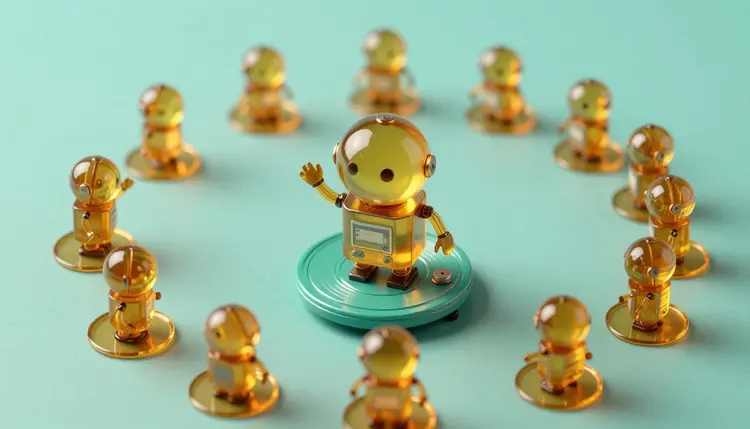
A good reaction GIF is a tiny piece of acting: a raised eyebrow, a slow clap, a cat that stares at the camera a beat too long. Most of the time you pick from whatever already exists, because making your own used to mean animation skills. With an image-to-video model you start from your own picture, describe the motion in a sentence, and get a short clip made for your chat, your sticker pack or your post.
Searching a GIF library gives you the reaction everyone else already sent. The one that fits your joke, your mascot or your brand character does not exist until somebody makes it. Image-to-video models change who that somebody can be: if you can write a sentence like the robot waves, then freezes with a proud smile, you can direct a loop.
Picasso IA puts 121 video models in one workspace, out of a catalog of 502, so you can try the same picture on different engines and keep the one that moves it the way you pictured. New accounts get free credits, enough to test a few ideas before you decide whether this is worth your time. And since a short clip is a small job, throwing away a bad take costs you very little.
Here is the part most pages on this topic skip. The models on Picasso IA return video files, not GIF files. We did not find a model in the catalog that exports GIF directly, so treat the GIF as a separate conversion step: you generate the clip in the toolkit, download it, and run it through any free video-to-GIF converter or editor.
In practice that step matters less than it sounds. Many messaging apps, social platforms and websites now accept a short, silent, looping video where they once demanded a GIF, and a video file is usually sharper and smaller than the same clip as a GIF. Check the current requirements of the place you are posting to before you convert anything, since limits on file size, length and format change and differ between apps.
Not every loop asks for the same thing. A reaction needs a readable emotion in the first half second, a sticker needs a clean silhouette, and an ambient loop needs motion that returns to where it began. This table matches each type to a sensible first attempt.
| Loop type | What to prompt | Good first move | Watch out for |
|---|
| Reaction (character or mascot) | One clear action: nods, shrugs, claps, covers eyes | wan-2.2-i2v-fast for quick drafts | Faces drifting when the head turns far |
| Animated sticker | Simple gesture, plain background, centered subject | Draw the sticker with sticker-maker, then animate it | Video has no transparent background |
| Ambient loop (steam, rain, flicker) | Small repeating motion, locked camera | wan-2.5-i2v or wan-2.6-i2v for steadier motion | Motion that ends somewhere new |
| Product wiggle | A tiny rotation or sparkle, camera still | Animate a clean product photo | Shape changing mid-clip |
| Meme remix of your own art | Exaggerated motion, one beat | Edit the still first with nano-banana | Text in the picture bending or melting |
Two habits make the biggest difference. Work from a still that already looks the way you want, because the model animates what it sees rather than fixing it. And keep the picture simple: one subject, one background, space around the edges for motion. The effects page holds one-click preset looks if you would rather start from a style than from a blank prompt.
This walkthrough ends with a clip you can drop into a chat or a sticker pack. It assumes one image and a few minutes.
- Pick or make the still. Use your own photo or drawing, or generate a character with a text-to-image model such as nano-banana. A centered subject on a plain background animates most predictably.
- Open the toolkit and choose an image-to-video model. Wan 2.2 I2V Fast (wan-2.2-i2v-fast) is a quick way to draft; wan-2.5-i2v and wan-2.6-i2v are worth trying when the motion needs to hold together longer. Attach the image.
- Write one motion in plain words. Name the subject and a single action, such as the cat slowly turns its head toward the camera and blinks, then keep the camera still.
- Set the shape of the clip. Pick 9:16 for stories and stickers or 16:9 for wide posts, and keep it short; on models that expose frames and frame rate, fewer frames means a tighter loop.
- Download, then convert. Save the video, test how it repeats, and use a video-to-GIF converter only if the destination demands a GIF.
A loop works when the last frame is close to the first. The models are not told to loop, so you steer them by choosing motion that naturally comes back: a wave, a nod, a blink, a bounce, steam rising and fading, a light that pulses. Avoid actions that go somewhere, like walking out of frame or opening a door, because they end in a different place than they began.
Pro tip: if the clip jumps when it restarts, play it forward and then backward in a free editor. A ping-pong loop hides the cut, and it works well for blinks, bounces and small gestures.
Common mistakes are easy to spot once you know them. Asking for three actions in one prompt gives you a muddled middle, so keep it to one. Describing the camera and the subject both moving usually makes both worse. A busy background invites random flicker in places you did not ask for. And a very long clip is harder to loop than a short one, so generate a brief take and repeat it.
An honest page says where the method stops being useful. For GIF-style loops there are five places:
- No native GIF export: the output is video, so the GIF itself comes from a separate converter, and GIF's limited color range can band skin tones and gradients.
- No transparency: video files do not carry a transparent background, so a true animated sticker with see-through edges needs extra work outside the toolkit, or a plain background that you accept.
- Drift on hard motion: fast turns, hands and anything that passes in front of a face can warp, which is why small gestures succeed more often than big ones.
- Exact timing: you cannot place a blink on frame twelve; you can generate again and pick the take whose timing lands best.
- Text inside the image: letters on a sign or a shirt can wobble once the picture moves, so keep captions out of the still and add them afterward.
None of this makes the idea unworkable. It means reaction loops and simple stickers are a good fit, while precise character animation that must match a script is not.
Can Picasso IA export a GIF file directly?
Not that we have found. The video models in the toolkit return video files, and none of the ones we checked offers a GIF export option. The practical route is to generate the clip, download it, and convert it with a free video-to-GIF converter or an editor you already use. Many apps accept a short looping video anyway, so check what your destination takes before adding the extra step.
Is there a free AI GIF maker on Picasso IA?
New accounts get free credits, which is enough to try a few image-to-video clips and see whether the motion suits your idea. Generation costs credits, and the cost depends on the model and the settings you choose, so a number written here would go stale quickly. Current plans are listed on the pricing page, and that is the place to trust for what a clip costs.
Which model should I use for reaction loops?
Start with wan-2.2-i2v-fast, because a quick draft lets you test a motion prompt without a long wait. If the motion falls apart or the character drifts, run the same image through wan-2.5-i2v or wan-2.6-i2v and compare. There is no single winner for every picture, which is the reason to try two or three engines on the same still before settling on a look.
How do I make the clip actually loop?
Choose motion that returns to where it started, such as a nod, a wave, a blink or a bounce, and keep the camera still. If the restart still jumps, play the clip forward and then backward in a free editor so the ends meet. Short takes loop better than long ones, so generate something brief and repeat it instead of asking the model for a long scene.
Can I make animated stickers with a transparent background?
Only partly. Sticker Maker (sticker-maker) draws still stickers with a transparent background, and you can animate one with an image-to-video model, but the video that comes back has a solid background, not a see-through one. If your sticker app needs real transparency, you will have to remove the background from the animation in another tool, or pick a design that reads fine on a plain color.
How long can the clips be?
It depends on the model. Wan 2.2 I2V Fast lets you set the number of frames and the frame rate, so duration comes from those two settings, while other models expose their own duration options. For loops, short is the better target anyway: a couple of seconds repeated reads as a clean loop, and long clips are harder to bring back to their starting pose.
Can I turn a photo of a friend into a reaction GIF?
Only with their permission, and only for pictures you have the right to use. Use photos of yourself, of people who agreed, or fictional characters and mascots, and do not animate a real identifiable person, such as a public figure, in a way they have not agreed to. A clip can make someone appear to do something they never did, so keep it clearly harmless.
Can I use characters from movies or shows?
It is a bad idea, since those characters belong to someone else and using them in clips you share can cause problems with the owner or the platform. The better route is your own character or mascot, or an invented one made with a text-to-image model, which gives you a reaction set you are free to reuse. If a project involves someone else's character, read the rules that apply first.
Why does my GIF look grainy or come out as a huge file?
The GIF format stores a limited palette of colors per frame, so smooth gradients and skin tones tend to show banding, and long or large clips make heavy files. Shorter clips, a smaller size and a simpler picture all help. If the grain bothers you, send the original video instead, since many platforms accept it and it keeps the full quality.
How much does it cost to make a GIF?
Generating the clip costs credits, and the amount depends on the model and the settings you pick, such as resolution and duration, so any figure here would be wrong within a month. The conversion to GIF happens outside Picasso IA. New users start with free credits, and the pricing page is where the current numbers live.
Ready to see your own picture move? Open the Picasso IA toolkit, attach an image and try your first loop.