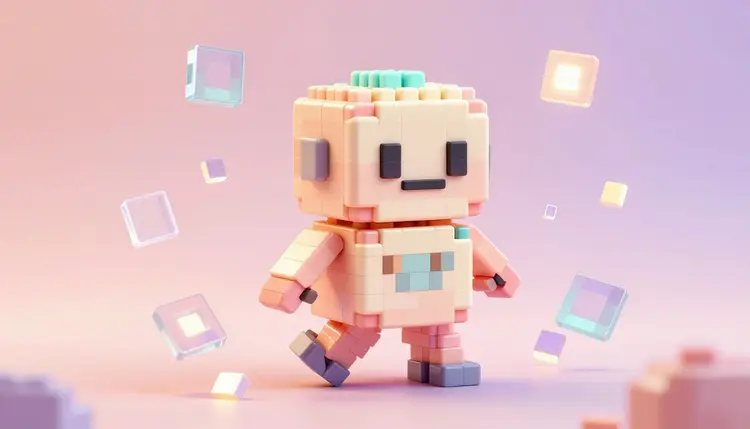
Pixel art still carries an outsized punch for how few pixels it uses, but building a full sprite sheet by hand, four walking directions times several frames each, plus every item icon and floor tile a level needs, eats an evening even for someone fast with a mouse. A model line built specifically for this look collapses that timeline. Describe a character or a texture in a sentence, get back a usable sprite in seconds, and spend the saved time on level design instead of on carpal tunnel.
Most text-to-image models can be pushed toward a pixel look with the right adjectives, and the result usually reads as a photo with a filter over it: soft gradients where pixel art wants hard blocks, anti-aliased edges where it wants none. Picasso IA runs a separate retro-diffusion model line built only for this style: rd-fast, rd-plus, rd-tile and rd-animation, each trained on pixel art rather than adapted from a photorealistic one.
That shows up as options a general model does not offer: style presets built around real asset categories, not just retro or arcade but character_turnaround for multi-angle sprites, item_sheet for inventory icons, mc_item and mc_texture for a blocky voxel look, and tile-specific generation for surfaces that repeat without a seam. New accounts get free credits to try the family, and the full catalog covers concept art and 3D props too.
The single biggest decision in a pixel art prompt is not the subject, it is the style preset, because two models in the family both expose a style dropdown built around what the output is for rather than a vague aesthetic label. Pick the preset that matches the asset type first, then describe the subject.
| Style preset | What it produces | Good for |
|---|
| character_turnaround | Front, side and back views of one character in a single generation | Player and NPC reference sprites |
| item_sheet | Several objects laid out on a plain background | Inventory icons, loot drops, pickups |
| tileset (rd-tile) | A full wang-style set of corner, edge and center tiles | Ground, wall and floor textures |
| mc_item / mc_texture | Flat, blocky icons and surfaces in a voxel-game look | Minecraft-style or block-based games |
| 1_bit | Strict two-color black and white output | Game Boy style art, monochrome UI |
| vfx (rd-animation) | A looping animated effect: fire, explosion, lightning | Combat hits, spell casts, ambient loops |
Both rd-fast and rd-plus accept a reference image alongside the text prompt, so a rough sketch or an existing sprite can steer the composition, and a reference palette image locks every generated asset to the same handful of colors, which matters more for pixel art than for most styles since a mismatched palette is the fastest way to make a sprite sheet look assembled from different games.
This is the workflow for going from an empty asset folder to a first playable set of sprites, using only the retro-diffusion models and the Toolkit.
- Write the asset brief in plain words. Subject, pose or angle, and the preset it belongs to: a stout dwarf blacksmith, character turnaround, or a mossy stone wall, tileset.
- Generate a first batch with rd-fast or rd-plus. Pick the matching preset, set width and height to your project's grid, and request a few images to compare.
- Lock the palette once you like a direction. Upload the best result as an input_palette on later generations so every new asset shares its colors.
- Animate the winning character with rd-animation. Feed the reference image in and choose four_angle_walking, walking_and_idle, small_sprites or vfx.
- Export transparent assets into your engine. Turn on background removal on the still images, download the spritesheet or GIF, and import both into your project.
Rd-animation turns a text description into a moving sprite: four-direction walk cycles for humanoid characters, a combined walking-and-idle loop, compact sprites with attack and look-around states, or standalone visual effects like fire and lightning. Every frame shares the same proportions and palette, the part that takes an animator longest to get right by hand.
Feed in a reference image of a character you already generated and the animation follows that design instead of inventing a new one, so a static portrait from rd-fast becomes a walking, idling version of the same character rather than a lookalike. Results download as a looping GIF, good for a prototype, or as a flat spritesheet PNG that slices cleanly in a standard animation editor.
Rd-animation's canvas sizes are fixed by style, not freely chosen: four_angle_walking and walking_and_idle only render at 48x48, small_sprites only renders at 32x32, and vfx runs anywhere from 24 to 96 pixels wide. Plan your character's silhouette for that canvas before generating, because nothing after the fact fixes a design that needed more pixels than the style allows.
Ground textures, walls and floors are their own problem, because a tile that looks fine alone can show an obvious seam once four copies sit next to each other. Rd-tile exists for exactly this: describe an environment in a sentence and its tileset mode returns a full wang-style combination set, corners, edges and center pieces included, generated to line up at every border.
The model covers more than full tilesets. Single_tile mode returns one detailed texture to build a set around by hand, tile_variation generates alternate versions of a tile you already have to break up repetition across a large floor, and tile_object and scene_object modes produce small and large props, a barrel, a ruined pillar, sized to sit on top of the tiles underneath. Rd-fast and rd-plus also tile on the x or y axis independently for textures that do not need the full wang set, a brick wall or a starfield, for example.
For a project that needs matching characters across many pixel art scenes, not just sprites, the workflow in consistent AI characters pairs naturally with a locked reference image here. And a broader look at building a full art pipeline, props included, sits in AI game assets.
An honest tool page says where the tool stops helping. For this model line there are five places worth knowing before a production deadline depends on it.
- Fixed animation canvases: rd-animation's four styles each lock to their own resolution, so a character needing more detail than 48x48 or 32x32 allows has to be redesigned for the format, not generated around it.
- Cross-model consistency: a portrait from rd-fast and an animation from rd-animation only match reliably when the portrait is fed back in as a reference image; skip that and the two can drift apart.
- Complex tile seams: the wang-style tileset covers common cases well, but organic or highly irregular textures sometimes need a manual touch-up once placed in a real map, especially where three or more tile types meet.
- Rigged animation: the output is baked frames in a GIF or spritesheet, not a skeleton, so a custom attack combo or a state the presets do not cover still means hand-editing frames.
- Fine text at small scale: pixel art fonts and in-sprite lettering, a sign, a UI label, rarely come out legible below a handful of pixels tall, and are better added afterward in a dedicated font tool.
None of this argues against the workflow. It argues for treating the output as a strong first draft for exactly the asset types above, and for knowing in advance which five things still want a human pass.
Is there a free AI pixel art generator?
Picasso IA gives new accounts free credits, and pixel art generations sit at the cheap end of the catalog since they are single images rather than video or 3D. That is enough to try rd-fast, rd-plus, rd-tile and rd-animation and see which fits a project's style before spending anything further. Paid plans and their credit allowances are listed on the pricing page rather than repeated here, since they change over time.
What is the difference between rd-fast, rd-plus and rd-animation?
Rd-fast is the quickest option with 14 style presets, background removal and tiling, built for speed across a large batch. Rd-plus covers 19 presets including character turnarounds and isometric assets, and adds palette-matching controls aimed at a coherent set rather than one-off images. Rd-animation is the only one of the three that moves, turning a prompt or reference character into a walk cycle, idle loop or visual effect. Rd-tile is dedicated entirely to tilesets and tile-based props.
Can I generate animated sprite sheets, not just static art?
Yes, that is what rd-animation is for. Choose four_angle_walking or walking_and_idle for a humanoid character, small_sprites for a compact 32x32 set with attack and idle states, or vfx for a looping effect like fire or lightning. Output comes back as an animated GIF or, with return_spritesheet, a flat PNG sheet that slices into frames in a standard animation tool or engine.
Can AI generate tiles that repeat without visible seams?
Yes, with rd-tile's tileset mode, which returns a wang-style combination set built so corner, edge and center tiles line up at their borders. Rd-fast and rd-plus also support independent x and y axis tiling for simpler repeating textures like brick or starfields. None of this guarantees a perfect result on the first try, so generate a few variations and preview them tiled in your map editor before committing to one across a whole level.
Can I turn my own drawing or a reference photo into pixel art?
Yes. Rd-fast, rd-plus and rd-tile all accept an input image alongside the text prompt, and rd-animation accepts one to anchor the character an animation is built around. Upload a sketch, an existing sprite or a photo, and the model converts it toward the chosen style while a strength setting controls how closely it follows the prompt versus the original image. This is usually the fastest route to a specific character design rather than a generic one text alone would produce.
Which model should I use for game icons and item sheets?
The item_sheet style, available on both rd-fast and rd-plus, is built for exactly this: several objects laid out on a plain background in one generation. Turn on background removal to get transparent PNGs ready for a game engine's inventory UI without extra editing. Rd-plus adds icon-specific presets, including skill_icon, if the project needs a wider set of icon types than items alone.
Does the AI generate Minecraft-style block textures?
Yes. Both rd-fast and rd-plus include mc_item and mc_texture presets specifically for a flat, blocky, voxel-game look, covering both individual item icons and repeating block surfaces like grass or stone. These presets are tuned for that specific aesthetic rather than being a general pixel art style pushed toward it, so results tend to need less cleanup than trying to prompt the look from a general preset.
Can I keep the same character consistent across multiple sprites?
Mostly, and reference images are how. Generate a character once, then pass that image back in as the input_image on every later generation, whether it is a new pose from rd-fast, a turnaround from rd-plus, or a walk cycle from rd-animation. A locked palette helps further. It is not pixel-perfect identity the way copying a layer would be, but it keeps proportions and colors close enough to read as the same character.
How much does generating pixel art cost?
Every generation costs credits, and the amount depends on the model, image size and number of outputs, so a specific figure here would be wrong by the time you read it. Static pixel art sits at the inexpensive end of the catalog compared with video or 3D, and new accounts start with free credits to test the four retro-diffusion models. Current pricing lives on the pricing page.
Can I use the generated sprites commercially in a shipped game?
Check the platform's current terms for the license attached to your plan before shipping anything commercial, since terms can change and this page is not the place to quote them. Beyond the license question, give any generated asset a human review pass: verify the palette matches your art direction, that tiling holds up at scale, and that no generation drifted from your reference in a way a quick glance would miss.
A blank asset folder is the slowest part of most game projects to fill by hand. Open the Toolkit, pick rd-fast or rd-plus, and turn the first character or tileset into something you can drop into an engine in the next few minutes.