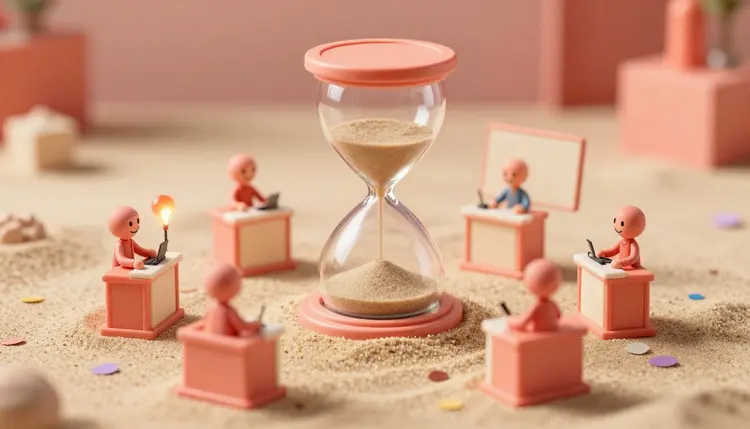
A quiz short has a simple spine: a question on screen, a few seconds of ticking tension, then the answer. Making dozens of them is where it gets tedious, because every one needs a fresh question, a visual, a voice and a reveal. AI covers the writing, the pictures and the narration well. The countdown and the on-screen text come from a video editor, and every answer needs your own fact check.
Quiz content is repetitive by design. The format stays the same from one video to the next and only the question changes, which is the situation where generation pays off most. You build the template once, then feed it a new topic.
The inputs are also small. A question is one sentence, a picture can be a plain scene, and the narration is two short lines. Picasso IA puts 502 models behind one workspace, including 75 large language models, 212 text-to-image models, 121 text-to-video models and 24 text-to-speech models, so the writer, the illustrator and the narrator all live in the same place. New accounts get free credits, enough to test a format before you commit to a series. The full catalog shows everything that is available.
It also suits faceless channels. A quiz needs a voice and a picture, not a presenter, which is why it pairs well with the approach in faceless YouTube videos.
A language model such as claude-sonnet-5 or gpt-5 can draft a round of questions fast. Ask for a fixed structure so the output is easy to reuse: the question, the correct answer, three plausible wrong answers if you want multiple choice, and a one-line fun fact for the reveal. Tell it the audience and the difficulty, and ask for a mix of easy and hard so the series has a rhythm.
Then comes the part you cannot skip. Language models write confident questions that are sometimes wrong, and a quiz is the one format where a wrong answer is the whole product. A viewer who knows the right answer will say so in the comments, loudly. Check every answer against a source you trust before you generate a single picture, and cut any question you cannot confirm.
Watch the question itself too. A good question has exactly one defensible answer. Models like to write ones with a "best" answer that depends on the source, and questions about records, dates and rankings go stale or turn out to be disputed.
The format decides what you generate and what you assemble later. Here is how the common ones divide the work:
| Quiz format | What the AI makes | What you add in the editor | Watch out for |
|---|
| General trivia | Question text, answer, visual per question | Countdown, question and answer text | Wrong answers, disputed facts |
| Guess the picture | A clean image, then a close-up crop or a blurred version | Zoom or unblur transition, countdown | Image must not be misleading |
| This or that | Two matching visuals side by side | Split layout, vote timer | Keep both options visually equal |
| Odd one out | Four related images in one scene | Numbered labels, timer | Models can distort small objects |
| True or false | Short statement, a visual for each | Check and cross graphics, timer | Statements must be checkable |
Keep the style of the visuals consistent across a series. Pick one look, such as a flat illustration or a soft 3D scene, and reuse the same wording in the prompt so the channel feels like one show. An image model like nano-banana or seedream-5-pro works well for the scene. Ask for no text inside the image, because lettering inside generated images is unreliable and you will add the words in the editor anyway. The effects page is a quick place to find ready-made looks if you do not want to write the style from scratch.
This walkthrough produces the raw pieces for one quiz short. Repeat it per question, or batch each step across a whole round.
- Draft the questions. Open the toolkit, pick a language model such as claude-sonnet-5, and ask for a round in your fixed structure: question, answer, wrong options, fun fact.
- Verify every answer. Check each one against a reliable source and delete the doubtful ones. Do this before spending credits on visuals.
- Generate one visual per question. Use an image model such as nano-banana or seedream-5-pro with no text in the picture. To animate a scene, send the image to a video model such as veo-3.1-fast.
- Record the narration. Use a text-to-speech model such as v3 from ElevenLabs or minimax speech-2.8-hd. Generate the question and the answer as two separate clips so there is room for the timer between them.
- Assemble in a video editor. Join the clips with video-merge or in your editor of choice, then add the countdown, the question text and the answer card there.
Add the Timer and Text in a Video Editor
This is the honest part of the title. The toolkit does not have a countdown timer tool or a text overlay tool. What it does have are models that generate pictures, clips and voices, plus a set of video-editing models that trim, merge, mix sound and burn in captions. The ticking timer, the question card and the reveal graphic are layers you add in a video editor, whether that is a phone app or a desktop one. If you are choosing one, the comparison with CapCut explains where a catalog of models and a dedicated editor each fit.
Do not try to make the model draw the countdown. Video models are not reliable with digits and sequences, so a generated 5, 4, 3, 2, 1 will often skip or garble a number. A timer built in an editor is exact and takes a minute to reuse as a template.
Generate the question audio and the answer audio as two separate files. The gap between them is where your countdown lives, and you can stretch or shorten it in the editor without touching the voice.
Some tools help around the edges. The video-audio-merge model joins a voice track to a clip, and autocaption can burn captions into a video that has speech, which suits quizzes read aloud. Add music at a low volume, and see background music for videos for how to source it.
The pipeline saves time on production and leaves the quality control to you. These are the places it stops:
- Facts: a model can state a wrong answer with total confidence, so you verify every question and every fun fact yourself.
- Timers and text: countdowns, question cards and answer graphics are made in a video editor, not generated, and models misspell or garble words drawn inside images.
- Consistency: a series needs the same look every time, and a changed prompt can shift the style, so keep your wording fixed and reuse good outputs as references.
- Voices: a stock text-to-speech voice is fine, but never clone the voice of a real person without their permission, and check how the voice pronounces names and places.
- Originality: common trivia is everywhere, so a generic round blends in, and the angle you choose does more for the channel than the production polish.
None of this makes the format a bad fit. It means the AI does the repetitive production and you stay responsible for what the video claims.
Can AI make a quiz video with a countdown timer?
Not the timer itself. The toolkit generates the questions, pictures, clips and voices, and it has editing models for trimming, merging and mixing audio. The countdown is added in a video editor, as a layer you build once and reuse. Trying to generate one with a video model usually fails, because the digits come out wrong or out of order.
Which AI model writes the best trivia questions?
There is no single winner. Strong language models such as claude-sonnet-5 and gpt-5 both write clear questions with answers and wrong options. The real quality control is your fact check, not the model choice. Run the same topic through two models and compare, since a question they disagree on is one you should look up.
Are AI-generated trivia answers accurate?
Often, but not reliably. Models can state a wrong or outdated answer in a perfectly confident tone, especially on records, dates and rankings. Treat every answer as a draft, check it against a trustworthy source, and drop questions you cannot confirm. A short quiz with correct answers beats a long one that gets called out in the comments.
Can I make the voice read the question and the answer?
Yes. Text-to-speech models such as ElevenLabs v3 and minimax speech-2.8-hd read text in a natural voice, and the catalog has 24 of them. Generate the question and the answer as separate clips so there is a gap for the countdown. Listen once for pronunciation of names and places before you assemble.
How do I make guess-the-picture quizzes?
Generate a clean image with an image model, then create the hidden version in your editor with a zoom, crop or blur that resolves into the full picture at the reveal. Keep the picture honest: if the question asks about a real place or object, do not present an invented image as a photo of it. Ask for no text in the image.
Do I need to show my face or use my own voice?
No. A quiz channel works with a picture, a narration voice and text, so it can stay faceless. If you do use your own voice or likeness, that is your choice, but do not generate or clone the voice or face of a real person who has not agreed to it. Fictional characters and stock voices are the safe route.
How many questions can I make in one session?
That depends on your credits and how you batch the work, and generation cost varies by model and settings. A practical approach is to draft and verify a whole round of questions first, then generate the visuals and the voices in one pass. See the pricing page for how credits work.
Can I add captions to a quiz short?
Yes. The autocaption model transcribes the speech in a video and burns styled captions into it, with control over font, color and position. That helps viewers who watch without sound. If you add your own text overlays in an editor, keep the captions out of the area where the question card sits.
Can I turn the visuals into short animated clips?
Yes. Image-to-video models, such as veo-3.1-fast, can animate a still into a short clip in vertical or landscape format, which gives a reveal some movement. Animation is optional for a quiz. A still picture with a good timer often reads more clearly than a moving scene that distracts from the question.
Can I post these quizzes on TikTok, YouTube Shorts or Instagram?
You can export them as ordinary video files and post them anywhere that accepts video. Each platform has its own rules on length, format and AI-generated content labels, and they change, so check the current requirements on the platform before you publish. The support page answers questions about using Picasso IA itself.
Ready to build your first round? Open the Picasso IA toolkit, draft ten questions, and check the answers before you generate a single picture.