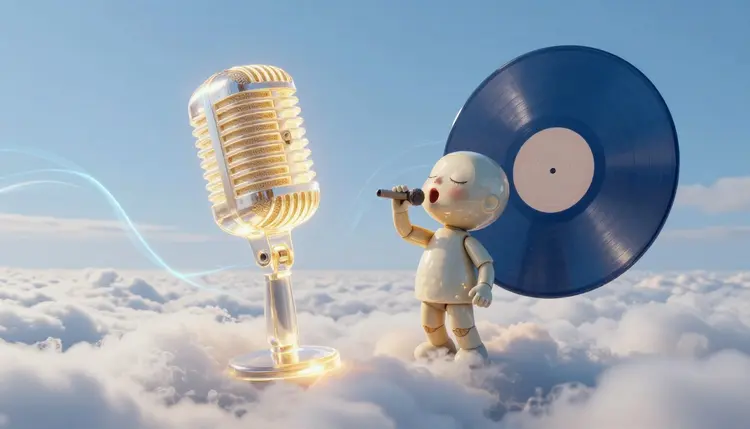
Making a character sing on camera used to mean an animator, a rig and a lot of patience. Now the pipeline is three moves: write or generate a song, draw a singer who is clearly not a real person, and let an audio-driven model move the face to the vocals. The result is a short clip where your own mascot, illustration or invented band member performs your track.
A song with a face attached travels differently from a song with a static cover. A mascot singing the chorus, a fictional band member lip-syncing a verse, a cartoon narrator performing the jingle for your channel: these are the clips people stop on, because a mouth that moves in time with a voice reads as a performance rather than a playlist entry.
Audio-driven avatar models change the input list. You bring one image of a character and one audio file, and the model animates the face, the lips and a little head motion to match what it hears. Picasso IA keeps the whole chain in one place: a music model for the song, an image model for the character and a lipsync or avatar model for the performance, all inside the toolkit. If you only need a face that speaks rather than sings, the talking photos page covers that simpler case, and if the goal is a full video with scenes around the singer, AI music videos picks up where this page stops.
A singing avatar is really three jobs, and different models do each one. The catalog holds 502 models, 12 of them in the lipsync category and 10 in AI music generation, so the useful question is which one fits the job in front of you. Here is how the ones worth testing first compare.
| Model | What goes in | Best use here | Watch for |
|---|
| bytedance/omni-human | One image, one audio file | A sung hook or chorus as a short clip | Quality starts to degrade past 15 seconds of audio |
| prunaai/p-video-avatar | One portrait, plus your audio file or a typed script | Clips where you want to direct the performance with a video prompt | A typed script is spoken by a built-in voice, so upload audio to get singing |
| heygen/avatar-iv | A text script, an avatar and a voice | A spoken intro or outro around the song | It speaks words, it does not carry a melody |
| minimax/music-2.6 | Lyrics plus a style prompt | The song itself, with vocals or instrumental | Lyrics up to 3500 characters, so long songs need trimming |
| Your own recording | A voice file you made | Keeping a real take as the audio | Clean, dry audio gives the lips the clearest signal |
Two details from the model pages matter in practice. Omni Human is tuned for audio up to 15 seconds, and its own description says quality starts to degrade after that, so a full song gets cut into chunks. P Video Avatar can take an uploaded audio file instead of a typed script, and when it does, that file drives the mouth, which is the setting you want for singing. Avatar IV is the odd one out: it takes a script and a digital presenter and speaks the words with a chosen voice emotion, so it suits a spoken intro before the song and not the song itself. The all models page lists the rest of the lipsync category if you want alternatives.
This is the route that ends with a finished clip rather than a folder of near misses. It needs an idea for the character, a few lines of lyrics and a short test before you commit to a longer render.
- Write the lyrics and the style. Four to eight lines are plenty for a first clip. Add structure tags such as [Verse] and [Chorus], and a style line like acoustic pop, warm female vocal, slow tempo.
- Generate the song with Music 2.6. Open minimax/music-2.6 in the toolkit, paste the lyrics and the style prompt, and generate. Keep the take with the clearest vocal, since a muddy vocal gives the lip sync less to follow.
- Create the character image. Use a text-to-image model to make a front-facing portrait of an invented character, face fully visible, plain background. If you plan a series, read consistent AI characters first.
- Animate it with an audio-driven model. Attach the portrait and the song to bytedance/omni-human or prunaai/p-video-avatar. In P Video Avatar, upload the audio so it replaces the typed script, and use the video prompt to describe the performance, such as eyes closed, swaying slightly.
- Test a short section, then render the rest. Run the chorus first and watch the mouth on the held notes. Then cut the song into pieces of about 15 seconds and join the clips in your editor.
Short lines with clear vowels give both the music model and the lip sync an easier job. A line like I keep the porch light on for you carries cleanly, while a line packed with consonant clusters tends to blur in the vocal and in the mouth. Music 2.6 accepts structure tags such as Intro, Verse, Chorus and Bridge in the lyrics, which is the cheapest way to control how the song is shaped. If you have no lyrics yet, leave the field empty and switch on the lyrics optimizer, and the model writes them from your style line. Read what comes back before you animate anything, because a lyric you did not write is still a lyric you publish.
The voice is whatever the music model sings, so choose it in the style prompt: female vocal, male vocal, breathy, bright. If you would rather use your own voice, record it and attach your own file instead, since the avatar models do not care where the audio came from. The voice cloning page covers the case where you want a model to sing in a voice that is yours.
Tip: make the song first and the character second. A slow ballad suits a calm, front-facing portrait with soft eyes, a fast chorus suits an open, energetic expression. Matching the portrait to the song makes the clip feel intentional instead of pasted together.
The portrait causes most of the failed first attempts. A profile view, a hand in front of the mouth, a microphone held at the lips or sunglasses give the model less face to work with, so start from a clear, front-facing image with the mouth visible.
The one hard rule on this page: the face is a character you invented or a face that belongs to you, and the voice is one you made, recorded or generated from scratch. Do not feed in a photo of a celebrity, a coworker or anyone who has not agreed, and do not ask a music model for a track that imitates a named artist. A convincing singing clip of a real person who never sang it is a deepfake whatever the intent, and platforms and local rules may treat it that way.
Invented characters sidestep all of it. A clay mascot, an illustrated fox, a robot with a face: all are good inputs. If the character will appear in more than one clip, build a reference image first and reuse it, so the singer looks like the same singer in every video. Streaming and social platforms each set their own rules on AI-generated music and on disclosure, so check the current requirements of the platform where you will post before you publish.
This works best on short, clean, front-facing clips. It stops being useful in these places:
- Full-length songs: Omni Human's own guidance is 15 seconds for the cleanest output, so a three-minute song becomes a dozen clips you cut and join, and you must check that the face and lighting match from one clip to the next.
- Performance range: the models add head motion and expression, not choreography; a singer who walks, plays a guitar or dances needs a video model, not a lipsync model.
- Fast or dense vocals: rap, quick runs and long held notes are where a lip sync is easiest to catch out, so test those lines first and simplify the lyric if the mouth lags.
- Typed scripts do not sing: avatar-iv and the typed-script mode of p-video-avatar speak the words in a voice, and a melody only arrives when you supply an audio file.
- Music rights and platform rules: a generated song is still a published song, and each platform sets its own rules on AI audio, so read them before posting.
None of these rules the idea out. They decide whether you plan a 15 second hook clip or a three-minute film, and the first is where this approach works well.
Can AI make a character sing my song?
Yes, with two inputs: a portrait of the character and an audio file of the song. An audio-driven model such as bytedance/omni-human animates the face and lips to match the vocals. You can use a song you recorded, one you generated with minimax/music-2.6, or one a collaborator sent you, as long as you have the right to use it. The character should be your own or fictional.
Which model should I use for a singing avatar?
Start with bytedance/omni-human for a short sung clip, because it needs only one image and one audio file. Try prunaai/p-video-avatar when you want to direct the look of the performance with a video prompt or choose between 720p and 1080p. Use heygen/avatar-iv only for spoken parts, since it reads a script rather than following a melody. Run the same chorus through two models and keep the one whose mouth keeps better time.
Can I use my own voice instead of an AI singer?
Yes. The avatar models animate whatever audio you attach, so a recording of your own singing works the same as a generated track. Record in a quiet room. Use only your own voice or one you have explicit permission to use, never the voice of a real person who has not agreed.
How long can a singing avatar clip be?
It depends on the model. The Omni Human page says audio up to 15 seconds gives the cleanest results and quality begins to degrade after that, with a suggestion to split longer audio into 15 second pieces. For a full song, plan to cut the track into sections, animate each one with the same portrait and join them in a video editor.
Do I need a photo of a real person?
No, and for most uses you should not use one. The cleanest input is a portrait of a fictional character you generated yourself with a text-to-image model: an illustrated singer, a mascot, a stylized robot. If you do use a photo of a real face, it should be your own. Never animate a celebrity, a coworker or a stranger to sing something they did not sing.
Can I make a singing avatar from a cartoon or illustration?
Often, yes. Omni Human describes its input as an image containing a human subject, face or character, and its use cases mention animating a character from a single illustration. Results depend on how clearly the face is drawn, so choose artwork with visible eyes and a visible mouth and test a short clip before committing to the full song.
Why does my avatar speak the words instead of singing them?
Because a typed script is turned into speech by the model's built-in voice, and speech has no melody. Avatar IV and the typed-script mode of P Video Avatar work this way. To get singing, generate or record the song as an audio file first, then upload that file so it drives the mouth. In P Video Avatar the uploaded audio is used instead of the script and voice settings.
Can the AI write the song and the lyrics too?
Yes. Music 2.6 can create a song from a style prompt alone, and with the lyrics optimizer switched on it writes lyrics from that prompt when the lyrics field is empty. It also accepts your own lyrics with structure tags like Verse and Chorus. Read any generated lyrics carefully before you animate them, because you are the one publishing the words, and rewrite anything that misses your meaning.
Can I post the clip on YouTube, TikTok or Spotify?
Each platform has its own rules about AI-generated music, synthetic media and disclosure, and those rules change, so check the current requirements of the platform where you plan to post. Keep the character fictional or your own, use lyrics you are free to publish, and avoid imitating a named artist. A video clip and a streaming release are different cases, and the streaming services set their own conditions.
How much does it cost to make a singing avatar?
Each step costs credits: the song, the portrait and the animation, and the price depends on the model and the settings you choose. Animation usually costs more than a still image. New accounts get free credits to try the pipeline, and the current plans are on the pricing page, which is the only place worth trusting for numbers.
Your character is waiting for its first line. Open the Picasso IA toolkit, generate the song, and see whether the mouth keeps time.