Most communities already ask each other for things in a chat: a poster for the meetup, a mascot for the group, a short clip for the announcement. A Telegram bot turns that habit into a request to Picasso IA. Someone sends a message, the bot generates an image or a short video, and the file lands back in the same conversation, so nobody has to leave the app to get it.
The usual route to an AI image is a website: open it, log in, write a prompt, download the file, go back to the chat and attach it. For one person making one picture that is fine. For a community that wants a new avatar for every member, a cover for every event and a meme for every inside joke, the detour is where the energy leaks out. People stop asking because asking takes six steps.
A bot removes the detour. The request is a message, the answer is a file, and the whole exchange stays visible to the people who care about it. In a team channel that means a designer, a marketer and a founder can all see which prompt produced which picture and build on each other's wording. In a hobby group it means the fun happens where the group already is, instead of in a tab nobody else can see.
The other reason is choice. The Picasso IA catalog holds 502 models, and 212 of them are text-to-image, 121 text-to-video. The bot is meant to reach that same catalog and the same credit system as the toolkit, so a community is not tied to one engine's habits. Pages like social media posts and stickers and emoji packs describe the kind of material a chat group tends to ask for.
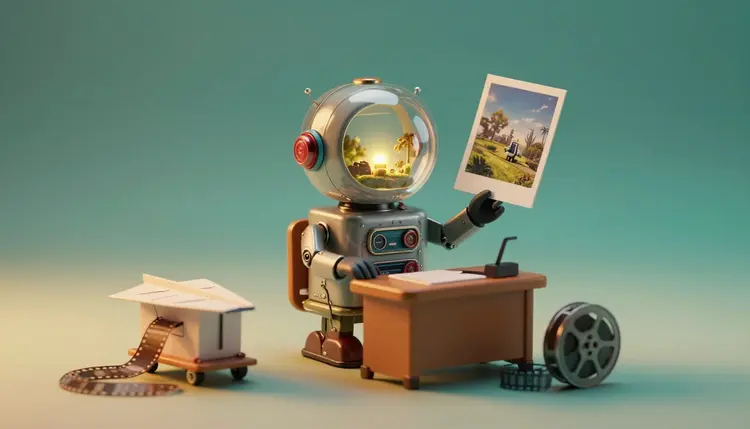
The interaction is deliberately small. A member writes a request in plain words, for example a retro toy robot holding a photograph, teal and amber, soft light. The bot answers with an image. A member who wants motion asks for a short video instead, or sends a picture and asks for it to move, and the bot answers with a clip. Nothing about this needs a special syntax you teach the group on day one; the first message is the tutorial.
A few kinds of request work better than others, and the table below is a useful starting point for deciding what to offer your group first.
| Request | What the member sends | What comes back | Good first model type |
|---|
| Event poster or cover | A sentence describing the scene and mood | One image | Text-to-image |
| Avatar or mascot | A description, or a photo of their own face | One or more images | Text-to-image or an image editor |
| Meme or reaction image | A joke and a style | One image | Text-to-image |
| Photo edit | A picture plus one instruction | One edited image | Image editing |
| Short clip | A scene description, or a still to animate | One short video file | Text-to-video or image-to-video |
Notice what the table leaves out. Long documents, precise diagrams and anything that needs exact text are poor fits for a message-sized request, and the section on limits comes back to them. Start with the rows that forgive a surprise: a mascot that comes out slightly different from what you pictured is still a mascot.
A bot hides the model picker from the people typing, but someone still decides what runs behind it. That someone is usually the person who manages the community or the team account, and the decision is easier than it looks because the catalog is sorted by what each model is for.
For still images, FLUX models such as flux-2-pro are a sensible general default, and nano-banana is the usual choice when a member sends a photo and asks for a change to it. For video, models like veo-3.1-fast and kling-v3-video turn a scene description into a short clip. You can try any of them in the toolkit before you decide, and the full catalog lists everything else, including styles you may want for a themed community.
Two habits make the choice less risky. First, test the exact sentence a typical member would send, not a polished prompt you wrote yourself, because the bot will mostly receive the lazy version. Second, check the cost of that model in the toolkit before you point a busy group at it: video costs more credits than a still, and the cost changes with the model and the settings. The pricing page is where plans live, and quoting a number here would only go stale.
This is the journey from a community's point of view, in plain words. It assumes a Picasso IA account and a Telegram group or channel you manage.
- Create your access key. In your Picasso IA account you create a key that lets the bot act on your behalf. Treat it like a password: keep it out of chats and screenshots, and replace it if it ever leaks.
- Connect the bot to your chat. You link the bot to the group or the private conversation where requests will happen, and choose the model that should answer by default, for example a FLUX model for images.
- A member sends a message. They describe the picture or the clip they want in plain words, or attach a photo and say what to change. One message is one generation request.
- Picasso IA generates the result. The request runs on the model you chose, using credits from your account. Images come back sooner than video, and a busy moment may mean a short wait.
- The file arrives in the same chat. The image or clip is posted where the request was made, so the person who asked and the people around them see the same thing and can save it.
Before you roll this out to a group, run the same requests yourself in the toolkit. It shows you what each model does with a sentence, and it is the quickest way to learn which wording your members should copy.
A bot in a chat raises a fair question: what does it read? The honest answer is that it should only act on messages meant for it, and you should set it up so that is true. Decide whether the bot lives in a dedicated group, a private conversation or a single channel, and keep it out of the places where people talk about things that have nothing to do with pictures.
Tell your members, in the pinned message, that whatever they send to the bot is sent on to be generated. A private photo, a family detail or an internal document does not belong in a request, the same way it would not belong in a public post.
Faces deserve a specific rule. Members should only send photos of themselves, or of people who agreed, and the bot should be used for fictional characters rather than a real, identifiable person who has not said yes. If your community includes minors or sensitive topics, write the rules down before you switch the bot on, and read the current requirements Telegram sets for bots and for groups, because platform rules change and are theirs to state.
Credits are the other thing a group should agree on. The bot spends credits from the account that holds the key, which means one person's balance pays for everyone's curiosity. Decide who that is, how you will notice when the balance runs low, and whether some requests, like video, should be reserved for admins.
A bot is a convenient front door, not a replacement for a full workspace. Here are the places where you will want to step out of the chat:
- Credits are shared: every generation costs credits from the account behind the key, and cost depends on the model and the settings, so an open group can drain a balance faster than expected.
- Waiting is real: images take less time than video, and neither is instant, so a conversation moves on while a request is still running.
- Models differ: the same sentence gives different pictures on different engines, and some models are weak at hands, small text or a specific likeness, so members will sometimes get something odd.
- Review is on you: nobody checks outputs before they appear in the group, so decide who removes a result that is off-topic or unsuitable.
- A chat is a small window: precise editing, comparing variants side by side, upscaling or removing a background is easier in the toolkit than in a thread of messages.
None of this makes the bot a bad idea. It makes it a good tool for quick, social, low-stakes requests, with the toolkit open on the side for the careful work. When a result from the chat deserves polish, take the sentence that made it and rerun it there, or look at turn photos into videos for the next step.
What does a Telegram AI image bot do?
It lets people in a Telegram chat ask for an image or a short video by sending a message, and posts the result back into the same conversation. Behind the message, the request runs on a model from the Picasso IA catalog and uses credits from the account that connected the bot. The point is that members get a file without leaving the app they are already talking in.
Do I need to leave Telegram to get the image?
No, that is the whole idea. The member writes the request in the chat and the finished file is posted in the same chat, so there is no download and re-upload step. You will still use the web toolkit yourself for setup, testing models and any careful editing, but the everyday asking and receiving happens in the conversation.
Can the bot make videos as well as images?
Yes, the bot is meant to cover both. A member can describe a scene, or send a still and ask for it to move, and a text-to-video or image-to-video model produces a short clip. Video costs more credits than a still and takes longer, so many communities allow images for everyone and keep video for admins or a dedicated topic.
Which models does it use?
The same catalog as the toolkit, which holds 502 models. For images you might pick a FLUX model such as flux-2-pro or nano-banana for edits, and for video a model like veo-3.1-fast or kling-v3-video. Try a few in the toolkit with the sentences your members would actually type, then set the default you like best.
How do credits work with the bot?
Every generation uses credits from the account whose key the bot runs on, and the cost depends on the model and the settings, just like in the toolkit. New accounts get free credits to try things. Plans live on the pricing page, and it is the only place to check numbers, because they change and would be wrong if copied here.
What about the privacy of our chats?
The bot should only act on messages addressed to it, so keep it in a dedicated group or conversation and tell members that what they send is passed on to generate the result. Do not put private photos, personal details or internal documents into a request. Telegram has its own rules for bots and groups, so read the current ones before you launch.
Who can use the bot in my group?
That is up to how you set it up. You can offer it to everyone in a dedicated group, limit it to a private conversation with a few teammates, or keep the more expensive requests for admins. Because one account pays for the credits, many communities start small, watch the balance for a while, and then widen access.
Can members send photos of themselves or friends?
Members can send photos of themselves, and of people who have clearly agreed, for edits like an avatar or a styled portrait. Do not use real, identifiable people who have not said yes, and keep requests about fictional characters or objects when in doubt. Put the rule in the pinned message so nobody learns it the hard way.
What happens when a result is wrong or strange?
It happens, because models differ and a short prompt leaves a lot to guess. The member can rephrase the request with more detail, or you can switch the default model for that kind of request. Outputs are not reviewed before they appear in the group, so decide who removes anything unsuitable. For serious fixes, rerun the sentence in the toolkit where you can compare variants.
Can I try the same models today?
Yes. The catalog and the credit system behind the bot are the ones the toolkit already runs, so you can test any prompt or model there today and see exactly what your members would get. If you want to know how a bot would fit your community, ask support and describe what you need.
Open the Picasso IA toolkit and try the sentence your group would type first, or write to support if you want help planning the bot for your community.