An alternate outfit skin is a second look for a character who already exists: same face, same hair, same attitude, a different wardrobe. Game artists, visual novel writers, tabletop designers and fan creators build these sets to test how a character feels in a bolder, more mature costume before anyone commits to a final design. This page shows how to make that kind of set with Picasso IA, using adult, fictional characters and a glamour look that is provocative but never explicit.
You do not need a drawing background. You describe the character and the outfit in plain words, pick a model, and refine the result until the costume reads clearly. Everything below is written for a concept board, a pitch deck, a character sheet or a personal project, with a fictional woman as the example and the same method working for a fictional man.
A skin concept is a small set, not a single picture. Plan the deliverable before you generate anything, because the number of images and their purpose decide which model and which prompt style you use.
A useful set usually holds a hero frame that sets the mood, a full-length view so the whole costume is visible, a three-quarter walking or turning view, a waist-up portrait for the face and neckline, and one or two detail shots of fabric, straps, gloves or jewelry. Eight to ten images is a comfortable working size. It is enough to compare two or three outfit directions without drowning in files.
Consistency is the real challenge. The fictional character must keep the same face, the same hair length and color, the same makeup and the same build in every frame, while only the wardrobe changes. Write one fixed character sentence, for example "a woman in her early thirties with long honey-blonde beach waves, blue eyes and polished glamour makeup", and paste it unchanged at the start of every prompt. Change only the outfit sentence, the location and the light.
Think about format too. A character sheet wants plain studio walls and even light so the costume is easy to read. A mood board wants a setting: a stone terrace, a loft doorway, a cobblestone lane. Landscape frames suit a pitch deck, and Seedream 4.5 can output at 4K when you want to crop later.
Decide the wardrobe vocabulary early. Satin corsets, bodysuits, slip dresses, robes, rompers, long coats, leather boots and gloves all give a skin a clear silhouette without anything explicit. Keep every garment opaque and clearly described, and the results stay in glamour territory.
Picasso IA tested adult prompts repeatedly against a short list of models and watched them generate instead of reject. Those are the confirmed ones. Confirmed describes our own testing, not a published setting from the model maker, who can change it at any time. The page about what confirmed means explains the method.
For a photographic skin concept, start with Seedream 4.5. It turns a text description into a 4K image, which gives you room to zoom into the corset stitching or the glove leather. For a stylized concept, where the character looks drawn and the outfit reads like a game asset, Recraft V4.1 Pro is the better starting point, since it is built for illustration and design and exports print-ready 2K images.
Picasso Image Editor Pro is the model you will use most once the first images exist. It edits an existing picture, so you can keep the face and pose and swap burgundy for emerald, or replace a coat with a cropped jacket. It carries the infinity tag in the catalog, which means it does not spend credits on the plans that include unlimited generation.
Other models in the full catalog, such as Flux or Nano Banana, are untested for adult prompts. They are worth a try if you like their look, but we do not call them filtered or filter-free. If a model refuses a prompt, the app shows a message titled "Content Not Supported by This Model", recommends models that accept adult prompts and carries your prompt over, so you do not retype it.
Work in this order and the set stays coherent. Each step is short, and you can repeat the loop for every outfit direction.
- Plan the set. Write down how many outfits you want to compare, which frames each one needs, and the one fixed character sentence. Two or three outfit directions with four frames each is a sensible first target.
- Write the scene description. Combine the character sentence, one outfit, a location, the light and a lens, in that order. Keep garments opaque and name the fabric: satin, leather, wool, lace trim.
- Generate the key image. Open the toolkit, choose Seedream 4.5 or Recraft V4.1 Pro, paste the description and generate the hero frame. Judge the costume first and the mood second.
- Build the rest of the set. Reuse the same character sentence and change only the angle, the pose and the setting. Attach the key image as a reference when the model accepts several inputs, and refer to it by its @1 badge in the prompt.
- Refine and export. Open Picasso Image Editor Pro to fix a strap, change a color or clean a detail, then download the final frames. Keep each outfit in its own folder so the comparison stays clear.
If you want to compare your skin with other concept types, the pages on a perfume ad concept and an art book concept use the same set logic with different deliverables.
Good prompts are specific about things a costume designer cares about: cut, fabric, closure, color, accessories, and how the light falls on them. Here are working patterns for the frames a skin set needs.
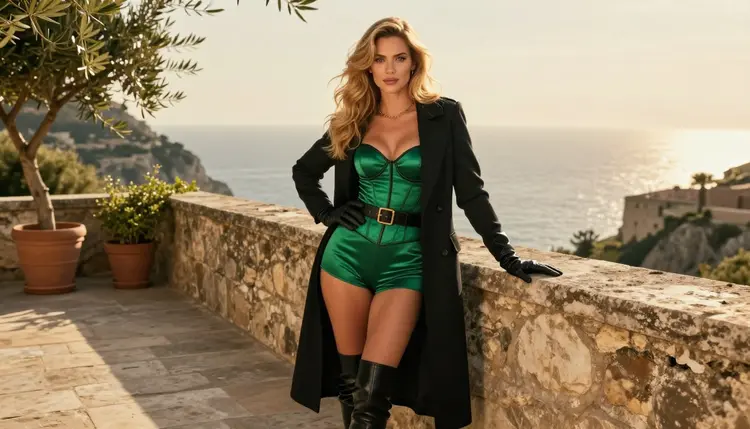
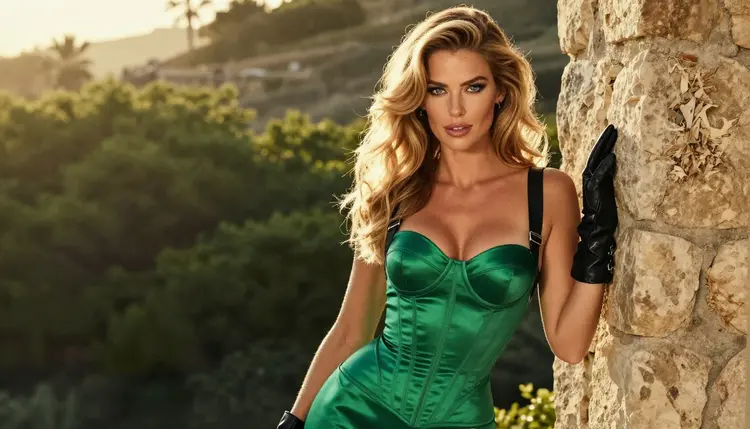
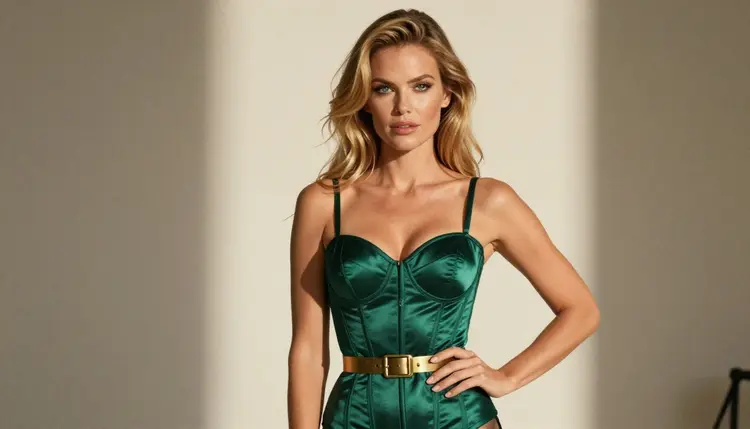
For the hero frame, describe a wide scene with the outfit as the focus: an emerald satin corset under a long black coat on a sunlit stone terrace, golden hour backlight, a 100mm lens look. The backlight gives the fabric a bright edge, which makes the silhouette readable.
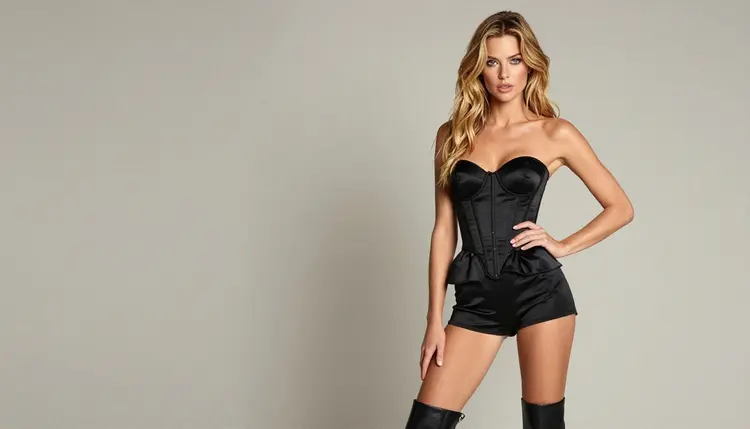
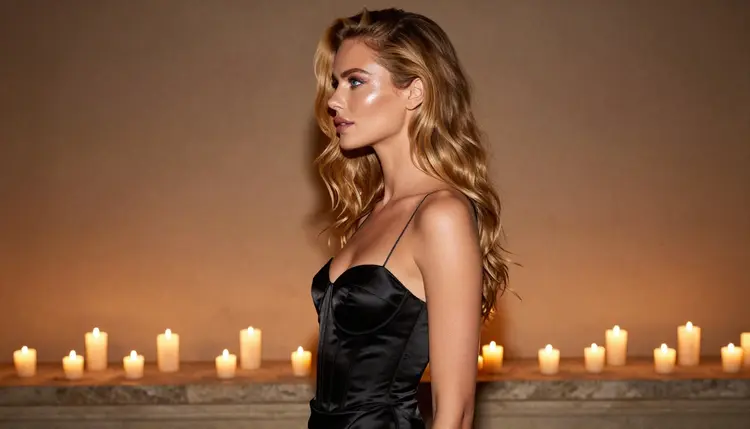
For the full-length frame, use an eye-level standing view in soft studio daylight: a black satin corset, shorts, leather boots and a cropped jacket against a plain wall. A wide lens such as 24mm keeps the whole costume in frame. This is the frame your character sheet will lean on, so keep the background empty.
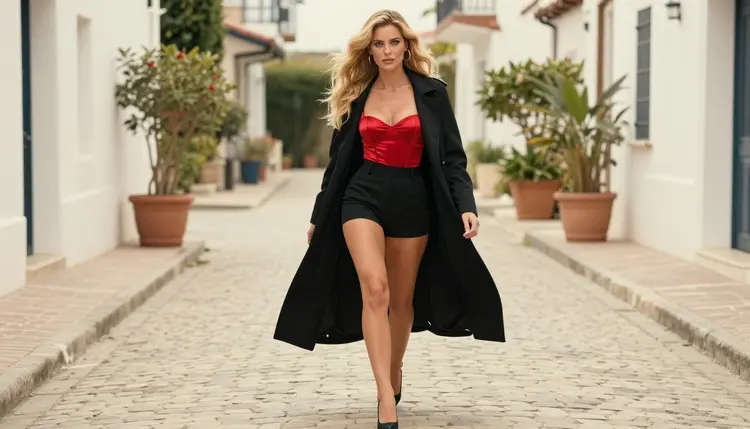
For the movement frame, ask for a candid three-quarter walking shot on a cobblestone lane in overcast light: a red satin corset top, a black coat and heels. Overcast light is flat and forgiving, and it shows true colors, which matters when you compare a red skin with a burgundy one.
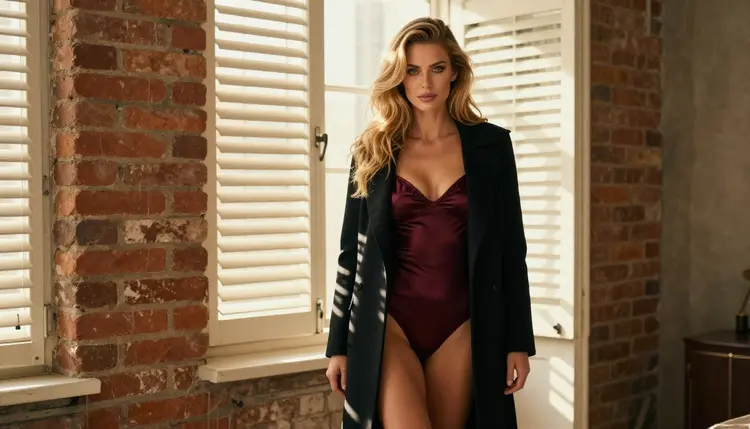
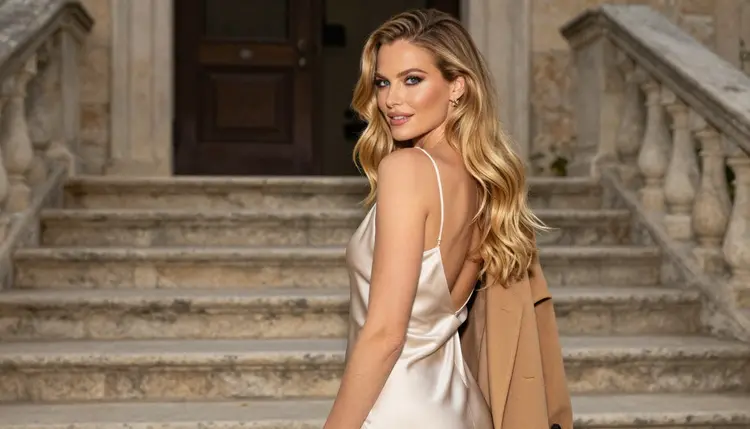
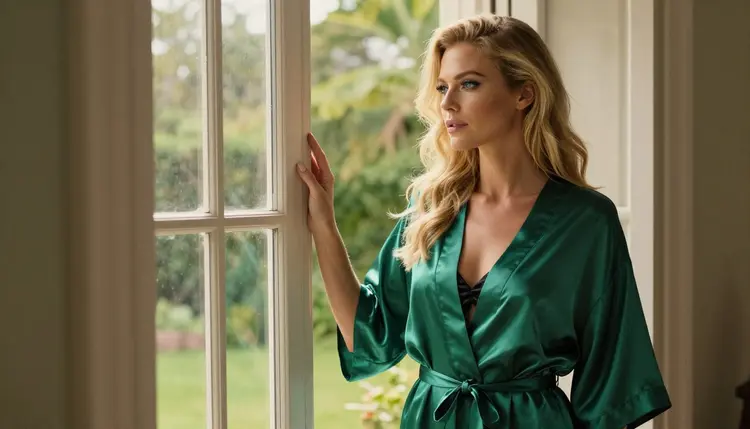
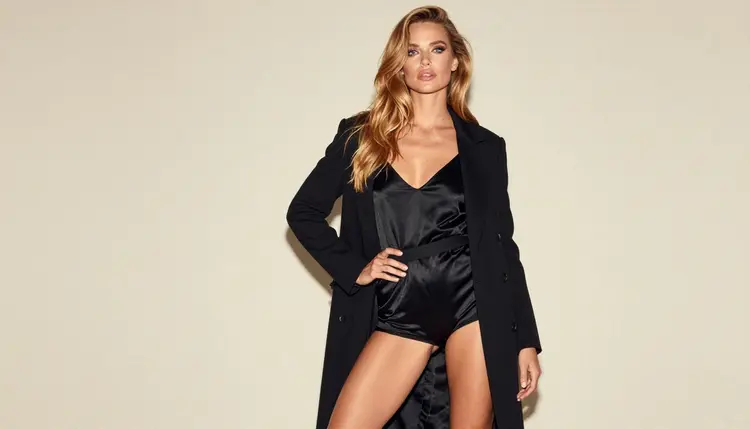
Same woman, different outfit: this is the core trick. Keep the character sentence word for word and rotate the wardrobe. Try an ivory satin slip dress with a camel coat on a stone staircase, an emerald satin robe over a black slip at an open window, or a black satin romper under an open long coat with one hand on the hip. Window light from the side at late afternoon gives the robe a soft sheen. Do not add mirrors, since reflections often confuse the face.
For detail frames, ask for one thing only: the brass belt buckle, the gloved hand resting on the belt, the stitched edge of a corset. Say "exactly one hand in frame" when a hand appears, and describe the corset as fully visible and opaque. Detail frames are what turn a pretty picture into a usable costume reference.
When a still is approved, you can move it. Picasso IA Video turns a text prompt or an image into a short clip, and LTX 2.3 Pro makes 4K video from text. A slow turn of the coat, hair moving in the breeze or a step toward the camera is enough to show how the fabric behaves. Keep clips short and describe one movement. Seedance 2.5 Lite is listed up to 10 seconds and is another way to get a turnaround.
For a different kind of project that depends on the same consistency, see the page on a tabletop miniature concept, or the album cover concept if your skin will become key art.
This section is short on purpose. Picasso IA is for adults aged 18 or older. Every image on this page's method is about a fictional adult character, and nothing here is meant for anyone under 18.
Characters are fictional adults only. Do not use a real or identifiable person, a celebrity or a likeness of someone you know, and never create anyone who could read as a minor. Describe the character as a woman or a man in a specific adult age range, with adult styling and an adult build, every time.
What you create is private by default: it is tied to your account and not published or shown to others. Where you share it afterward is your decision. If the skin concept will go into a game, a store page, a crowdfunding page or a print service, check the rules of wherever you publish before you submit anything, because each place sets its own limits on mature content and those rules change.
A new account can try a few generations on a small free trial on selected models: Picasso IA Image, Picasso Image Editor Pro, Picasso IA Video and Seedance 2.5 Lite. That is enough to test the method on one outfit and see whether the workflow fits your project. Plans and what each generation costs live on the pricing page, since the cost varies by model and by options such as resolution or duration.
Models with the infinity tag do not spend credits on plans that include unlimited generation, which suits the many small edits a skin set needs. Image generation at higher resolution is where credits are spent more quickly, so use a quick model for drafts and save Seedream 4.5 at 4K for the frames you will keep.
Beyond the confirmed list, the catalog holds hundreds of models. Flux, Nano Banana, Qwen Image 2 and Seedream 5 are untested for adult prompts: they may work, they may refuse, and we do not say either way. Try one with a mild prompt first, and rely on the confirmed models when you need a result you can plan around. If you are building toward a themed gift or a romantic set, the pages on a honeymoon lingerie concept and a fanfiction cover show how the same character method adapts.
What is an alternate outfit skin concept?
It is a set of images showing the same fictional character in a different costume. You keep the face, hair and build fixed and change only the wardrobe, so you can compare looks before choosing one for a game, a story or a character sheet.
Which model should I start with?
Start with Seedream 4.5 for photoreal frames or Recraft V4.1 Pro for an illustrated look. Both are confirmed, meaning Picasso IA watched them generate adult prompts repeatedly instead of rejecting them.
How do I keep the same character in every image?
Write one fixed character sentence with age range, hair, eye color, makeup and build, and paste it unchanged at the start of each prompt. Change only the outfit, setting and light. Attaching your key image as a reference helps on models that accept several inputs.
Can I change just one garment after generating?
Yes. Open Picasso Image Editor Pro, load the image and describe the change, for example a color swap or a different coat. It edits the existing picture, so the face and pose usually stay put.
Can I turn a skin concept image into a short clip?
Yes. Picasso IA Video works from a text prompt or an image, and LTX 2.3 Pro makes 4K video from text. Keep the movement simple, such as a slow turn or a step forward.
Are the characters real people?
No. Every character is a fictional adult. Picasso IA does not allow a real or identifiable person, and it does not allow anyone who could read as a minor. Use 18+ adult descriptions only.
Is what I generate public?
No. Generations are private by default and tied to your account. They are not published or shown to others unless you decide to share them yourself.
What happens if a model refuses my prompt?
The app shows a message titled "Content Not Supported by This Model", recommends models that accept adult prompts and carries your prompt over so you do not retype it. You can then pick one of the suggestions and generate again.
Do I need to pay to try this?
A new account gets a small free trial on selected models, and the details are on the pricing page. Costs vary by model and by options such as resolution or duration, so check there before a large batch.
Can I publish these images in a game or store page?
Check the rules of wherever you publish, because each platform sets its own limits on mature content and can change them. Keep the images as concept art for adults, fictional characters only, and use the toolkit to prepare versions that fit.