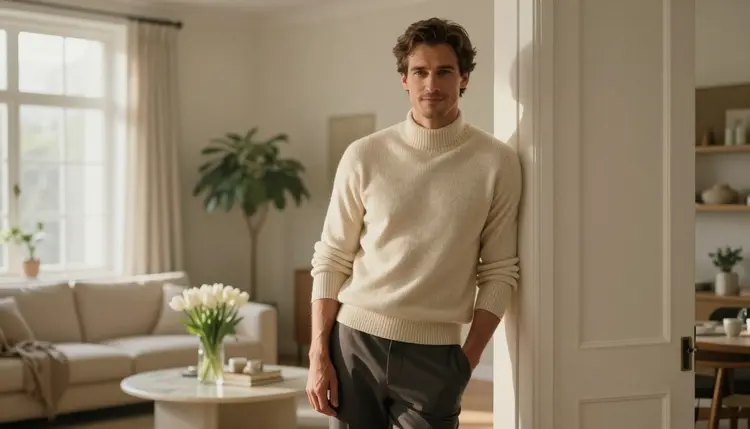
An AI boyfriend character is a fictional adult man you design once and then picture in many places: a quiet bedroom in the morning, a leather armchair in a library, a balcony at golden hour. The goal of this guide is simple. You write one clear description of him, keep it fixed, and change only the outfit, the room and the light. The result is a set of images that read as the same man living a life, not a pile of unrelated portraits.
Picasso IA runs in your browser, so there is nothing to install. You pick a model in the toolkit, type the description, and get an image back. This page covers which models to use, the five steps, the wording that keeps his face steady, and the mistakes that break a character. Everything here is for adults and about fictional people only.
Most people start by typing a new, loose prompt for every image: "handsome man in a sweater", then "handsome man on a balcony". Each prompt lets the model invent a different face, a different jaw, a different hairline. After four images you have four strangers. A character only exists when something stays constant.
What stays constant is the identity block: a short paragraph that names his age range, hair, build and expression, and that you paste unchanged into every prompt. In this guide the example man is a fictional adult in his thirties with short styled brown hair, clean-shaven, with a lean athletic build and a calm, confident look. Everything else, the wardrobe, the room, the light and the lens, goes into a second block that you swap each time.
Keeping the two blocks apart gives you control. If the face drifts, you know the identity block needs tightening. If the mood is wrong, you only touch the scene block. This is also what makes the character usable later: for a companion app roster, a dating sim route or a story, you can add a new scene without rebuilding him from nothing. If you want the deeper version of the face problem, the guide on keeping an NSFW character's face consistent goes through it step by step.
A word on tone. An AI boyfriend character in this section is romantic, flirty and a little suggestive, never explicit. Think fitted knitwear, an unbuttoned collar, a blazer over a white tee, candlelight. The chest stays covered in every image, and the appeal comes from mood, posture and light.
Picasso IA lists three image models that it has tested repeatedly with adult prompts and seen generate instead of reject. They suit this job well. The word "confirmed" here means the app's own testing, not a promise from the model's maker, and the confirmed-models explainer spells out what that does and does not cover.
Seedream 4.5 is the default for photographic frames: text goes in, a 4K image comes out. Recraft V4.1 Pro is the pick if you want your boyfriend character as an illustration, a stylized poster or a clean reference sheet, since the catalog describes it as strong on illustration and design. Picasso Image Editor Pro works on an image you already have, which is handy when you like the face and only want a different sweater. It carries the unlimited tag in the catalog, and the free trial includes it.
You can also try models that are not on that list. Picasso IA has not tested them against adult prompts, so they are untested: worth a go, but not confirmed either way. Qwen Image 2, for example, is in the catalog as an image model, and you can compare its faces against Seedream 4.5 using the same identity block. Browse the full catalog if you want to test others, and treat any refusal as information about that model, not about your prompt.
If a model does decline a prompt, the app shows a message titled "Content Not Supported by This Model", recommends models that accept adult prompts and carries your prompt over, so you do not retype it.
The process is short. Do the steps in order the first time, then repeat steps four and five for every new scene.
- Write the identity block. Describe age range, hair, face, build and expression in two or three sentences, and save it in a note.
- Pick the model. Open the toolkit and choose Seedream 4.5 for photo frames, or Recraft V4.1 Pro for illustrated ones.
- Generate the anchor image. Use the identity block plus a plain outfit and soft light, and keep the result that looks most like the man you imagined.
- Change one scene variable. Paste the same identity block, then swap the outfit, room or light, one at a time.
- Review and fix. Compare faces side by side, and use Picasso Image Editor Pro for small changes instead of regenerating from scratch.
Specific beats poetic. A prompt like "a man with a handsome face" gives the model nothing to hold. A prompt like "a 30-year-old athletic man with short styled brown hair, clean-shaven, sharp jawline, calm confident adult expression" gives it a checklist. Use the same words in the same order every time. Reordering the phrases is enough to shift the face.
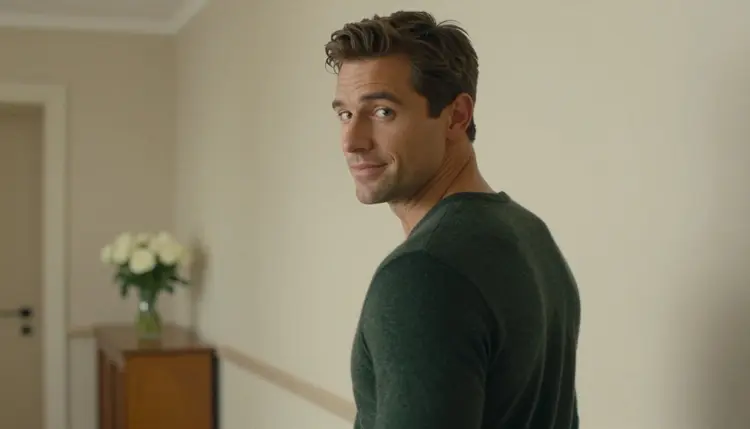
Here is a before and after. The loose version reads: "good-looking guy in a sweater, cozy room". The tight version reads: "a 30-year-old athletic man with short styled brown hair, clean-shaven, lean muscular build, calm confident adult expression, in a dark green wool sweater, sunlit hallway with white roses, overcast soft daylight, 50mm f/1.4, film grain". The second one names the person first, then the clothing, then the place, then the light and lens. That order works because the identity comes first and is hardest to dilute.
Wardrobe does a lot of the character work. Each outfit tells a small story about him, so pick garments that suit a boyfriend archetype and keep them closed and fitted:
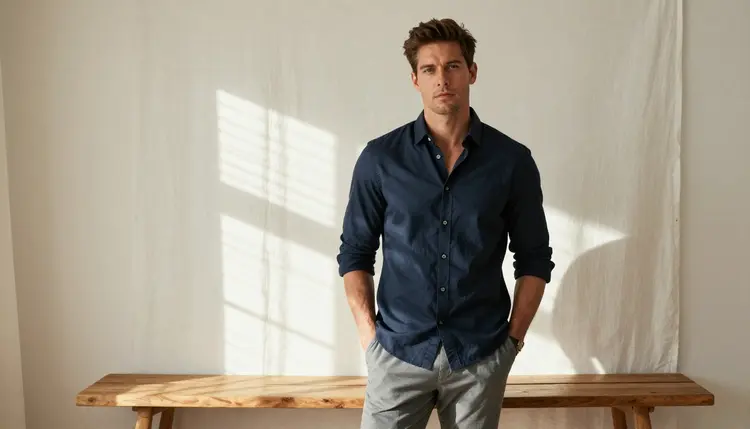
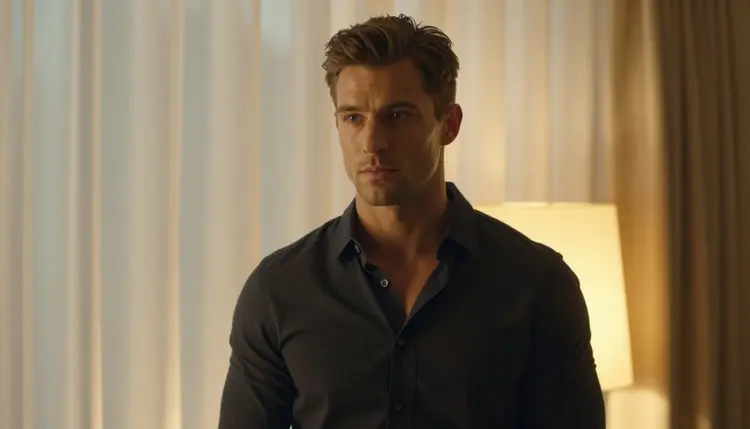
Morning at home. A fitted navy button-up shirt, fully buttoned, slim grey trousers, hands in pockets, a minimal bedroom with white linen curtains, hard sun coming through the blinds. The stripes of light on the wall do the mood work for you.
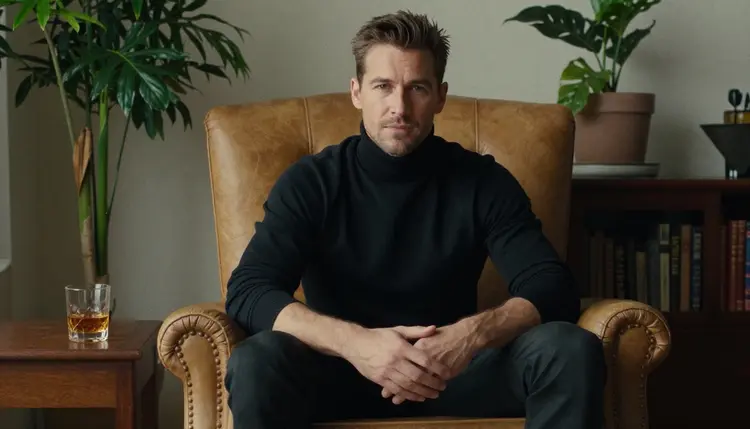
The thoughtful one. A black turtleneck, seated upright in a tan leather armchair, a library-style room, overcast soft daylight. This frame suits a quiet, bookish version of the character.
The one who looks back. A dark green wool sweater, a glance over the shoulder with a half-smile, a hallway with fresh roses. Over-the-shoulder angles feel intimate without showing more than a face and a collar.
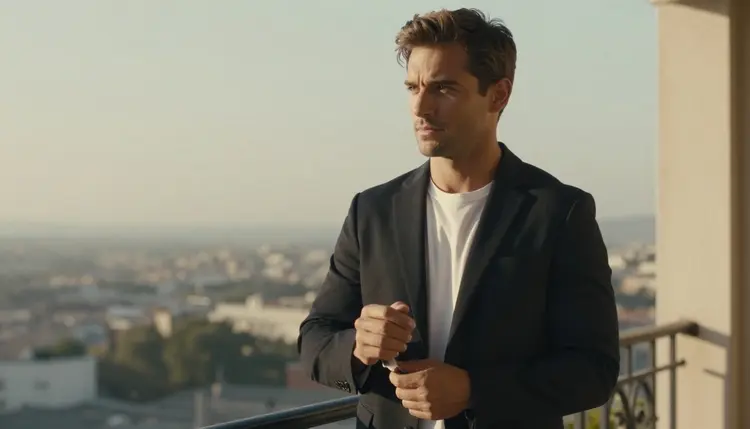
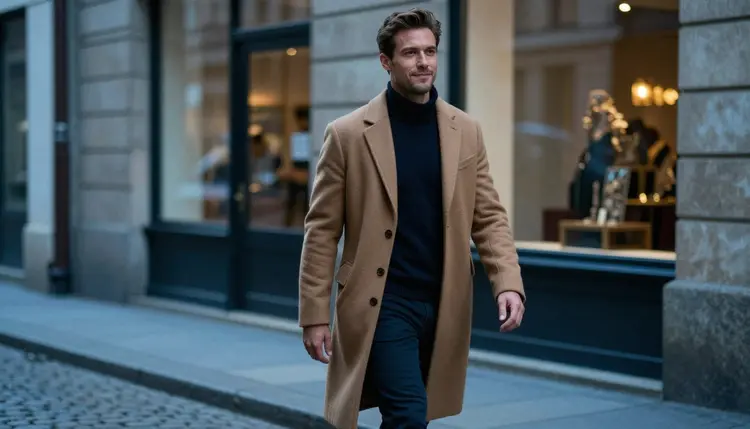
Evening out. A tailored black blazer over a white tee, adjusting a cuff on a sunny balcony in late-afternoon side light. Or a long camel overcoat over a dark sweater, walking a cobblestone street at blue hour.
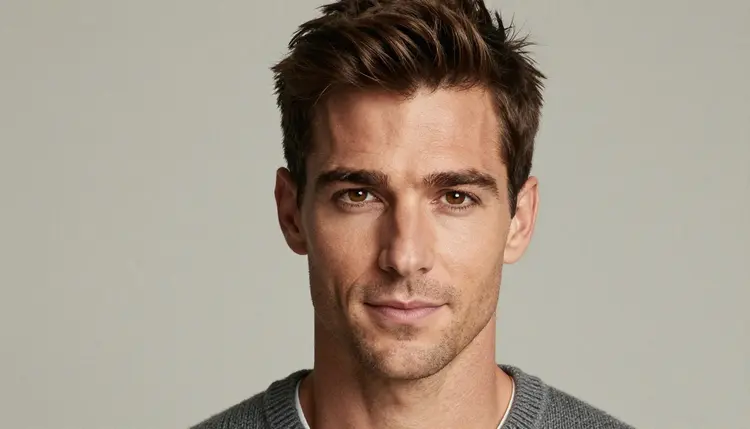
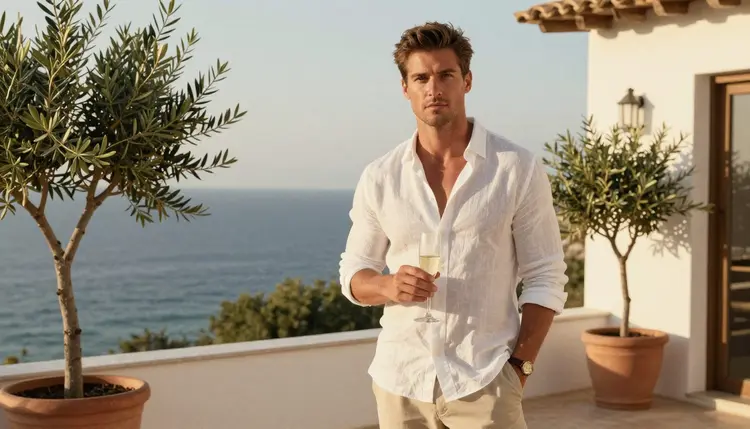
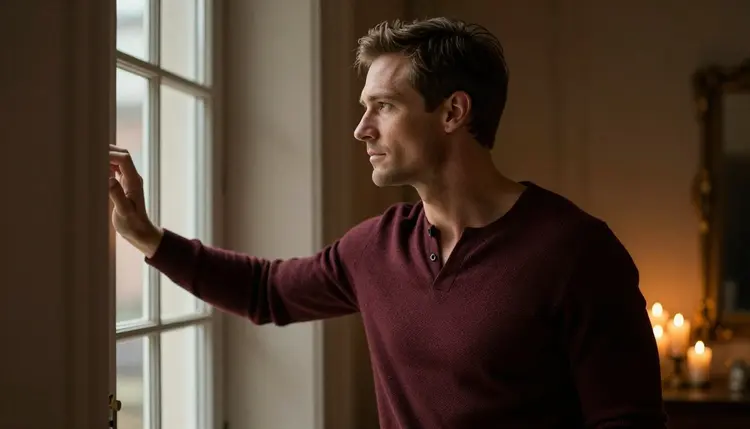
Light and lens are the other half of the look. A tight close-up at 85mm f/1.8 with overcast soft daylight makes a clean reference portrait with a grey knit collar. A wide frame at 70mm f/2.8 shows him in a setting, for example a white linen shirt on a seaside villa terrace with a glass of champagne. Candlelight at 100mm macro f/2.8 gives a warm, close mood when he looks out of a tall window with candles on the sill. A profile silhouette against a warm tungsten lamp is the most romantic option and also the most forgiving, because the face detail matters less.
When you want to extend the character into motion, the confirmed video models can animate a favorite frame: Picasso IA Video takes text or an image, Seedance 2.5 Lite is listed up to 10 seconds, and LTX 2.3 Pro makes 4K video from text. Start from a still you already like and describe only a small motion, such as turning toward the window.
If you attach a reference image in the toolkit, a model that accepts several inputs shows an @1 badge on it, and you can mention @1 in the prompt. Picasso IA translates that reference into the syntax of the model you picked. That is a quick way to say "same man as @1, now in a camel overcoat". For a longer treatment of the same idea, see the page on a consistent NSFW character generator.
Changing the identity block between prompts. Even a small edit, like swapping "short styled brown hair" for "dark hair", can produce a new man. Fix: copy and paste the block, never retype it.
Changing everything at once. If the outfit, room, light and angle all change in one step, you cannot tell what altered his face. Fix: move one variable per generation until you trust the result.
Stacking too many adjectives. A prompt packed with ten mood words gets muddy. Fix: keep two or three precise details for wardrobe and one for light.
Forgetting the age. Without a stated adult age range, the model may drift toward a softer, less mature face. Fix: always write a clear adult age and words like "mature" and "adult" in the identity block. A character built for this section must read as a grown man, and nothing in a prompt should suggest otherwise.
Regenerating when you could edit. If the face is right and only the sweater is wrong, a new generation puts the face at risk again. Fix: send that image to Picasso Image Editor Pro and describe the one change.
Mixing styles. Asking for a photograph and an anime look in the same prompt gives an uncanny middle. Fix: choose one. For a photographic boyfriend, say raw photography, natural light and film grain. For an illustrated one, switch to Recraft V4.1 Pro and keep it illustrated across the set.
Expecting mirrors and hands to behave. Reflections and busy hand poses are where models slip. Fix: ask for a window instead of a mirror, and for hands in pockets or resting on a cuff.
If you build several characters at once, for a game or an app, the pages on a dating sim character roster and a companion app character roster show how to keep each one distinct. Picasso IA makes the pictures and videos only; it is not a chat product, so the personality and dialogue of an AI boyfriend live in whatever app or story you place him in.
Picasso IA is for adults. You must be 18 or older to use the adult features, and every image you make should be made with that in mind. This is not a gray area, and the tone of this guide is romantic and suggestive, never explicit.
The character must be a fictional adult. Do not base him on a real or identifiable person, a celebrity or someone you know, and never write or generate anyone who could read as a minor. State an adult age in the identity block and keep the wardrobe, the pose and the setting clearly grown-up.
What you generate is private by default. It is tied to your account and not published or shown to other people. A new account gets a small free trial on selected models, and the details of credits and plans are on the pricing page. Credits vary by model and by options such as resolution, so check before a long session.
What is an AI boyfriend character?
It is a fictional adult man you design with a fixed description and then illustrate in many scenes. The same identity block goes into every prompt, so the face, hair and build stay recognizable while the outfit, room and light change from image to image.
Which model is best for a photoreal AI boyfriend?
Seedream 4.5 is a good first choice. It makes 4K images from text and is one of the models Picasso IA has confirmed with adult prompts. Try the same identity block in other catalog models if you want to compare faces.
How do I keep his face the same in every image?
Paste the same identity block, word for word and in the same order, at the start of each prompt, and change only one scene detail at a time. For small fixes, use Picasso Image Editor Pro on the image you already have.
Can I make him an illustration instead of a photo?
Yes. Recraft V4.1 Pro is described in the catalog as strong on illustration and design, with print-ready 2K output. Keep one style across the whole set so he stays consistent.
Can I turn the images into short videos?
You can try. Picasso IA Video accepts text or an image, and Seedance 2.5 Lite is listed up to 10 seconds. Both are confirmed models. Start from a still and ask for one simple movement.
Does Picasso IA chat as the boyfriend?
No. Picasso IA creates images and videos only. If you want conversation, you would use a separate chat companion app and bring your pictures there. For ideas on that setup, see the companion app roster guide.
What happens if a model refuses my prompt?
The app shows a message titled "Content Not Supported by This Model", recommends models that accept adult prompts, and carries your prompt over so you do not retype it. Models outside the confirmed list are untested, so a refusal tells you about that model only.
Are the images private?
Yes. What you generate is private by default, tied to your account and not published or shown to others. You decide what to do with the files afterward.
Is this only for adults and fictional characters?
Yes, on both counts. You must be 18 or older, the character must be a fictional adult, and no real or identifiable person and no one who could read as a minor may be depicted. The pictures here stay romantic and suggestive, never explicit.
Can I try it before paying?
A new account gets a small free trial on selected models. Which models and how credits work for the rest of the catalog is explained on the pricing page, and you can open the toolkit to start your first anchor image.