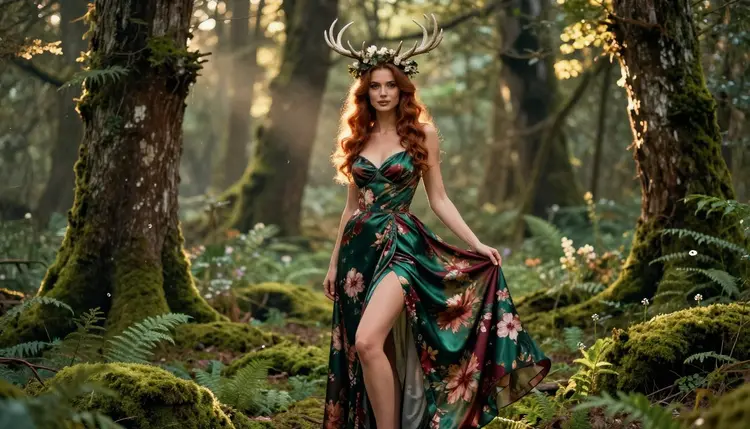
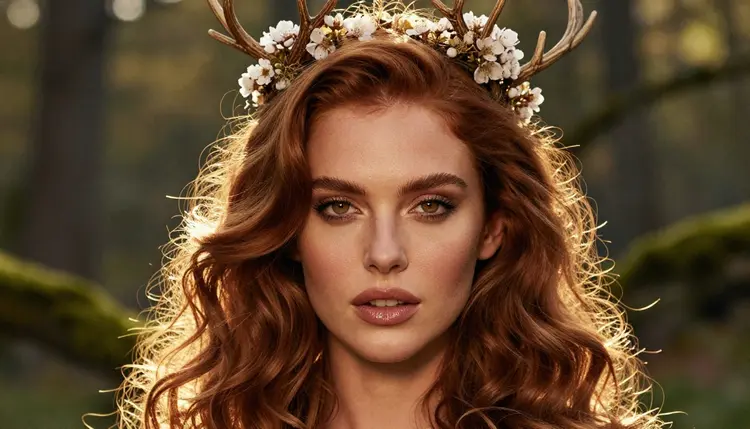
A fae court is the kind of scene where a forest feels like a throne room. Think moss on stone stairs, lanterns hanging from roots, a crown of antlers wrapped in ivy or blossom, and a gown of floral silk that moves with the light. For an adult 18+ audience, the look works because it is suggestive without being explicit: the mood comes from fabric, setting and glow, not from anything graphic.
This page shows you how to build that look with Picasso IA. It is built around Recraft V4.1 Pro, one of the confirmed models of the app, and it gives you prompt ideas you can paste, adapt and push further. Every character is a fictional adult, and everything you make stays private by default.
If you already enjoy fantasy portraits, you may also like the NSFW Dark Elf Art AI Generator and the NSFW Succubus Art AI Generator. They share the same idea: the fantasy theme arrives through wardrobe, props and light, never through anything explicit.
The fae court look has a clear visual grammar. There is a ruler, so the pose is calm and upright. There is a crown, usually antlers, branches or woven vines. There is a gown, and in this style it is floral silk: a flowing fabric printed or embroidered with blossoms, in colors such as emerald, burgundy and ivory. And there is a place, always a mossy forest, a ruined arch or a staircase swallowed by green.
That is a lot of detail for a model to hold at once, and this is where the choice of model matters. Recraft V4.1 Pro is listed in the catalog as a tool for print-ready images at 2K, and it is strong on illustration and design. For a fae court that means clean antler shapes, readable embroidery on the silk and a set that looks designed rather than random. You can aim for a painterly fantasy finish or for a photographic one, depending on how you word the prompt.
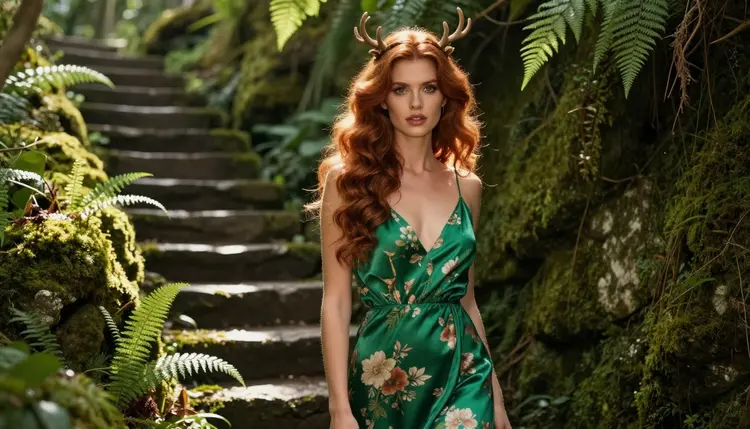
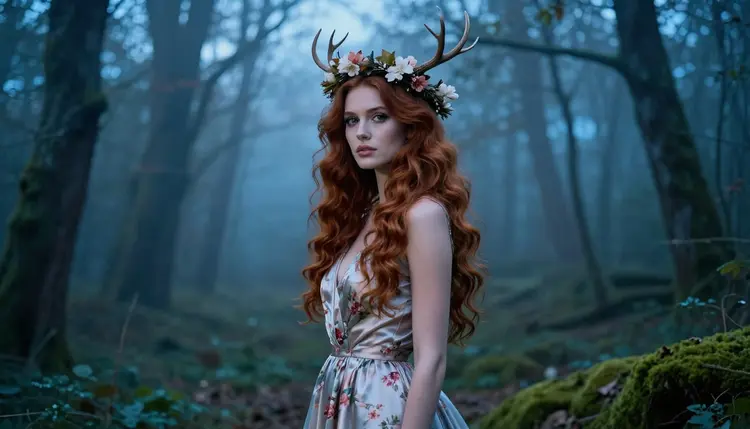
Light does most of the work in this style. Golden hour backlight turns the edge of a gown into a soft outline and makes a crown glow without any special effects. Blue hour gives a cooler, quieter court. Candlelight and lanterns add warm points among the roots. If you describe the light in your prompt in plain photographic words, you get a more believable result than if you ask for magic or sparkle.
Wardrobe keeps the look glamorous and suggestive. Think long gowns with slits, off-the-shoulder bodices, sheer overlays of silk over an opaque lining, corsetry in botanical prints, bare arms with ivy cuffs. The point is a flirty, romantic, mature mood. If a prompt starts to drift toward anything explicit, rewrite it toward fabric, pose and light instead.
One more habit helps: name the camera. A tight portrait at 70mm, a full-length frame at 100mm or a walking shot at 35mm each give a different feel, and models respond well to lens and framing words. The sections below turn all of this into steps and ready prompts.
Picasso IA keeps a list of six models that were tested repeatedly with adult prompts and generated instead of rejecting them. That is what "confirmed" means in the app. It is not a published setting of each model's maker, who can change it at any time. The explanation of what confirmed means covers the details. For a fae court, three of the six are image models and three are video models.
| Model | Best for | Format |
|---|
| Recraft V4.1 Pro | Illustrated or designed fae portraits, crowns and gowns with clean detail | Image, 2K, print-ready |
| Seedream 4.5 | Photoreal forest scenes with natural skin and fabric | Image, 4K |
| Picasso Image Editor Pro | Changing one detail of an existing picture, such as a gown color or a crown | Image editing, unlimited |
| LTX 2.3 Pro | Moving forest shots written from text | Video, 4K |
| Picasso IA Video | Bringing a finished portrait to life | Video from text or image, unlimited |
| Seedance 2.5 Lite | Short clips of a gown in the wind | Video, up to 10 seconds, unlimited |
A simple way to pick: use Recraft V4.1 Pro when you want the look of a designed fantasy illustration, and Seedream 4.5 when you want a forest that could pass as a photograph. Keep Picasso Image Editor Pro in reach for fixes, and move to a video model only when the still image is the one you want to animate.
The rest of the catalog is untested. That means Picasso IA has not confirmed it either way, so it is worth a try but not a promise. Models such as Qwen Image 2 and Picasso Video (Pruna P-Video) fall in that group. If one of them does not accept your prompt, the app tells you and points you to a confirmed model with your prompt already carried over.
The process is short. You do not need to install anything, because Picasso IA runs in the browser. Plan on a first result within a few minutes and a better one after a couple of small edits to the prompt.
- Open the toolkit and pick the model. Go to the toolkit, choose a text to image model and select Recraft V4.1 Pro for a designed look or Seedream 4.5 for a photographic one.
- Describe wardrobe and setting. Write the gown, its color and fabric, the crown, and the place: for example an opaque emerald floral silk gown, an antler crown with ivy, a mossy stone staircase in a forest.
- Set the light and mood. Add one light source and one lens, such as golden hour backlight and a 70mm portrait, then a mood word like calm, regal or romantic.
- Generate and review. Look closely at hands, the edge of the fabric, the shape of the antlers and the face. Fix one thing per round instead of rewriting the whole prompt.
- Refine or switch. Use Picasso Image Editor Pro to change a single detail, or switch to the other image model and keep the same prompt to compare the two looks.
Once you have an image you like, you can reuse its wording as a template. Keep the crown and gown phrases and change only the setting and light, and you get a whole series that looks like one photoshoot of the same woman.
Each idea below names wardrobe, set, light and angle. Copy one into the toolkit, then change a single element at a time. All of them describe one fictional adult woman, and none needs anything explicit.
The mossy stair. A woman in an emerald floral silk gown with an opaque lining and a slit to the knee, standing on mossy stone stairs, an antler crown wrapped in ivy, hard morning sun cutting through the trees, wide environmental portrait. The sun gives sharp edges on the stone and a warm patch on the silk.
The blue hour profile. A profile silhouette of a woman in a floral silk gown with a branch crown, cool blue-hour ambient light, a pale mist between the trunks, 100mm lens. The shape of the antlers reads clearly against the sky, and the gown becomes a long, quiet line.
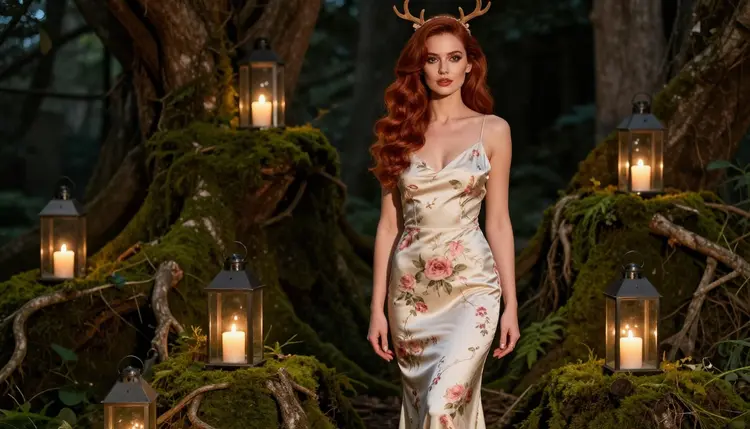
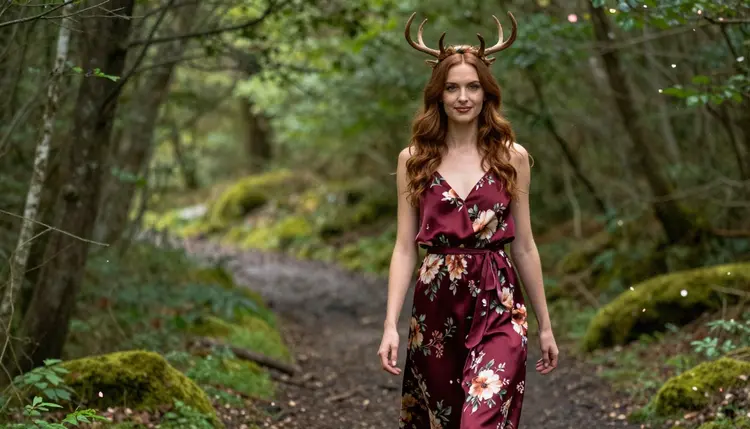
The lantern walk. A woman in a burgundy floral silk gown walking along a mossy forest path, three-quarter view, a candid moment, soft light from the left, 35mm lens at f/2. The slight motion of the fabric makes it feel like a frame from a film.
The root court. A full-length woman in an ivory floral gown standing among thick mossy roots, candle lanterns hung at different heights, candlelight as the only source, eye-level frame. Ask for the flames to be small and warm, and the court feels private and quiet.
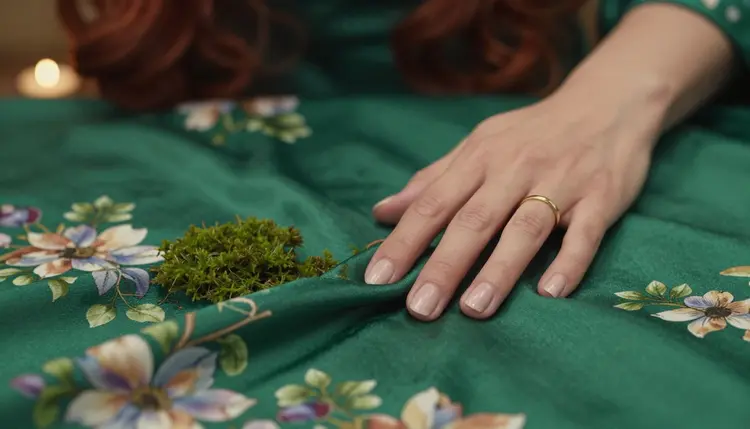
The silk detail. A single hand holding a fold of emerald floral silk against green moss, candlelight, 70mm lens. Say exactly one hand in the prompt. Detail frames like this work as breaks between portraits in a set, and they show off the print on the fabric.
The look back. An over-the-shoulder view of a woman in a burgundy gown, looking back toward the camera, golden hour backlight, 50mm lens at f/1.4. The backlight rims her hair and the crown, and the bare shoulder line adds the suggestive note.
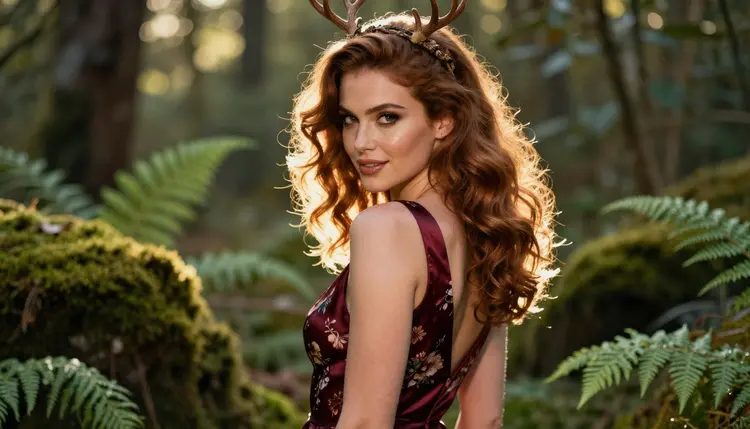
The crowned portrait. A tight close-up of a woman with a blossom antler crown, soft golden backlight, polished glamour makeup, 70mm lens. Keep the background simple, a blur of green, so the crown and face carry the picture.
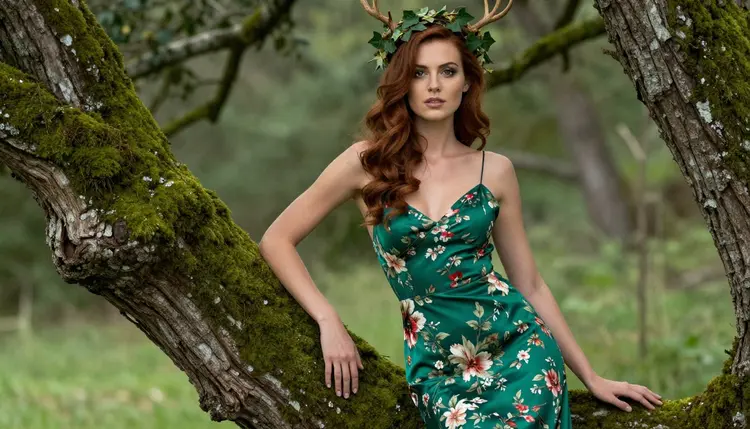
The waist-up lean. A medium shot of a woman in an emerald gown with an ivy antler crown, leaning on a mossy tree, overcast soft daylight, 70mm lens. Overcast light is gentle on skin and fabric, which suits a calm, regal mood.
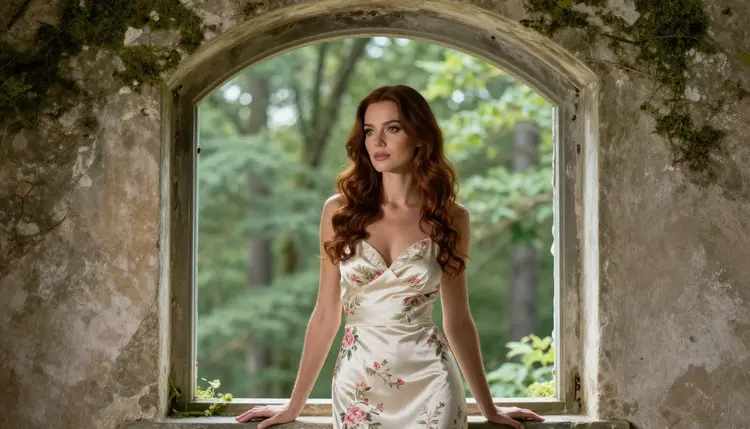
The arch window. A woman in an ivory floral gown in a mossy stone arch, looking out at the forest, soft window-style light from the left, 70mm lens. Because she looks outward there is no mirror to render, which removes one common source of errors.
This page is for adults aged 18 and over. If you are not an adult in your country, close it. Everything here assumes you are choosing to make mature, suggestive fantasy images for yourself.
Every character you create must be a fictional adult. Do not describe a real or identifiable person, a celebrity or someone you know, and never describe anyone who could read as a minor. Fae and fantasy settings do not change this: the character is an adult woman or man, with an adult face and build, in every prompt you write.
What you generate in Picasso IA is private by default. It is tied to your account and not published or shown to other people. Keep it that way unless you decide, as an adult, to share something yourself, and keep your own prompts within the same limits.
A new account can try a few generations for free on selected models: Picasso IA Image, Picasso Image Editor Pro, Picasso IA Video and Seedance 2.5 Lite. That is a small free trial on selected models, not on the whole catalog. The pricing page explains how credits work, which models carry the unlimited tag and what else is included.
Recraft V4.1 Pro and Seedream 4.5 spend credits that vary with the model and the options you choose, so check the details before a long session. Picasso Image Editor Pro, Picasso IA Video and Seedance 2.5 Lite carry the unlimited tag, which makes them handy for experiments and retouching on the plans that include unlimited generation.
If you want to explore beyond the confirmed six, browse the full catalog. Qwen Image 2 is an untested image model worth a try for fantasy portraits, and Picasso Video (Pruna P-Video) is an untested video option. Both are untested, so treat the results as an experiment. For related looks, see the NSFW Monster Romance Art AI Generator and the NSFW Pixel Art AI Generator.
Which models are confirmed for fae court art?
Six models are confirmed in Picasso IA: Seedream 4.5, Recraft V4.1 Pro and Picasso Image Editor Pro for images, and LTX 2.3 Pro, Picasso IA Video and Seedance 2.5 Lite for video. For a fae court portrait, start with Recraft V4.1 Pro or Seedream 4.5.
Why use Recraft V4.1 Pro for this look?
It is listed as a print-ready 2K image model that is strong on illustration and design. A fae court has many fine parts, such as antlers, embroidered silk and mossy stonework, and a design-minded model keeps them clean. If you prefer a photographic finish, Seedream 4.5 is the alternative.
How should I word a fae court prompt?
Name the gown, its color and fabric, the crown, the set, one light source and one lens. Use plain photographic words such as golden hour backlight and 70mm instead of vague praise. Add the word opaque to the silk if you want a fully lined gown, and keep the mood words romantic, regal or calm.
Can I put two characters in one fae scene?
Yes, as long as both are fictional adults. Describe each one separately in the prompt, with its own wardrobe, and say where they stand. For fantasy pairings with a different atmosphere, see the NSFW Monster Romance Art AI Generator. If the faces drift, attach a reference image in the toolkit and refer to it with its @1 badge.
What happens if a model refuses my prompt?
The app shows a message titled "Content Not Supported by This Model". It recommends models that accept adult prompts and carries your prompt over, so you do not retype it. You can then run the same text on a confirmed model such as Recraft V4.1 Pro or Seedream 4.5.
Is this content for adults only, and is it fictional?
Yes. Picasso IA's NSFW pages are for adults aged 18 and over, and every character is a fictional adult. Never describe a real or identifiable person, and never anyone who could read as a minor. Fantasy themes like fae courts follow exactly the same rules.
Are my fae court images private?
Generations in Picasso IA are private by default. They are tied to your account and are not published or shown to other people. You decide what to do with the files you download, and the same adult-only, fictional-only rules apply to anything you share.
Can I turn a fae portrait into a video?
Yes. Upload your favorite still to Picasso IA Video to animate it, or write a text prompt for LTX 2.3 Pro if you want a 4K clip. Seedance 2.5 Lite is another option for short clips of up to 10 seconds, such as a gown moving in the wind.
How do I change one detail without redoing the image?
Open the picture in Picasso Image Editor Pro and describe the change: the crown, the color of the silk, the moss on the stairs. Edit one thing at a time and review the result before the next step, so the rest of the image stays as it was.
Can I try this before paying?
A new account gets a small free trial on selected models, including Picasso IA Image, Picasso Image Editor Pro, Picasso IA Video and Seedance 2.5 Lite. Details are on the pricing page. The trial is not a promise for every model in the catalog, so check which model you selected.