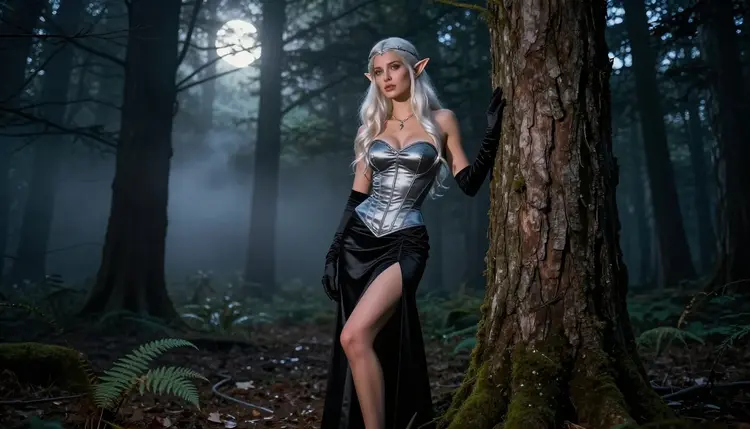
Dark elf art is a mood before it is a subject. Think moonlit forest, silver metal on black fabric, pointed ears, a cool palette and a character who looks like she knows the woods better than you do. With Picasso IA you can build that mood as an NSFW, 18+ image: a fictional adult cosplayer in a corset costume, a long skirt, gloves and a circlet, photographed with the kind of light a real night shoot would give you.
This page uses Recraft V4.1 Pro as its main model, because it is one of the models Picasso IA has confirmed accepts adult prompts and because it handles costume detail, ornament and clean composition well. You will get wardrobe and setting ideas, a table of the confirmed models, five steps, nine prompt ideas and a plain statement of the rules.
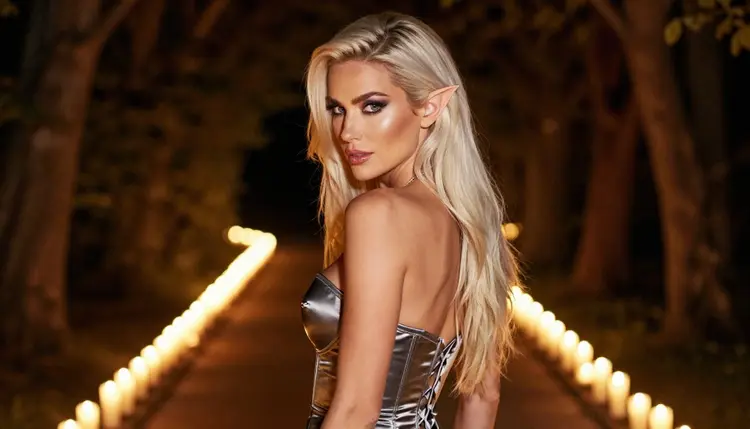
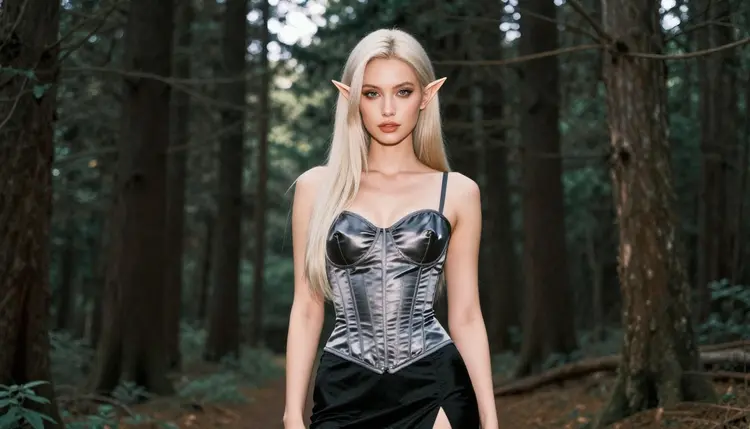
A dark elf image works when three things line up: a silhouette you can recognize, a palette that stays cold, and one warm accent that pulls the eye. The silhouette comes from the costume. A fitted silver satin corset, a long black skirt, elbow gloves, a thin circlet and the pointed ear prosthetics a cosplayer would actually wear are enough to say the genre without any fantasy artwork on top. The palette comes from the light: moon, mist and a single candle. The accent is usually a bracelet, a pendant or a candle flame.
Recraft V4.1 Pro is listed in the catalog as a tool for print-ready images at 2K, and it is strong on illustration and design. For this look that translates into tidy ornament work. Filigree on a circlet, stitching on a bodice and the edge of a glove tend to come out sharp rather than smeared, which matters because dark elf costumes are full of small metal details. The image is also composed with some care, so a full-length frame leaves room around the figure instead of cropping the hem of the skirt.
Because Picasso IA has tested adult prompts against this exact model repeatedly and watched it generate instead of reject, you can write a spicy, suggestive prompt without expecting an immediate refusal. That is a statement about our own testing, not a published setting of the model's maker, and the policy page about what confirmed means explains the distinction. Stay in the provocative lane: lingerie-style wardrobe, boudoir poses, implied intimacy, never anything explicit.
The look is also a good fit for photoreal work. If you would rather have a photograph of a cosplayer than an illustration, Seedream 4.5 is the better pick, and the prompts on this page work for both. Illustration first, photoreal second is a sensible order: Recraft sets the costume and the mood, and you can carry the same wording to Seedream to see how it reads as a night photograph.
If your idea leans toward archery, a bow and a hooded ranger, the page on NSFW elf archer art with Recraft V4.1 Pro covers that side of the genre. This page stays with the darker, more boudoir end of it.
Picasso IA keeps a list of models that it has tested with adult prompts. Those are the ones to start with, because a prompt you write for this look is more likely to generate than to bounce. The table below names each one, what it is best at for this style and what it produces. The three image models are the core of the page, and the three video models are for the moment a still image should start to move.
| Model | Best for | Format |
|---|
| Recraft V4.1 Pro | Costume ornament, clean composition, illustrated looks | Print-ready images at 2K |
| Seedream 4.5 | Photoreal moonlight portraits | Text to image, 4K |
| Picasso Image Editor Pro | Fixing one detail on an existing image | Image editing, marked unlimited |
| LTX 2.3 Pro | Slow camera moves through the forest | 4K video from text |
| Picasso IA Video | Animating a finished still, or text to video | Text or image to video, marked unlimited |
| Seedance 2.5 Lite | Short moving shots | Video, listed up to 10 seconds, marked unlimited |
The rest of the catalog is untested. That does not mean filtered and it does not mean filter-free: it means Picasso IA has not run the adult prompts against those models enough to say. Models such as Qwen Image 2, Seedream 5 and Nano Banana can be worth a try for this look, especially if you want a different rendering of the same costume. If a prompt is refused, the app shows a message titled "Content Not Supported by This Model" and recommends models that accept adult prompts, with your prompt carried over so you do not retype anything.
The whole process takes a few minutes in the browser, with nothing to install. The steps below use Recraft V4.1 Pro, but the order is the same for any image model in the list above.
- Open the toolkit and pick the model. Go to the toolkit, choose the image mode and select Recraft V4.1 Pro from the model list. If you want to start from a photo of your own costume as a reference, attach it and refer to it as @1 in the prompt.
- Describe wardrobe and setting. Write the costume piece by piece: silver satin corset, long black skirt, elbow gloves, thin circlet, pointed ear prosthetics. Then name the place: a moonlit forest clearing, a misty path, a cabin window.
- Set the light and the mood. Say what the light is and where it comes from, such as candlelight from low on the left, soft moonlight through mist, or a golden backlight at dusk. Add the mood in two or three words: calm, watchful, flirty.
- Generate and review. Look at the hands first, then the fabric edges, the face and the ear prosthetics. Check that the circlet sits where a real one would sit and that the skirt falls naturally.
- Refine or switch. Use Picasso Image Editor Pro to fix a single detail without redoing the whole picture, or run the same prompt on Seedream 4.5 for a photographic read of the scene.
Keep the first prompt short and specific. A prompt with eight clear nouns beats a prompt with thirty adjectives. Once the first result is close, change one thing at a time so you know which edit did what.
Each idea below names wardrobe, setting, light and angle. Copy one as it is, or swap a single element and see what changes. All of them describe a fictional adult cosplayer, a woman in her thirties, and nothing in them calls for explicit content.
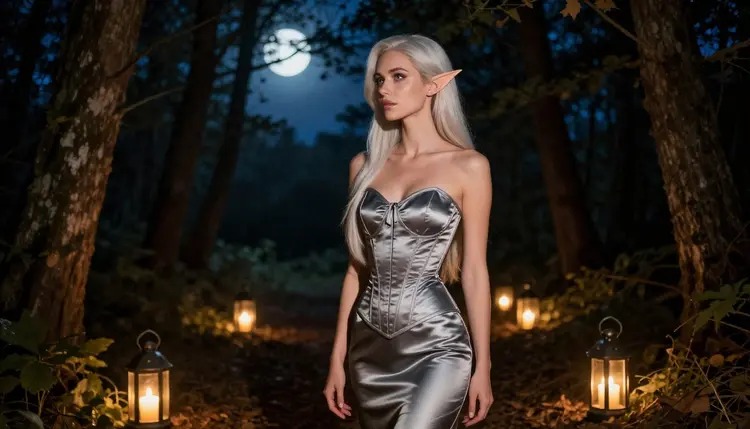
Moonlit clearing, profile. A woman in a dark silver satin corset and long black skirt stands in profile in a forest clearing, lit only by a few candles on the ground. Wide angle, 24mm, the circlet catching a point of light and the pointed ears sharp against the dark trees. The result is a silhouette-led frame with a lot of space around her.
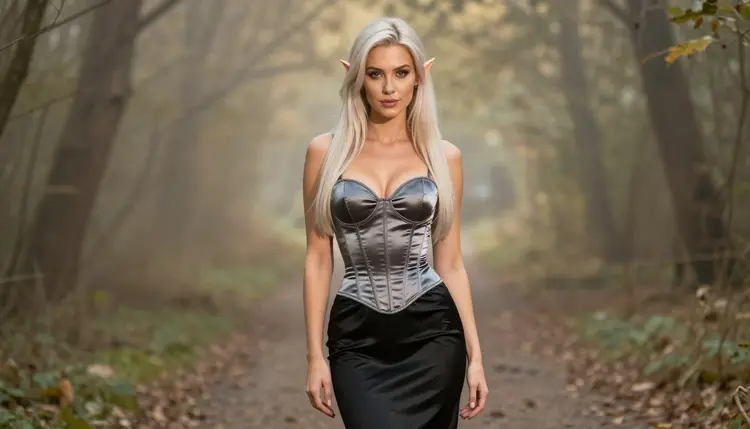
Misty path, full length. Eye-level, full-length, 50mm. She walks down a forest path in a fitted corset, elbow gloves and a skirt that trails slightly on the wet ground, with low mist between the trunks. Say the mist is behind her rather than in front so the costume stays readable.
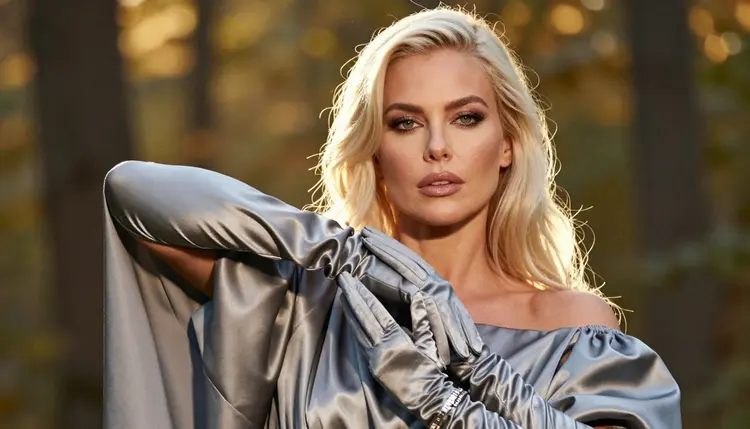
Golden hour detail. A tight shot of one gloved hand with a silver bracelet resting on dark satin, with a golden backlight along the edge of the fabric. Exactly one hand, 70mm. This kind of detail frame is a good place to check how the model handles metal and sheen before you commit to a full scene.
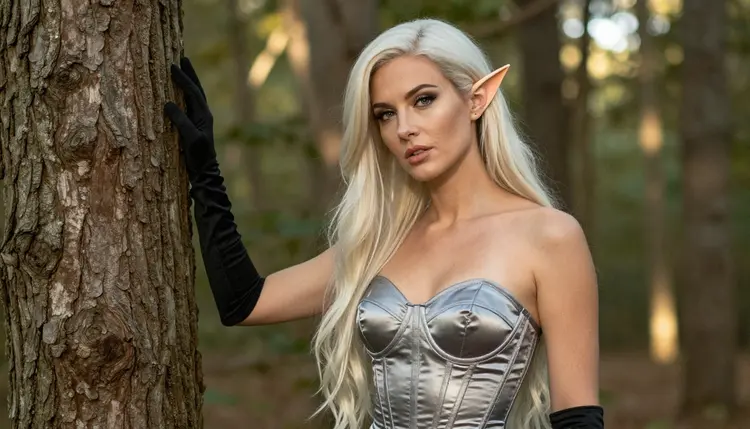
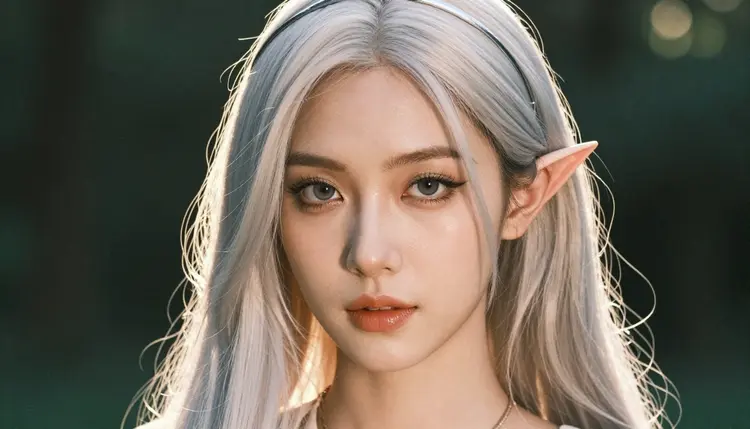
Close-up with a circlet. A close-up portrait with pointed ear prosthetics, a thin silver circlet and polished glamour makeup in cool tones, golden light behind her head, macro lens at 100mm. Ask for a calm, direct look rather than a smile. The ear tips and the circlet are the two details to inspect.
Hand on the tree. A medium shot, waist up, in the silver satin corset, one hand flat on a tree trunk, morning sun filtering through branches. The pose is relaxed and a little coy, which is the flirty end of the look without any need to show more skin.
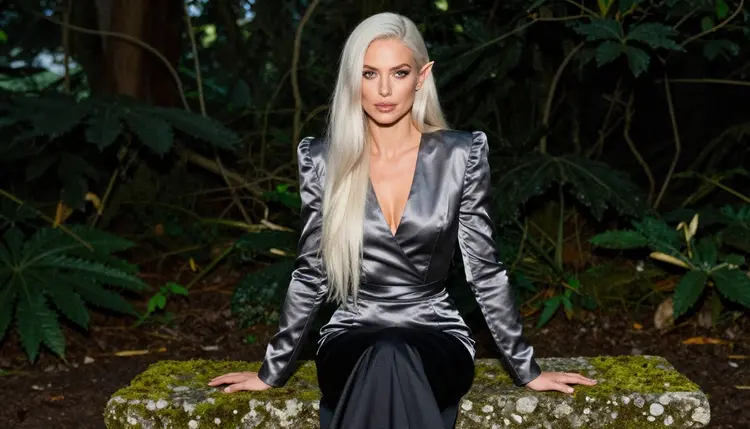
Mossy bench, seated. A three-quarter view of her seated upright on a mossy stone bench with her knees crossed, long skirt spread over the stone, soft light from the left. This works well for checking how fabric folds, and it is a good starting point for a follow-up video.
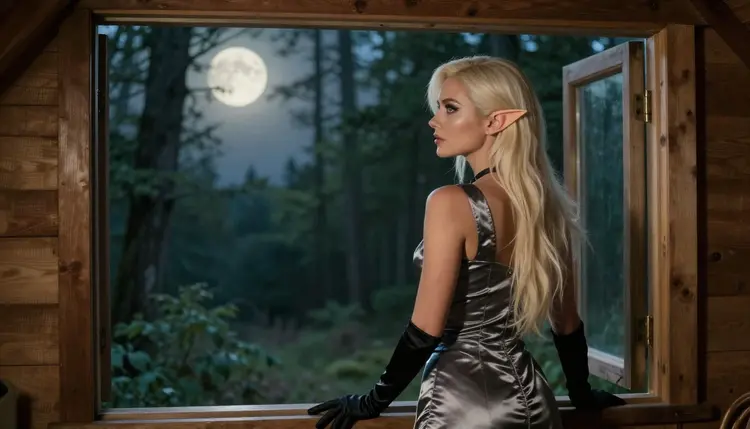
Cabin window. She stands at an open cabin window and looks out at the moonlit forest, overcast soft light on her face, 85mm. The window frame gives you a natural border, and the mood is quiet and private, a boudoir feeling placed in a fantasy setting.
Over the shoulder. A candlelit forest path, her face turned back toward the camera over one shoulder, 135mm, shallow depth of field so the trees fall away into soft dark shapes. Mention the warm candle glow against the cool background to keep the palette in balance.
Environmental portrait. A wide frame among tall trees in soft diffused daylight, the costume small against the forest, 50mm. It is the one to try if you want a poster-like image and room for a title in a design layout.
If you want to push the same costume toward a different kind of fantasy figure, the pages on NSFW succubus art and NSFW dark romantasy art with Qwen Image 2 borrow some of the same wardrobe logic.
This page, and everything it describes, is for adults only. You must be 18 or older to use the generator, and the pictures it makes are meant for adult viewers. Nothing here is aimed at anyone under that age.
Every character is a fictional adult. Never prompt for a real or identifiable person, a celebrity or someone you know, and never write a prompt that could make a character read as a minor. A dark elf is an invented creature, and the cosplayer who plays her is an invented adult too. If a prompt hints at youth, rewrite it.
What you create is private by default. It is tied to your account and not published or shown to other people. The content stays provocative and never explicit: wardrobe, pose, light and mood do the work, and implied intimacy is the limit.
A new account can try a few generations for free on selected Picasso IA models, among them Picasso IA Image, Picasso Image Editor Pro, Picasso IA Video and Seedance 2.5 Lite. The trial is small and it does not cover the whole catalog, so check the pricing page for how credits and plans work before you plan a long session. Models marked with the infinity tag do not spend credits on the plans that include unlimited generation, and the pricing page has the details.
Beyond the confirmed list, the full catalog holds hundreds of models. For this look, a few untested ones are worth a try: Qwen Image 2 for an alternate take on the costume, and Picasso Video (Pruna P-Video) for a motion test of a finished still. They are untested for adult prompts, which means no promise either way. If one of them refuses, switch to a confirmed model and keep the prompt.
Two small habits save credits. First, test a prompt on a single image before you ask for a long video. Second, keep a copy of the prompts that gave you a good result, with the light and the lens named, and reuse them as a base. A good dark elf prompt is mostly a costume list and a light setting, so it travels well from one model to another.
If your idea is closer to pixel graphics, the page on NSFW pixel art shows how a different look enters the same workflow. For a more bookish gothic mood, NSFW dark academia is a neighbor of this one.
Which models are confirmed for NSFW dark elf art?
Picasso IA confirms Seedream 4.5, Recraft V4.1 Pro and Picasso Image Editor Pro for images, and LTX 2.3 Pro, Picasso IA Video and Seedance 2.5 Lite for video. Confirmed means we tested adult prompts against that exact model repeatedly and watched it generate. The policy page explains the term in full.
Why use Recraft V4.1 Pro for this look?
It is listed for print-ready images at 2K and it is strong on illustration and design. Dark elf costumes depend on small details such as circlets, bracelets and stitched corsets, and this model tends to keep that ornament crisp. It is also on the confirmed list, so adult prompts are expected to generate. See its model page.
How should I word the prompt?
List the costume piece by piece, name the place, then name the light and the lens. For example: silver satin corset, long black skirt, elbow gloves, circlet, moonlit forest clearing, candlelight from low left, 50mm. Short, concrete nouns work better than long strings of adjectives. Add one mood word and stop there.
Can I put two characters in one scene?
Yes, but start with one. Two figures raise the odds of errors in hands and overlapping fabric. Generate the main character first, then describe the second one in the same prompt with a clear position, such as left of frame, facing her. Both must be fictional adults. The page on NSFW monster romance art has ideas for pairings.
What happens when a model refuses a prompt?
The app shows a message titled "Content Not Supported by This Model" and recommends models that accept adult prompts. Your prompt is carried over, so you do not retype it. Pick one of the suggested models and run it again, or soften the wording toward wardrobe and mood.
Is this only for adults and fictional characters?
Yes. The generator is 18+ only. Characters are fictional adults, never a real or identifiable person, and never anyone who could read as a minor. If a prompt describes a person that way, rewrite it before you generate. The rules section above gives the full statement.
Are my images private?
Generations are private by default. They are tied to your account and are not published or shown to others. You decide what to download or share yourself. Check the pricing page if you want to see how account plans work.
Can I turn a dark elf image into a video?
Yes. Picasso IA Video accepts text or an image, so you can upload a finished still and ask for a slow move. LTX 2.3 Pro makes 4K video from text, and Seedance 2.5 Lite is listed up to 10 seconds. Keep the prompt to one camera move.
How do I fix one detail, such as an ear or a glove?
Open the image in Picasso Image Editor Pro and describe only the change, for example a cleaner ear tip or a glove that ends at the elbow. It edits an existing picture, so the rest of the frame stays as it is. It is marked unlimited with the infinity tag.
Can I try it before paying?
A new account gets a small free trial on selected models: Picasso IA Image, Picasso Image Editor Pro, Picasso IA Video and Seedance 2.5 Lite. Recraft V4.1 Pro is not among them. See the pricing page for credits and plans, and open the toolkit to start.