Film photography has a look that digital files rarely give you by default: visible grain, soft highlights, skin tones that lean warm and shadows that never go fully black. This page shows how to get that look from an AI image model for adult portraits that are flirty and suggestive, never explicit. Every character is a fictional adult, the content is 18+ only, and what you create stays private to your account.
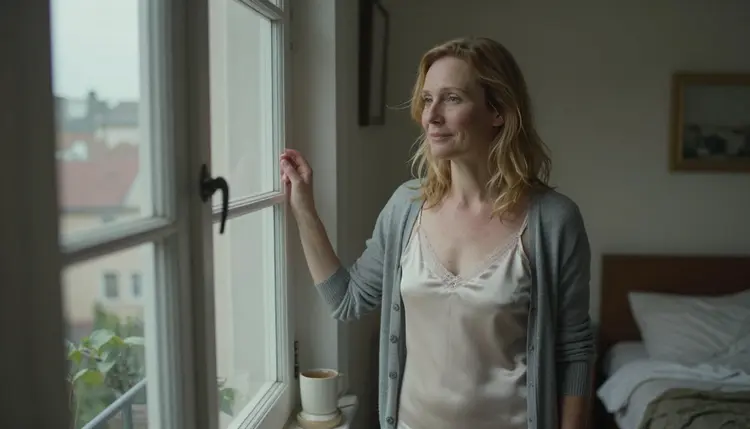
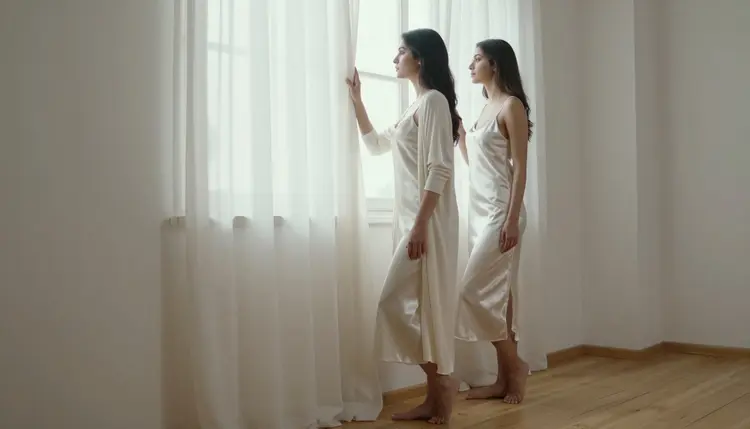
The method is plain. You do not ask the model for a filter. You describe a 35mm camera, a lens, one light source and a wardrobe, and those details carry the film feel on their own. A silk slip dress under a grey cardigan beside a sash window on an overcast morning does more than any adjective ever will.
A film frame has limits, and the limits are the charm. The grain breaks up smooth skin without hiding it. Highlights roll off instead of clipping. Colors sit a little warm and a little muted, the way a scan of Kodak Portra 400 looks when the lab did not push it. When the subject is a mature adult in lingerie, a satin robe or a slip, those qualities push the picture toward boudoir and away from catalog glossy. It reads as a private moment someone photographed, not a render.
That is why this look pairs well with suggestive but covered wardrobe. A lined lace bralette under an open linen shirt, a navy satin bralette with a cream cardigan, a camel coat over a black bodysuit: the layers give the eye something to follow, and the film texture does the rest. You do not need anything explicit, and this page does not use it.
The model this page is built around is Seedream 4.5. It is a photoreal text to image model listed for 4K output, which gives grain and fabric weave room to read when you enlarge the frame. It is also one of the models Picasso IA has confirmed for adult prompts. Confirmed means Picasso IA tested adult prompts against that exact model repeatedly and watched it generate instead of reject. It is not a published setting of the model's maker, who can change it at any time, so keep that in mind if a result ever differs from what you expect.
Three ingredients decide whether a frame reads as film or as a digital image with a texture laid on top. The first is the camera language: a focal length and an aperture such as 50mm f/1.4 or 85mm f/1.8 tell the model how deep the focus should be and how the background should fall away. The second is the light: one direction, one temperature, named plainly. The third is imperfection: laugh lines, freckles, flyaway hair, a crease in the fabric. Real film portraits are full of these, and a prompt that asks for them gets a face that looks lived in rather than polished flat.
The cast matters as well. Describe your subject as an adult in a specific decade, for example early thirties or late thirties, and give one or two concrete traits such as natural curls, freckles or laugh lines. That keeps the character clearly mature and fictional, and it keeps the faces varied from one frame to the next. If you want the full picture of making AI photos feel less artificial, the guide on how to make NSFW AI photos look less like AI goes deeper on skin, hands and fabric.
Picasso IA keeps an app list of models confirmed for adult prompts. For a film portrait the image models come first, and the video models matter when you want to move the frame afterward. The table shows what each one is best for, using what the catalog says about it.
For the film look itself, start with Seedream 4.5. Recraft V4.1 Pro is the alternative when you want a cleaner, more designed frame, for instance a print-ready poster of a portrait where the grain is lighter. Picasso Image Editor Pro is the finishing tool: it edits a picture you already have, so a wrong cardigan color or a stray strap does not mean starting over.
The rest of the catalog is untested. Untested means not confirmed either way: those models are worth a try for the film look, and some of them may suit it well, but Picasso IA has not tested adult prompts against them, so nothing is promised. If you try one and the app shows a refusal, it carries your prompt over to a model that accepts adult prompts, and you keep what you wrote. You can browse the full catalog to see what else is available.
The workflow is the same for every look on this page. The only thing that changes from frame to frame is the wardrobe, the set and the light you put into the prompt.
- Open the toolkit and pick the model. Go to the toolkit, choose Seedream 4.5 and set a wide format for scenes with a room around the subject. Nothing to install, it runs in the browser.
- Describe wardrobe and setting. Name the garment, the layer over it and the place: an ivory silk slip with a grey cardigan beside a tall sash window. Keep every garment opaque and lined in the wording, and say that the character is an adult in her early thirties.
- Set the light and the camera. Write one light source (soft window light from the left, warm tungsten lamp, blue hour) and one lens (35mm film, 50mm f/1.4, visible grain, Kodak Portra 400 look). One light is enough, and more than one muddies the film feel.
- Generate and review. Look at hands, fabric folds, the edge of the cardigan and the face. Check that the grain looks like film grain and not like a noise overlay, and that the character reads as a mature adult.
- Refine or switch. Fix a single detail with Picasso Image Editor Pro, or change the model and keep the same prompt if the first result is not close enough.
Two habits make the loop faster. Change one thing between generations, such as the lens or the light, so you can see what each word does. And save the prompt that worked, because a good film portrait prompt is reusable: swap the wardrobe and the set and the look stays.
These are starting points, each with wardrobe, setting, light and angle. Copy one, change the details and keep the camera language. All of them describe fictional adults in covered, suggestive wardrobe.
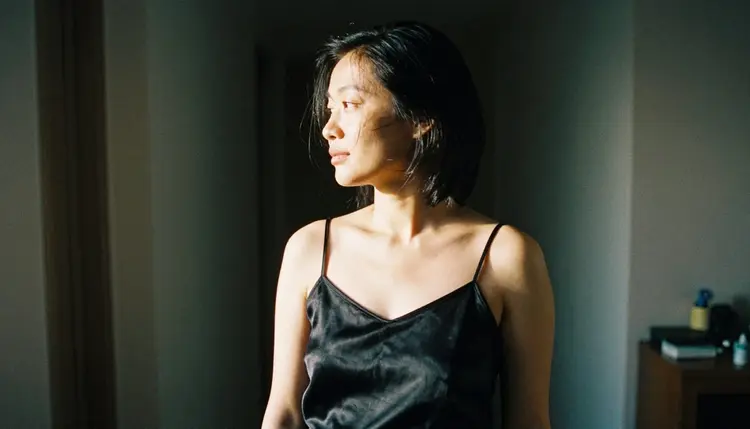
The doorway profile. A Central Asian adult woman in her early thirties with visible laugh lines, standing in a doorway in an opaque black satin camisole and a loose knit wrap, seen in profile against late-afternoon side light, 35mm film, 24mm f/2.8, Kodak Portra 400 look. The wide lens and the side light give you a silhouette with a bright edge, and the grain shows best in the soft gradient behind her.
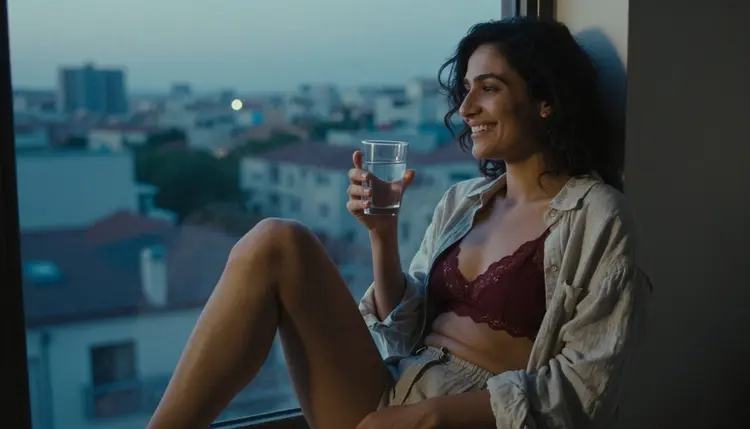
The blue hour window seat. A Middle Eastern adult woman in her early thirties on a window seat in a lined burgundy lace bralette under an open linen shirt, cool blue-hour light from the street, 35mm film, 135mm f/2. The long lens compresses the room and blurs the buildings outside, which gives the frame its quiet, private mood.
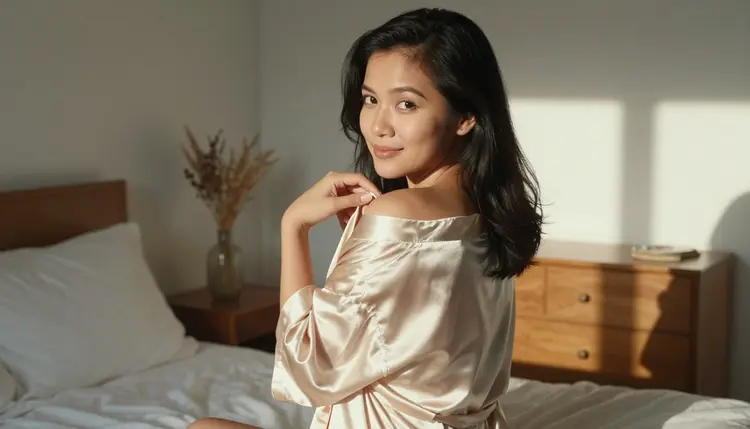
The satin robe from behind. An over-the-shoulder frame of a Southeast Asian adult woman in her early thirties in an opaque champagne satin robe, a sunlit bedroom, late-afternoon side light, 70mm f/2.8. The robe catches the light along one edge. Ask for a loose, unposed turn of the head instead of a stare at the camera.
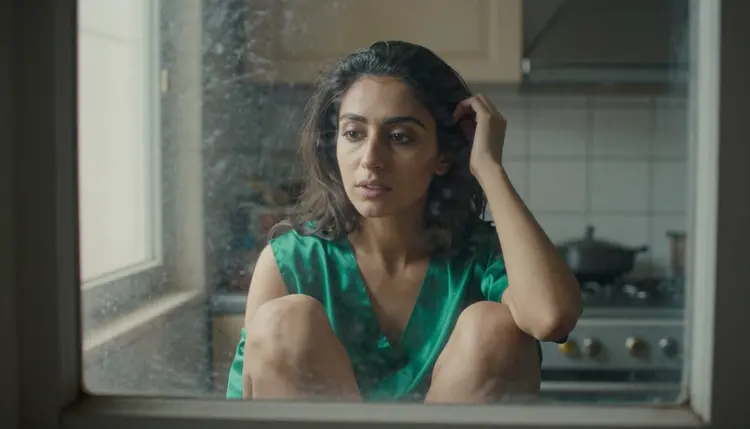
The reflection. A Middle Eastern adult woman in her early thirties in a lined emerald silk slip, reflected faintly in a tall old window pane, late-afternoon side light, 50mm f/1.4. The glass softens the picture and adds a ghost image, and that doubled layer feels very analog.
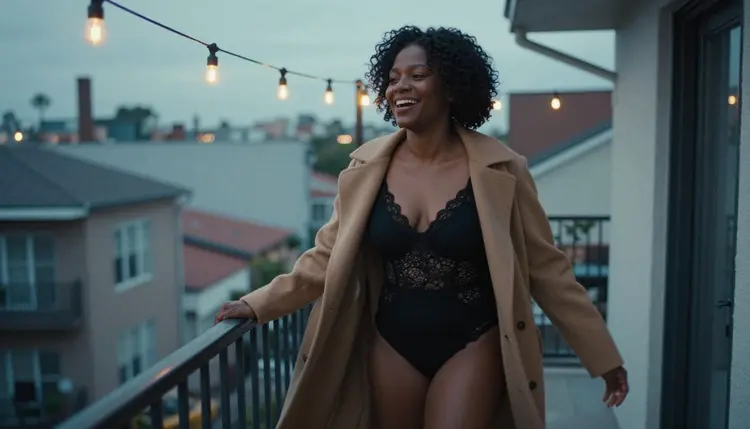
The balcony walk. A candid three-quarter walking shot of a Black adult woman in her late thirties with natural curls, a black lined lace bodysuit under an open camel coat, a balcony at blue hour, 35mm film, 35mm f/2. Ask for a slight motion softness in the coat, as if the shutter was a touch slow.
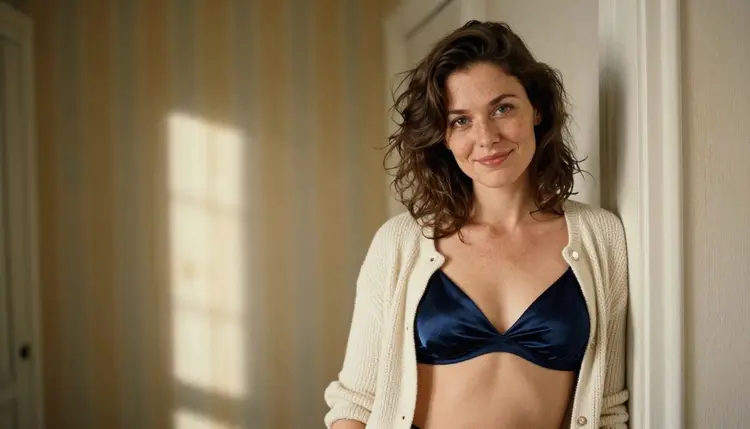
The doorframe lean. A medium shot, waist up, of a Northern European adult woman with freckles in her early thirties, a navy opaque satin bralette and a cream cardigan, leaning on a doorframe, late-afternoon side light, 85mm f/1.8. This one is the easiest to get right, a good first test for any film prompt.
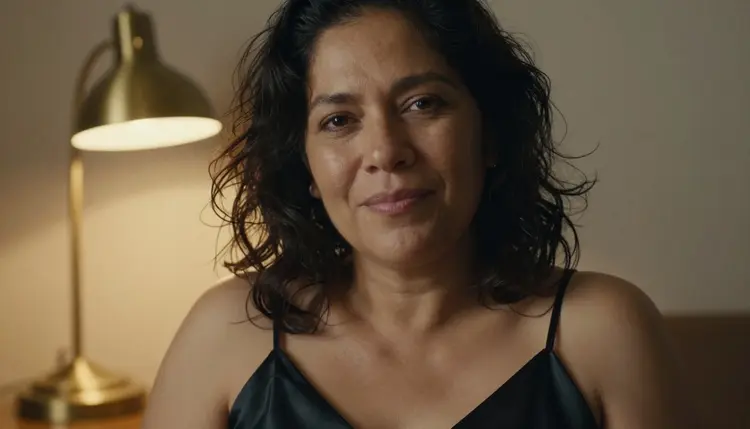
The lamp close-up. A tight close-up of a Latin American adult woman in her mid thirties, one black satin slip strap in frame, warm tungsten lamp light, 24mm f/2.8, heavy grain. Tungsten light pulls the color toward amber and the grain gets coarser, which is exactly the feel of fast film indoors.
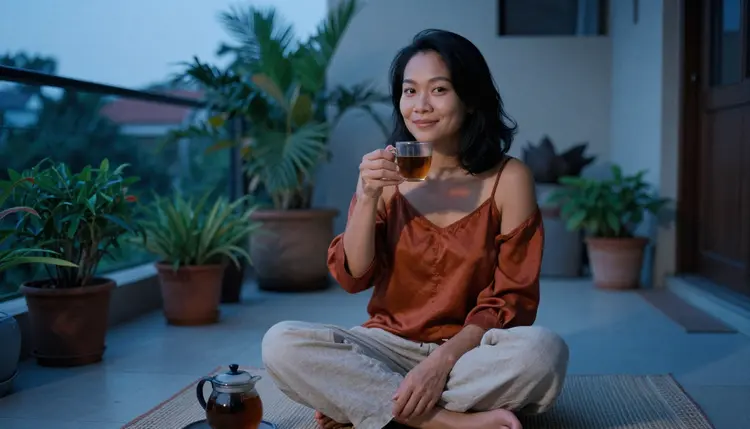
The terrace from above. An overhead angle of a Southeast Asian adult woman in her early thirties seated cross-legged on a terrace rug with a cup of tea, a rust satin camisole and linen trousers, blue-hour light, 135mm f/2. A high angle with a long lens flattens the scene into something close to a still life.
The low angle by the window. A low-angle full-length frame of a Middle Eastern adult woman in her early thirties by a tall window in an ivory satin slip and an open cardigan, soft window light from the left, 100mm macro f/2.8. The low angle adds height and calm, and the window does all the lighting work.
If you already have a photo of a character you like and want to keep her consistent across frames, the guide to generating NSFW art from a single reference photo explains how references work in the toolkit.
This section is the short version of the ground rules, and it applies to everything on this page. Picasso IA is for adults: you must be 18 or older, and every prompt you write should describe adult subjects only.
Every character is a fictional adult. Do not write prompts about a real or identifiable person, a celebrity or someone you know, and never describe anyone who could read as a minor. If a character is not clearly a mature adult from the wording of the prompt, rewrite the prompt until she is. The film look suits this well, since decade, laugh lines and wardrobe are easy to specify.
What you create is private by default. It is tied to your account and not published or shown to others. Keep it that way: you decide what leaves your account. Provocative and suggestive is the line, covered wardrobe and implied mood. Nothing here asks for or promises anything beyond that.
A new account can try a small free trial on selected models: Picasso IA Image, Picasso Image Editor Pro, Picasso IA Video and Seedance 2.5 Lite. It does not extend to the whole catalog, so check which model you have selected before you generate. The details of plans and what each generation costs live on the pricing page, because cost depends on the model and on options such as resolution or duration.
Seedream 4.5 is a confirmed model for this look, and so are the others in the table above. Models with the infinity tag in the catalog do not spend credits on the plans that include unlimited generation, and Picasso Image Editor Pro, Picasso IA Video and Seedance 2.5 Lite carry it. That makes them useful for the cheap parts of the workflow, such as repeated fixes or short test clips.
Beyond the confirmed list, the catalog holds hundreds of models, and any of them can be worth a test for a film portrait. Treat them as untested: try the same prompt, compare the grain and the skin, and if one does well, keep it. A good way to judge a candidate is to run the doorframe lean prompt above, since it is simple and shows quickly whether the model understands film language. For a broader look at which models give the most believable skin, read the page on the best realistic AI generator for NSFW photos.
When your film frame is ready and you want a coherent set, rather than a single picture, the Seedream 4.5 photo set page shows how to vary the pose while keeping the character.
Which models are confirmed for a film photo look?
Seedream 4.5, Recraft V4.1 Pro and Picasso Image Editor Pro for images, and LTX 2.3 Pro, Picasso IA Video and Seedance 2.5 Lite for video. Confirmed means Picasso IA tested adult prompts against that exact model repeatedly and watched it generate instead of reject, not that the maker publishes a setting.
Why use Seedream 4.5 for the film look?
It is a photoreal text to image model listed for 4K output, so grain, fabric and skin have room to show. It is also confirmed for adult prompts, so you can write wardrobe and mood directly. If you want a cleaner, more designed result, try Recraft V4.1 Pro instead.
How do I write the prompt so it reads as film?
Name the camera and the lens, such as 35mm film and 50mm f/1.4, then one light source, then visible grain and a Kodak Portra 400 look. Add real details: laugh lines, freckles, a crease in the fabric. Avoid words like filter or vintage effect, and describe the scene instead.
Can I put two characters in one scene?
Yes, if you describe each by wardrobe and position, for example one in a navy bralette by the window and one in a champagne robe on the bed. Both must be fictional adults. The Seedream 4.5 photo set guide covers how to keep each one consistent.
What happens when a model refuses my prompt?
The app shows a message titled Content Not Supported by This Model. It recommends models that accept adult prompts and carries your prompt over, so you do not retype anything. Pick one of the recommended models and generate again.
Are the characters adults and fictional?
Yes, always. Picasso IA is 18+ only. Every character must be a fictional adult, never a real or identifiable person and never anyone who could read as a minor. Write the age as a decade, such as early thirties, and keep the wardrobe covered and suggestive.
Are my images private?
Generations are private by default. What you create is tied to your account and is not published or shown to others. You choose what to do with each image after it is generated.
Can I turn a film portrait into a video?
Yes. Picasso IA Video takes text or an image, so your frame can be the starting point. LTX 2.3 Pro makes 4K video from text, and Seedance 2.5 Lite is listed up to 10 seconds. Describe slow movement such as a curtain, a turn of the head or steam from a cup.
How do I change one detail without redoing the image?
Open the picture in Picasso Image Editor Pro and describe the change: a different cardigan color, a cleaner window, a fixed hand. It edits the existing image, so the pose and light stay as they are. The guide on editing an NSFW photo without losing detail has more examples.
Can I try it before paying?
A new account gets a small free trial on selected models, including Picasso IA Image, Picasso Image Editor Pro, Picasso IA Video and Seedance 2.5 Lite. Plans and costs are on the pricing page. Test the doorframe lean prompt first, since it shows quickly whether a model understands film language.