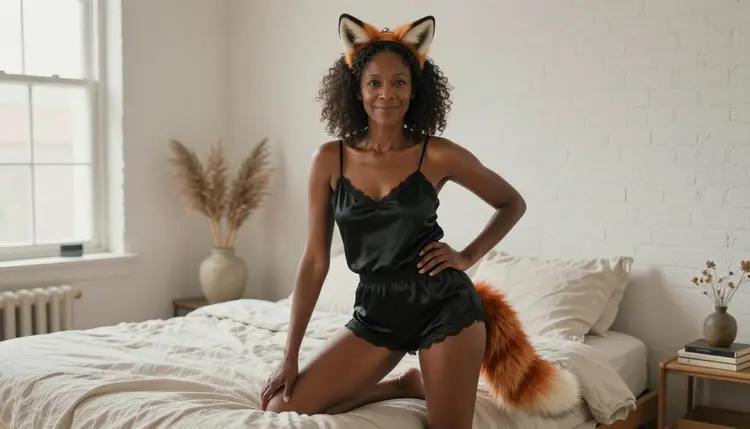
NSFW furry art for adults starts from a plain idea: a fictional character who mixes human styling with animal traits. On this page the look is built from a fox-ear headband, a plush tail accessory, a satin robe and soft light, and it stays suggestive from the first prompt to the last. You describe the wardrobe, the room and the lens. The model draws an adult who wears it, in a pose that is flirty and playful but never explicit.
The page is built around Recraft V4.1 Pro, a confirmed model in the Picasso IA catalog, with Seedream 4.5 for photographic portraits and Picasso Image Editor Pro for touch-ups. Everything runs in your browser from the toolkit, and what you make stays private to your account.
Furry art is a broad label. At one end sits a fully drawn anthropomorphic character, a fox or a cat with a human body and a wardrobe. At the other end sits the costume version: a real-looking adult wearing animal ears and a tail as accessories, the way a cosplayer or a boudoir photographer would style a shoot. Both routes work in an AI generator, and both are easier to control when you treat the animal part as a prop. Ears, a tail and a few markings give the look its identity. Everything else is ordinary portrait craft: clothing, pose, light and lens.
Ears and tails read well because they are strong shapes. A russet ear tip against dark curls, or a cream tail tip against a black satin robe, is readable even in a small thumbnail. That is why the prompts on this page name the colors of each accessory and the fabric next to it. When the model knows the ear is russet with a pale inner edge and the robe is black satin, it has less room to blur the two together.
Recraft V4.1 Pro is listed in the catalog as print-ready images at 2K, and it is described as strong on illustration and design. That fits furry art for a practical reason. Clean outlines, flat or softly shaded color and a clear composition are what an illustrated character needs, and a 2K file is large enough for a poster, a wallpaper or a printed card. If you prefer a photographic result, switch to Seedream 4.5, which creates 4K images from text. The workflow is the same, only the wording of the prompt changes.
Keep the wardrobe opaque and tasteful. Satin camisoles, silk robes, knit sweaters, fitted dresses and swimwear all give the glamour of the genre without crossing the line this section of Picasso IA keeps. The mood comes from light and attitude: a half smile, a glance over the shoulder, a hand resting on the tail. Those details sell the character better than any extra detail of skin.
Picasso IA keeps a short list of models that its team has tested with adult prompts repeatedly, watching each one generate instead of reject. These are the confirmed models. Confirmed does not mean a published setting of the model's maker, who can change it at any time. The page about what confirmed means explains the test in more detail. For furry art, three of the confirmed models do most of the work and the others cover motion.
The rest of the catalog is untested. A model that is not on this list is not confirmed either way: it may accept a furry art prompt, it may not, and Picasso IA does not claim to know. If you want to experiment, open the full catalog and try one with a wardrobe-led prompt. When a model does not accept the prompt, you will see a message and a list of models that do.
The process is short and the same for every look on this site. The first generation rarely needs to be the last one, so plan on two or three passes with small changes to the wording.
- Open the Toolkit and Pick the Model. Go to the toolkit, choose Recraft V4.1 Pro for an illustrated character or Seedream 4.5 for a photographic one, and select a wide frame such as 16:9 if you want a wallpaper.
- Describe the Wardrobe and Setting. Name the accessory colors, the fabric and the room: a russet fox-ear headband, a plush cream-tipped tail, an opaque black satin camisole, a sunlit loft bedroom.
- Set the Light and Mood. Add one light source and one expression, for example overcast window light and a relaxed half smile, then a lens such as 85mm f/1.8 for portraits.
- Generate and Review. Look closely at the hands, the fabric folds, the face and the point where the tail attaches. Those are the places where a first pass most often needs a correction.
- Refine or Switch Model. Fix a single detail with Picasso Image Editor Pro, or run the same prompt on the other image model and keep the version you like better.
After the steps, keep the winning prompt in a note. A prompt that produced one good portrait will usually produce a good series when you change only the setting or the light.
Each idea below names a wardrobe, a place, a light and an angle. Copy one as a starting point and change the details to fit your character. Every idea describes a fictional adult, and the age cue in the prompt (late thirties, early forties) helps the model keep the figure mature.
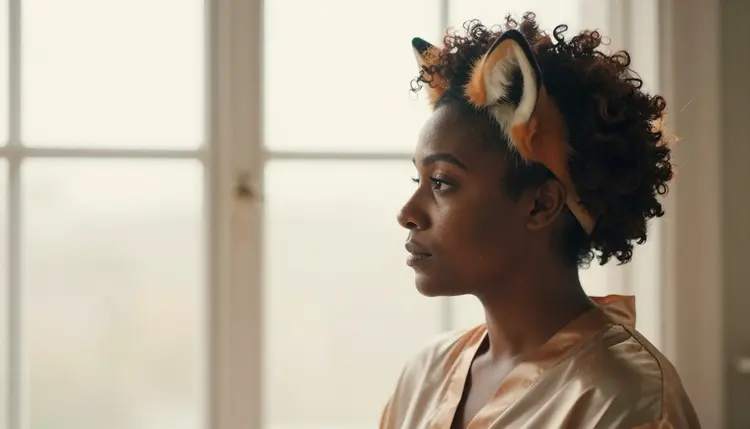
The loft bedroom portrait. A Black adult woman in her late thirties with natural curls and laugh lines, an elegant russet fox-ear headband, an opaque black satin camisole and shorts, a plush fox tail accessory, sitting at the edge of a bed in a sunlit loft. Overcast soft window light, 135mm f/2, relaxed three-quarter pose. This is the idea behind the cover of this page and it suits a photographic prompt in Seedream 4.5.
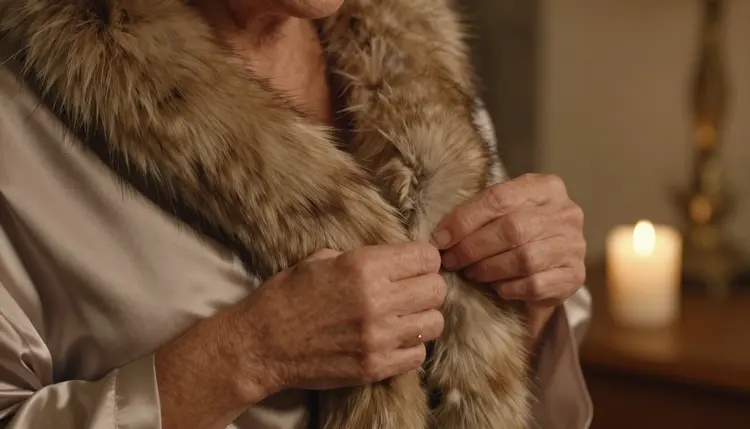
The candlelit detail. Close on the hands of an adult with freckles, adjusting a plush tail accessory against a satin robe, with a candle burning out of focus behind. No face is needed. The frame is about texture, so name the fabric, the fur-like pile of the tail and the warm point of the flame. Use 70mm f/2.8.
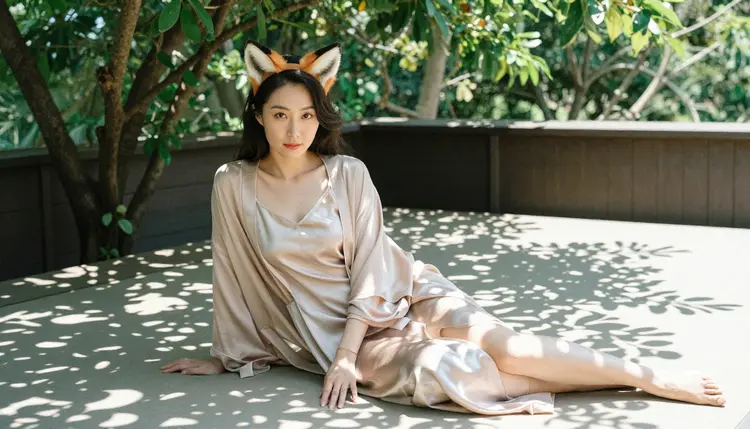
The garden daybed. A wide environmental portrait of an East Asian adult in her early thirties, in a fox-ear headband and a silk robe, seated on a shaded terrace daybed. Dappled leaf shade, linen cushions, a glass of iced tea on a side table. The wide frame lets the setting do half of the storytelling.
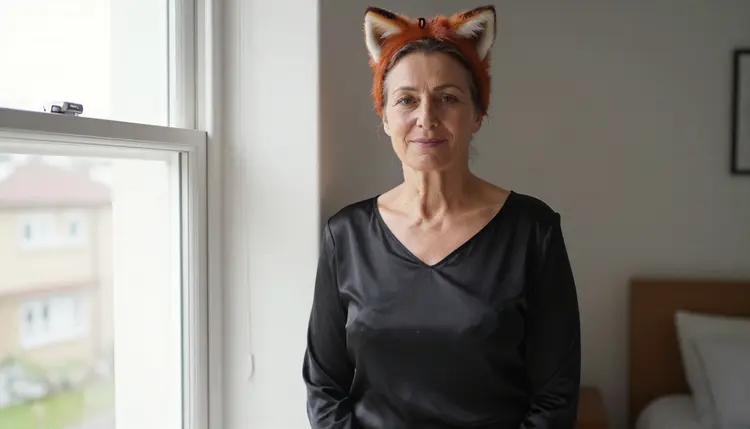
The window portrait. A three-quarter portrait above the waist of a mature woman in her late thirties, wearing a black satin top and a fox-ear headband beside a tall window. Daylight comes from the left, the background is a plain wall, and the lens is 85mm f/1.8. Ask for a calm expression and a visible tail tip at the edge of the frame.
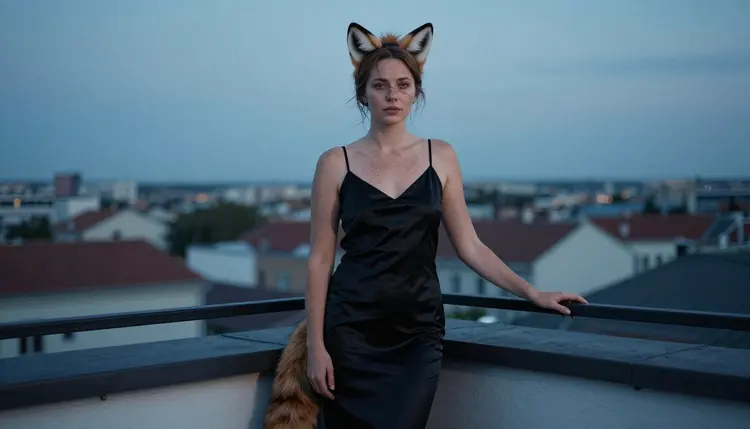
The rooftop at blue hour. A low-angle, full-length frame of a Northern European adult with freckles, in her early thirties, in a fitted dress and a fox tail accessory, standing on a city rooftop. Cool blue-hour ambient light, a few warm windows far behind her, a 100mm lens for compressed depth. The low angle gives the character a confident posture.
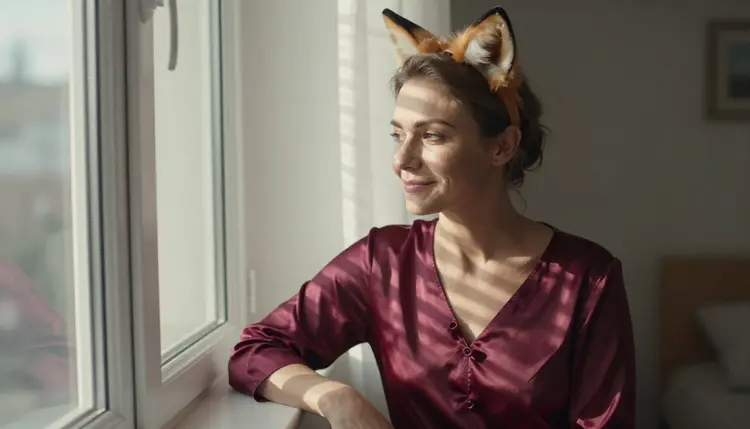
The striped morning sun. A waist-up portrait of a Nordic adult in their early forties at a bedroom window, with hard morning sun cutting through the blinds in bright stripes across a plain emerald satin robe. Use 85mm f/1.8 and keep the robe free of logos or marks so the stripes stay the only pattern.
The profile silhouette. A woman with natural curls and a fox-ear headband seen in profile against a window, late-afternoon side light drawing a clean outline around the ears and the curls. The face stays in shadow. This one is about shape, so describe the ears as a clear point against the bright glass.
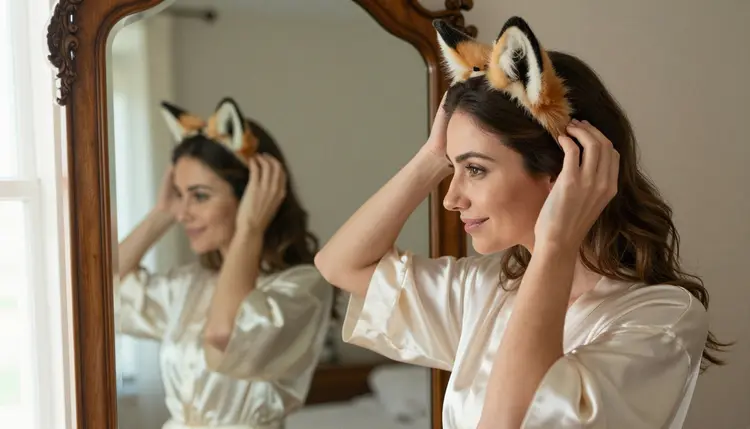
The mirror frame. An adult in an ivory satin robe adjusting a fox-ear headband in an antique mirror, soft window light from the left, 70mm f/2.8. Ask for the reflection and the person to both appear in the frame, with a wooden dresser and a small brass lamp to give the room some weight.
The illustrated character sheet. For Recraft V4.1 Pro, describe an adult anthropomorphic fox character in a velvet robe, with a human body, a fox face, auburn fur and a cream tail tip, drawn with clean outlines and flat color on a plain background. The result is a design-led poster rather than a photograph, and it fits the strengths of the model.
This section of Picasso IA is for adults only. You must be 18 or older to use it, and the prompts and results on this page are meant for readers who are. The look is provocative, not explicit, and the wardrobe in every example is opaque and tasteful.
Every character is a fictional adult. Do not describe a real or identifiable person, a celebrity or someone you know, and never write a prompt about a character who could read as a minor. Ears, tails and costume styling do not change that rule: a costume does not make a character younger, and a prompt that moves in that direction has no place here. Use clear adult cues such as a late-thirties or early-forties character, mature features and adult clothing.
What you generate is private by default. Your images are tied to your account and are not published or shown to anyone else. You decide what to download, what to keep and what to share. If you share an image yourself, you are responsible for where it goes and for who can see it, so keep adult material where adults agreed to see it.
A new account can try a few generations for free on selected Picasso IA models: Picasso IA Image, Picasso Image Editor Pro, Picasso IA Video and Seedance 2.5 Lite. It is a small free trial on selected models, not on the whole catalog. The pricing page lists plans, the cost of each model and which models carry the unlimited tag.
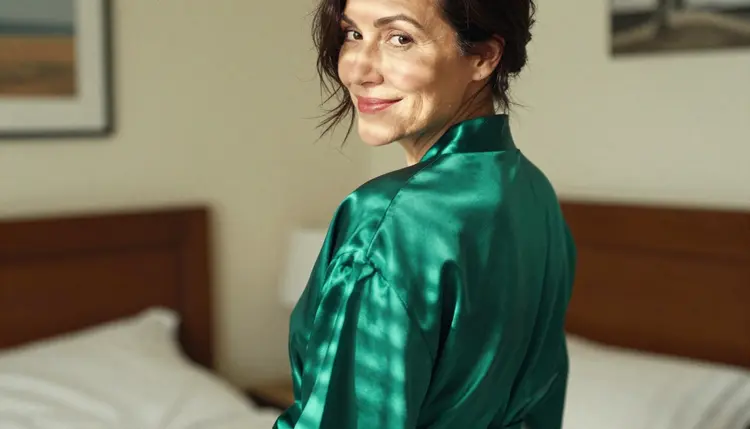
Once you have a portrait you like, the video models are the next step. Picasso IA Video turns a still image into a clip, Seedance 2.5 Lite handles motion tests up to 10 seconds, and LTX 2.3 Pro writes a 4K clip from a text prompt. A fox tail that sways, a robe that moves with a turn of the head and a candle that flickers are the kind of details that suit a short clip.
Other looks on the site use the same method with a different costume. The bunny costume art page works with ears and satin in the same way, Halloween costume art swaps the accessories for seasonal wardrobe, and succubus art pushes the character toward the fantasy side. For a character with stronger creature features, monster romance art is the closer match. If you want a finished image as a phone or desktop background, the wallpaper art guide covers wide-frame art made for backgrounds.
Models outside the confirmed list are untested. They are worth a try with a wardrobe-led prompt, and the app will say so clearly if one does not accept it. Keep the same prompt, change only the model, and compare the results side by side.
Which models are confirmed for NSFW furry art?
Recraft V4.1 Pro, Seedream 4.5 and Picasso Image Editor Pro handle images, while LTX 2.3 Pro, Picasso IA Video and Seedance 2.5 Lite handle video. Picasso IA tested adult prompts against each of them repeatedly. Everything else in the full catalog is untested and worth a try.
Why start with Recraft V4.1 Pro?
It is listed for print-ready images at 2K and it is strong on illustration and design, which suits character art with clear shapes and clean color. If you want a photographic portrait instead, Seedream 4.5 creates 4K images from text.
How should I word a furry art prompt?
Name the accessory colors, the fabric, the room, one light source, the angle and a lens. Add an age cue such as late thirties. Short, concrete prompts beat long lists of adjectives, and wardrobe-led wording keeps the result suggestive instead of explicit.
Can I put two characters in one scene?
Yes. Describe each person on their own line, with their own wardrobe and position, and say how they relate to each other, for example seated side by side. The couples art guide shows how to keep two figures consistent in one frame.
What happens when a model refuses a prompt?
The app shows a message titled "Content Not Supported by This Model". It recommends models that accept adult prompts and carries your prompt over, so you do not retype anything. Pick one of the recommended models and generate again.
Are the characters adults and fictional?
Yes, always. Every character is a fictional adult. Picasso IA does not allow real or identifiable people, and no one who could read as a minor. The section is 18+ only, and that includes costume and furry styling like ears and tails.
Are my furry art images private?
Yes. Generations are private by default: they are tied to your account and are not published or shown to other users. You choose what to download and what to share outside the app.
Can I turn a furry portrait into a video?
Yes. Open Picasso IA Video with your portrait as the starting image, or use LTX 2.3 Pro to write a clip from text. Ask for small movements such as a tail sway or a head turn.
How do I change one detail without redoing the image?
Open the image in Picasso Image Editor Pro and describe the change: a different ear color, a plainer robe or a corrected hand. The rest of the picture stays as it is, so you keep the composition you liked.
Can I try it before paying?
A new account can try a few generations for free on selected models, including Picasso IA Image, Picasso Image Editor Pro, Picasso IA Video and Seedance 2.5 Lite. The pricing page explains plans and the unlimited tag on supported models.