A cosplay photo lives or dies on the costume. If the prompt only says "woman in a fantasy outfit", the model fills every gap with its own average: a generic dress, a flat background, a prop that melts into a hand. A template fixes that. You write the same labelled lines every time, change only the character, and the pictures stay consistent from one session to the next. This guide gives you a template for glamour-style cosplay photos with adult, fictional characters, plus two filled examples you can copy and adapt.
Cosplay is a photograph of a costume before it is a photograph of a person. The viewer reads the silhouette first: the cape, the crown, the bow, the tricorn hat. When one of those details drifts, the whole picture stops reading as a character. Text-to-image models drift all the time if you leave them room, because "pirate" or "witch" can mean a hundred different wardrobes.
A template closes that room. Each line of the template answers one question the model would otherwise guess: who is it, what are they wearing, what are they holding, where are they, what is the light doing, which lens is looking at them. When every answer is written down, you can swap one line and keep the other six. Change the costume from a witch to an archer and the light, lens and mood stay put. That is how you build a series of cosplay photos that look like one shoot instead of unrelated renders.
The same idea works for glamour in general. If you want the longer version for other genres, the sibling guides on fantasy characters and realistic portraits use the same structure with different wardrobe and framing. This page stays on cosplay: costumes with props, shot on location or on a set, with a suggestive but never explicit tone. Think corset bodices, capes, satin, leather, armor-style bodysuits and a flirty look to camera.
For this kind of prompt, start with the models that Picasso IA has tested against adult prompts and watched generate instead of reject. "Confirmed" here means exactly that: repeated tests on that specific model. It is not a published setting from the model's maker, who can change it at any time. You can run all of them from the toolkit.
| Model | Best for | Format |
|---|
| Seedream 4.5 | Photoreal costume portraits and wide location shots | Text to image, 4K |
| Recraft V4.1 Pro | Illustrated or stylized cosplay art, posters, print layouts | Text to image, print-ready, 2K |
| Picasso Image Editor Pro | Fixing a costume detail or adding a prop to an image you already have | Image editing |
Seedream 4.5 is the default choice for the photographic look this template targets. It handles fabric, light and lens language well, so wording such as "85mm, candlelight, velvet" has something to work with. Recraft V4.1 Pro is the better pick when you want the same costume as a poster or an illustrated character sheet. Picasso Image Editor Pro does not start from nothing: you give it a picture and describe the change, for example a cape in a different colour or a sword added to the hand.
If you want to bring a finished cosplay frame to life, Picasso IA Video turns a text prompt or a single image into a clip. Keep the first attempt simple, with one slow camera move.
The catalog also holds many other models that Picasso IA has not tested with adult prompts. They are untested: worth a try, but not confirmed either way. You can browse them in the full catalog. If you try one, keep the confirmed model as your control: run the same template through both and compare.
Filling the template takes a few minutes. Work through the lines in order, because the early lines decide how much the later ones can change.
- Pick the Character. Choose one costume archetype, such as a fantasy queen, witch, archer, pirate captain or armored heroine, and write it as a plain noun phrase with the colour and fabric.
- Lock the Wardrobe and Props. Name the garment pieces and the one prop the character carries, and say that the costume is opaque and fitted so the result stays glamour, not explicit.
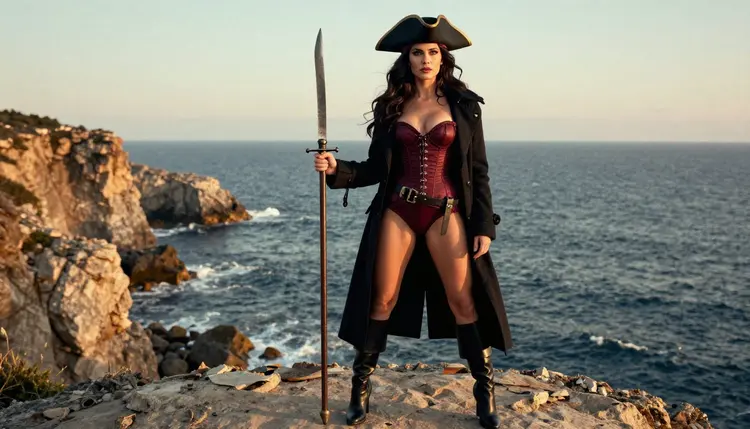
- Set the Place and Light. Write a real location and one light source with a time of day, such as a castle hall by candlelight or a cliff at golden hour.
- Choose the Lens and Frame. Add a lens and a shot type, for example 85mm for a portrait or 24mm for a full-length frame in a landscape.
- Generate, Then Change One Line. Run the prompt in the toolkit, look at the result, and edit only the line that is wrong before you run it again.
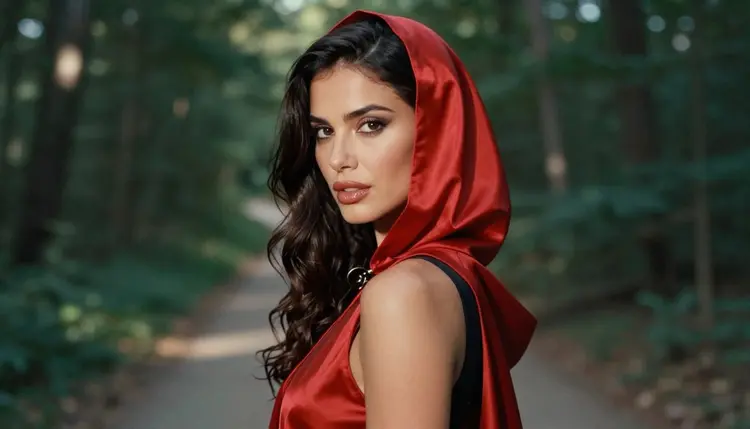
Here is the template as eight labelled lines. Copy the labels, keep them in this order, and write each answer in a short phrase. The prompt text itself stays in English even if you read this page in another language, because the models respond best to it.
Subject: one adult woman, her hair, her makeup, her build, a mature glamour look.
Costume: the main garment, its colour and fabric, plus two or three accessories such as a cape, crown, belt or boots.
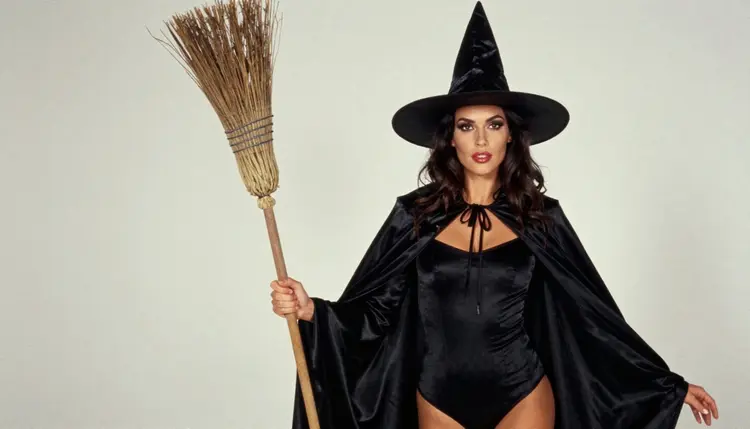
Prop: exactly one object she holds or wears, such as a bow, a sword, a staff or a hat.
Location: a specific place with two details of texture, such as stone, moss, wood or sea air.
Light: one source and one time of day, such as candlelight, golden hour backlight or late-afternoon side light.
Lens and framing: focal length, aperture and shot type, such as 85mm f/1.8, waist-up.
Mood: one or two words for attitude, such as confident, playful, calm or flirty.
Finish: the photographic finish, such as raw 8K film photograph, natural light, fine film grain.
Now the two filled examples. The first is a portrait with a close lens and a quiet mood.
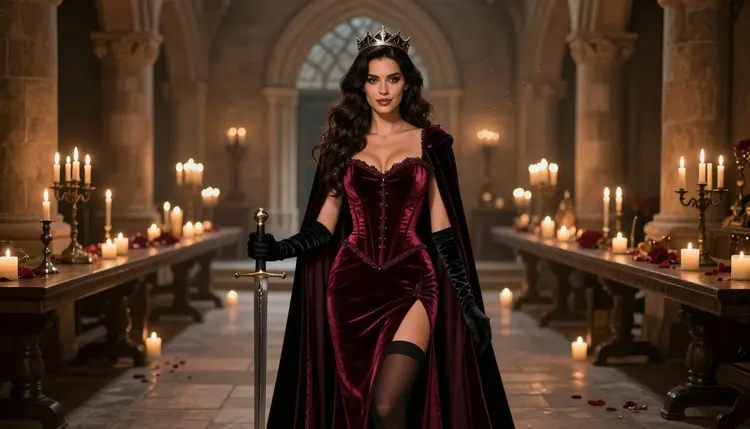
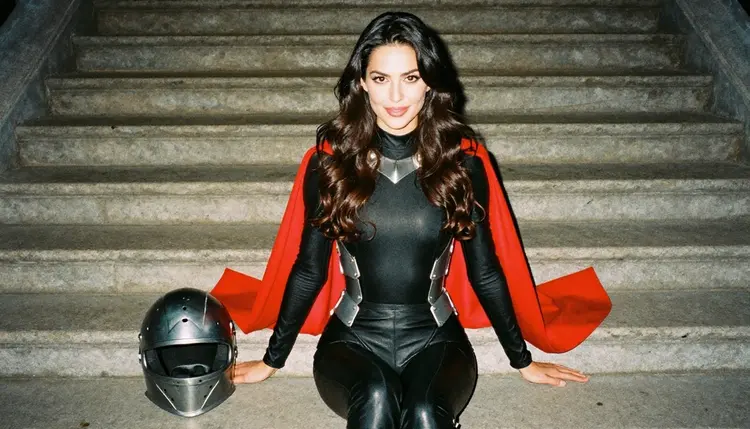
Example A, the queen. Subject: a 29-year-old woman with long dark-chestnut waves, brown eyes and polished glamour makeup. Costume: opaque burgundy velvet fantasy-queen costume with a corset bodice, silver crown and a long cape. Prop: a prop sword resting point-down on the floor. Location: a castle hall with stone walls and iron candle stands. Light: candlelight. Lens and framing: 85mm f/1.8, waist-up, slight low angle. Mood: confident and calm. Finish: raw 8K film photograph, fine film grain.
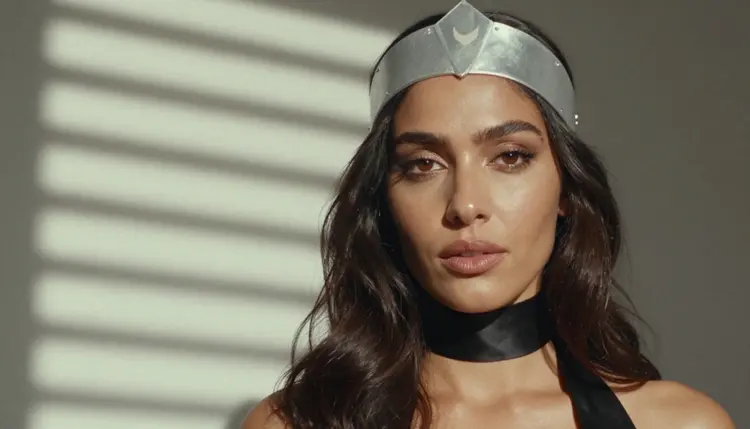
The second example moves outdoors and widens the lens, so the setting carries more of the picture.
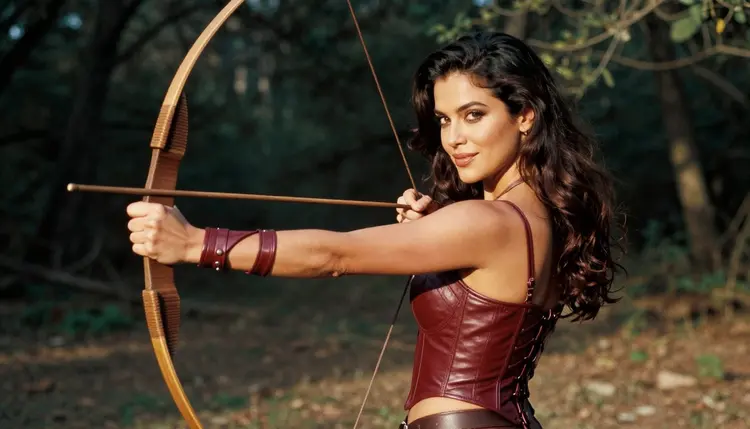
Example B, the archer. Subject: the same woman, hair tied back with a few loose strands. Costume: burgundy leather archer costume with a laced bodice, fitted bracers and tall brown boots. Prop: a wooden bow held low in one hand. Location: a forest clearing with mossy roots and tall ferns. Light: late-afternoon side light. Lens and framing: 35mm f/2, medium shot, three-quarter view. Mood: playful, a half smile to camera. Finish: raw 8K film photograph, natural colour, fine film grain.
Paste either example into Seedream 4.5 as one paragraph, labels removed or kept, as you prefer. Keeping the labels often helps you edit later. To make a set, hold Subject, Light and Finish fixed and swap Costume, Prop and Location. If you want to keep your best lines for later, how to save and reuse an NSFW prompt template shows a simple way to store them.
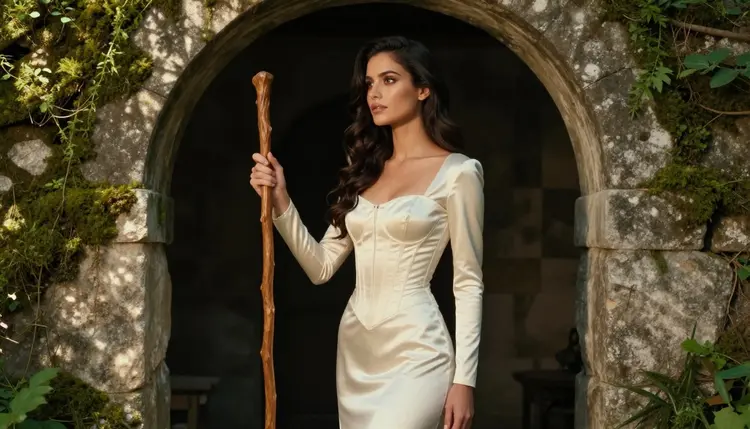
Most cosplay results go wrong in the same few places. These are the fixes that work in practice.
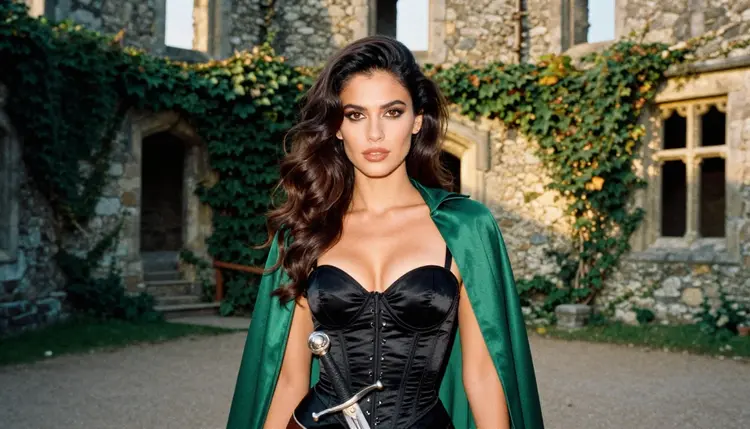
The costume changes every run. The prompt describes the costume too loosely. Replace "fantasy outfit" with colour, fabric and cut: "emerald satin princess gown with a fitted bodice and long sleeves". Reuse the identical phrase in every prompt of the series.
The prop disappears or doubles. Ask for one prop only and say where it is: "a bow held low in her left hand". Two props compete, and models often merge them. If the prop still fails, generate the frame without it and add it afterward with Picasso Image Editor Pro.
The background looks like a stage backdrop. Name two concrete textures of the place, such as "mossy stone arch, wet leaves on the ground", and pick a lens with some depth, such as 70mm at f/2.8 for a soft background. A 24mm lens shows more of the place, so use it when the location matters more than the face.
The face and hands look off. Close-ups on the face help, but hands are harder. Keep hands simple: resting on a prop, holding a hat brim, or out of frame. A tight portrait with a circlet and soft morning light is a reliable shape.
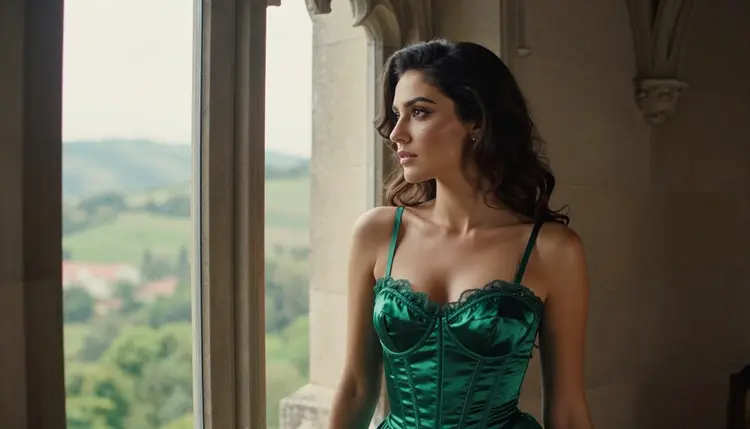
The mood turns flat. Faces get stiff when the prompt lists only objects. Add one expressive line, such as "glancing back over her shoulder" or "looking out of a gothic window", and a single attitude word.
The costume drifts toward explicit. Cosplay glamour works through shape, fabric and light. If a result shows less clothing than you wrote, say it directly: "opaque, fully covering, fitted corset costume". The template is built for suggestive and flirty, never explicit, and the confirmed models respect that when the wardrobe is described clearly.
Too many ideas in one prompt. If you add a castle, a forest, a ship and a dragon, nothing comes out well. One character, one place, one light. When you want a story, build it as a series of frames with the same Subject and Finish lines, the way the pin-up template does for retro posters.
This page is for adults only. Picasso IA's adult content is 18+, and nothing on this page is meant for anyone under that age.
Every character you write must be a fictional adult. Never use a real or identifiable person, a celebrity or a private individual as the subject, and never write anyone who could read as a minor. The template deliberately gives the subject a mature age and a glamour look so that the result stays clearly adult.
What you generate is private by default: it is tied to your account and not published or shown to others. A new account can try a small free trial on selected models, and the pricing page explains how credits and unlimited generation work.
What is an NSFW prompt template for cosplay photos?
It is a fixed list of labelled lines you fill in for each picture: subject, costume, prop, location, light, lens, mood and finish. Because the structure never changes, you can swap one line and keep the rest, which gives you a consistent series of adult glamour cosplay images.
Which model should I use first?
Start with Seedream 4.5 for photographic results. It is one of the models Picasso IA has tested repeatedly with adult prompts. For an illustrated or poster look, try Recraft V4.1 Pro.
Can I use the names of real characters from films or games?
Better to describe the costume itself: colour, fabric, cut and prop. A description such as "burgundy velvet queen costume with a silver crown" is clearer to a model than a name, and it keeps your results original and fictional.
How long should the prompt be?
Eight short labelled lines are usually enough, roughly a short paragraph. Longer prompts add conflicting details. If a result misses something, edit the single line that controls it instead of adding more words everywhere.
Why does the same template give different faces?
Text-to-image models make a new face every run unless you anchor it. Repeat the exact Subject line, keep the lens and light fixed, and change one thing at a time. For a specific frame you already like, edit it with Picasso Image Editor Pro.
Can I turn a cosplay photo into a video?
Yes. Picasso IA Video accepts a text prompt or an image. Use your best still, ask for one slow camera move or a gentle cape movement, and expect to try a few times. The video motion template covers the wording.
What happens if a model refuses my prompt?
Picasso IA shows a message titled "Content Not Supported by This Model", recommends models that accept adult prompts and carries your prompt over, so you do not retype it. You can also soften the wardrobe wording or switch to a confirmed model.
Are the images private?
Yes. Generations are private by default and tied to your account. They are not published or shown to other people unless you choose to share them yourself.
Is the template only for women?
The structure works for any adult character. This page's examples use a woman because that is what the pictures on it show. To adapt it, rewrite the Subject and Costume lines, keep the same labels, and keep every character a fictional adult.
Are there limits on who or what I can generate?
Yes. Everything is 18+ only, every character must be a fictional adult, and real or identifiable people are not allowed. Nothing should read as a minor. You can try a small free trial on selected models, and the toolkit shows what each model offers.