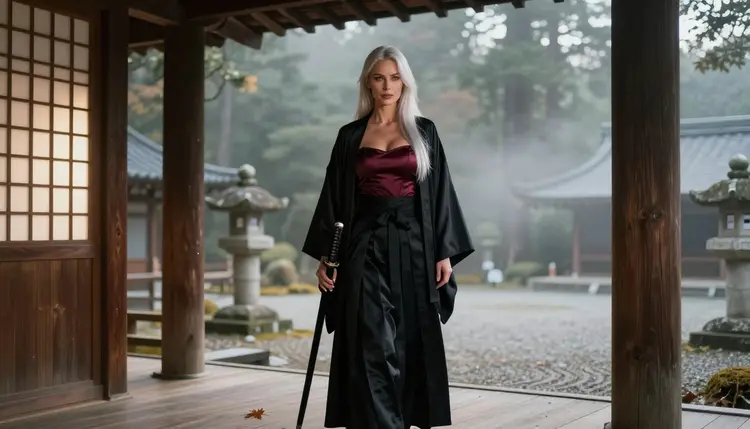
Samurai imagery has a built-in advantage for adult glamour: the costume already does half the work. A hakama with its pleated, wide-legged shape, a haori worn open over the shoulders, a sash pulled tight at the waist, a sheathed katana held as a prop. Put a fictional adult woman in that wardrobe, add a satin corset underneath, and the picture is suggestive without showing anything explicit. The tension comes from contrast: severe, disciplined clothing against soft fabric, warm skin tones and a calm, confident look to the camera.
This page shows how to build that look with Picasso IA. You will see which models handle it, how to write the prompt, what to check before you keep a picture, and a set of ready ideas for temples, dojos and misty gardens. Everything here is for adults and about fictional characters only.
The samurai look reads well because it is made of strong, simple shapes. A hakama falls in long vertical folds. A haori frames the shoulders. A katana in its sheath adds a diagonal line that guides the eye across the frame. When you photograph those shapes in natural light, you get depth without needing busy backgrounds. A wooden veranda, a paper screen or a stone path is enough.
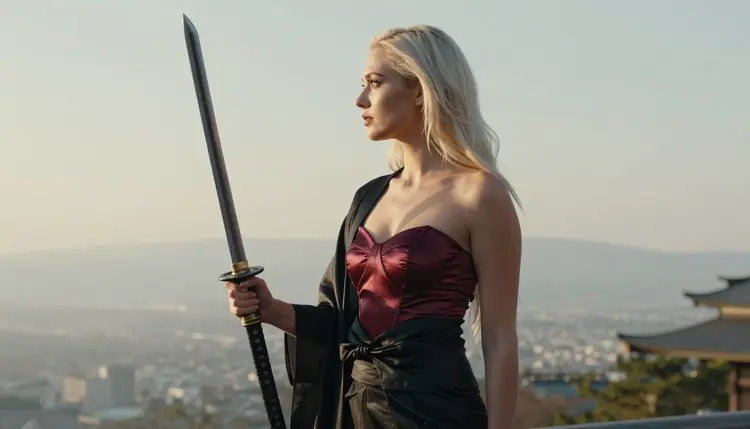
For an adult glamour version, the usual move is to mix the traditional pieces with lingerie-style garments. Think of a black silk hakama paired with a burgundy satin corset top, or a haori worn open over an ivory corset. The theme enters through wardrobe, props and location, not through fantasy effects. That keeps the result grounded, closer to a fashion editorial shot in a quiet temple than to a game poster.
Recraft V4.1 Pro is the model this page is built around. According to the catalog, it produces print-ready images at 2K, and it is strong on illustration and design. That matters here because samurai scenes depend on clean fabric edges, crisp pleats and graphic composition. It is also one of the six models Picasso IA has confirmed with adult prompts: the team tested it repeatedly and watched it generate instead of reject. That is a result of testing, not a published setting from the model's maker, who can change behavior at any time. If you want the wider picture of adult art across styles, NSFW Art: Best AI Generator is a good companion page.
When you want a more photographic finish, switch to Seedream 4.5, which the catalog lists as text to image at 4K. Skin tone, film grain and window light tend to read as photography there. Many people generate the same prompt on both models and keep the version that fits the mood they were after.
Six models are confirmed in the Picasso IA app: three for images and three for video. For a samurai set you will mostly work with the image models first and move to video once you have a frame you like. The table lists all six with their catalog descriptions.
Beyond these six, the catalog holds hundreds of other models. Those are untested: worth a try, not confirmed either way. If you want to explore them for a samurai look, Qwen Image 2 is one image model to try, and Picasso Video (Pruna P-Video) is a video model to try. Treat them as experiments. If one of them stops on a prompt, the app tells you and points you back to a confirmed model with your prompt carried over, so nothing has to be retyped.
The process is short. The part that takes judgment is the wardrobe description and the review at the end, so spend your time there. The five steps below work the same on every model in the table.
- Open the toolkit and pick the model. Go to the toolkit, choose Recraft V4.1 Pro for clean graphic fabric or Seedream 4.5 for a photographic finish, and keep the first run on the default options.
- Describe wardrobe and setting. Name each garment with its color and material, then place the character: a misty temple veranda, a tatami dojo, a stone garden path. Mention the sheathed katana as a prop.
- Set the light and mood. Pick one light source, such as soft window light from the left, candlelight or golden hour backlight, and add a camera cue like 50mm or 135mm to control the framing.
- Generate and review. Look at the hands, the grip on the katana, the knots of the sash, the symmetry of the pleats and the face. Keep the picture only when those details hold up.
- Refine or switch model. Use Picasso Image Editor Pro to fix one detail, or run the same prompt on another confirmed model and compare the two results.
Each idea below names wardrobe, setting, light and angle. Copy one as a starting point and change a single element at a time, so you can see what each change does to the picture. Every prompt describes a fictional adult woman in her thirties, with a polished glamour look and long platinum-blonde hair if you want the same character across the set.
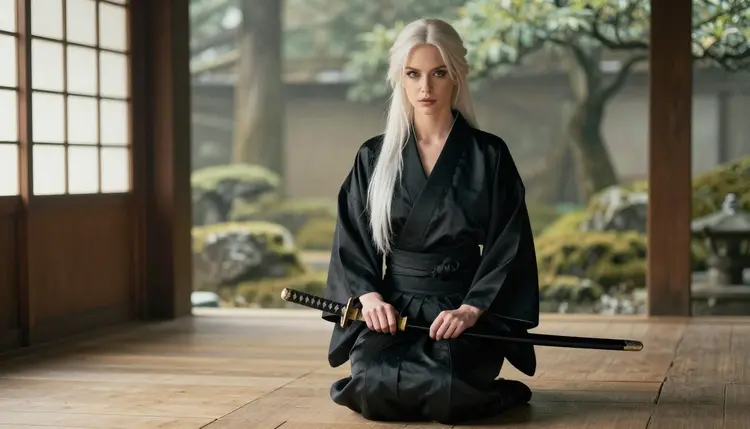
The first idea is the seiza portrait: a woman kneeling upright on a wooden temple deck, a sheathed katana across her lap, wearing a black satin kimono-style robe with the sash tied low. Soft diffused window light from the left, eye-level camera, 50mm. The calm, direct look to the camera carries the mood, and the robe's sheen gives the picture its glamour.
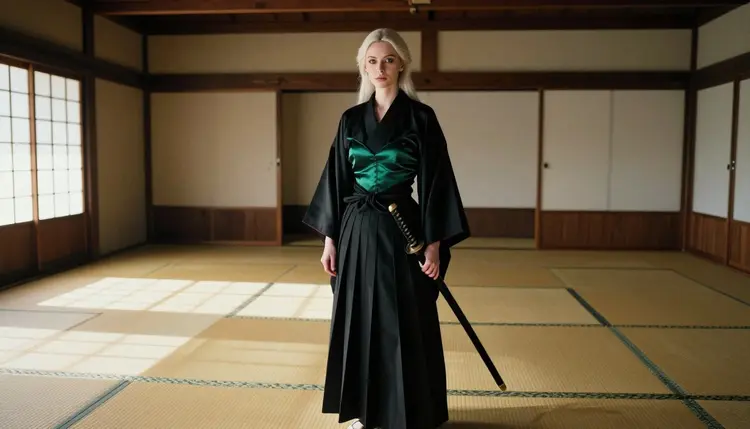
The second is the dojo hall: a wide environmental portrait inside a tatami practice room, haori worn open over an emerald satin corset, black hakama, hard morning sun cutting through blinds in stripes across the floor. The stripes of light and the straight lines of the room frame her. A 50mm lens keeps the room readable around her.
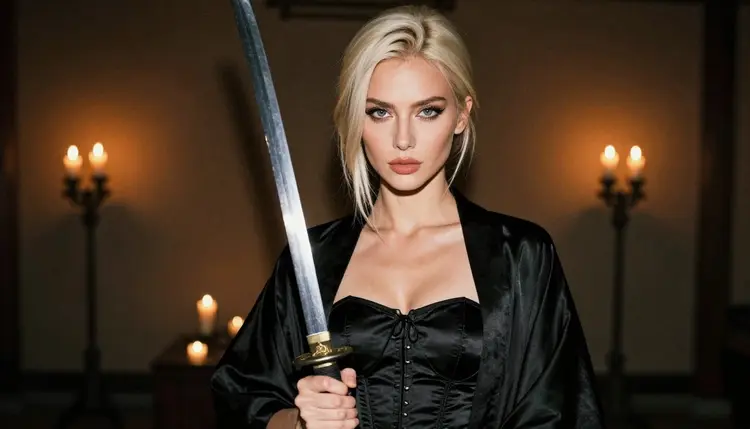
The third is the candlelit waist-up: a medium shot in a dark temple interior, black satin corset under an open haori, one hand resting on a sheathed katana, candlelight as the only source. Ask for warm shadows and a shallow depth of field around 100mm. Candle prompts reward patience, so generate a few and keep the best flame reflections.
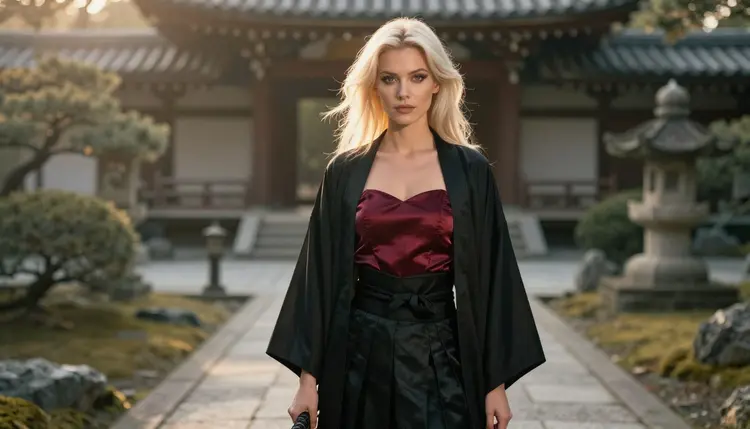
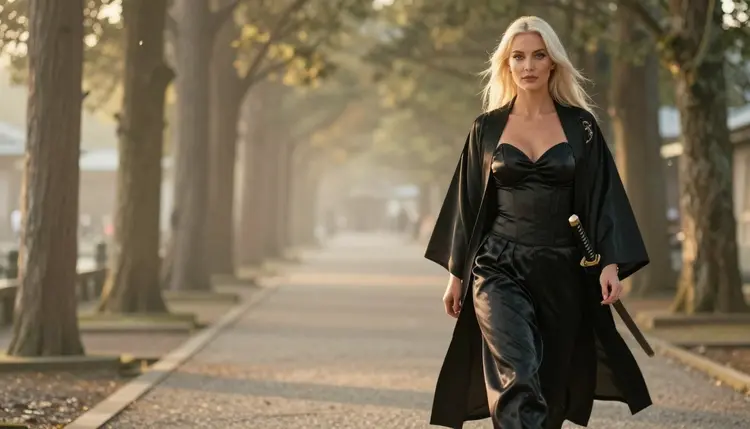
The fourth is the garden path at golden hour: full-length, standing on a misty temple path, flowing hakama and haori, backlight rimming the hair and the fabric edges. A 135mm look compresses the background into soft layers of fog and cedar. This is the frame that makes a good cover or a wide wallpaper.
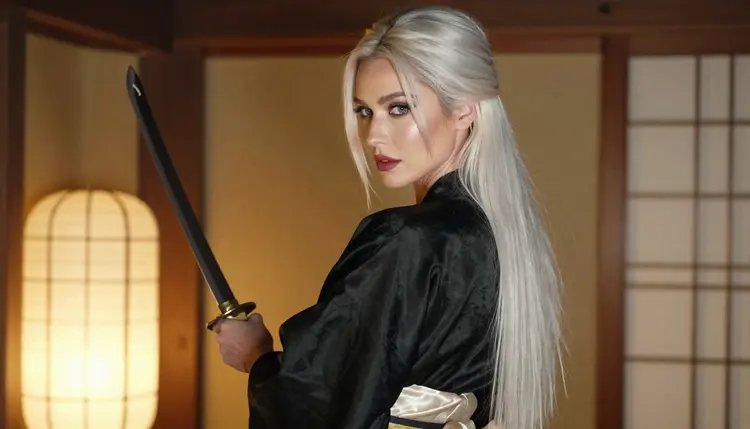
The fifth is the over-the-shoulder glance: an ivory corset under a black haori, her face turned back toward the camera inside a lantern-lit hall, warm tungsten lamp light, 35mm. It suggests a moment caught between two rooms, and it works well when you want a hint of story rather than a posed shot.
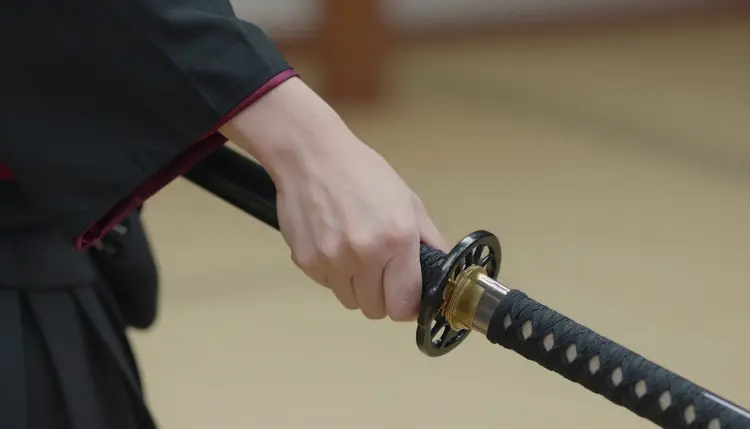
The sixth is the detail shot. One hand gripping the handle of a sheathed katana, black silk sleeve falling back from the wrist, overcast soft daylight, a 135mm macro-style close view. Ask for exactly one hand in frame. Hands are where generators slip most often, so a single hand on a simple object is the safest way to get a clean detail picture.
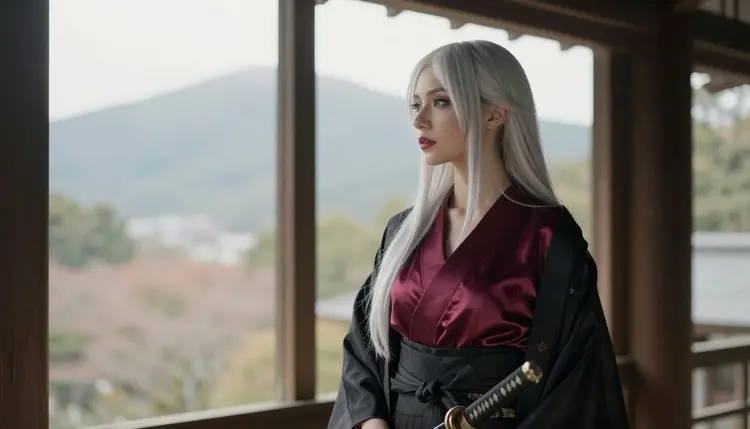
The seventh is the window frame. She looks out of a temple window toward misty mountains, wearing a corset and hakama, soft diffused daylight, 50mm. Do not add a mirror: reflections multiply the chances of anatomy errors. The eighth is the covered walkway, a candid walking shot in flowing hakama and haori at golden hour with a 24mm lens, which gives you movement in the fabric. The ninth is the profile silhouette on a veranda in late-afternoon side light, the sheathed katana as a clean outline against a pale sky.
Picasso IA is for adults only. You must be 18 or older to use the NSFW part of the site, and the pictures it generates are meant for adult audiences. The tone of this page is provocative, not explicit: wardrobe, pose, light and mood do the work.
Every character you write must be a fictional adult. Do not use the name or likeness of a real person, and do not describe anyone who could read as a minor. If a prompt drifts in that direction, rewrite it. Samurai scenes sometimes pull toward youthful anime tropes, so state clearly that the character is an adult woman in her thirties, and keep the wardrobe and pose grown-up.
What you create is private by default. It is tied to your account and not published or shown to other people. You decide what to download, edit or share outside the app, and you take responsibility for how you use it.
A new account can try a few generations for free on selected models: Picasso IA Image, Picasso Image Editor Pro, Picasso IA Video and Seedance 2.5 Lite. That is a small free trial on selected models, not on the whole catalog. Details of how credits work and which models carry the unlimited tag are on the pricing page.
The samurai look pairs naturally with other styles in the same section. If you like the graphic, stylized side of it, NSFW Pixel Art AI Generator shows how the same costume ideas translate into retro game graphics. For darker costume work, NSFW Necromancer Art AI Generator covers robes and candle-lit sets. If you want to stay in anime territory, Ecchi Anime Art: NSFW AI Generator is the sibling to read.
Outside the six confirmed models, the full catalog is open for experiments. Qwen Image 2 and Picasso Video (Pruna P-Video) are untested for adult prompts: worth a try, not confirmed either way. If a generation is refused, use the confirmed models as your fallback.
Which models are confirmed for NSFW samurai art?
Six: Seedream 4.5, Recraft V4.1 Pro and Picasso Image Editor Pro for images, and LTX 2.3 Pro, Picasso IA Video and Seedance 2.5 Lite for video. Confirmed means Picasso IA tested adult prompts on each one repeatedly and watched it generate. Every other model in the catalog is untested.
Why is Recraft V4.1 Pro the main model for this look?
Its catalog description says print-ready images at 2K, with strength in illustration and design. Samurai wardrobe depends on clean pleats, sash knots and graphic lines, which suits that description. It is also one of the six confirmed models, so adult prompts have a track record there.
How should I word a samurai prompt?
Name each garment with color and material, then the setting, one light source and a lens cue. For example: black silk hakama, burgundy satin corset, sheathed katana, misty temple veranda, soft window light, 50mm. Short, concrete phrases work better than long strings of adjectives.
Can I put two characters in one scene?
Yes, but describe each one separately with their own wardrobe and position, and expect more review rounds. Hands and overlapping fabric are the usual trouble spots. For a more romantic pairing, NSFW Monster Romance Art AI Generator has ideas on composing two figures in a frame.
What happens when a model refuses my prompt?
The app shows a message titled "Content Not Supported by This Model". It recommends models that accept adult prompts and carries your prompt over, so you do not retype it. Pick one of the confirmed models and run it again.
Is this content for adults only, and are the characters fictional?
Yes on both counts. The NSFW area is 18+ only, and every character is a fictional adult. Do not use a real or identifiable person, and never describe anyone who could read as a minor. Keep prompts to wardrobe, pose and mood.
Are my pictures private?
Generations are private by default. What you create is tied to your account and is not published or shown to others. Anything you share beyond the app is your own choice, so check the picture before you send it anywhere.
Can I turn a samurai picture into a video?
Yes. Take a finished frame to Picasso IA Video for text or image to video, or to LTX 2.3 Pro for 4K video from text. Describe small motion: fabric moving in the wind, mist drifting, a slow turn of the head.
Can I change one detail without starting again?
Yes. Open the picture in Picasso Image Editor Pro and ask for one change, such as a different color for the corset or a cleaner grip on the katana. It is listed in the catalog as an unlimited AI photo editor with the infinity tag.
Can I try it before paying?
A new account gets a small free trial on selected models, including Picasso IA Image, Picasso Image Editor Pro, Picasso IA Video and Seedance 2.5 Lite. Check the pricing page for how credits and unlimited models work.