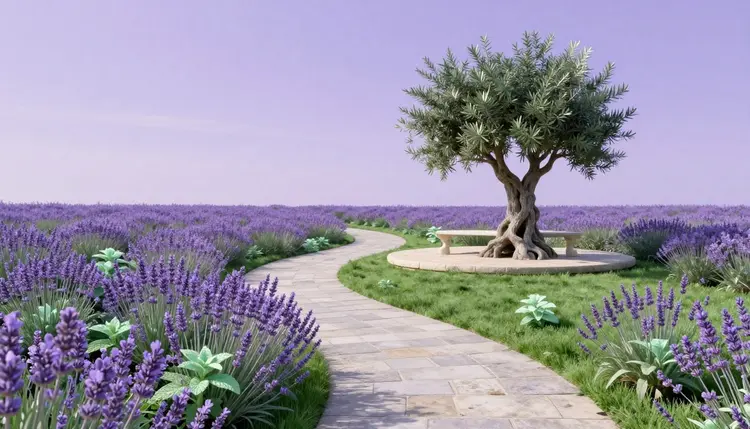
Most yard redesigns stall at the same point: you can picture a curved path, a patio under the tree and something soft along the fence, but you cannot show it to anyone, least of all to yourself. An AI image editor closes that gap. You photograph the yard as it is, describe one change in a sentence, and get the same space back with the path, the patio or the planting in place, so you can judge the idea before anybody digs.
Garden mistakes are expensive in a slow, annoying way. A patio poured in the wrong corner stays there. A hedge planted too close to the fence needs moving two years later. Most of those mistakes share one cause: the plan lived in your head, or on a flat sketch, and the first time you saw the real result was after the work was done.
An image-editing model works from the photo you give it, so the result keeps your fence, your house wall and your slope of grass, and changes only what you ask for. That is the whole value. You see your own yard with the idea applied, and you can try a second and a third idea on the same photo without paying anyone to redraw it. Picasso IA runs 502 models behind one workspace, including image editors such as nano-banana, flux-kontext-pro and qwen-image-edit, so you can run the same instruction through more than one and keep the version that respected your photo best. New accounts get free credits to try it, and the full catalog lists everything else.
It is a way to look at options, not a landscape plan. Where the picture stops matching reality is covered further down, and it is worth reading before you order a single plant.
Redesigns go better when you change one kind of thing per round. Asking for a new lawn, a pergola, a pond and a vegetable bed in a single sentence hands the model too many decisions at once, and the photo drifts away from your yard. This table shows the usual angles, what to put in the instruction and what to check in the result.
| Change | What to put in the instruction | What to check in the result |
|---|
| Planting beds | Where the bed sits, plant shapes (tall grasses, low shrubs, flowering perennials) and a color mood | Plants rooted in soil rather than floating on lawn, with believable sizes |
| Paths | Material (gravel, flagstone, stepping stones), the route and where it ends | The path follows the real slope and actually reaches the door or gate |
| Patio or deck | Surface material, rough shape and where the table and chairs go | The house wall, doors and windows stay exactly where they were |
| Lawn and edging | Keep, shrink or replace the grass, plus the edge style | Grass edges match the light and perspective of the original photo |
| Lighting and mood | Time of day, warm string lights, soft evening light | Shadows still fall the way they did in your photo |
Two habits make the rounds faster. Photograph the yard in flat, even daylight from the spot where you would really stand, such as the back door, because hard shadows and odd angles confuse the model about where the ground is. And ask for four variations of each instruction before judging: one image can be a lucky or unlucky roll, four show you what the instruction really produces. If you want style ideas without writing adjectives, the effects page holds one-click preset looks.
This is the workflow from a plain phone photo to a design you can take to a nursery or a landscaper. It assumes one photo and an afternoon.
- Take one clean photo of the yard. Stand at the back door or wherever you look at the yard from most, shoot in daylight, keep the horizon level and clear away hoses and bins if you can.
- Open the toolkit and pick an image editor. In the toolkit, choose nano-banana, flux-kontext-pro or qwen-image-edit, attach the photo and write what should change in plain words.
- Change one thing per round. Start with the path, then the patio, then the planting, and end each instruction with a line saying everything else stays unchanged, so the house and fence stay put.
- Feed the best result back in. Use the winning image as the new input and refine one detail at a time, such as the bed shape, the paving color or the number of trees.
- Upscale and keep a short list. Run the final image through an upscaler like real-esrgan if it looks soft, then keep two or three versions to compare on your phone in daylight.
The most common failure is not an ugly design. It is a model that quietly redraws the house. Instructions that name what must not move work better than ones that only describe the new thing. A usable pattern has three parts: what to change, where, and what to preserve. For example: add a curved flagstone path from the back door to the far corner, with low lavender and ornamental grass on both sides, and keep the fence, the house wall, the windows and the camera angle exactly as they are.
Tip: describe plants by shape and mood, not only by name. Low mounded shrubs, tall feathery grasses and spiky purple flowers give the model something to draw. A rare species name often produces a generic plant, and a lovely picture of a plant that will not grow where you live is a design you cannot build.
Reference images help too. A model like nano-banana accepts more than one input, so you can attach your yard photo plus a photo of a path or planting you like and ask for that look in your space. If you have a sketch of the plot instead of a photo, the same idea applies to architecture renders from sketches.
Three mistakes show up again and again. The first is changing too much in one go, which turns your yard photo into somebody else's yard. The second is trusting scale: a tree the model draws at a pleasant size is not a tree that will stay that size, and a patio that fits the picture may not fit the space. Measure the real area with a tape before you trust any proportion in an image. The third is treating the picture as a shopping list. The model draws plants that look right, not plants that suit your soil, light or winter, so a list built from the image goes past a local nursery before it goes in a basket.
If the redesign pictures end up in a property listing, label them as concept renders and keep the real photos beside them, so nobody buys a yard that does not exist. For rooms inside the house, see AI interior design, and for staged listing photos AI virtual staging covers the same honesty rule.
An honest tool page says where the tool stops working. For gardens there are five places:
- Scale: the model does not know your plot dimensions, so paths, patios and trees come out sized to look good, not to fit; measure the real space and redraw to those numbers.
- Local climate: frost, drought, wind and hours of sun are not modeled, so a lush bed in the picture can be wrong for your zone.
- Plant suitability: it draws what a plant looks like, not whether it suits your soil, shade or drainage, or whether it is invasive where you live; check the list with a local nursery.
- Structure and utilities: drainage, slopes, retaining walls, buried pipes and local building rules are invisible to it, so anything that digs or builds needs a professional and the permits checked.
- Maturity: renders show plants at full, healthy size on day one, while real ones take seasons to fill in and some need pruning to look like the picture.
None of this makes the picture useless. It is a way to decide what you want and to explain it to someone else. The measuring, the plant list and the digging still belong to people and to the ground.
Can AI redesign my backyard from a single photo?
Yes, for the look of it. Upload one photo of the yard to an image-editing model such as nano-banana or flux-kontext-pro, describe the change, and you get the same space back with the path, patio or planting applied. It works best on a clear daylight photo and one change at a time. What you get is a picture of an idea, not measurements or a build plan, so treat it as the first step before a tape measure and a visit to a nursery.
Which AI model is best for garden design?
There is no single best, which is the argument for a catalog. nano-banana accepts several input images, so it suits blending a reference photo with your yard. flux-kontext-pro is built around text instructions that edit an existing picture. qwen-image-edit is another editor worth comparing. A sensible session runs the same instruction through two or three of the 502 models and keeps whichever one left your house and fence alone.
Is there a free AI garden design tool?
Picasso IA gives new accounts free credits, which is enough to test a few ideas on one photo and see whether the approach works for you. Generations are paid in credits after that, and the cost depends on the model and the settings you choose. Current plans are listed on the pricing page, which is the only place worth trusting for numbers.
Will the AI know which plants grow in my area?
No. The models draw how plants look, and they do not know your climate, your soil, your sun hours or your local rules. A render can show a flowering shrub that dies in your first winter. Use the image to decide on shapes, colors and layout, then take the plant names to a local nursery or a gardening service and ask what actually does well where you live.
How do I stop the AI from changing my house and fence?
Say what must stay. End every instruction with a line like: keep the house, the fence, the windows and the camera angle exactly as in the photo. Change one thing per round, and if a result redraws something you did not ask for, run it again or feed the previous good version back in as the input. Editing models follow the photo closely, but they follow it better when you name what to protect.
Can I use a photo of a bare or muddy yard?
Yes, and empty yards are often easier than full ones, because the model has nothing to work around. A very cluttered or dark photo is harder: tidy the obvious mess or shoot in daylight first. If a pile of bins or a parked car is in the way, you can remove it with a photo editing model first, as described in removing people and objects from photos.
Does it work for a small balcony or courtyard?
The method is the same: one photo, one change at a time, name what stays. Small spaces make scale mistakes more visible, since a planter drawn too large takes over the picture. Ask for container plants and slim furniture by shape, and measure the balcony before trusting how many pots appear in the image. Weight limits and building rules for balconies are not something a picture can check.
Can I try styles like a cottage garden or a minimalist courtyard?
Yes. Style words steer the result: cottage garden, gravel garden, formal hedges, Mediterranean terrace, Japanese-inspired courtyard. Keep your yard photo fixed and swap only the style line between rounds, so you compare styles on the same space. Describe a few concrete elements as well, such as the path material and the plant shapes, because a style name alone tends to give a generic result.
Can I show the result to a landscaper?
Yes, as a mood board that says what you want. A landscaper will measure the space, check drainage and soil, and redraw the plan to something buildable, so the picture saves explaining rather than replacing the survey. Bring two or three versions and say which parts matter most to you. Ask what the real work costs in your area, because the picture carries no information about budget.
How much does it cost to generate garden design images?
Generations are paid in credits, and the cost per image depends on the model and the settings you pick, so any number written here would go out of date. New users get free credits to start with, and the current plans are on the pricing page. A useful habit is to try one round on a cheaper setting, then spend more only on the version you plan to keep.
Got a photo of your yard on your phone? Open the Picasso IA toolkit, attach it and try the first change, a path or a patio, before you spend anything on plants.