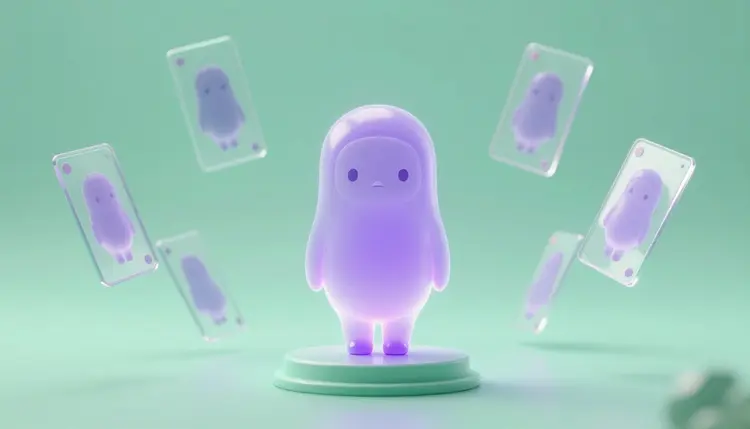
A PNGtuber is a streamer who shows up as a still character instead of a camera feed, and the software swaps between a handful of images depending on how loud your microphone is. The software is the easy part. The art is the bottleneck: you need the same character in five or six expressions, each cut out cleanly. Picasso IA makes that art in one session, and your PNGtuber app does the swapping.
Commissioning a full expression set from an illustrator is a fine route, and some people will always prefer it. But a lot of streamers are on the other side of that decision: they want to go live this week, they are not sure yet what character suits their channel, and paying for six finished sprites before testing the idea on an audience feels backwards. Generating the set yourself lets you try a character, see how it reads on a stream, and change it without losing anything.
There is also a practical reason that has nothing to do with money. A PNGtuber avatar is a small system, not a single picture. It needs a neutral pose, a mouth-open pose, and a few emotional beats, and every one of them has to look like the same character. Image editing models are good at exactly this kind of job: hold the face fixed, change one thing. Picasso IA puts 502 models behind one interface, so you can try the same character brief on several engines and keep the one that draws the face you like; the full catalog is open if you want to browse it. New accounts get free credits to test a direction first.
One boundary to state early. Picasso IA makes the pictures. It does not run your avatar, listen to your microphone or animate anything live. The mic-volume swapping happens in your PNGtuber software, which only needs the image files you give it.
Most failed avatars fail because the set was never planned. Someone generates a gorgeous idle pose, then discovers they have no way to make the mouth open without redrawing the character. Decide the list first, and decide how each sprite differs from the base one. The table below is a starting set; trim or extend it to match what your software expects.
| Sprite | When it shows | Prompt words that steer it | Watch out for |
|---|
| Idle | Silence between sentences | neutral expression, mouth closed, relaxed shoulders | Becoming the reference every other sprite drifts from |
| Talking | Mic above your threshold | mouth open, mid-speech, same pose as idle | Teeth or tongue changing the face shape |
| Happy | Laughs and wins | wide smile, eyes curved, slight head tilt | Eyes losing their original size or color |
| Surprised | Jump scares, plot twists | eyes wide, eyebrows raised, small open mouth | Over-drawn faces that read as another character |
| Annoyed | Lag, bad teammates | flat stare, one eyebrow lowered, mouth tight | A different outfit sneaking in from the prompt |
Keep the pose, framing and character size the same across all five rows. The software swaps images in place, so a sprite that sits a bit higher in its canvas makes the avatar jump on every swap. Aim for the same crop and the same head position in each image, and the avatar will feel steady on stream.
This is the whole workflow, from a blank page to a folder of transparent files. It assumes you have a rough idea of the character and nothing else.
- Design the base character. Open the Picasso IA toolkit, pick a text-to-image model such as seedream-4.5 or flux-2-pro, and generate a front-facing character on a plain background until one design clearly wins.
- Generate the other expressions from that image. Attach the winner to an editing model like nano-banana or flux-kontext-pro and ask for one change per run: same character, same outfit, same pose, mouth open, or eyes wide.
- Cut each sprite out. Run every image through bria/remove-background to get a transparent PNG, and keep the partial-alpha option on if the character has soft edges like hair or fur.
- Check the set side by side. Line the files up in an image viewer, compare the faces and the crop, and redo any sprite whose eyes, colors or position drifted from the base.
- Import the files into your PNGtuber software. Assign idle and talking sprites first, test them with your real microphone, then add the emotion sprites and the hotkeys your software supports.
A transparent PNG is the one file format every PNGtuber tool agrees on, so the cutout step matters more than it looks. bria/remove-background takes an image and returns the subject with the background removed, and it has an option to keep partially transparent pixels, which is what stops hair and soft shapes from looking chopped. Switch that option off if the character has hard, graphic outlines and you want fully opaque edges.
The quality of the cutout starts earlier, at generation. Ask for a flat, single-color background in a color the character does not contain, with no floor shadow, no glow and no scenery behind the figure. A mint character on a mint background gives any remover a hard job. For more on the extraction side, the transparent PNG maker and remove image background pages go through it in detail.
Tip: if your software supports separate layers for the mouth and eyes, generate the face parts as their own images on a plain background and cut each one out. A single full-body image per expression is the simplest route, but layered parts give you smoother swaps, and what your software accepts is described in its own documentation.
Whatever format you aim for, check what your PNGtuber software expects before you generate the full set: image size, whether it wants one file per expression or a sprite sheet, and how it handles transparency. Apps change their requirements, so read the current instructions instead of trusting a number from a blog.
The first mistake is rewriting the character description in every prompt. Each new description is a new roll of the dice, and the face changes. Start from the image, not the words: attach the base sprite and ask for a single change. The same logic is behind consistent AI characters, and it is worth reading if your character keeps drifting.
The second is asking for too much per sprite. A prompt that changes the expression, the pose and the lighting at once will change the character as well. One edit per run is slower on paper and faster in practice, because you stop redoing sprites.
The third is judging sprites one at a time. A happy face that looks great alone can look like a sibling next to the idle one. Compare the whole set at the size it will have on stream, which is often a small corner of the screen, and drop details that vanish at that size. Small, bold features survive the downscale; fine linework turns to noise.
None of this replaces a custom illustrator or a rigged avatar, and a few limits are specific enough to plan for:
- Face consistency: editing models keep a face stable most of the time, but not every time, so expect to regenerate a sprite or two and keep the closest match.
- Mouth shapes: a clean open mouth is easy, but a full set of mouth shapes for every sound is beyond what a PNGtuber needs and beyond what this workflow reliably gives you.
- Hands and props: a character holding a microphone or a controller adds anatomy to get wrong, so keep the first version armless or let the pose hide the hands.
- Motion and idle bounce: sprites are stills. The bobbing, blinking and tilt you see on many channels come from your software settings, not from generated animation.
- Real people: a PNGtuber should be a fictional character or your own invention. Do not generate an avatar from another person's photo or imitate a real streamer's design, and respect the rules of the platform you stream on.
If you want a face that moves, with a talking head driven by audio, that is a different job and a different page: AI talking photos covers it.
What is a PNGtuber?
A PNGtuber is a streamer or video creator who appears as a still image, or a small set of images, instead of showing their face on camera. The usual setup is a character with an idle sprite and a talking sprite, and the software switches between them when your microphone picks up sound. Some creators add extra sprites for emotions, triggered by hotkeys.
Can Picasso IA run my PNGtuber live on stream?
No. Picasso IA generates the artwork: the character, the expressions and the transparent cutouts. The live part, listening to your microphone, swapping the sprites and sending the result into your streaming app, is done by PNGtuber software. Think of Picasso IA as the place you make the files and that software as the place you use them.
Which models are best for the base character?
There is no single best, which is the argument for a catalog. Seedream and FLUX models both draw clean illustrated characters, and ideogram-character is built around keeping a character consistent across images. Run the same brief through two or three of the 502 models, keep the face you like most, and use that image as the reference for everything after it.
How do I keep the same face across every expression?
Work from the image, not from a new description. Attach the base sprite to an editing model such as nano-banana, flux-kontext-pro or qwen-image-edit, and ask for one change at a time while stating what must stay the same. The more you change per prompt, the more the face drifts, so small edits give the steadiest set.
Can I get transparent PNGs straight from the model?
Image generators usually return a flat picture with a background. The reliable route is to generate on a plain single-color background and run the result through bria/remove-background, which outputs a transparent PNG. Keep the partial-alpha option on for soft edges and switch it off for hard, graphic outlines.
How many expressions does a PNGtuber need?
Two is the working minimum: one idle sprite and one talking sprite, since those are what the microphone swapping uses. Most streamers add a few emotion sprites on top, such as happy, surprised or annoyed, and trigger them with hotkeys. Start with the small set, run it on a stream or a test recording, and add more only when you feel a gap.
Can I turn a photo of myself into a PNGtuber?
You can use your own photo as a reference for a stylized character of yourself, since the face is yours to use. Do not use another person's photo, a real streamer's likeness or anyone who has not agreed to it. If privacy is the point of being a PNGtuber, a fully invented character is the safer starting place.
What size should the sprites be?
That depends on the PNGtuber software you use, so check its current instructions before generating the full set. The one rule that holds everywhere is consistency: every sprite should share the same canvas size, the same crop and the same head position, or the avatar will jump when the images swap.
Do I own the avatar I generate?
Rules on AI-generated images vary by country and are still changing, so general information is all that can be offered here. In practice, creators use their own generated characters on their channels all the time. If the avatar becomes a brand, merchandise or a sold asset, check the copyright rules where you live and the terms of the models you used, ideally with a qualified professional.
How much does it cost to make a PNGtuber avatar?
Generations are paid in credits, and the cost depends on the model and the settings you choose, so any number written here would go out of date. Still images sit at the cheap end of the catalog compared to video, and new accounts get free credits to start with. Current plan details live on the pricing page.
Your character is one good reference image away from a full set. Open the Picasso IA toolkit, design the base sprite, and build the rest of the expressions from it in this session.