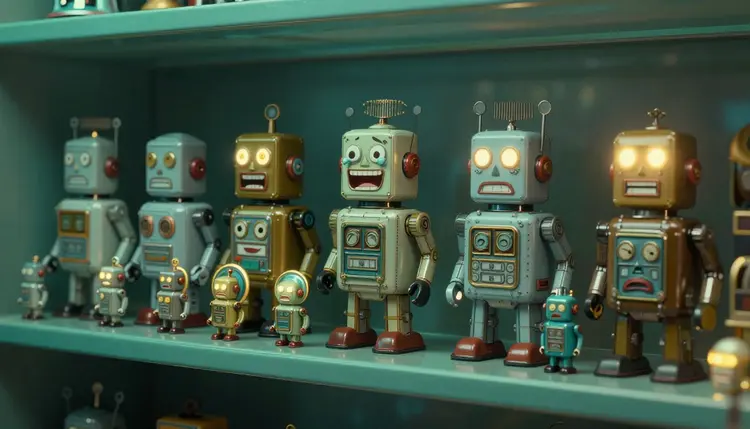
A Twitch emote lives at a size where a face is a handful of pixels sitting next to a line of chat text. The drawing you admire on a big canvas can turn into a smudge once it shrinks, and that is where most hand-made and AI-made emotes fail. AI is very good at the first half of the job, producing many expressive options fast. The craft is in the second half, testing each one small before you upload it.
Emote sets are repetitive work with a high bar. A channel needs a laugh, a cry, a hype face, a shocked face, a sleepy one, and usually a few inside jokes, all in one recognizable style. Commissioning that from an artist is great when you can, and a lot of streamers cannot yet. Generating drafts lets you find the character and the mood first, then decide how much of it to polish yourself or hand to an illustrator.
Picasso IA runs 502 models behind one interface, 212 of them text-to-image, so you can try a flat vector model, a painterly one and an editing model on the same character without switching tools. The full catalog is browsable if you want to look around, and new accounts get free credits to test a direction before you spend any. Because a draft takes seconds, throwing away ten bad faces costs very little.
The rule that decides whether an emote works is simple. A good emote communicates one feeling in one glance at small size, so the design has to be built for that from the first prompt. Big canvases forgive thin lines, tiny highlights, textured fur and subtle gradients. Chat does not.
Ask for what survives shrinking: a bold outline, two or three flat colors, a face that fills most of the frame, one clear emotion and a plain background. Then do the test every time. Take the generated image, scale it down to a thumbnail, and look at it next to a line of ordinary chat text, ideally on both a light and a dark background, because viewers use both. If you cannot tell what the face is feeling from across the room, the emote is not done.
Squint test: shrink the image until it is almost unreadable, then squint. If the emotion still comes through, upload it. If you have to explain it, redraw it with fewer details and a thicker outline.
The same goes for sub badges, which are smaller than emotes in most layouts and have to hold up as an icon, not an illustration. Check the platform's current requirements for sizes, file formats and rules before you finalize anything, because they change and this page cannot promise them for you.
There is no single best way to make an emote, and the right choice depends on the look your channel has. This table compares the approaches that work on Picasso IA.
| Approach | Model to try | Best for | Watch out for |
|---|
| Flat vector emote | recraft-v4.1-svg | Bold shapes that stay crisp when resized | Needs a simple prompt, busy scenes get messy |
| Painted or 3D-style emote | google/nano-banana-pro | Expressive, richer characters and mascots | Fine texture disappears at small size |
| Expression set from one character | google/nano-banana-pro with a reference image | Matching faces across a whole set | Drift in proportions after many edits |
| Transparent cutout | bria/remove-background | Putting an emote on any chat background | Check edges on a dark and a light preview |
| Tiered sub badges | recraft-v4.1-svg | Icon-like badges that read as a progression | Keep each tier distinct without more detail |
Vector output is the safest starting point, since recraft-v4.1-svg returns real SVG files with editable paths, and shapes stay clean at any size. If you want a more illustrated mascot, google/nano-banana-pro renders up to 4K, takes up to 14 reference images and exports PNG or JPG, which makes it a good engine for characters with personality. Our page on vector graphics and SVG icons goes deeper on the flat route.
This is the workflow that ends with a set you can actually upload, not a folder of nice but unreadable pictures. It runs entirely in the Picasso IA toolkit.
- Define the character and the style. Write one sentence for the character and one for the look, for example a round green frog with big eyes, thick black outline, flat colors, plain background. Generate a few options with recraft-v4.1-svg or google/nano-banana-pro and keep the one you like most.
- Lock the character, then vary the expression. Use the winner as a reference image in google/nano-banana-pro and ask for one change at a time: laughing, crying, cheering, shocked, sleeping. Keep the style words the same each time so the set looks like one family.
- Run the small-size test on every face. Shrink each emote to a thumbnail and compare it to chat text on a light and a dark background. Drop or redraw any face where the feeling is no longer obvious, and ask for a thicker outline or a simpler mouth.
- Cut out a clean transparent background. Send the keepers through bria/remove-background to get a transparent PNG, then check the edges on both light and dark previews and fix any halo around the outline.
- Build the badge ladder and export. Generate badge variants in recraft-v4.1-svg for each tier, keep one shape language across them, and resize everything to the sizes the platform's current requirements ask for before you upload.
Expression prompts work best when they name the face and the body together. A cheering emote with raised arms reads better than a cheering face alone, because a tiny face has few pixels to work with and a pose adds shape. For a crying emote, say big round tears. For a shocked one, say wide eyes and an open mouth. Keep the background plain and the framing tight, with the head or upper body filling the square.
A few mistakes show up again and again. The first is designing at full size and never shrinking the result, so the emote looks great in your editor and mushy in chat. The second is too much detail: whiskers, stitching, tiny sparkles and shaded gradients all vanish. The third is inconsistency, where each face looks like a different character because the style words changed between prompts. The fourth is skipping the dark mode check. A light outline that looks fine on white can disappear on a dark chat, and a thick dark outline fixes both.
For sets that need one character across many poses, the same technique used for consistent AI characters applies: keep the reference image fixed and change only the pose or the expression. If you want to make stickers for other apps from the same character, see AI stickers and emoji packs, and for isolating artwork on its own, transparent PNG maker covers the cutout step in more depth.
An honest guide says where the tool stops helping. For emotes there are five places:
- Tiny details: the model draws freckles, stitches and glints that cannot survive a thumbnail, so you have to ask for fewer details and then test, never trust the large preview.
- Text inside the emote: letters inside a tiny image rarely stay legible and models still misspell short words, so keep text off the artwork or add it yourself in an editor.
- Platform rules: sizes, file formats, review rules and what is allowed in a channel's emote slots belong to the platform, so check its current requirements and do not rely on this page for them.
- Consistency over a long set: after many edits, proportions drift and eyes or outlines change, so restart from the original reference image when a face starts looking off.
- Ownership and originals: a generated character may resemble existing mascots or cartoon figures, so keep real brands, other streamers and copyrighted characters out of your prompts and check the result for lookalikes.
None of this is a reason to skip the tool. It is the reason the last pass, the small-size check and the upload, still belongs to you.
Can AI make Twitch emotes?
Yes. Text-to-image and image-editing models can generate emote characters, expression sets and badge designs in minutes. What AI does not do is guarantee they work at chat size, so you still shrink each image and check it by eye. Picasso IA gives you vector, painted and editing models in one toolkit, and new accounts get free credits to try them. Treat the output as strong drafts that you review and finish.
What size should Twitch emotes be?
The platform sets the required sizes, file formats and limits, and they can change, so check Twitch's current requirements before you export. A safe habit is to design on a large canvas, keep the artwork simple and then resize to whatever the platform currently asks for. Vector output from recraft-v4.1-svg scales cleanly, which makes resizing less risky than with a raster file.
Which AI model is best for emotes?
It depends on the look. recraft-v4.1-svg returns real SVG vector files with clean shapes, which suits bold flat emotes and sub badges. google/nano-banana-pro is better for illustrated mascots and for producing many expressions from one reference image. Running the same character through both, then testing the results at small size, is the quickest way to learn which one fits your channel.
How do I keep the same character across all my emotes?
Use one approved image as a reference and change only one thing per generation, such as the expression or the pose. google/nano-banana-pro accepts up to 14 reference images, so you can include the character sheet each time. Keep the style words identical in every prompt, and restart from the original reference if the proportions begin to drift after several edits.
Can I make sub badges with AI?
Yes, and a vector model is a natural fit because badges are closer to icons than to illustrations. Generate one shape language and vary it for each tier, for example a base badge, then a version with a border, then one with an extra mark. Test each badge at tiny size, because the differences between tiers have to be visible when the image is only a few pixels across. Check the platform's current badge requirements for formats and sizes.
How do I get a transparent background for an emote?
Run the image through bria/remove-background, which returns a transparent PNG with soft edges preserved by default. Then preview it on both a light and a dark background to catch any halo around the outline. If the edges look rough, regenerate the emote with a simpler outline and a plain, contrasting background so the cutout has an easy job.
Will my emotes look good on dark and light chat themes?
Not automatically. Viewers use both themes, and a light outline or pale fill can vanish on one of them. Add a thick dark outline, avoid very pale colors on the edge of the shape and check the emote on a dark and a light preview at tiny size. This takes a minute and prevents the most common complaint about homemade emotes.
Can I use my own face or a photo of a friend?
Only if the face is yours, or the person has clearly agreed, and never a real streamer, celebrity or anyone you cannot name as a consenting adult. Many channels skip faces entirely and use a mascot, an animal or a fictional character, which is also safer if you plan to share the set. A cartoon of yourself generated from your own photo is a common and legitimate approach.
Is it okay to sell or share AI-made emotes?
That depends on the rules of the platform, the laws in your country and how original the artwork is, and none of that can be settled by this page. Check the platform's current terms for emote content and ownership, avoid copying existing characters or brands, and ask a qualified professional if you plan to sell sets commercially. Original characters from your own prompts and references are the safest base.
How much does it cost to generate a set of emotes?
Generation uses credits, and the cost per image depends on the model and the settings you choose, so a number written here would go out of date. Image models sit at the cheaper end of the catalog compared with video or 3D. New accounts get free credits to start, and the pricing page shows what plans cost today.
Your channel's next emote is a few prompts away. Open the Picasso IA toolkit, design the first face big and shrink it before you fall in love with it.