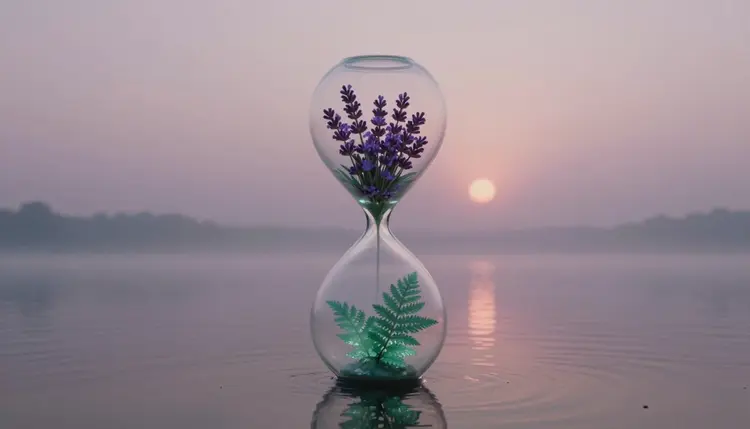
Most AI video starts from a sentence and hopes for the best. A first and last frame video starts from two pictures you already chose: the opening shot and the closing shot, with the model inventing everything that happens in between. That makes it the most direct way to get a morph, a transformation, a before and after reveal or a day to night change, because you control both ends of the story.
A normal image-to-video run fixes only the first frame. The model animates forward and lands wherever it lands, which is fine for a gentle camera move and unreliable for anything with a destination. If you want a seed to become a tree, a sketch to become a render, or an empty room to become a furnished one, you need the destination to be an image, not a hope in a prompt.
Giving the model an end frame turns the job into interpolation. It has to find a path from picture A to picture B, and that constraint does most of the work of keeping the clip coherent. You also get something a prompt alone cannot give you: the exact final composition. The last frame of the clip is the image you approved, so it can drop straight into a thumbnail, a product page or a cut that continues in the next shot.
It is also a cheap way to test an idea. Picasso IA has 502 models in its catalog, and the video ones that accept two frames let you try the same pair of images across engines and see which one understands the transition you had in mind.
Not every video model has an end-frame input, and a few that do bury it behind other settings. These are the ones whose catalog details show start and end frame inputs, checked against each model's own page:
| Model | Frame inputs | Worth knowing |
|---|
| Kling v3 Video | start_image and end_image | The end image needs a start image; also offers multi-shot scripting, native audio and a 1080p pro mode |
| Wan 2.7 I2V | first_frame and last_frame | The last frame needs a first frame; setting both to the same image gives a clean loop |
| Veo 3.1 | image and last_frame | Creates a transition between the two; the last frame is ignored if you add reference images |
| Ray 3.2 | start_image and end_image | Only valid with the 5 second duration, and not with loop; the aspect ratio comes from your frames |
| Pixverse v6 | image and last_frame_image | The last frame must be used with an image; multi-shot mode is not available for transitions |
The constraints in the third column are not footnotes. They decide what you can combine in one run: if you want Ray 3.2 to take both anchors, the clip is the shorter length, and if you want Veo 3.1 to interpolate, you leave the reference images out. Read the inputs panel before you write the prompt, not after the first failed run. The collection is the quickest way to open each model page and check its current inputs.
The whole workflow runs in the toolkit, and it works the same whether your two images are photos, renders or AI-generated stills.
- Prepare two images that belong together. Same subject, same framing, same aspect ratio, differing in exactly the thing you want to transform. If you need a matching pair, generate the second image from the first with an image editing model so the composition carries over.
- Open a model that accepts both frames. Pick Kling v3 Video, Wan 2.7 I2V, Veo 3.1, Ray 3.2 or Pixverse v6 in the toolkit and look for the start and end image slots on its input panel.
- Attach the start image first, then the end image. Several of these models refuse an end frame without a start frame, so the order matters. Check that the preview shows the right picture in each slot.
- Write a prompt about the journey. Describe the motion and the camera between the two pictures, not the pictures themselves. One or two sentences about what changes, how fast, and how the camera behaves is enough for a first run.
- Generate, compare and refine. Run a short clip first, watch the middle of it, then adjust the prompt or swap the model. Keep the best version and use the last frame as the opening of the next clip if the story continues.
The model can only interpolate between two images if it can imagine one turning into the other. The better the pair, the more believable the middle. A few rules cover most failures.
Keep the camera fixed between frames unless the move is the point. If the start is a wide shot and the end is a close-up of a different object, the model has to invent both a camera move and a transformation, and one of them will look wrong. Keep the subject in roughly the same place in the frame, so the transition reads as change and not as a cut with extra steps. Match the lighting direction when you can, because a sun that jumps from left to right in the middle of the clip is the first thing viewers notice.
Aspect ratio matters too. Several of these models derive the output shape from the images you attach, so two frames in different ratios give you a crop you did not choose. Resize both to the same ratio before you upload.
Faces need extra care. Morphing one face into another is the most unforgiving thing you can ask of a video model, and it is only appropriate for your own face or for fictional characters, never for a real person who has not agreed to it. If you want to bring a single still portrait to life instead, animate old photos covers the one-frame version.
With both ends fixed, the prompt has a different job from a normal video prompt. It no longer needs to say what the scene looks like, because the images already do. It needs to say how the scene gets from one state to the other: gradually or in one burst, with the camera still or drifting, in a realistic way or a magical one.
Tip: say what should stay constant as well as what should change. A line like the camera stays locked, only the season changes, the lake and the hills do not move gives the model a boundary, and boundaries are what stop a morph from melting the whole scene.
Name the type of transition in plain words: grows, unfolds, dissolves, wipes, melts, builds itself, fades from day into night. Add a pace such as slowly or in one fast motion. If the first run drifts, shorten the prompt rather than lengthening it, since a second competing instruction is a common cause of odd middles. Use a negative prompt on models that offer one to rule out extras you keep seeing, such as new objects appearing mid-clip.
For longer stories, chain clips: the end frame of clip one becomes the start frame of clip two, and you can plan the sequence shot by shot with storyboards before you generate anything.
The technique is strong at one thing, a single controlled transition, and it has clear limits:
- Short clips only: these models produce a few seconds per run, and some restrict end frames to one duration, so a long transformation has to be split into several clips.
- Unrelated frames melt: if the two images share no subject or layout, the middle becomes a dissolve with warping, not a story, and no prompt fixes that.
- Hands and faces drift: any person or hand that has to change shape between the frames is a place where anatomy can warp mid-motion, so check the middle of every clip frame by frame.
- The path is the model's choice: you fix the endpoints, not the route, so two runs of the same pair can transform in very different ways and you may need several tries.
- Text and logos wobble: lettering in either frame can deform during the transition, so keep it out of frame or add it afterward in an editor.
None of this makes the technique unreliable. It makes it a tool for transitions, with the rest of the edit still yours.
What is a first and last frame video?
It is a video generated from two images you provide: the first frame and the last frame. The model creates the motion between them, so the clip begins on your start image and finishes on your end image. People use it for morphs, transformations, time-lapse looks and before and after reveals, because both ends of the shot are decided before generation starts.
Which Picasso IA models accept a first and last frame?
Kling v3 Video, Wan 2.7 I2V, Veo 3.1, Ray 3.2 and Pixverse v6 all list start and end frame inputs in their catalog details. Each names the slots differently and has its own conditions, such as needing a start image before an end image. Open the model in the toolkit and check the input panel, since models and options get updated over time.
Do I need to write a prompt if I already have both images?
Usually yes, though a short one. Some models treat the prompt as optional when frames are provided, but a sentence about the motion, the camera and the pace gives you far more control over the middle of the clip. Describe how it changes, not what the images show, because the model can already see the images.
Can I make a clean loop with this?
On models that support it, yes. Wan 2.7 I2V lists using the same image as first and last frame as a way to get a continuous loop, because the clip starts and ends on the same picture. Ray 3.2 also has a separate loop option, but it cannot be combined with an end image. Try the same-image method first and watch the seam.
Why does the middle of my video look strange?
Usually because the two frames are too different for a believable path, or because the prompt asks for something that fights the images. Make the frames share a subject, framing and lighting, shorten the prompt, and try another model from the list. Different engines interpolate differently, so a pair that fails in one often works in another.
Do both images need the same size and aspect ratio?
Matching them is the safest choice. Several models take the output shape from the frames you attach, and the catalog notes for some of them say the ratio setting is ignored when you provide images. If your two images differ, crop or resize them to the same ratio first, so the framing you see in the preview is what you get.
Can I morph one person into another?
Only with your own face or with fictional characters. Morphing between real, identifiable people without their consent is not something this page supports, and models handle faces badly in the middle of a transformation anyway. Objects, scenes, illustrations, products and original characters work much better for this technique.
Can I generate the second image from the first?
Yes, and it is often the best way to get a matched pair. Generate or upload your start image, then use an image editing model in the toolkit to change only what should change, such as the time of day or the state of an object. The composition carries over, which gives the video model an easy job.
Does the clip include sound?
That depends on the model and its settings. Kling v3 Video, Veo 3.1 and Pixverse v6 list audio generation, and Wan 2.7 I2V can generate matching audio when you do not supply a file. Ray 3.2 does not mention audio. If your clip is silent and needs sound, you can add it afterward, and sound effects for silent AI videos walks through that.
How much does a first and last frame video cost?
Generations cost credits, and the amount depends on the model and the settings you pick, such as resolution and duration. New accounts get free credits to try it. Because prices change, the only reliable place to check is the pricing page, and it is worth testing a short, lower resolution clip before you commit to a full-quality run.
Two images and a sentence are enough to start. Open the Picasso IA toolkit, attach your first and last frames and see what the model makes of the space between them.