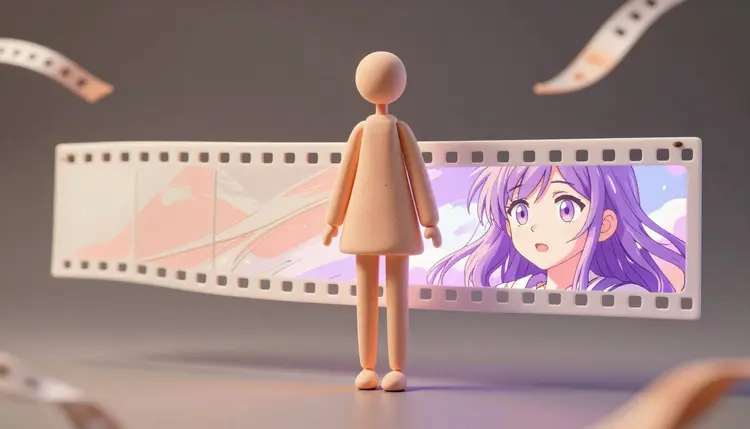
Rotoscoping a single minute of footage into a hand-drawn look used to take an animation team a week, frame by frame, tracing motion a camera had already captured for free. AI video restyling collapses that week into a render you start and check back on later. Upload the clip, describe the anime look you want, and the model redraws every frame while the performance, the camera move and the timing stay exactly where you shot them.
Live-action footage already contains the hardest part of animation: believable motion. A walk cycle, a hand reaching for a cup, wind moving through hair, all of it is physically correct because a camera recorded it rather than an animator estimating it. Restyling keeps that motion and only changes how each frame is rendered, a fundamentally easier problem for a model than generating new motion from a text prompt.
That is also why the results read as more coherent than most text-to-video generations. The model repaints a scene that already exists, frame after frame, so a face keeps its proportions and a hand keeps its five fingers because the source video already fixed those facts. Picasso IA runs this kind of restyling through its video-editing category inside the full model catalog, so a home video, a dance clip or a short interview can go from filmed to drawn without touching an animation timeline.
The prompt does most of the creative work here, so it pays to be specific about what anime means for your clip. Cel shading with flat color blocks reads differently from a soft painterly wash, and a model responds to the vocabulary the same way it would for a still image: subject plus style plus a few concrete constraints.
| Anime look | Prompt words that steer it | Works best for |
|---|
| Cel-shaded shonen | bold black outlines, flat cel shading, saturated colors | Action clips, sports, dance |
| Studio-style painterly | soft brush texture, muted palette, hand-painted backgrounds | Slow scenes, walking, dialogue |
| 90s retro anime | grain, slightly desaturated color, visible line wobble | Nostalgic edits, music videos |
| Pastel slice-of-life | soft pastel tones, rounded shapes, gentle lighting | Everyday moments, vlogs |
| Pencil sketch anime | monochrome pencil lines, cross-hatching for shading | Transformation reveals, intros |
Two habits make the difference between a convincing restyle and a muddy one. First, describe the line quality as clearly as the color, since bold outlines versus soft linework changes the whole read of a clip more than any color word. Second, keep the subject sentence and the style sentence separate, so the model does not blend your outfit into the render technique. Skimming the effects library is a fast way to borrow proven style phrasing.
This walkthrough assumes one short clip and a clear idea of the look you are chasing. Expect to run it more than once before the style lands exactly right.
- Trim the clip to the shot you actually need. Most restyling models cap input length, so cut to the five or thirty seconds that matter and drop the rest before uploading.
- Open the Toolkit and pick a restyling model. In the Toolkit, choose luma/modify-video for adjustable intensity, runwayml/gen4-aleph for a fast single pass, or decart/lucy-edit-2 when you also want a reference image to guide the look.
- Write a style-first prompt and generate a first pass. Lead with the anime look, then the subject, and run a low-intensity setting first to confirm the model reads your clip correctly.
- Push the intensity and iterate on the result. Once the first pass holds together, raise the style strength or try a reference image, and compare a couple of variations side by side.
- Clean up edges and export. Upscale the output if the line detail looks soft, trim any rough opening or closing frames, and export at the resolution your platform needs.
Pro tip: start every new clip on the gentlest restyle setting before pushing toward a full reimagined look. A subtle first pass shows whether the model reads faces, hands and camera motion correctly, and catching a tracking problem there is far cheaper than after a heavier render.
These are the habits that separate a clean anime restyle from a flickery, half-melted one, drawn from how the underlying models behave frame to frame.
- Light your source clip evenly: hard shadows and blown highlights get baked into the redraw as strange dark patches, so flat, even lighting gives the model a cleaner surface to reinterpret.
- Keep the camera reasonably steady: fast pans and shaky handheld footage confuse frame-to-frame consistency more than any other single factor, so a tripod or gimbal shot restyles far more cleanly than a phone held at arm's length.
- Match adherence to how much you want to keep: a closer setting protects faces and framing for brand or personal content, while a looser setting is worth it only when you want a genuinely different visual identity.
- Test short before committing long: run a five-second sample through your chosen prompt before sending a full thirty-second clip, since a wrong style word wastes far less time on a short test.
- Plan one consistent prompt per shot, not per clip: if a scene cuts between angles, restyle each shot separately with the same style words so the anime look does not visibly shift mid-scene.
Musicians and editors reach for video restyling most often on performance footage, turning a live take into an anime music video without choreographing a single new frame of animation. The source performance stays intact, only the surface changes, a trade animation studios cannot offer on a creator's timeline or budget.
Short-form creators use it for a different reason: a distinctive visual hook that stops a scroll. A talking-head clip restyled into a bold cel-shaded look reads as intentional and stylized rather than as a filter, especially when the same prompt is reused across a series. The same reference-locking approach used for consistent AI characters helps here too, since a saved style reference keeps separate uploads looking like the same show.
For studios weighing a dedicated video model against a catalog approach, the Picasso IA vs Runway comparison is a useful read, since Runway's own Aleph models are one option inside Picasso IA rather than the only one, alongside Luma and Decart. A restyled clip that still looks soft in the fine detail is a normal handoff to a pass through video upscaling before export.
An honest page names the failure modes, not just the wins. For anime video restyling, five stand out:
- Fast, chaotic motion. Quick cuts, spinning objects and crowded action scenes produce visible flicker between frames, since the model has less coherent motion to anchor its redraw to.
- Long clips in one pass. Most restyling models cap input at five to thirty seconds, so a full scene has to be cut into shots and restyled separately, then reassembled in an editor.
- Small text and fine logos. Anything legible in the source frame usually comes out garbled or simplified, so captions and on-screen graphics need to be added back afterward.
- Perfect temporal consistency. Even strong models show subtle shifts in line weight or color between frames, more visible on a large screen than on a phone, so a light grade pass afterward helps.
- Full character redesign. Restyling changes rendering style, not identity, so turning a real person into a wholly different-looking character needs image editing on individual frames, not a restyle pass.
None of this makes the tool a novelty. It means the realistic use is short, well-lit, reasonably steady footage restyled in pieces, not a feature-length short film generated in one click.
Can AI really turn a real video into anime while keeping the same motion?
Yes, and that is the specific advantage of restyling over generating video from a text prompt. The model repaints each frame of your existing footage rather than inventing new motion, so the performance, timing and camera move you filmed carry over into the anime version. What changes is the rendering style, not the choreography, which is why a dance clip or a walking shot restyles convincingly.
Which Picasso IA models turn video into anime?
Three models in the video-editing category handle this directly: luma/modify-video, which offers adjustable adherence from subtle color shifts to a full reimagined look; runwayml/gen4-aleph, built for fast single-pass restyling with optional reference images; and decart/lucy-edit-2, which reads a text prompt and an optional reference image together for style transfer. All three accept a short video upload and a plain-text description of the anime look you want.
How long does a clip need to be?
Short. These models are built around clips measured in seconds rather than minutes, commonly capping input around five to thirty seconds depending on the model. A full scene needs to be cut into individual shots, restyled one at a time, and reassembled afterward in a standard video editor. Planning for this from the start saves a lot of wasted renders.
Will the anime restyle keep faces looking like the same person?
Mostly, at a closer adherence setting. Because the model repaints an existing frame rather than generating a new one, facial structure and proportions tend to carry through recognizably at gentler settings. Pushing toward a fully reimagined style trades some of that recognizability for a more distinct identity, so the right setting depends on whether the subject must stay identifiable.
Does the audio survive the restyle?
Yes, the models restyle the visual frames and pass the original audio track through untouched, so dialogue, music and sound effects carry over as recorded. Changing the audio too is a separate step, using a dedicated audio or sound-effect model on the finished restyle.
Why does my restyled clip flicker between frames?
Flicker usually traces back to the source footage rather than the model. Fast motion, shaky handheld work and rapid cuts all reduce how much visual continuity the model has to anchor consecutive frames to, and that gap shows up as inconsistent color or line weight. Steadier footage, a closer adherence setting, and shorter individual shots all reduce it noticeably.
Can I restyle only part of a video, like one character?
Not directly, since these models redraw the whole frame at once rather than isolating a subject. The workaround is compositing: restyle the full clip, then use a background removal or masking pass on either version and layer the two together in a video editor if one element must stay untouched. For most creative uses, restyling the entire frame produces a more coherent result anyway.
What is the difference between the adherence levels?
Adherence controls how much creative freedom the model takes with your footage. A close setting keeps color grading and light texture changes while preserving the original composition almost exactly, useful for subtle stylization. A looser setting allows a noticeably different visual style while keeping the subject recognizable, and the most creative setting treats your clip as a loose reference, which suits dramatic reinterpretations more than brand-safe content.
How much does restyling a video into anime cost?
Video generations are priced in credits, and restyling costs more per second than a still image since it processes many frames instead of one, with the exact amount depending on the model and clip length. New accounts start with free credits, enough to test a short clip and compare a couple of models. Current plans and credit allowances are listed on the pricing page, the only place worth trusting for numbers that change over time.
Do I need editing software to do this?
No, the restyling itself runs entirely in the browser: upload a clip, write a prompt, download the result. An editor still helps for assembling multiple restyled shots into one scene, adding titles or captions the model could not preserve, and a final color pass. If a render comes back with an artifact you cannot explain, support is the direct route to a human who can look at the specific job.
A short clip and a clear style sentence are all it takes to see your own footage repainted. Open the Toolkit and run a low-intensity pass on thirty seconds of something you already filmed.