An AI influencer project starts with a person who does not exist. You invent the character, give her a face, a wardrobe and a routine, and then you produce the pictures a feed would be built from: a morning in a cafe, an afternoon on the beach, a gym session, an evening in a hotel suite. This page shows how to build that set on Picasso IA with fictional adult characters only, in a flirty, glamour-leaning style that stays suggestive and never explicit.
The workflow is the same whether you are making a virtual model for a brand concept, a character for a story, a mood board for a photographer's pitch or a portfolio of looks for a fictional creator. You write one clear description of the character, you generate the key image, and then you build the rest of the set around it. The sections below cover the deliverable, the models that fit, five steps, prompt examples for each scene, the rules and the trial.
A fictional influencer is a small production, so it helps to decide the deliverable before you type a single prompt. Most projects need three things: a character sheet, a list of scenes and a format. The character sheet is a short paragraph of plain text that you will reuse in every prompt. The scene list is four to six locations with a time of day for each. The format is the shape of the pictures, for example wide frames for banners and covers, or tighter frames for a portrait feed.
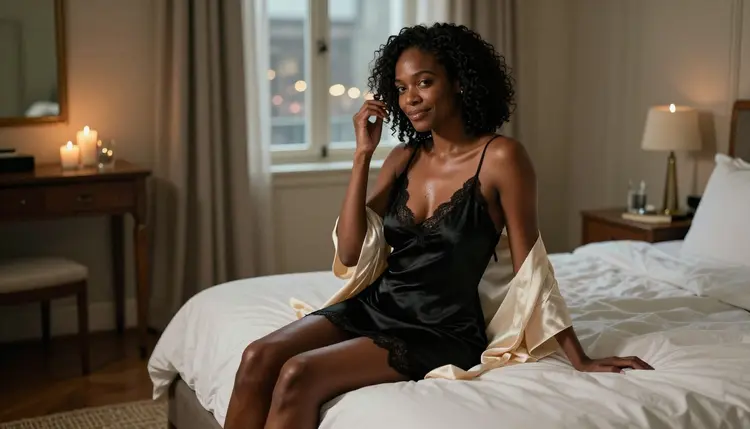
Write the character sheet like a casting note. Give an age range that reads clearly as adult, such as mid thirties or early forties, a heritage or look, hair, skin texture and one or two signature details such as laugh lines, freckles or a gold necklace. A character who reads as an adult is part of the rules of this section, and visible age cues such as fine lines and natural skin texture also make the pictures look more like photographs and less like renders. The cover of this page shows the idea: a Black adult woman in her late thirties with natural curls, laugh lines and a calm, knowing half smile, seated in a candlelit hotel suite in a lined satin slip dress and a cream robe.
Next comes the scene list. A lifestyle influencer is defined by her places, so pick settings with different light and different wardrobe: a cafe by a window in overcast daylight, a beach at golden hour in a lined one-piece swimsuit with a linen shirt, a gym in hard morning sun through blinds, a hotel room at night under candlelight. Each place gives you a different mood, and together they make a feed that looks lived in rather than repeated.
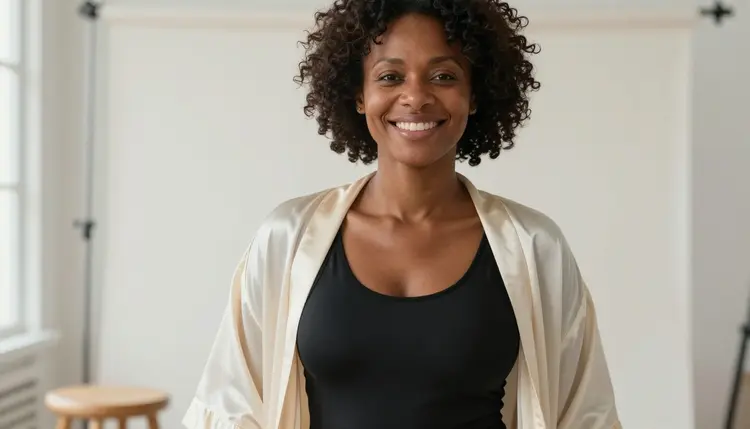
Finally, decide how consistent the character has to be. For a mood board, a loose resemblance is enough. For a virtual model that readers will follow, you want the same face, the same hair and the same build in every frame. You get there by keeping the character sheet identical across prompts and changing only the scene, the light and the lens. The step section below explains how, and the toolkit can attach an earlier image as a reference when the model you pick accepts several inputs.
Picasso IA keeps a short list of models that have been tested repeatedly with adult prompts and watched generating instead of rejecting. Confirmed means exactly that: it describes what happened in testing, it is not a published setting of the model's maker, and the maker can change a model at any time. Six models are on the list today, three for images and three for video. Every other model in the full catalog is untested, which means it is worth a try but not confirmed either way.
For an influencer project, Seedream 4.5 is the natural starting point. It creates 4K images from text, so a single prompt that holds the character sheet, the wardrobe, the place and the lens can give you the key image of the set. Its strength is photographic detail: fabric folds, the sheen of satin, flyaway hairs, the weave of linen. If your character is more of a stylized brand mascot than a photographic model, Recraft V4.1 Pro is the alternative, since its catalog title describes print-ready images at 2K with a strength in illustration and design.
Picasso Image Editor Pro is the finishing tool. It edits an image you already have, and it is marked unlimited in the catalog, so it suits the many small corrections a set needs: changing a robe color, softening a background, fixing a hand. For motion, Picasso IA Video turns a prompt or a still into a clip, LTX 2.3 Pro makes 4K video from text, and Seedance 2.5 Lite is listed for clips up to 10 seconds. Seedance 2.5 Lite is a different model from Seedance 2.5 by ByteDance, which is untested.
Untested models can still be useful. If you want to compare how another model renders skin or light, try it with a mild prompt first. If a model declines a prompt, the app shows a message titled "Content Not Supported by This Model", recommends models that accept adult prompts and carries your text over, so nothing has to be retyped. You can browse all of them in the full catalog.
The five steps below take you from a blank page to a consistent set. Work in order, because each step uses the result of the one before it. Do the first step on paper or in a notes app, and do the rest in the toolkit.
- Plan the Set. Write the character sheet and a list of four to six scenes, each with a place, a time of day and a wardrobe. Choose your format now, so every frame is composed for the same shape.
- Write the Character and Scene Description. Turn the sheet into one prompt: who she is, what she wears, where she is, what light falls on her and which lens shot the frame. Keep the character part word for word, because you will paste it again.
- Generate the Key Image. Run the prompt on Seedream 4.5 and pick the frame that looks most like your character. This is the reference for everything that follows, so take a few tries rather than settling.
- Build the Rest of the Set. Keep the character block unchanged and swap the scene, the light and the lens for each new frame. On models that accept several inputs, attach the key image and refer to it as @1 in the prompt.
- Refine and Export. Open the best frames in Picasso Image Editor Pro to fix small details, then export the set. If you want motion, send a still to Picasso IA Video or Seedance 2.5 Lite.
A good prompt for an influencer frame reads like a shot list. It says who, wearing what, in which place, in what light, on which lens. The rest of this section gives you examples for the four classic lifestyle scenes, written so you can copy the structure and replace the details.
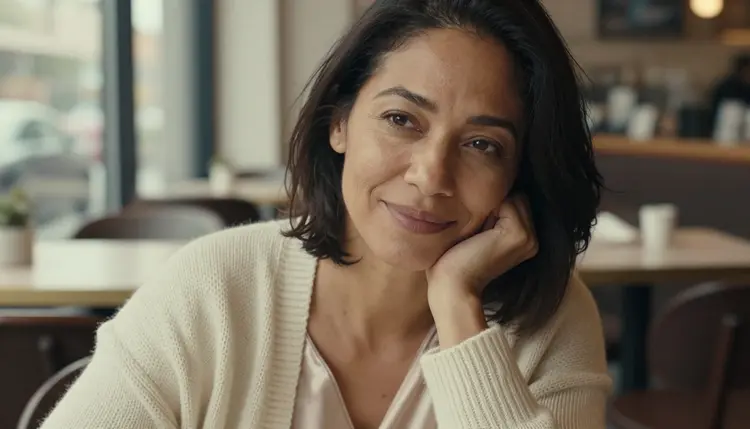
For the cafe, ask for a tight close-up portrait of a mixed-heritage adult woman in her mid thirties with visible laugh lines, sitting by a cafe window in a knit cream cardigan over a lined satin camisole, chin resting on her hand, with overcast soft daylight and a 50mm f/1.4 lens. The shallow depth of field blurs the tables behind her and keeps the attention on her expression. This is the easiest scene to keep safe and warm, and it works well as the first frame of a feed.
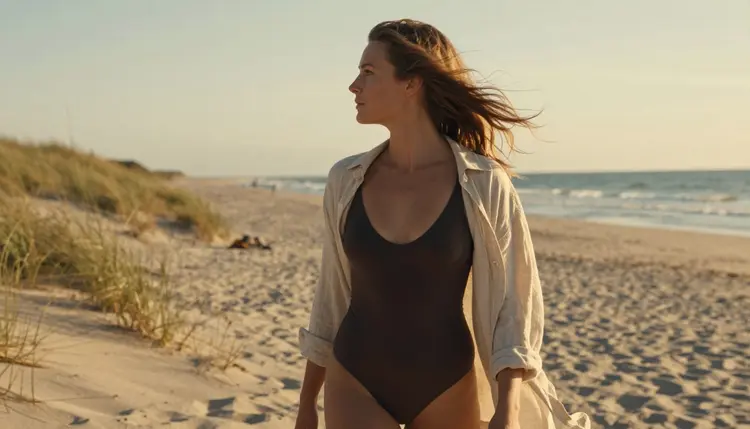
For the beach, go to golden hour. Describe a profile silhouette of a Nordic adult woman in her early forties wearing a dark lined one-piece swimsuit with a loose linen shirt open over it, wind in her hair, looking toward the sea, backlit by low sun on a 135mm f/2 lens. The long lens compresses the dunes and waves, and the backlight gives a rim of light on the hair and shoulders. Swimwear is part of this genre and it stays tasteful when you describe the cut, the fabric and the light and leave everything else to the setting.
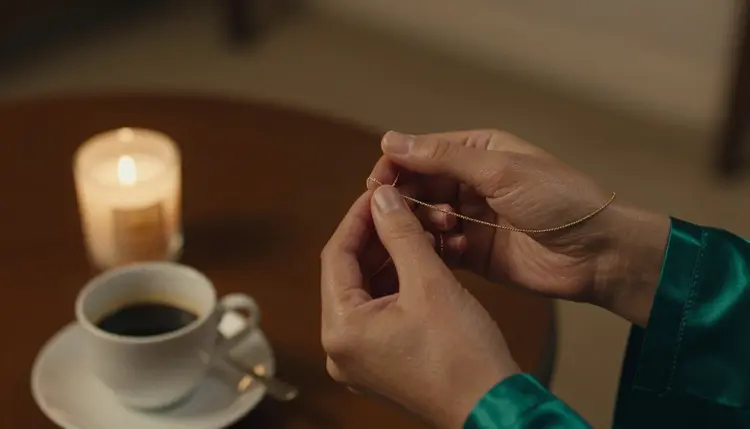
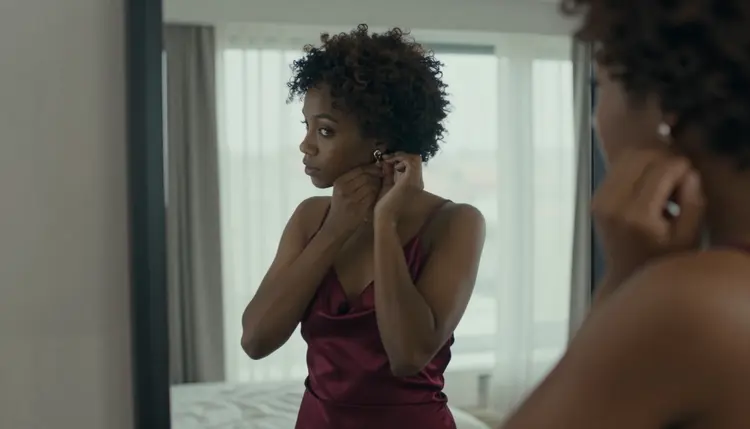
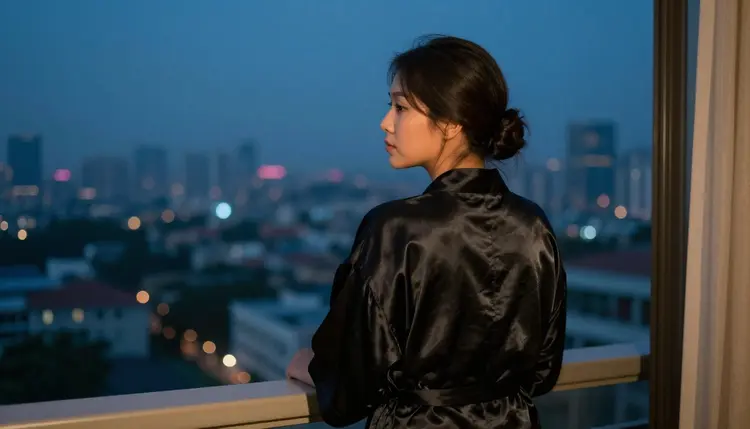
For the hotel, use mirrors and windows. A frame of an Afro-Latina adult woman in her mid thirties in a lined burgundy satin slip dress, adjusting an earring while her face shows in a tall mirror beside a window, with overcast soft daylight on a 24mm f/2.8 lens, gives you a quiet morning mood. Switch to candlelight and a hand detail on a 100mm macro lens for a close, intimate frame: fingers holding a thin gold necklace against the cuff of an emerald satin robe.
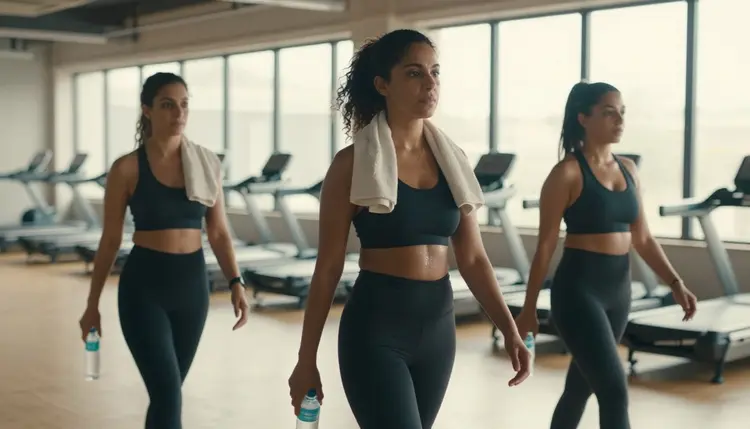
For the gym, think candid. A three-quarter walking shot of a Middle Eastern adult woman in her early thirties in a fitted black sports bra and high-waisted leggings, a towel over her shoulder, with hard morning sun striping through the blinds on a 35mm f/2 lens, looks like a frame from a day in a life. Sports wear is one of the most natural ways to keep a fictional influencer glamorous without going anywhere near explicit territory.
Cafe terraces and beach bars sit between those scenes. A medium shot of a South Asian adult woman in her mid thirties in a lined navy bikini top under an open white linen shirt, sunglasses pushed into her hair, laughing softly under dappled shade, shows how a single place can carry both swimwear and daywear.
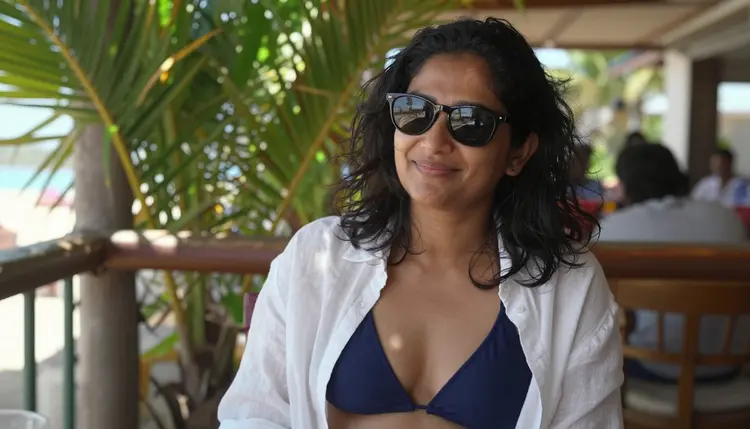
Vary the cast, not only the scene. A fictional influencer brand can feature several characters, and the pictures in this article show women of different heritages, all clearly adult. Give each character her own sheet and her own signature details, and keep them separate. Mixing two sheets in one prompt tends to blend the faces.
Consistency is a habit more than a feature. Reuse the character block exactly, keep the skin and age cues in every prompt, and only change what the scene demands. If a frame drifts, do not edit the sheet. Regenerate with the same block, or take the best frame into Picasso Image Editor Pro and correct it there. When you want a face to match an earlier frame, attach that frame on a model that accepts several inputs and call it @1 in the prompt. Picasso IA translates the reference to the syntax each model understands.
Stills become clips when the set is ready. Picasso IA Video accepts text or an image, so a still of your character at the cafe window can become a few seconds of a steady glance and a drifting curtain. LTX 2.3 Pro makes 4K video from text, which suits a wide hotel or beach shot, and Seedance 2.5 Lite is listed for clips up to 10 seconds. Keep the motion small: a slow turn, a walking step, wind in the hair. Small motion holds the character together better than a big action. If you want to plan a longer sequence, the guide to an NSFW video storyboard shows how to break it into shots.
Related projects use the same method. A dating sim character roster asks for several characters in one visual style, a companion app roster asks for the same character in many moods, and a pin-up calendar asks for twelve frames with one look. If you are still choosing a direction, NSFW AI Generator: Fictional Characters is a good overview.
This section is the short version of the rules for every project. First, it is for adults only. Picasso IA's adult tools are meant for people aged 18 and over, and the content you create is adult, mature or flirty in tone. Second, every character is a fictional adult, never a real person and never someone who could read as a minor. That means no celebrities, no lookalikes of a named person, no photo of someone you know used as a reference, and no cues of youth in the wardrobe, the pose or the setting. Describe your characters as a woman or a man in a stated adult age range. The full explanation is in what fictional adults only means.
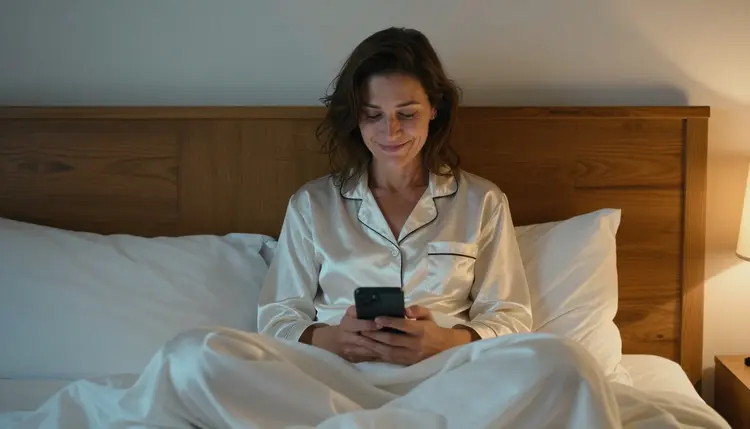
Third, what you create is private by default. Generations are tied to your account and are not published or shown to others. What you do with the finished pictures afterwards is your decision and your responsibility, so treat publishing as a separate step with its own rules.
The place where you publish has rules too. Platforms, stores and print services set their own policies about adult content, about AI-generated images and about virtual people, and they change those policies over time. Before a fictional influencer goes live anywhere, read the current rules of that place and check whether it accepts the kind of pictures you made. Picasso IA cannot promise that any platform will accept a set. A tasteful wardrobe, fully lined fabrics and a composed pose are a safer starting point for any audience, which is also why this article keeps the examples glamorous and suggestive instead of explicit.
A new account gets a small free trial on selected models: Picasso IA Image, Picasso Image Editor Pro, Picasso IA Video and Seedance 2.5 Lite. That is enough to write a character sheet, test a key image and turn it into a short clip before you decide how far to take the project. The free trial does not cover the whole catalog, so check which model a generation uses. Credits for other models vary by model and by options such as resolution or duration, and the details of plans and unlimited generation are on the pricing page.
Models marked with the infinity tag in the catalog do not spend credits on the plans that include unlimited generation. Picasso Image Editor Pro, Picasso IA Video and Seedance 2.5 Lite carry that tag, which makes them good for the repetitive parts of the project: many small edits and many short test clips. Keep Seedream 4.5 for the key images where detail counts, and use LTX 2.3 Pro when a wide 4K shot matters more than speed of iteration.
If you want to experiment further, the catalog also holds models such as Seedream 5 and Nano Banana. They are untested for adult prompts, so approach them as an experiment. Start with a mild version of your prompt, compare the skin, the fabric and the light with your Seedream 4.5 frames, and keep the one that looks most like your character. A model that declines will say so with the message mentioned earlier, and the app will point you back to a model that accepts adult prompts.
When you are ready, open the toolkit, paste your character sheet and generate the first frame. One strong key image, a handful of consistent scenes and a few small clips are enough to see whether the character works.
What is an AI influencer generator?
It is a workflow rather than a single button. You write a description of a fictional person, generate images and video of that character in different scenes, and keep the look consistent across the set. On Picasso IA you do it in the toolkit with models such as Seedream 4.5 for stills and Picasso IA Video for clips.
Can I make an influencer based on a real person?
No. Every character on Picasso IA's adult tools must be a fictional adult. Never use a real or identifiable person, a celebrity or a lookalike of someone you know, and never describe anyone who could read as a minor. Invent the face, the build and the details from scratch.
Which model should I start with?
Start with Seedream 4.5 for the key image, because it creates 4K photographic images from text and is on the confirmed list. Then use Picasso Image Editor Pro for corrections and Picasso IA Video or Seedance 2.5 Lite for short clips. Try the untested models later, once you have a character that works.
How do I keep the same face in every image?
Reuse the character block word for word, change only the scene, the light and the lens, and keep the age and skin cues in every prompt. On models that accept several inputs, attach your best frame and refer to it as @1. If one frame drifts, regenerate it or fix it in Picasso Image Editor Pro.
Can I turn the pictures into video?
Yes. Picasso IA Video turns a text prompt or an image into a clip, LTX 2.3 Pro makes 4K video from text, and Seedance 2.5 Lite is listed for clips up to 10 seconds. Keep the motion small, such as a slow turn or a walking step, so the character stays recognizable from frame to frame.
What does confirmed mean for a model?
It means Picasso IA tested adult prompts against that exact model repeatedly and watched it generate instead of reject. It is not a published setting of the model's maker, who can change the model at any time. Models that are not on the list are untested, not filtered and not filter-free, simply unconfirmed.
What happens if a model refuses my prompt?
The app shows a message titled "Content Not Supported by This Model". It recommends models that accept adult prompts and carries your prompt over, so you do not retype it. You can also soften the wardrobe or setting in the description, or move to one of the confirmed models in the table above.
Are my images private?
Yes. Generations are private by default: what you create is tied to your account and is not published or shown to others. Any sharing is your decision, so check the rules of the place where you plan to publish before you post a fictional influencer anywhere.
Is there a free trial?
A new account can try a small free trial on selected models: Picasso IA Image, Picasso Image Editor Pro, Picasso IA Video and Seedance 2.5 Lite. It does not cover the whole catalog, and credits for other models vary by model and options. See the pricing page for plans and unlimited generation.
Is this content explicit?
No. The section is for adults and it is provocative, never explicit. The style is glamour, boudoir, swimwear, sports wear and implied intimacy, with every character a fictional adult and nobody who could read as a minor. If you want to see how this reads across related projects, start with a spicy romance book cover.