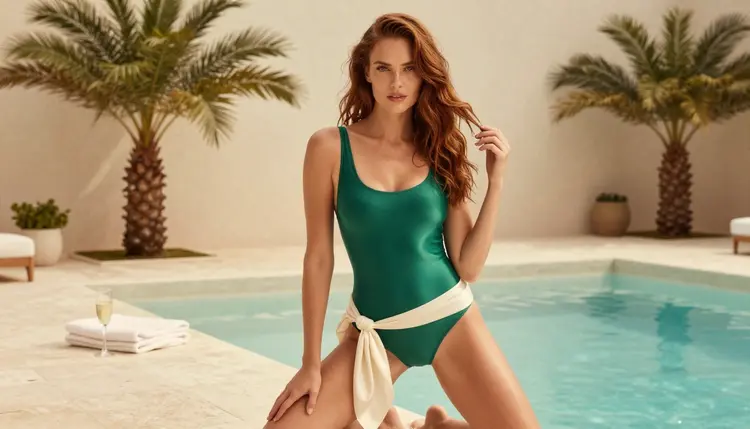
A swimwear brand usually has to show its idea before the first sample is sewn. A founder pitching to a buyer, a designer building a moodboard or an art director testing a colour story all need pictures that look like a real shoot: a woman at a pool deck in an emerald one-piece, a red high-waisted bikini on a boardwalk, a black halter in striped morning sun. Picasso IA lets you make those frames yourself, in the browser, with adult characters and invented brands only.
This page walks through a complete mockup set for a fictional swimwear label: the plan, the models, the prompts, the editing pass and the rules. Everything here is aimed at adults who want flirty, suggestive, glamour-style concept images. It is provocative, never explicit, and every person in the pictures is a fictional adult.
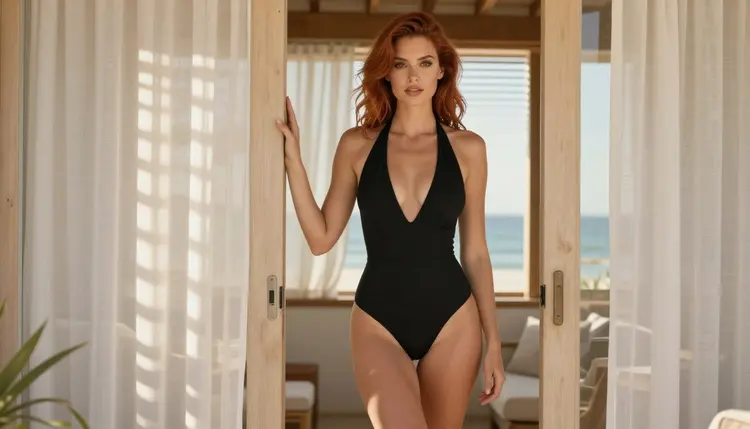
A mockup set is not one good picture. It is a small, consistent group of images that lets someone judge a brand at a glance. Before you type a prompt, decide what the set has to prove. For a swimwear concept the usual deliverable is nine to twelve frames: one wide hero shot that sets the mood, a few full-length frames that show the cut of each piece, two or three close-ups for fabric and strap detail, and a handful of lifestyle frames (a walk along a boardwalk, a seat at a beach bar, a look out of a villa window).
Pick the formats next. Landscape 16:9 works for a pitch deck, a website banner or a lookbook spread. Square suits a social grid. Portrait suits a story or a line sheet. Decide this before generating, because composition changes with the frame: a full-length standing pose needs a tall frame, a pool-deck panorama needs a wide one.
The last requirement is consistency. A buyer should read the set as one shoot with one model and one brand world. That means you fix a few things and repeat them: the woman (hair, eyes, makeup, build), the palette of the collection (emerald, burgundy, ivory, black, red, navy), the kind of light and the film look. Write those fixed parts once as a short block of text and paste it at the top of every prompt. The pieces that change from frame to frame are the swimsuit, the pose, the setting and the lens.
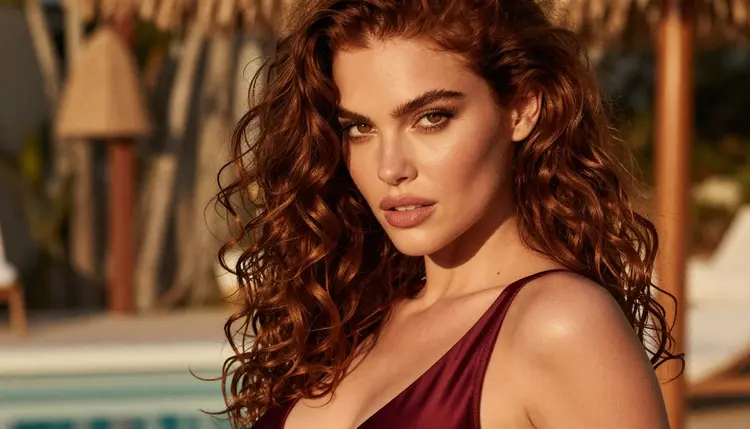
Keep the brand itself fictional. Invent a name, a palette and a mood, and keep logos out of the prompt. Image models are unreliable with small printed text, so leave labels, tags and lettering to your own layout software afterwards. What the model does well is colour, cut, fabric sheen, light and atmosphere, which is exactly what a concept needs.
Picasso IA keeps a short list of models that it has tested with adult prompts, repeatedly, and watched generate instead of reject. These are called confirmed. It is the app's own testing, not a published setting of the model's maker, and it can change, so read what confirmed means before you rely on it. Six models are on the list. Each one has a different job in a mockup project.
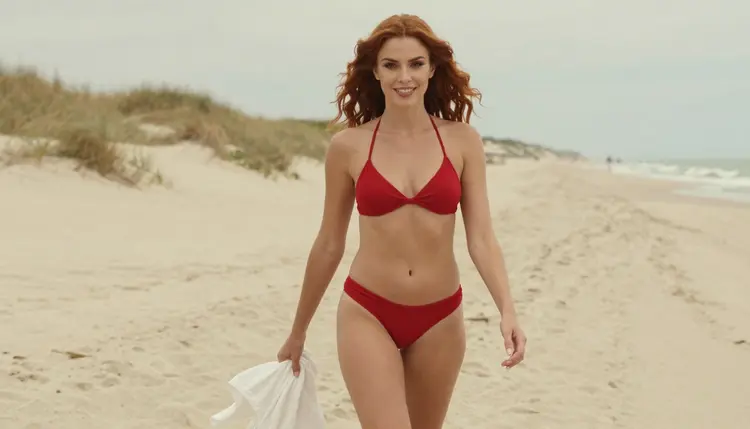
For the photographic part of a swimwear set, Seedream 4.5 is the natural first choice. It creates 4K images from text, so a hero frame has room to be cropped for a banner and still hold up. Describe the suit, the pool or beach, the light and the lens, and it returns a frame that reads like a fashion shoot.
Recraft V4.1 Pro earns its place when the work leans toward design. Its catalog title promises print-ready images at 2K, which suits colourway boards, a collection overview or a clean graphic layout. Picasso Image Editor Pro is the finishing tool: you give it an existing frame and ask for a change, such as a different strap colour or a calmer background. It is marked unlimited in the catalog, so it is comfortable for many small revisions.
The video models matter once the stills are approved. Picasso IA Video turns text or an image into a clip, LTX 2.3 Pro produces 4K video from text, and Seedance 2.5 Lite is listed up to 10 seconds. Beyond the confirmed list, the catalog holds hundreds of models. Qwen Image 2 and Picasso Video (Pruna P-Video) are untested for adult prompts: they may be worth a try for a variation, but nothing is confirmed either way. You can browse them in the full catalog.
Here is the workflow from a blank page to a finished set. Each step builds on the previous one, so do them in order. You will do the work in the toolkit.
- Plan the set. Write a shot list of nine to twelve frames: hero, full-length, close-up, walking, seated, silhouette, window. Note the swimsuit colour and cut for each frame and the format you need.
- Write the character and scene block. Describe one fictional adult woman once: hair, eyes, makeup, build. Add the film look, the lens style and the colour palette, and save the block so you can paste it into every prompt.
- Generate the key image. Open Seedream 4.5, paste the block, add the hero scene and generate. Judge the light, the fabric and the face. Rewrite the scene line until this one frame is right.
- Build the rest of the set. Keep the fixed block, change only the suit, pose, setting and lens. Use the key image as a reference where the model accepts it, so the woman stays recognisable from frame to frame.
- Refine and export. Open each frame in Picasso Image Editor Pro to fix strap colours, trim background clutter and even out the tone. Export the finals in the formats you listed in step one.
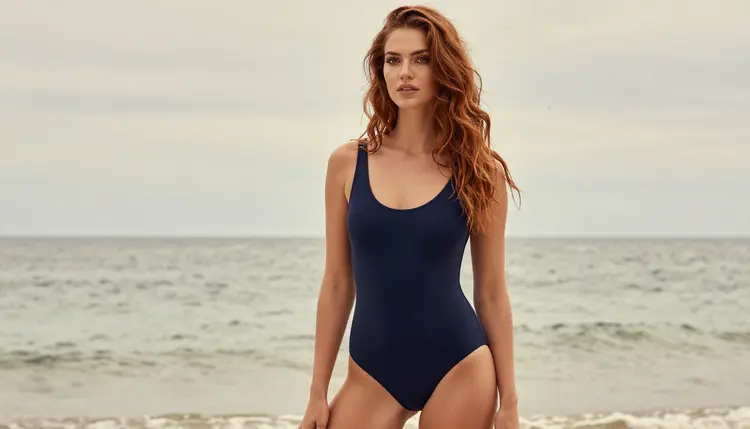
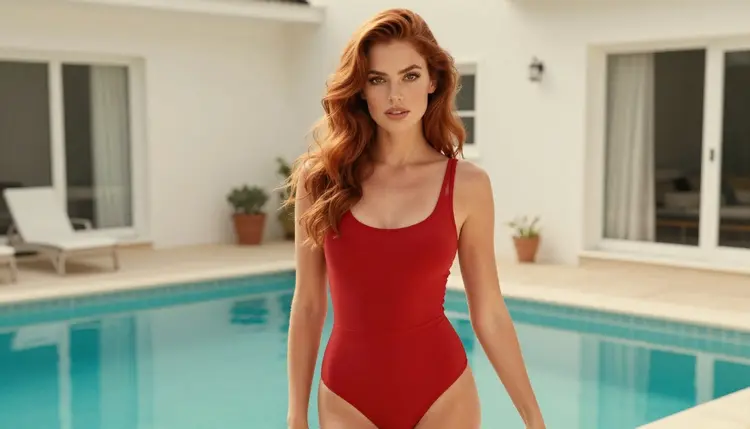
Good swimwear prompts are specific about the garment. Say the colour, the finish and the cut: an opaque emerald satin high-cut one-piece, a burgundy satin swimsuit with a thin strap, a red high-waisted bikini with a white linen wrap, an ivory one-piece, a black halter, a navy one-piece. Name the fabric (satin, knit, silk) because it changes how light sits on the frame. Keep every piece fully opaque and tasteful: the goal is glamour and brand mood, not exposure.
Next comes the setting. The pages of a swimwear catalogue live at a few places: a resort pool deck with a stone ledge and potted palms, a hotel pool with loungers, a poolside cabana, a sandy boardwalk, a candlelit beach bar, a turquoise villa pool. Name one place per prompt and add two or three props, such as a plain towel, a glass of champagne or a silk scarf. Props give the frame a story without adding clutter.
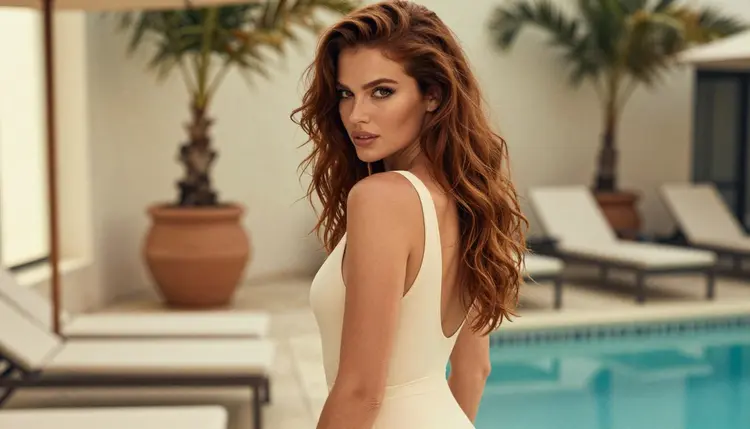
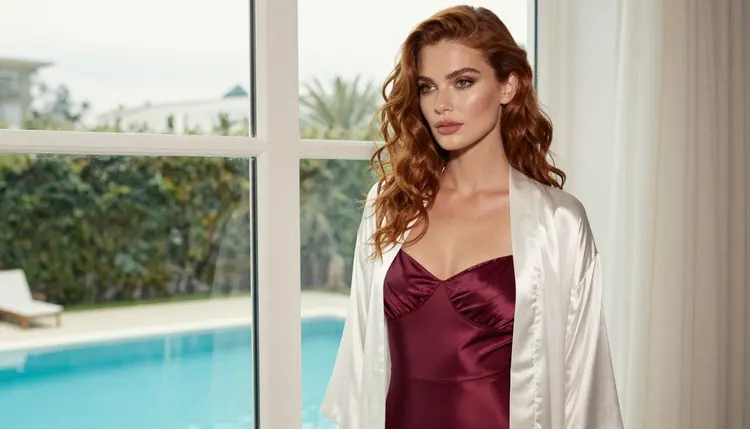
Light is the single biggest lever. Soft diffused daylight in a studio gives a clean catalog look. Hard morning sun through blinds draws stripes across the body and gives a strong editorial feel. Warm tungsten lamp light suits a cabana or a bar in the evening. Overcast soft daylight is flattering at the shoreline, and soft window light from the left works well for an over-the-shoulder frame on a hotel pool deck. Add one light per prompt, never three.
Then the camera. An 85mm f/1.8 lens is a good default for flattering portraits and walking shots. A 35mm f/2 lens widens the frame for a hero set or a seated scene. A 50mm f/1.4 suits a tight close-up of a strap and a shoulder, and a 135mm f/2 compresses the background for a frame through a window. End the prompt with a film look, such as fine film grain and a warm film finish, and ask for a natural photographic skin finish so the result reads as a photograph.
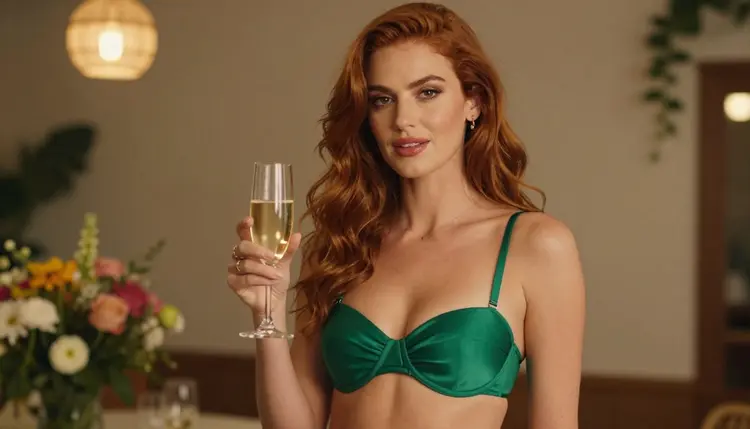
To keep the same woman across the set, copy the fixed character block word for word into each prompt. Do not paraphrase it. Changing "auburn" to "red" or "soft-curled" to "wavy" is enough for the model to draw a different person. Where a model in the toolkit accepts several inputs, attach your key image: each attached image gets an @1, @2 badge, and you can refer to it in the prompt. Picasso IA translates that reference into the syntax each model understands.
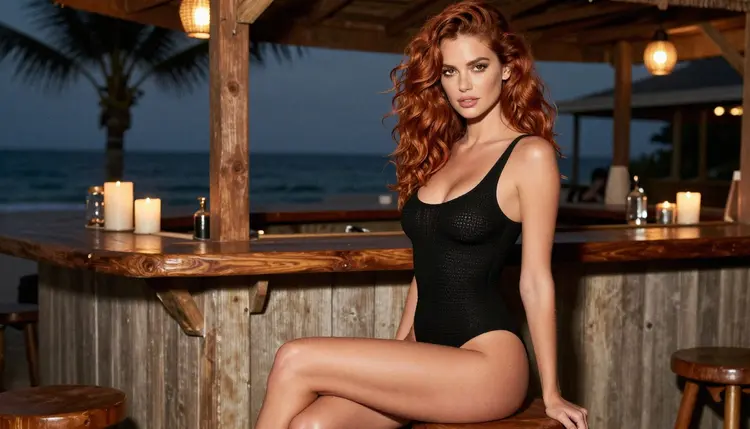
Once the stills are approved, a short clip can make the pitch feel alive. Feed a finished frame to Picasso IA Video, or write a short motion prompt for LTX 2.3 Pro: a slow walk along the boardwalk, a head turn at the pool edge, the wind moving a linen wrap. Keep movement simple, one action per clip. Seedance 2.5 Lite suits quick social posts because it is listed up to 10 seconds. Review each clip frame by frame before it goes anywhere, since motion can drift away from the look of the still.
If you want more brand-style sets in the same spirit, the lingerie lookbook guide follows a similar plan for a different garment. If the face of the brand is an invented online personality, see the influencer generator page. Pin-up styling for a seasonal product is covered in the pin-up calendar guide.
This is an 18+ page. Picasso IA's adult generation is for adults only, and you should only use it if you are of legal age where you live. Nothing here is meant for anyone under 18.
Every character must be a fictional adult. Never use a real or identifiable person, a celebrity or someone you know, and never write a prompt that makes anyone read as a minor. The woman in a mockup set is an invented model with an invented face, and the brand is an invented label. If a prompt describes someone who could be mistaken for a real person or for someone under age, rewrite it.
What you create is private by default: it is tied to your account and not published or shown to others. That is useful for a brand in development, because unfinished concepts stay with you until you decide to share them.
If a model declines a prompt, the app shows a message titled "Content Not Supported by This Model". It recommends models that accept adult prompts and carries your prompt over, so you do not retype anything. Switch to a suggested model and continue. Rewriting a prompt to be more specific about wardrobe and light often helps too.
Finally, a mockup is a concept, not a licence. Wherever you publish the images, whether a pitch deck, a store page, an ad network or a social profile, that place has its own rules about adult and swimwear content. Check the rules of wherever you publish before the images go live, and check them again when you update the set, because they change.
A new account can try a few generations for free on selected models: Picasso IA Image, Picasso Image Editor Pro, Picasso IA Video and Seedance 2.5 Lite. That is a small free trial, enough to check your character block and one hero frame before you commit to anything. Plans, prices and how generations are counted live on the pricing page.
Each generation costs credits that vary by model and by options such as resolution or duration. Models with the infinity tag in the catalog do not spend credits on plans that include unlimited generation, and Picasso Image Editor Pro, Picasso IA Video and Seedance 2.5 Lite carry that tag. That makes them a good fit for the repetitive work of a mockup set: many revisions of a strap colour, many short clips to review.
Outside the confirmed list, a swimwear project can use any model in the catalog as a source of variety. Qwen Image 2 is untested with adult prompts, and Picasso Video (Pruna P-Video) is untested too. If one refuses, the app tells you and offers a confirmed alternative. Treat them as experiments, test one frame, and compare it to your Seedream 4.5 key image before you build a whole set on it.
A sensible way to spend a first session: write your character block, generate three hero options with Seedream 4.5, choose one, then run the same block through four or five different suits and settings. When the set holds together, move to Picasso Image Editor Pro for polish. For a different kind of fictional character art, the dating sim roster guide and the collectible card art guide show how the same fixed-block method scales to larger casts.
Can I make NSFW swimwear mockups with AI for a brand concept?
Yes. Picasso IA can generate suggestive, glamour-style swimwear frames of fictional adult models for an invented brand. The images are provocative but never explicit, and nothing is aimed at a real person. Start with Seedream 4.5 in the toolkit.
Which model is best for photoreal swimwear images?
Seedream 4.5 is a confirmed model that creates 4K images from text, which makes it a good first choice for hero and lifestyle frames. Recraft V4.1 Pro suits design boards and print-ready layouts at 2K. Both are on the confirmed list.
How do I keep the same woman in every frame?
Write one fixed block that describes her hair, eyes, makeup and build, then paste it unchanged at the start of each prompt. Only change the suit, pose, setting and lens. Where a model accepts several inputs, attach your key image and refer to it with its @1 badge.
How many images does a mockup set need?
Nine to twelve frames cover most concepts: one wide hero, a few full-length views, two or three close-ups and several lifestyle scenes. Smaller collections can work with six. Plan the list first so every frame has a job.
Can I turn the stills into short clips?
Yes. Picasso IA Video turns text or an image into a clip, and LTX 2.3 Pro creates 4K video from text. Seedance 2.5 Lite is listed up to 10 seconds. Keep each clip to one simple action.
How do I fix a strap colour or a background after generating?
Open the frame in Picasso Image Editor Pro and describe the change. It edits an existing image, and it carries the infinity tag in the catalog, so it suits many small revisions.
What happens if a model refuses my prompt?
The app shows a message titled "Content Not Supported by This Model", recommends models that accept adult prompts and carries your prompt over. You can switch with one click and keep working without retyping. A more specific wardrobe and light description can also help.
Are the people in the images real?
No. Every character is a fictional adult, never a real or identifiable person and never anyone who could read as a minor. The brand is fictional too. Picasso IA is for 18+ use only, and prompts that break those rules should be rewritten.
Are my images private?
Generations are private by default. What you create is tied to your account and is not published or shown to others. You decide if and where to share a result, and the rules of that place apply.
Is there a free trial, and where do I see costs?
A new account gets a small free trial on selected models, including Picasso IA Image and Picasso Image Editor Pro. Credits per generation vary by model and options, and everything about plans lives on the pricing page. More choices are in the full catalog.