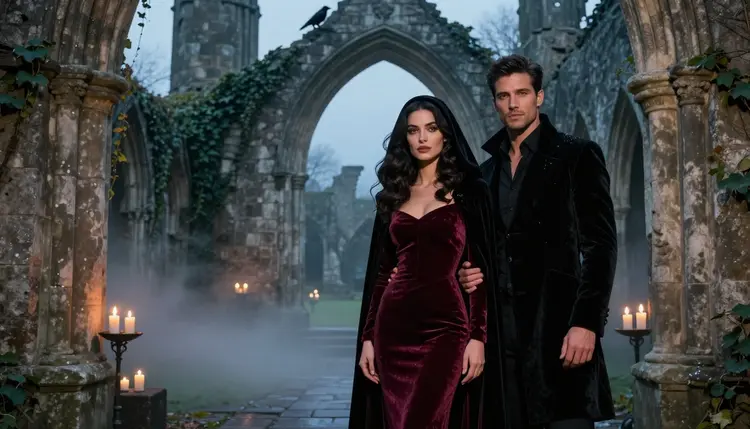
Dark romantasy is the look of a love story told in candlelight: velvet gowns the color of old wine, black cloaks with deep hoods, a ruined abbey full of mist, a raven on a broken arch. Two adults stand close, the mood is tense and romantic, and the picture hints at more than it shows. It is the visual side of the fantasy romance shelf, and it is one of the easiest looks to write a prompt for, because every ingredient is a plain, concrete object.
This page shows you how to make that look with Qwen Image 2 in Picasso IA, which prompts to type, and what to do when a model declines a request. Everything here is for adults only and about fictional characters. You get glamour, candlelight and implied intimacy, never anything explicit.
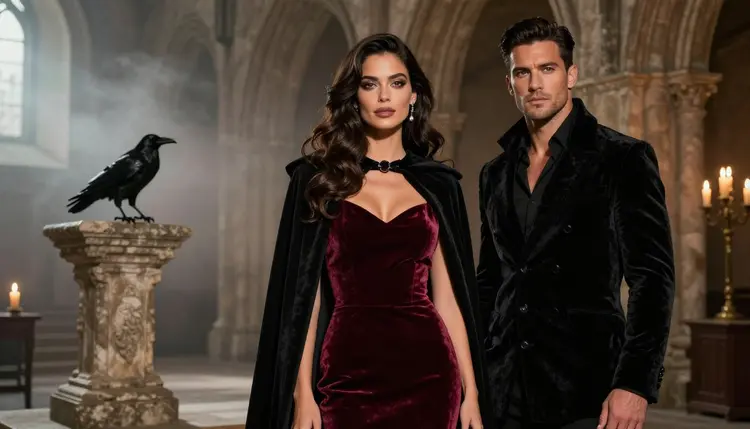
The genre has a short list of ingredients, and an image model can paint every one of them from a sentence. Fabric comes first: velvet, heavy satin, a hooded cloak with a clasp at the throat, a long coat buttoned to the collar. Then the set: a ruined abbey, a cloister with moss on the stones, an arched window with no glass, a courtyard under mist. Then the small props that make it a fantasy and not just a costume party: a raven, a candelabra, a wax seal, a ring on a chain. Finally the light, which does most of the work. Candlelight on velvet gives deep, warm shadows and a slow glow on skin, and blue hour in the same ruin turns the whole scene cold and quiet.
The word "dark" in dark romantasy is about mood, not about content. The couple in these pictures is dressed, close and a little dangerous. A hand on a collar, a forehead resting against a forehead, a gown slipping off one shoulder, a long look across a candle. That restraint is what keeps the picture suggestive and lets you keep it clean of anything explicit. If you want the genre to read well, give the model a story beat instead of a pose list: two people who have just met in a ruin, two people about to part at a gate, one person waiting for the other at the foot of a stair.
Qwen Image 2 is the model this page is built around. Its catalog title is "Create Images and Edit Photos with Qwen Image 2", so it covers both making a new picture from text and editing a photo you already have. It is an untested model for adult prompts. That means Picasso IA has not confirmed either way how it reacts, so treat it as worth a try, not as a promise. If it declines a prompt, the confirmed models below take over, and the app carries your prompt across so you do not retype it.
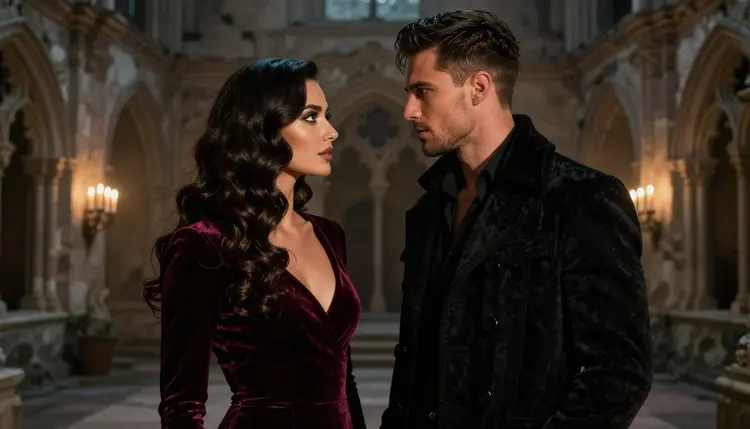
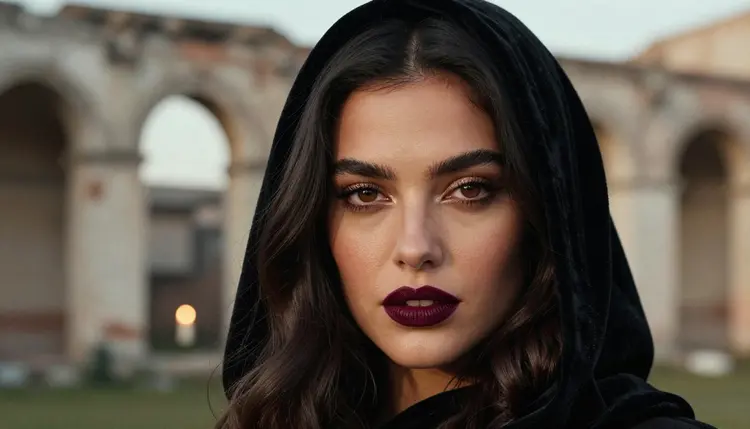
For a romantasy scene, keep one idea per picture. A wide frame of the abbey with both characters small in it sells the setting. A close portrait in a hood sells the mood. Trying to fit the whole book into one prompt gives you a crowded, muddy result. Generate a set instead, one frame per beat, and keep the same description of the characters in each prompt so they stay recognizable from one picture to the next.
If you want a result you can count on, start with the models Picasso IA has tested for adult prompts. In the app, "confirmed" means the team ran adult prompts against that exact model many times and watched it generate instead of reject. It is not a published setting of the model's maker, who can change it at any time. These are the confirmed models, and each one has a role in this look.
| Model | Best for | Format |
|---|
| Seedream 4.5 | Photoreal couples, velvet texture, candlelit sets | Text to image, 4K |
| Recraft V4.1 Pro | Illustrated romantasy covers and design work | Print-ready images, 2K |
| Picasso Image Editor Pro | Fixing one detail of an existing picture | Photo editing, unlimited tag |
| LTX 2.3 Pro | Moving the scene: mist, flames, a turning head | Text to video, 4K |
| Picasso IA Video | Animating a finished frame or a short text prompt | Text or image to video, unlimited tag |
| Seedance 2.5 Lite | Short looping clips of a candlelit scene | Video, up to 10 seconds, unlimited tag |
For stills, Seedream 4.5 is the natural fallback to Qwen Image 2 when you want a photographic look: the nap of velvet, the wet shine on stone, a raven with real feathers. Recraft V4.1 Pro suits the other direction, where you want the picture to look like a book cover or a painted illustration, with clean shapes and a design feel. Picasso Image Editor Pro is the repair tool, and you will use it more than you expect.
The rest of the catalog is untested. That is not a warning. It means a model has not been checked, so it may or may not accept a given prompt, and it is worth a try when you want a different rendering of the same scene. You can browse them all in the full catalog. For a sibling look with the same model, see NSFW Valkyrie Art with Qwen Image 2.
The whole process takes a few minutes and works the same in a browser on any device. There is nothing to install.
- Open the toolkit and pick the model. Go to the toolkit, choose Qwen Image 2 from the image models, and leave the other options at their defaults for the first run.
- Describe wardrobe and setting. Write who is wearing what and where they stand: a burgundy velvet gown, a black hooded cloak, a buttoned black velvet coat, a ruined abbey nave with mist.
- Set the light and mood. Name one light source and one mood word: candlelight from the left, cold blue hour, golden backlight through an arch, tense, tender, quiet.
- Generate and review. Look at hands, fabric folds, the faces and the raven. If something is off, change one phrase in the prompt and run it again instead of rewriting everything.
- Refine or switch. Fix a small flaw with Picasso Image Editor Pro, or send the same prompt to Seedream 4.5 or Recraft V4.1 Pro if Qwen Image 2 declines it.
If you attach a reference picture, the toolkit labels each attachment with an @1 or @2 badge, and you can point at it in the prompt. This works only on models that accept several inputs, and Picasso IA translates the reference into the syntax each model understands.
Every idea below names wardrobe, setting, light and angle. Paste one as a starting point and change the details to fit your story. Add "mature adults" or give an age in the mid twenties or older, so the characters read as grown people.
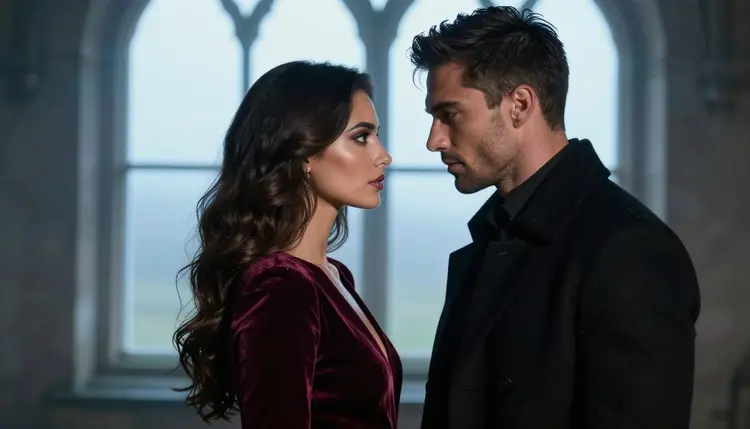
The abbey nave. A wide shot of a woman in a burgundy velvet gown and black hooded cloak beside a man in a fully buttoned black velvet coat, standing in a ruined abbey nave. Mist on the floor, candles on the broken altar, a raven perched on a stone arch, 85mm lens, warm candlelight. Ask for film grain and a dark, damp color grade.
The cloister, over the shoulder. Frame the picture from behind the man's shoulder, looking at the woman as she holds the clasp of her cloak. Moss on the cloister columns, a lantern on the ground, 35mm lens, soft candlelight from low in the frame. The close foreground shoulder gives depth and keeps the tension on her face.
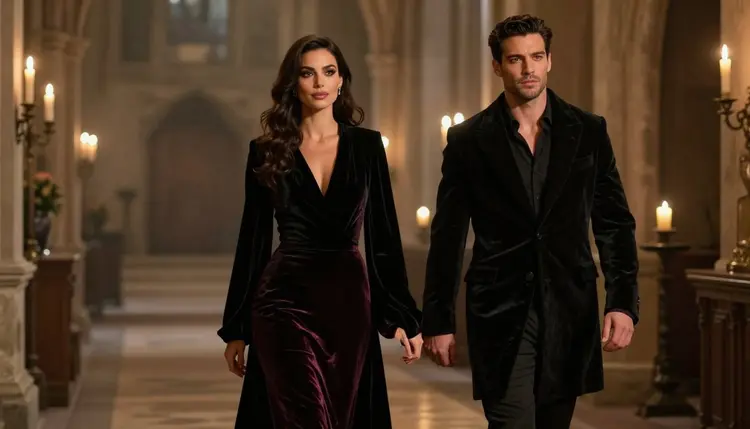
The walk down the aisle. A candid three-quarter shot of the couple walking hand in hand along an aisle lined with candles, velvet trailing on the stone, a 135mm lens so the background melts into gold dots. Write that the pair walks away from the camera slowly and that she glances back over her shoulder.
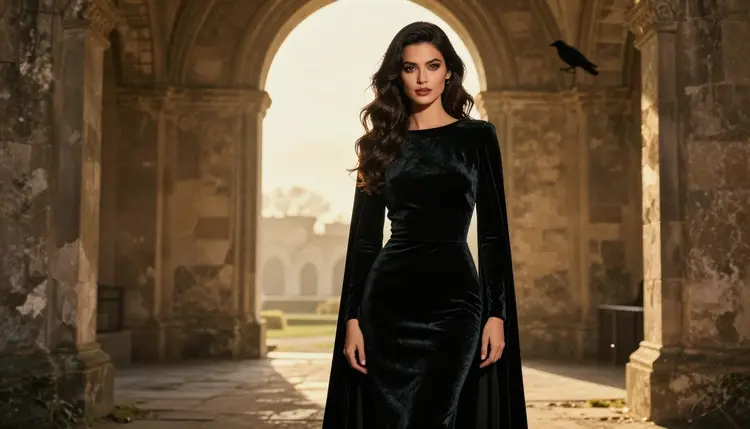
The doorway at golden hour. A full-length frame of the woman alone in a ruined doorway, her long dark waves moving in the wind, the cloak open over a dark velvet gown. Low sun behind her, a rim of light on the hair and the fabric edge. A 135mm lens flattens the stone into a soft backdrop.
The blue hour window. A profile silhouette: the couple stands forehead to forehead against a pale arched window, no glass, mist outside. Cold blue ambient light, 50mm lens, very little detail in the faces and a lot in the outline. This one works well because the model has less to get wrong.
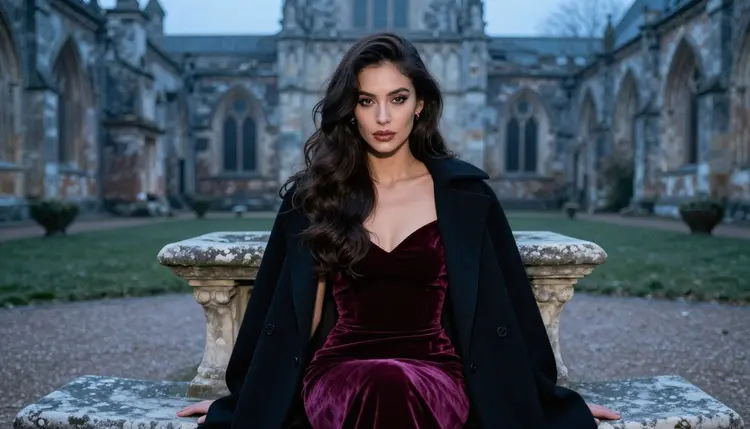
The courtyard bench. The woman seated upright on a stone bench in a misty courtyard, burgundy velvet falling to the ground, hands folded, a faint glow from a lantern beside her. Eye-level three-quarter view, 135mm lens. Ask for a calm face and a direct look into the lens.
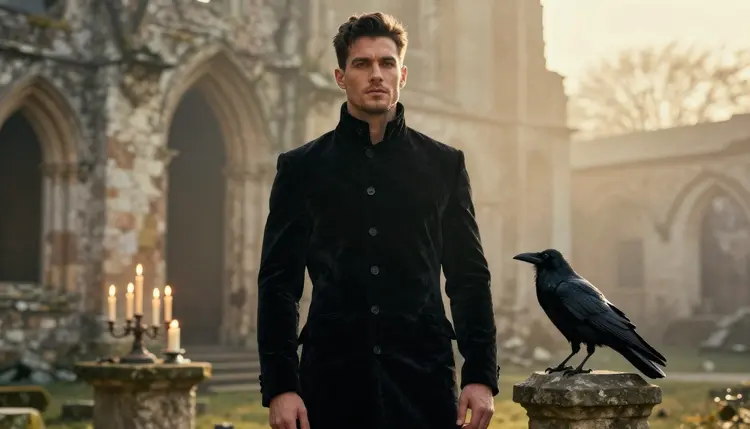
The raven and the coat. A waist-up shot of the man in his black velvet coat with a raven on a stone pillar at his side, golden backlight on his shoulders, 70mm lens. Light stubble, short styled dark hair, a still expression. The bird gives the frame a second focal point so it does not read as a plain portrait.
The hood close-up. A tight portrait of the woman in a black velvet hood, deep burgundy lipstick, polished glamour makeup, brown eyes, side light from a candle. A 135mm lens at f/2 keeps only the eyes sharp. Use this one as the cover frame for a story or a book mockup.
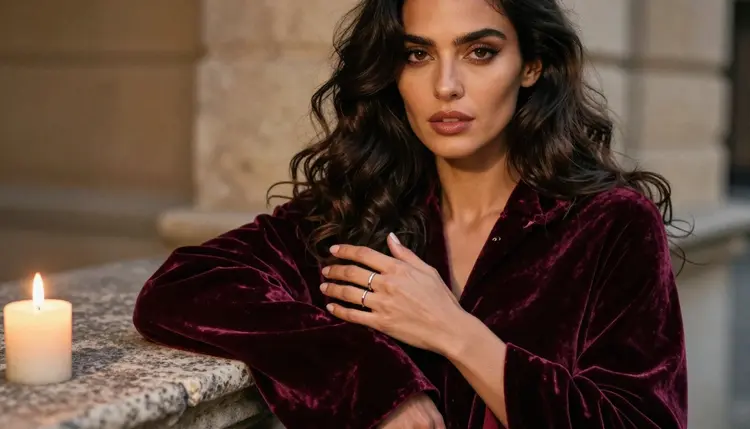
The velvet detail. One hand gathering the folds of a burgundy velvet cloak next to a candle on a stone ledge. Exactly one hand in the frame, a ring on a finger, golden light. Detail shots like this are good for chapter art, and writing "one hand" in the prompt helps the model avoid extra fingers.
This section is about adults only. Picasso IA is for people who are 18 or older, and the adult content on this page is meant for that audience and no one else. If you are under 18, this page and the tools it describes are not for you.
Every character you create is a fictional adult. Write the age in your prompt, keep it in the mid twenties or older, and describe grown people with grown faces. Never use a real or identifiable person as a subject, and never write a prompt about anyone who could read as a minor. A romantasy setting with robes and castles is no excuse to blur that line.
Your pictures are private by default. What you generate is tied to your account and is not published or shown to others. Share an image only if you decide to, and only if you have the right to share it. The look on this page stays suggestive: wardrobe, light, pose and mood, never anything explicit.
A new account can try a few generations for free on selected Picasso IA models: Picasso IA Image, Picasso Image Editor Pro, Picasso IA Video and Seedance 2.5 Lite. The trial is small and it is limited to those models, so it does not cover the whole catalog. The details of plans and costs live on the pricing page, where you can also see which models carry the unlimited tag.
Cost varies by model and by options such as resolution. Qwen Image 2 and the other untested models spend credits like any other model, so look at the figure shown in the toolkit before you generate a long series. A good habit is to test a prompt on one model, keep the winner and only then build a set.
Beyond Qwen Image 2, the catalog holds hundreds of models, and most of them are untested for adult prompts. That is a reason to experiment, not to avoid them. If you like the dark fantasy mood and want a different cast, try NSFW Fallen Angel Art with Qwen Image 2 for feathers and ruin, or NSFW Tabletop RPG Art with Qwen Image 2 for character sheets and tavern scenes. For a broader read on the model itself, see Qwen Image 2: Uncensored NSFW Art.
Which models are confirmed for dark romantasy art?
Picasso IA confirms Seedream 4.5, Recraft V4.1 Pro and Picasso Image Editor Pro for images, and LTX 2.3 Pro, Picasso IA Video and Seedance 2.5 Lite for video. Confirmed means the app tested adult prompts on them repeatedly and watched them generate. It is not a setting published by the model makers.
Why use Qwen Image 2 for this look?
Its catalog title says it creates images and edits photos, and it follows written descriptions of fabric, props and light well enough for a scene like an abbey with a raven. It is untested for adult prompts, so think of it as worth a try. Qwen Image 2 has its own page with the details.
How should I word a dark romantasy prompt?
Name the wardrobe, the place, one light source and the camera angle, in that order. Add the age of each adult, a mood word and a line such as "film grain". Keep it to one story beat. Describe what is visible, such as a velvet gown, a raven or mist, instead of listing adjectives.
Can I put two characters in the same scene?
Yes. Describe each one in a single clear phrase, with their clothes and their position, and repeat the same phrases across a series so they stay consistent. If you want a longer look at a couple scene, NSFW Visual Novel Art with Qwen Image 2 shows how to hold two characters steady.
What happens when a model refuses my prompt?
Picasso IA shows a message titled "Content Not Supported by This Model". It recommends models that accept adult prompts and carries your prompt over, so you do not retype anything. You can pick one of them, such as Seedream 4.5 or Recraft V4.1 Pro, and run it again.
Is this only for adults and fictional characters?
Yes. Picasso IA is for people who are 18 or older, and every character must be a fictional adult. Never use a real or identifiable person, and never write a prompt about anyone who could read as a minor. The images here stay suggestive, built on wardrobe, light and mood, not on anything explicit.
Are my images private?
Generations are private by default. They are tied to your account and are not published or shown to others. Nothing becomes public unless you choose to share it yourself, so you can test prompts and keep a personal series without any audience.
Can I turn a finished picture into a video?
Yes. Take a frame you like and send it to Picasso IA Video, which works from text or from an image, or to LTX 2.3 Pro for 4K video from text. Ask for slow motion in the scene: drifting mist, a flickering candle, a cloak moving in the wind.
How do I fix one detail, like a hand or a clasp?
Open the picture in Picasso Image Editor Pro and describe the single change you want, such as a cleaner hand on the cloak or a different clasp. It edits the existing image, so the rest of the scene stays as it is, and it carries the unlimited tag in the catalog.
Can I try it before I pay?
A new account gets a small free trial on selected models, which include Picasso IA Image, Picasso Image Editor Pro, Picasso IA Video and Seedance 2.5 Lite. Qwen Image 2 is not on that list. See the pricing page for the details and to compare what each model costs to run.