Halloween is the one night a year when a costume is allowed to flirt a little. A corset under a witch's cape, a slit skirt on a vampire countess, a satin cat suit with a tail: the look is suggestive, playful and fully dressed. This list gives you 21 costume ideas for adult characters, each one written so you can paste it into an AI image or video model and get a photograph-style result with candlelight, autumn leaves and real fabric texture.
Every idea names the wardrobe, the setting, the light and the angle, because those four details are what a model needs to build a convincing frame. Picasso IA is not a costume shop or a party planner. It is a browser app where you type the idea, pick a model and see the picture, and everything you make stays private to your account. All characters are fictional adults.
The first eleven ideas start from the costumes everyone recognizes and add one thing: fit, fabric or light that makes the frame feel mature and a little spicy. Use them with Seedream 4.5 for photoreal portraits, or with any model in the full catalog you want to test.
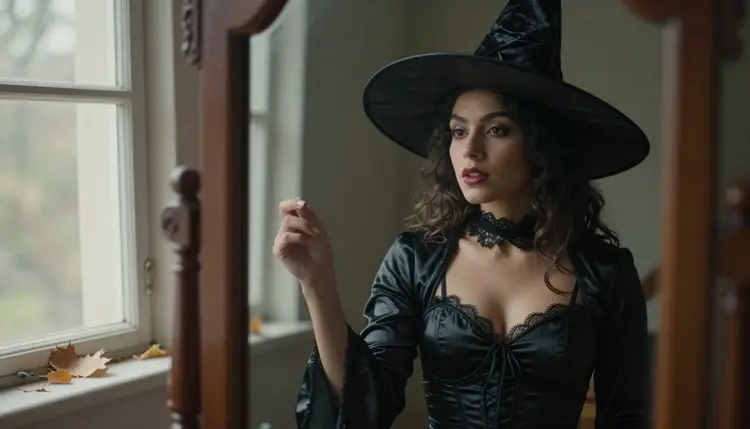
1. Satin Witch at the Mirror. A black satin witch dress with a laced bodice, a velvet choker and a pointed hat tilted back. She stands in front of an antique mirror beside a window, so you get the costume and its reflection in one frame. Soft window light from the left, 24mm lens.
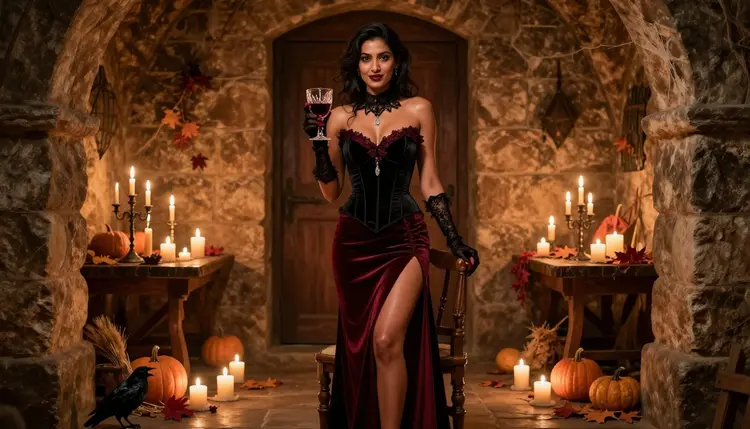
2. Vampire Countess in the Cellar. A black velvet corset bodice, burgundy lace, a long red satin skirt with a high slit, lace gloves and a goblet held at hip height. The setting is a stone cellar lit only by candles. A wide frame with an 85mm lens keeps the room dark and the fabric rich.
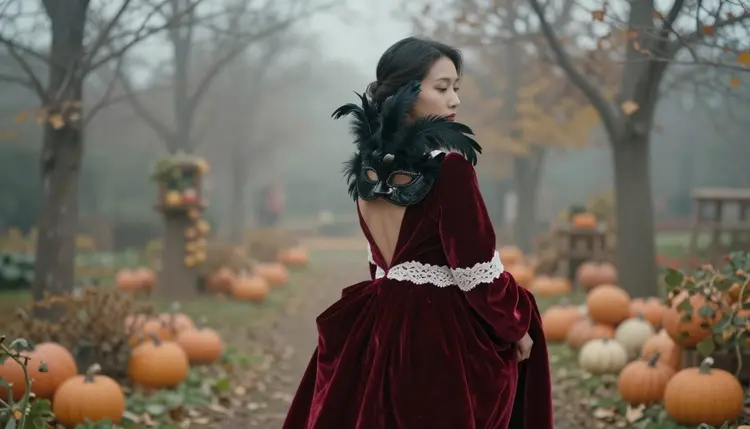
3. Red Velvet Masked Lady. A floor-length red velvet gown and a feathered half mask, photographed over the shoulder as she faces a misty autumn garden. The back of the gown and the curve of the neck do the work. Overcast daylight keeps the reds deep instead of shiny.
4. Fallen Angel in Black Satin. Black feathered wings, a satin slip dress under a sheer wrap and a thin silver halo. Place her on a stone balcony at dusk with a low, warm sky. Ask for a medium shot from the waist up and let the feathers catch the last light.
5. Ghost Bride in Lace. A long ivory lace dress with a veil, dark smudged eye makeup and a single candle in her hands. The dress is dressed up, not stripped down: the mood comes from the veil, the candle glow and the empty church hall behind her.
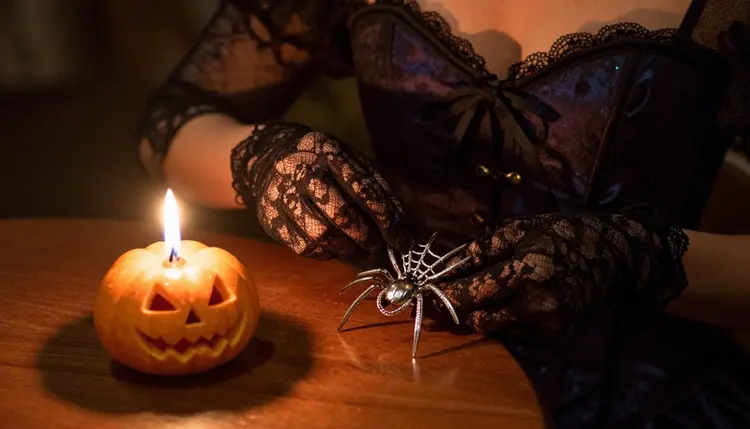
6. Spiderweb Corset Queen. A black corset with a silver spiderweb brooch, lace gloves and a small pumpkin beside a candle. This one works best as a detail shot: hands adjusting the brooch, fabric folds and metal, shot with a wide lens close to the subject.
7. Pirate Captain in Leather and Linen. A long leather waistcoat over a white linen shirt with loose laces, a tricorn hat and a brass compass. Set her on a weathered dock at golden hour. A low angle from the knees up gives the captain presence.
8. Devil in Red Satin. A fitted red satin dress, small horn headband and a thin tail curling behind her. The look is flirty and a little theatrical. A mid-century studio backdrop in deep crimson with soft diffused light suits it, and Seedream 4.5 handles the satin sheen well.
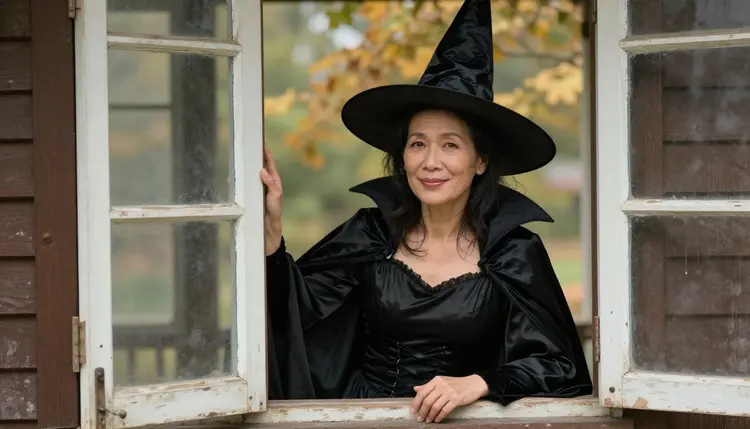
9. Witch with a Vampire Collar. A black satin witch dress with a tall pointed hat and a high velvet vampire collar, leaning on a farmhouse window frame. Soft window light from the left, waist-up framing and a 70mm lens give you the pose and the fabric without clutter.
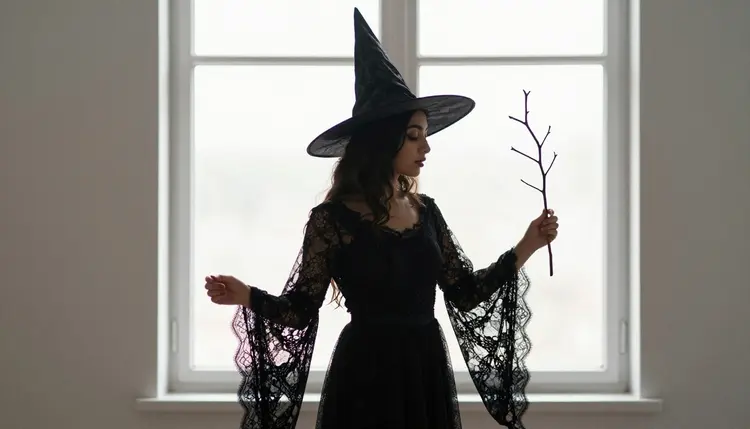
10. Skeleton in Lace and Bone. A black lace bodysuit printed with a pale bone pattern, a corset belt and white face paint around the eyes. Keep the background plain and dark so the pattern reads. Try it as a profile against a bright window.
11. Autumn Fae with a Leaf Crown. A russet chiffon dress, a crown of dried leaves and bare shoulders under a knitted shawl. Photograph her in a forest clearing under dappled shade. The warm browns and oranges give you an easy palette. For more fantasy looks, see the fantasy character prompt ideas.
The second group is darker and more theatrical: long gowns, capes, masks and creature designs. These ideas lean on strong silhouettes, so they also work as video starting points. If you want a character built from scratch, read the character concept ideas next.
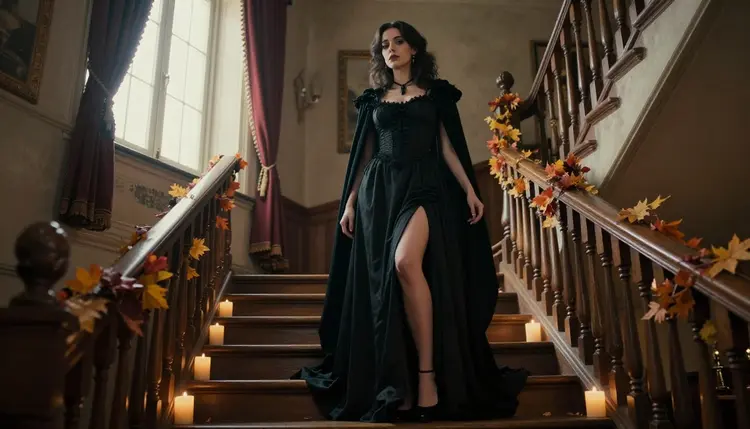
12. Dark Duchess on the Staircase. A black gothic gown with a high neckline, a long cape and a single candelabra, photographed from a low angle as she descends a manor staircase. Window light from the side and a 135mm lens compress the scene into a dramatic full-length frame.
13. Werewolf Hunter in a Fur Collar. A leather vest, a fur-trimmed cloak, claw-scratched gloves and loose hair, standing in fog under a full moon. Keep the light cold and the fabric wet from the mist. The costume is rugged, not revealing.
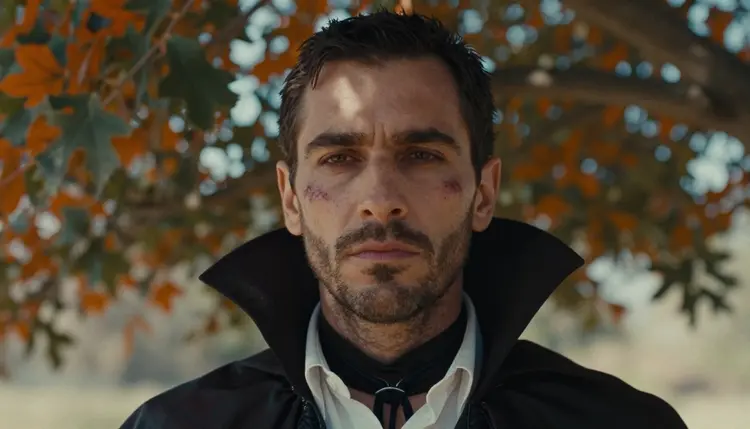
14. Vampire Gentleman with a High Collar. A black tailcoat, a high velvet collar, a pale shirt open one button and a signet ring. A tight close-up in dappled shade under an oak tree, with autumn leaves on the ground, gives you a mature, brooding portrait. Use a 70mm lens.
15. Scarecrow in Flannel and Burlap. A cropped flannel shirt, stitched burlap sleeves, a straw hat and straw tucked into the cuffs. Set the scene on a farm fence at sunset with hay bales behind. It is playful, warm and easy for any model to render.
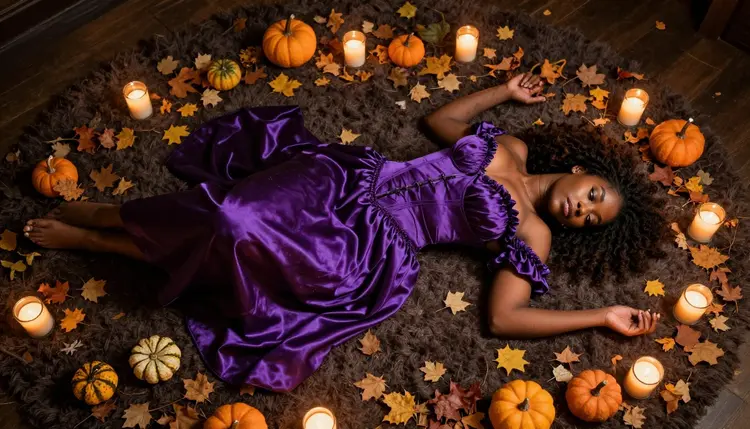
16. Purple Sorceress with Candles. A purple satin robe with gold trim, a spell book and a circle of candles, photographed from directly above while she sits on a rug scattered with leaves and small pumpkins. Warm tungsten lamp light and a 100mm macro lens give the overhead frame depth.
17. Gorgon in Green Silk. A green silk wrap dress, a crown of coiled golden snakes and heavy gold earrings. Use a marble hall with cool light from one tall window. The snakes are metal, so the model keeps clean edges instead of messy hair.
18. Opera Phantom with a Half Mask. A white half mask, a black evening gown with a long train and a single red rose. The setting is an empty theater stage lit by one spotlight. A wide shot keeps the red seats and the gown in the same frame.
19. Dark Circus Ringmaster. A fitted red tailcoat, black riding boots, a top hat and a whip coiled at her hip. Place her in front of a striped tent at dusk with string lights. Use a three-quarter view so the tailcoat and boots both show.
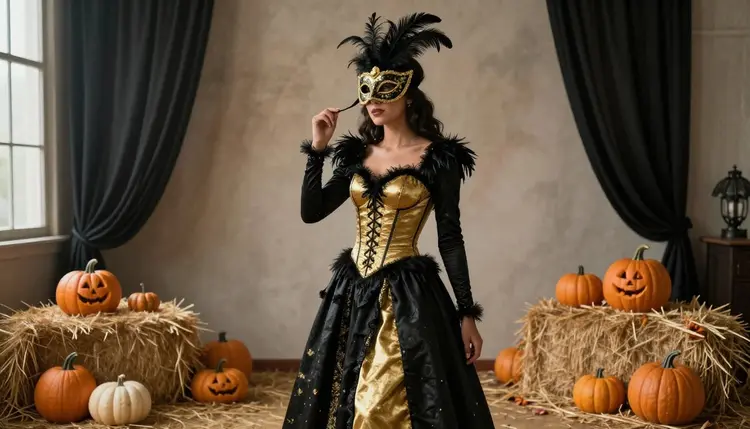
20. Black and Gold Masquerade. A black and gold ball gown with a feathered mask, standing in a ballroom set with hay bales and pumpkins as autumn decoration. Diffused studio daylight and an 85mm lens give you a wide environmental portrait with rich detail.
21. Golden Mummy in Linen Wraps. Strips of aged linen wrapped across a fitted dress, with gold cuffs, a gold collar and kohl-lined eyes, posed in front of a sandstone wall. Warm side light shows the weave of the wraps and the metal shine.
Any of the 21 ideas becomes a picture in a few minutes. This is the process that gives the cleanest results, from first prompt to final file.
- Pick one costume. Choose a single idea from the list and keep the whole prompt about that one character. Two costumes in one prompt confuse most models.
- Write the prompt in four parts. Say who she or he is (a fictional adult), the wardrobe in plain words, the setting, and the light and lens, for example candlelight and an 85mm lens.
- Open the toolkit and choose a model. In the toolkit, start with a confirmed model such as Seedream 4.5 and paste the prompt. Add the angle you want: wide, waist-up, close-up or overhead.
- Edit instead of rewriting. If the corset color is wrong or the mask is missing, send the image to Picasso Image Editor Pro and ask for that one change. Attached images get an @1 badge, so you can refer to them in the prompt.
- Move it. Once a frame works, turn it into a short clip with a video model and a slow camera push-in, or hair and cape moving in the wind.
Picasso IA has tested adult prompts repeatedly against the models below and watched them generate instead of reject. That is what confirmed means here. It is not a published setting of the maker, who can change it at any time, so the label describes our own tests.
| Model | Best for | Format |
|---|
| Seedream 4.5 | Photoreal costume portraits with fabric detail | Text to image, 4K |
| Recraft V4.1 Pro | Illustrated costume posters and party flyers | Print-ready images, 2K |
| Picasso Image Editor Pro | Changing colors, props and masks in an existing image | Image editing, infinity tag |
| LTX 2.3 Pro | Candlelit costume scenes in motion | 4K video from text |
| Picasso IA Video | Animating a costume still or writing a clip from text | Text or image to video, infinity tag |
| Seedance 2.5 Lite | Short cape, veil and candle clips | Video up to 10 seconds, infinity tag |
Every other model in the catalog is untested for adult prompts: worth a try, not confirmed either way. If a model stops a prompt, the app shows a message titled "Content Not Supported by This Model", recommends models that accept adult prompts and carries your prompt over, so you do not retype it. For palette help on a costume, try the color palette ideas.
This page is for adults. You must be 18 or older to use the NSFW section, and the costumes here are meant for grown-up parties, boudoir-style portraits and fiction.
Every character is a fictional adult. Do not use the name or likeness of a real person, and do not ask for anyone who could read as a minor. That means no school uniforms, no childlike costumes and no ambiguous ages. The ideas above stay with mature characters, mid twenties and older.
Your generations are private by default: they are tied to your account and are not published or shown to others. You decide whether anything leaves your screen.
A new account gets a small free trial on selected models: Picasso IA Image, Picasso Image Editor Pro, Picasso IA Video and Seedance 2.5 Lite. It does not cover the whole catalog, so check each model before you rely on it. The details are on the pricing page.
Models with the infinity tag do not spend credits on the plans that include unlimited generation, which makes them a good place to run many costume tests. Other models cost credits that vary with options such as resolution or duration.
When you are ready, open the toolkit and try three costumes in a row: one classic, one gothic and one creature. If the costume works, move it into a clip with the ideas in five video prompt ideas, plan the room with the background and setting ideas, or refine the pose with the portrait pose ideas. For the monster side of Halloween, see the fantasy creature ideas.
What is the best AI model for NSFW Halloween costume images?
For photoreal costume portraits, start with Seedream 4.5, which is confirmed for adult prompts and creates 4K images from text. For illustrated posters, try Recraft V4.1 Pro, also confirmed.
Are these costumes explicit?
No. The ideas are provocative, not explicit: corsets, lace, slit skirts, capes and masks, always dressed. Picasso IA is a place for flirty, suggestive and romantic images of fictional adults, and the prompts here follow that line.
How do I write a good Halloween costume prompt?
Name the character as a fictional adult, then the wardrobe, the setting, the light and the lens. For example: woman in a black velvet vampire corset, stone cellar, candlelight, 85mm lens, film grain. Short, concrete details beat long adjectives.
Can I use a photo of a real person for a costume?
No. Characters must be fictional adults, and you should not use the face or name of a real or identifiable person. If you attach a reference image in the toolkit, use your own fictional character or a drawing, not a photo of someone else.
Can I change the costume after the image is made?
Yes. Open the image in Picasso Image Editor Pro and ask for one change at a time, such as a red corset instead of black or a feathered mask added. Attached images get an @1 badge you can mention in the prompt.
Can I turn a costume image into a video?
Yes. Use Picasso IA Video to animate a still, or write a clip from text with LTX 2.3 Pro or Seedance 2.5 Lite. Ask for slow motion such as a cape in the wind, a candle flicker or a veil moving.
What does confirmed mean for a model?
It means Picasso IA tested adult prompts against that exact model many times and saw it generate instead of reject. It is our own test, not a promise from the model's maker, and the maker can change the rules later. Untested models are simply not confirmed either way.
What happens if a model refuses my prompt?
The app shows a message titled "Content Not Supported by This Model", recommends models that accept adult prompts and carries your prompt over. You can switch models without retyping anything. You can also soften the wording or change the wardrobe.
Are my Halloween images private?
Yes. What you create is private by default and tied to your account. It is not published or shown to others. The section is for adults aged 18 or older, and every character must be a fictional adult.
Is there a free trial for costume images?
A new account gets a small free trial on selected models, including Picasso IA Image, Picasso Image Editor Pro, Picasso IA Video and Seedance 2.5 Lite. Models with the infinity tag do not spend credits on plans with unlimited generation. See the pricing page for the details.