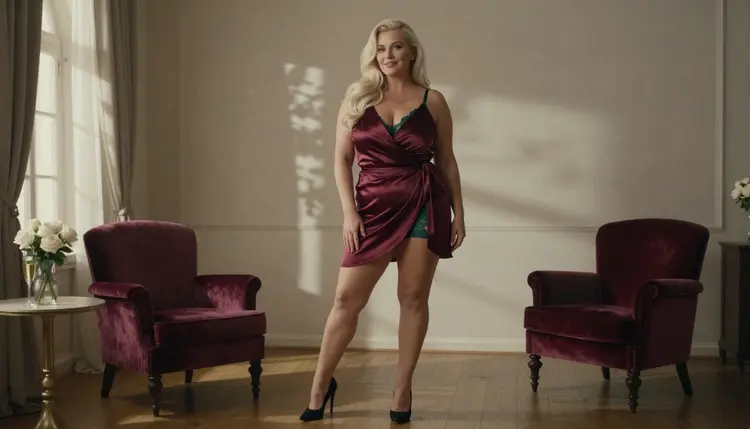
Plus-size glamour is a look built on fabric, posture and light. A curvy adult woman in a satin wrap dress, a black slip or a lined-lace bodysuit, photographed the way a fashion studio would shoot her: close enough to read the texture of the cloth, far enough to see how the garment falls. This page shows how to generate that look in Picasso IA, which model to pick, what to type and how to fix the frames that come out almost right.
Everything here is NSFW in the flirty, suggestive sense of the word: lingerie, robes, wrap dresses, candlelight and implied intimacy. Nothing explicit, nobody real, and every character is a fictional adult. If you only want the short version, open the toolkit, choose Seedream 4.5 and describe one outfit, one room and one kind of light.
The look works when the picture is about tailoring and mood instead of a single body part. Satin wrap dresses crease at the waist, a robe catches the highlight along its folds, lace lining sits against skin in a way a flat studio flash would erase. Those details are what make a glamour frame feel photographed rather than assembled, and they are also what a text prompt can control if you name them.
Seedream 4.5 is the model this page is built around. Its catalog title says it creates 4K images from text, and in Picasso IA it is one of the six models confirmed for adult prompts: the app tested adult prompts against it repeatedly and watched it generate instead of reject. Confirmed describes what Picasso IA observed. It is not a setting published by the maker of the model, who can change it at any time.
For this style the useful part of a 4K output is texture. Satin sheen, stitched seams, the weave of a velvet chair and the grain of a film look all survive at that size, so you can crop into a portrait later without the cloth turning to mush. If you want the same woman in several outfits, keep her description identical from prompt to prompt and change only the wardrobe and the set.
A few habits separate good results from flat ones. Name the fabric (satin, lined lace, velvet), not just the colour. Name the camera in plain terms: 35mm f/2 for a room, 85mm f/1.8 for a detail, 100mm macro f/2.8 for a close portrait. Name one light source and its direction. And describe the garment as opaque and tailored, such as a burgundy satin wrap dress or an ivory slip with a lace trim, so the frame stays on the glamour side of the line.
Picasso IA lists six confirmed models, three for pictures and three for video. For a photo set you will mostly live in the first three, and the video models come in when you want the finished frame to move. All names below link to their pages in the catalog.
| Model | Best for | Format |
|---|
| Seedream 4.5 | Photoreal glamour portraits and full-length frames | Text to image, 4K |
| Recraft V4.1 Pro | Illustrated lookbooks and print-ready layouts | Images at 2K |
| Picasso Image Editor Pro | Fixing one detail of an existing image | Photo editing, unlimited tag |
| LTX 2.3 Pro | Turning a scene description into a clip | 4K video from text |
| Picasso IA Video | Animating a finished frame | Text or image to video, unlimited tag |
| Seedance 2.5 Lite | Short looping moments | Video up to 10 seconds, unlimited tag |
The unlimited tag means those models do not spend credits on the plans that include unlimited generation. The details live on the pricing page. Everything else in the catalog is untested for adult prompts. That does not mean filtered and it does not mean open: it means Picasso IA has not checked it, so a model outside the six is worth a try, nothing more. Browse the full catalog if you want to experiment, and keep the six above as your fallback.
The workflow is the same for every outfit in this style. Write one prompt, read the result closely and change only the line that is wrong.
- Open the toolkit and pick the model. Go to the toolkit and select Seedream 4.5 for a photoreal frame. Choose a landscape format if you plan to use the image as a banner.
- Describe wardrobe and setting. Write the woman first, then the garment, then the room: the fabric, the colour, the cut, a velvet chair, a tall window, a hotel terrace.
- Set the light and the mood. Pick one source, such as candlelight, soft window light from the left or warm tungsten lamp light, and add the lens and a film look.
- Generate and review. Look at the hands, the fabric folds, the jewelry and the face before anything else. Those four places show a flaw first.
- Refine or switch. Fix one detail with Picasso Image Editor Pro, or move the same prompt to Recraft V4.1 Pro when you want an illustrated version.
When a model declines a prompt, the app shows a message titled "Content Not Supported by This Model". It recommends models that accept adult prompts and carries your prompt over, so you do not retype anything. Treat it as a routing tool rather than a dead end.
These are starting points. Copy one, swap the colour or the room and keep the structure: woman, garment, set, light, lens.
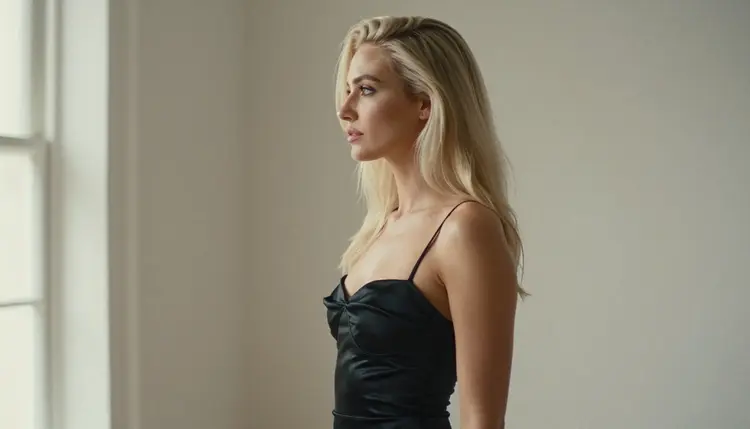
Profile by the window. A curvy adult woman with long platinum-blonde hair in a black satin slip, photographed in profile beside a tall window, soft window light from the left, 100mm macro f/2.8, raw film photograph. The profile line and the satin highlight do the work, so keep the background plain.
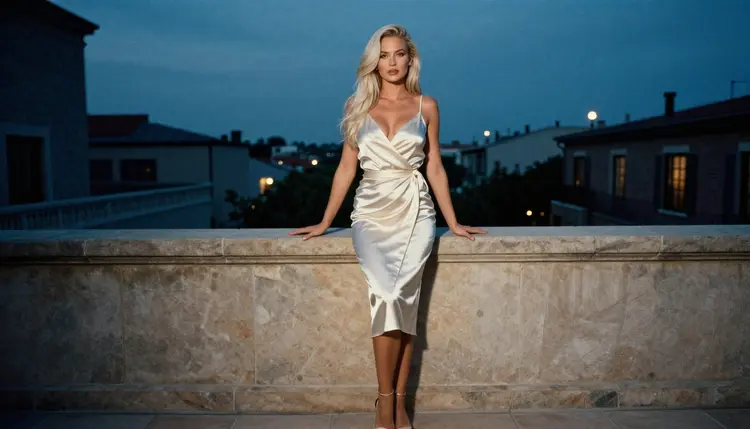
Terrace at blue hour. The same woman in an ivory satin wrap dress on a hotel terrace, cool blue-hour ambient light, 50mm f/1.4, wide environmental portrait. Ask for a little of the city behind her, out of focus, so the dress stays the brightest thing in the frame.
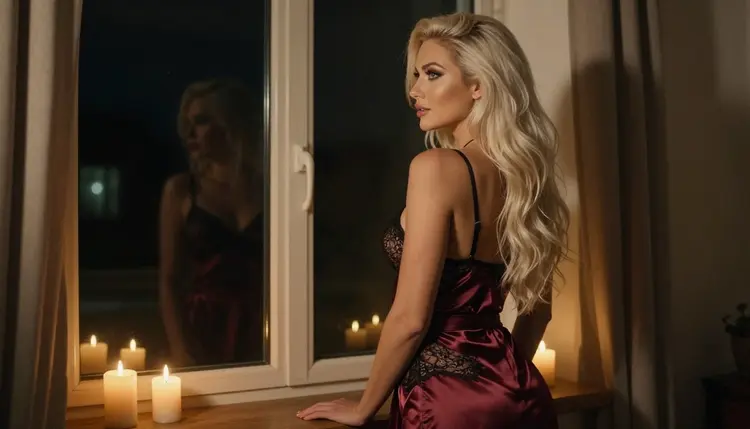
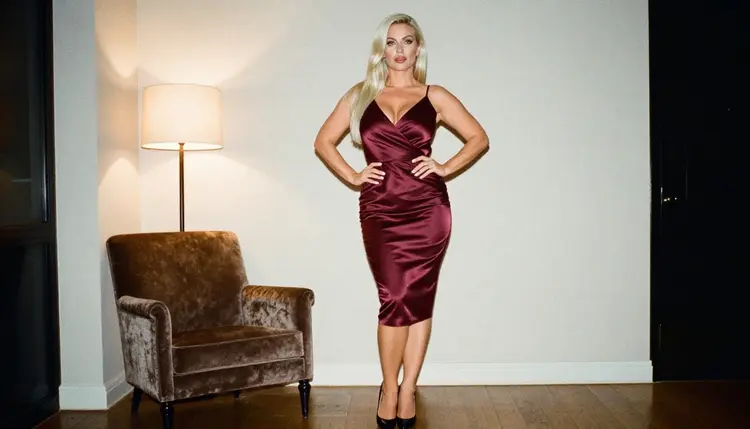
Candlelit robe. A burgundy satin robe over a black lined-lace bodysuit, standing at a tall window with a candle on the sill, 35mm f/2. Candlelight gives a warm falloff on the cloth and keeps the mood intimate without describing anything beyond the wardrobe.
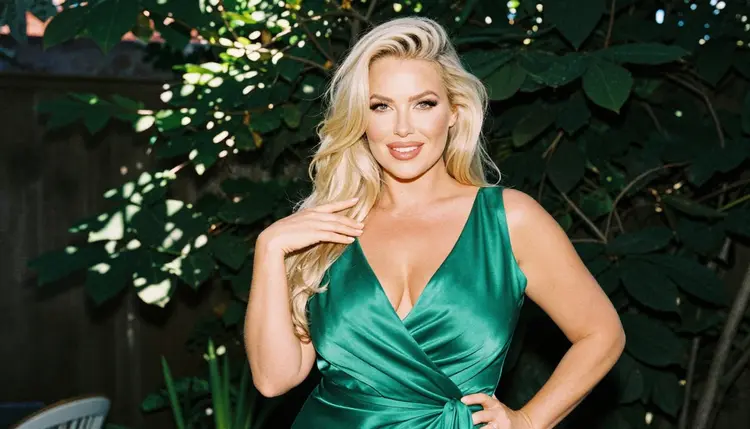
Waist-up in emerald. An emerald satin wrap dress on a garden terrace, dappled shade light, 35mm f/2, medium shot from the waist up. The knot of the wrap is the visual anchor here, so mention it by name.
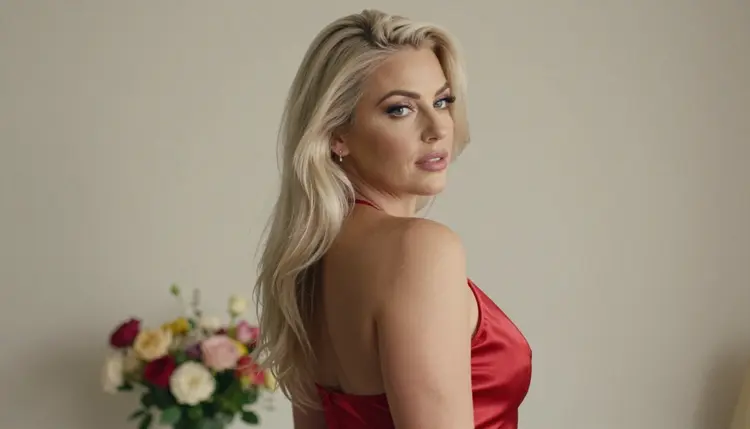
Over the shoulder in red. A red satin wrap dress, a glance back over the shoulder, dappled shade light, 100mm macro f/2.8. Ask for a shallow depth of field so the face is sharp and the fabric softens toward the edge.
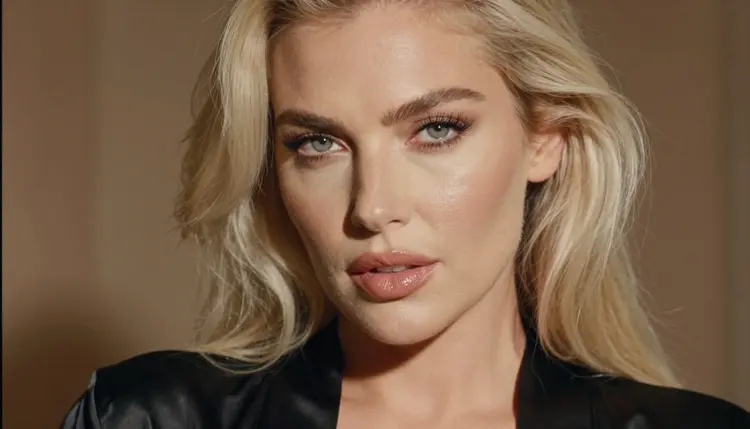
Close portrait. A tight close-up in a black satin robe, glossy lips, polished glamour makeup, late-afternoon side light, 100mm macro f/2.8. Keep the wardrobe simple so the light and the skin texture carry the picture.
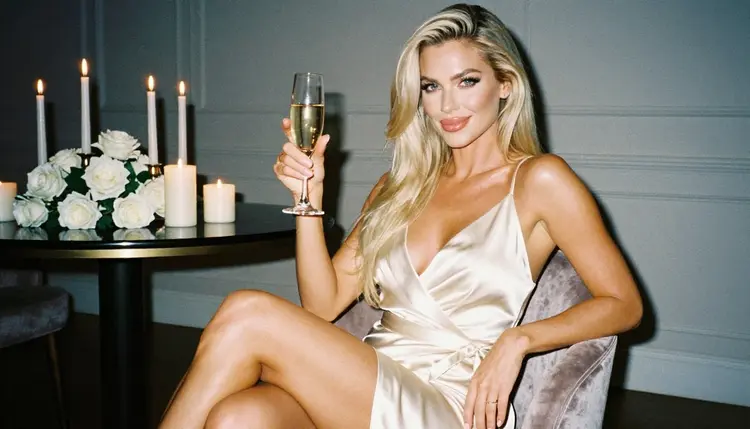
Seated with champagne. An ivory satin wrap dress, seated upright on a velvet chair, a champagne flute in one hand, candlelight, 35mm f/2. State that exactly one hand holds the glass, which helps avoid extra fingers.
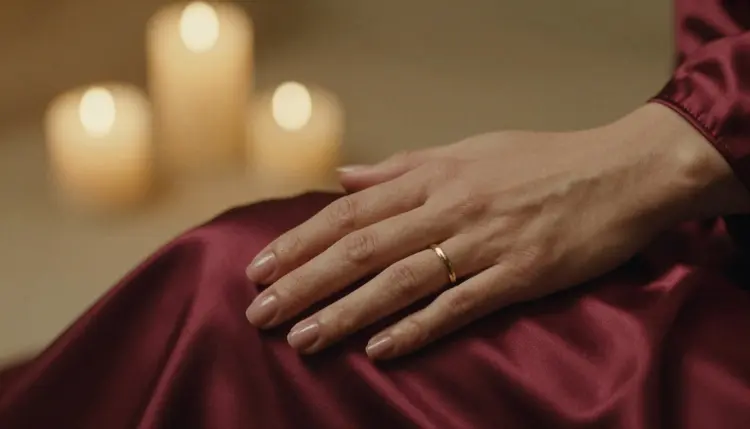
Detail of fabric. One manicured hand resting on the folds of a burgundy satin robe, candlelight, 85mm f/1.8. Detail frames are the cheapest way to build a set, because they have few places to go wrong.
If you want a related look after this one, the same method applies to corset photos, boudoir photos and lingerie photos. Only the wardrobe line changes.
This page and every image it describes are for adults. Picasso IA is 18+ only, and the NSFW features are meant for people who are of legal age where they live. If that is not you, close the page.
Every character you create must be a fictional adult. Do not use a real or identifiable person, a celebrity, or anyone you know, and never write a prompt about anyone who could read as a minor. Describe a woman in her mid twenties or older, with the styling of an adult, and leave age ambiguity out of the prompt completely.
Generations are private by default: what you create is tied to your account and is not published or shown to other people. Keep it that way unless you decide to share an image yourself, and keep the glamour on the suggestive side of the line. Wardrobe, pose, light and mood are the vocabulary here.
A new account can try a few generations for free on selected models: Picasso IA Image, Picasso Image Editor Pro, Picasso IA Video and Seedance 2.5 Lite. It is a small free trial on selected models, not on the whole catalog, so check the pricing page for how credits and unlimited generation work before you plan a large set.
A practical order for a first session: generate the base frame in Seedream 4.5, correct one detail in Picasso Image Editor Pro, then animate the best frame. For motion, Picasso IA Video takes text or an image, Seedance 2.5 Lite is listed up to 10 seconds, and LTX 2.3 Pro makes 4K video from text. A slow push in on a candlelit robe or a curtain moving beside the window is enough movement for this look.
Other models in the catalog are untested for adult prompts. If you want to compare a different engine on the same prompt, go ahead, then bring the result back to a confirmed model if you need a reliable pass. For a different setting, read the pages on pool party photos, hotel room photos, swimsuit photos and office glamour photos.
Which models are confirmed for this style?
Six models are confirmed for adult prompts in Picasso IA. For pictures: Seedream 4.5, Recraft V4.1 Pro and Picasso Image Editor Pro. For video: LTX 2.3 Pro, Picasso IA Video and Seedance 2.5 Lite. Every other model is untested.
Why use Seedream 4.5 for plus-size glamour?
Its catalog title says it creates 4K images from text, which keeps satin sheen, lace and seams readable at a large size. It is also confirmed for adult prompts, so a wardrobe and boudoir description is not a gamble. Use the toolkit to start with it.
How should I word the prompt?
Write in this order: the woman, the garment with its fabric, the set, one light source, the lens. Name the fabric and cut, such as a burgundy satin wrap dress, and keep the garment opaque and tailored. Avoid vague words like beautiful and spend them on light and lens instead.
Can I put two people in one scene?
Yes, but give each person their own description and state where they stand. Two fictional adults in a candlelit hotel room work better than a crowded scene, and the framing guidance in the hotel room page applies directly. Check the hands in every result.
What happens when a model refuses my prompt?
The app shows a message titled "Content Not Supported by This Model". It recommends models that accept adult prompts and carries your prompt over, so you can switch without retyping. Pick a confirmed model from the list and run it again.
Are the characters adults and fictional?
Yes, always. Picasso IA is 18+ only, every character is a fictional adult, and the prompts must never describe a real or identifiable person or anyone who could read as a minor. Keep every description to a woman in her mid twenties or older.
Are my images private?
Generations are private by default. They are tied to your account and are not published or shown to other people. What you do with a downloaded image after that is your decision, so keep the adults-only and fictional rules in mind when sharing.
Can I turn a frame into a video?
Yes. Picasso IA Video animates from text or an image, and LTX 2.3 Pro makes 4K video from text. Describe a small movement, like fabric swaying or a candle flame, and keep the camera slow.
How do I change one detail without regenerating?
Open the image in Picasso Image Editor Pro and describe the change: a different colour on the robe, a cleaner hand, a calmer background. It is a confirmed model for editing an existing image, so you keep the rest of the frame.
Can I try it before paying?
A new account gets a small free trial on selected models: Picasso IA Image, Picasso Image Editor Pro, Picasso IA Video and Seedance 2.5 Lite. The trial does not cover the whole catalog. See the pricing page for how credits and unlimited generation work.