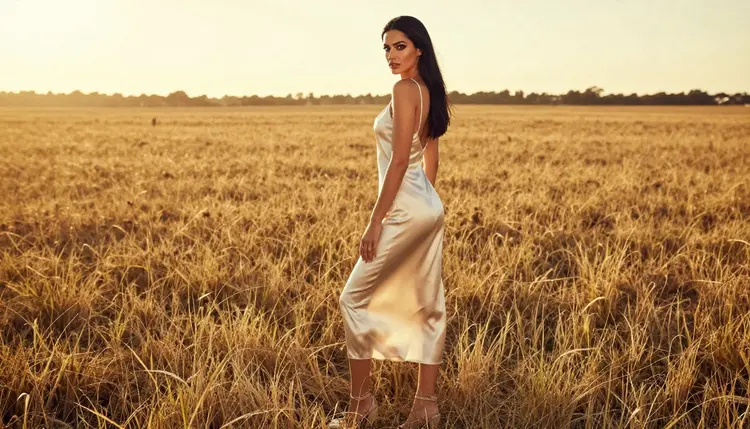
Fabric is the quiet half of an adult glamour prompt. Two images can share the same pose, the same woman and the same room, and still feel completely different because one wears "a dress" and the other wears an opaque ivory silk slip dress that catches the backlight along the hem. This page is a word bank for outfits and fabrics: silk, satin, lace, leather and knit, plus the small words that tell a model how each one folds, shines and fits.
Everything here is written for adult, fictional characters and for suggestive, flirty, glamour-style images. You will find wording to copy, a short method for combining it, and the mistakes that most often flatten a fabric into a plain grey sheet. Use it with the toolkit, paste a line, change one word and compare.
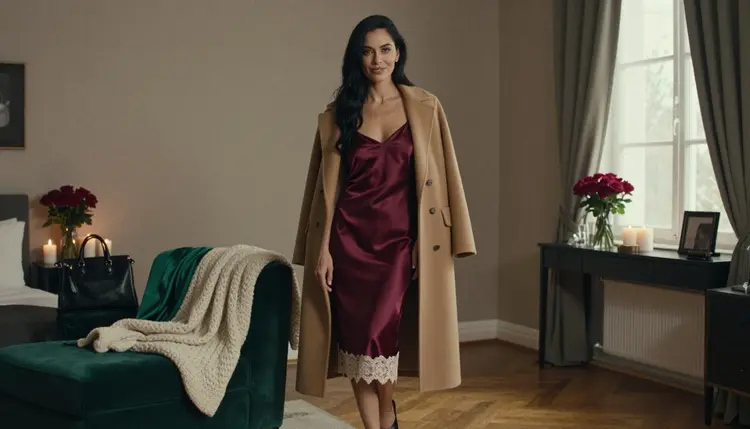
An image model reads your prompt as a set of visual hints. The word "dress" gives it a shape and not much else. The phrase "burgundy satin slip dress with ivory lace trim" gives it a color, a sheen, a cut and a contrast edge, and each of those details is something it can render with confidence. The more precise the cloth, the less the model has to guess, and the less it guesses, the more consistent your results become from one run to the next.
Fabric also decides how light behaves on the picture. Satin throws long, soft highlights. Silk looks liquid and slightly cooler. Lace breaks light into a pattern and leaves small shadows on the skin underneath. Leather gives sharp, narrow reflections. Knit absorbs light and shows texture instead of shine. If you already know which light you want, the cloth should be chosen to match it. Our guide to mood and lighting words covers the lighting half of that pairing.
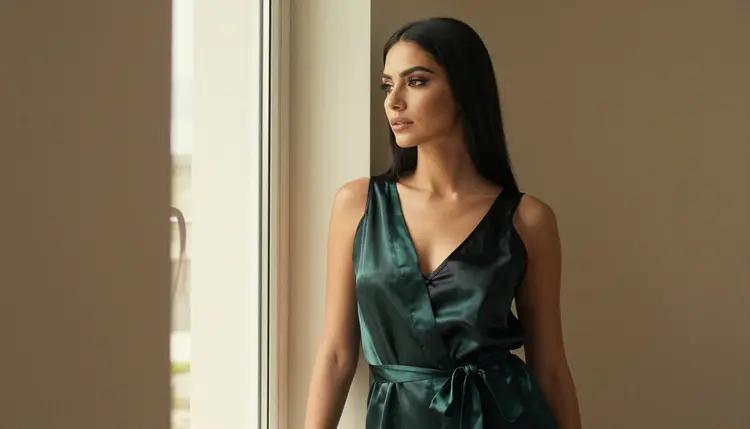
The third reason is coverage. Adult glamour does not need anything explicit to work. Suggestion comes from cut, drape and material: a robe slipping off one shoulder, a bodysuit under a blazer, a corset-style top under a coat. When you name the layers, you control exactly how much is implied, and you keep the result in the provocative but never explicit territory this section is built around. Writing "opaque" or "fully lined" next to delicate fabrics is a simple habit that keeps lace and silk looking elegant and intentional.
Last, a word bank saves time. Once you have six or seven fabric phrases that you trust, you stop starting from a blank box. You build a prompt the way a stylist builds a look: base layer, outer layer, trim, finish.
Three confirmed models cover the image side of this word bank. Confirmed here means Picasso IA tested adult prompts against that exact model repeatedly and watched it generate instead of reject. It is not a setting published by the model's maker, who can change it at any time.
Seedream 4.5 is the first stop for fabric texture, because it makes 4K images from text and handles photographic wording well: lens, light, film grain, the weave of a knit. Recraft V4.1 Pro suits flatter, more graphic looks, such as a fashion plate or a lookbook page, and its 2K output is made for print. Picasso Image Editor Pro starts from a picture you already have, so it is the tool for swapping a satin slip for a lace top without rebuilding the whole scene.
If you want the cloth to move, three confirmed video models are available. LTX 2.3 Pro makes 4K video from text. Picasso IA Video turns text or an image into a clip, which is handy when you already like a still. Seedance 2.5 Lite is listed for clips up to 10 seconds. Ask for one slow movement only, such as a robe hem swaying or a coat opening in a breeze.
Other models in the full catalog are untested. They are worth a try with the same wording, but nothing is confirmed either way, so treat the first results as an experiment.
Work from the cloth outward. The steps below take a few minutes and give you a prompt you can reuse and adjust.
- Pick the base layer. Choose one fabric from the bank below, such as satin, silk, lace, leather or knit, and name the garment: slip dress, robe, bodysuit, top.
- Add color and finish. Give one color and one surface word, for example burgundy and glossy, or ivory and matte. Two colors at most.
- Add the outer layer or trim. A camel coat, a blazer, a satin strap, a lace edge. This is where the look gets its character.
- Write the coverage line. Add "opaque" or "fully lined" for delicate cloth, and keep the character an adult in every prompt.
- Set light and lens, then run it. Pair the cloth with a light that suits it, add a lens such as 35mm or 135mm, generate in the toolkit, and change only one word per round.
Copy these phrases as they are or mix them. Each group lists what the cloth looks like in the image and which light flatters it.
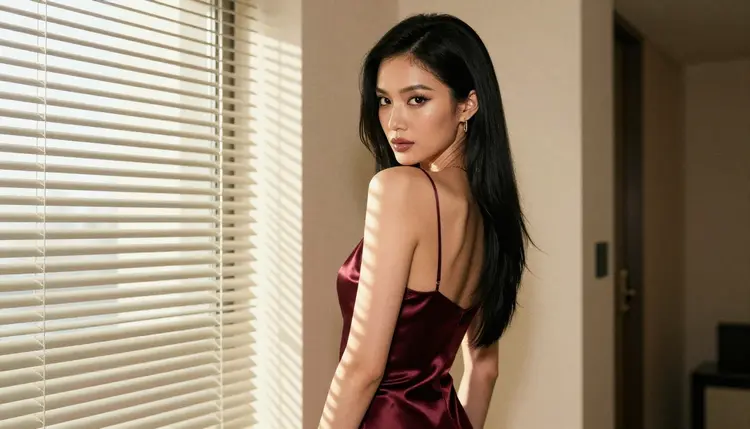
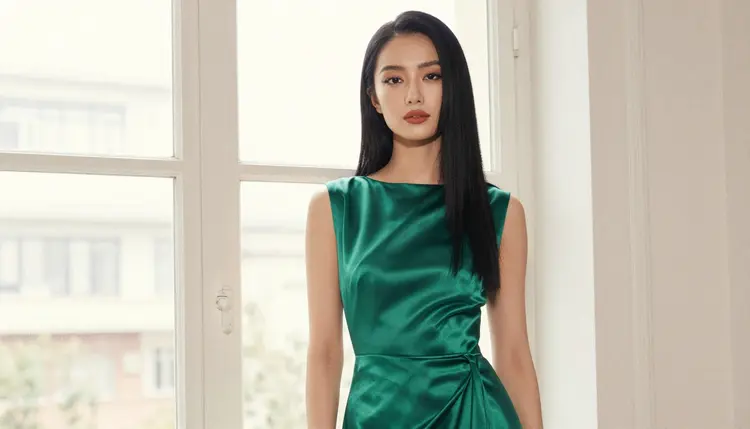
Satin and silk. Words to use: opaque ivory silk slip dress, burgundy satin slip dress, emerald satin robe over a black satin slip, long emerald satin gown, black silk slip, liquid drape, soft sheen, long highlights along the hem. Best with golden hour backlight, soft window light and overcast daylight, which stretch the highlights instead of blowing them out.
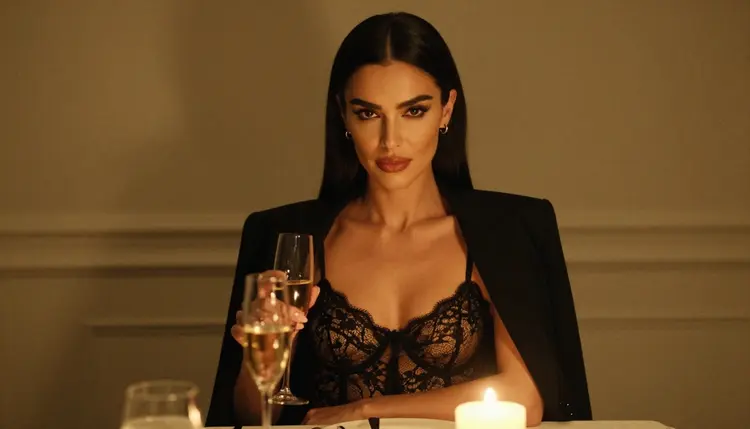
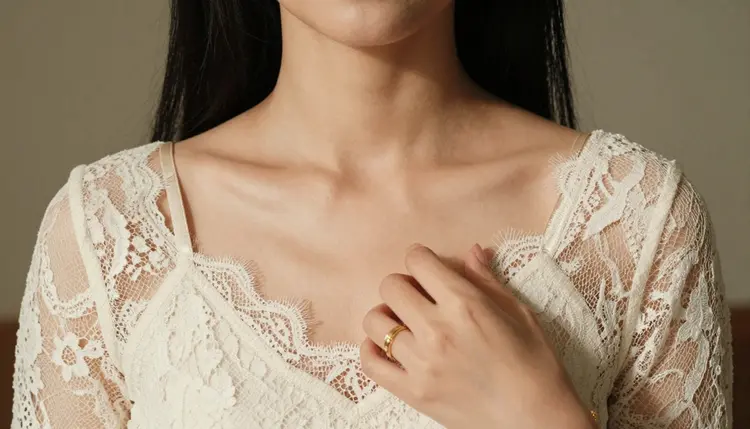
Lace. Words to use: ivory lace top, fully lined, black lace bodysuit under a blazer, lace trim on a satin hem, fine floral lace, scalloped edge, lace pattern shadow. Lace reads best in candlelight and dappled shade, where the pattern throws small shadows. Pair it with a heavier outer layer, such as a blazer, so the contrast stays clear.
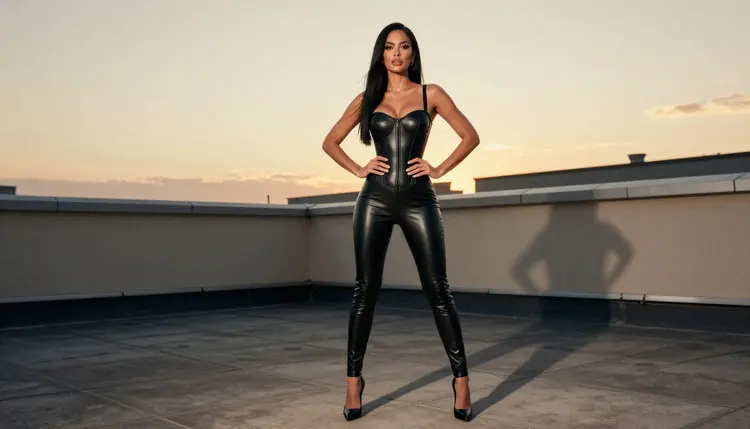
Leather. Words to use: black leather corset-style bodysuit, matte leather, polished leather, structured seams, buckle detail, narrow reflections. Leather suits hard morning sun and golden hour, because both give it crisp edges. Say matte or polished, never just leather, or the model will pick a shine at random.
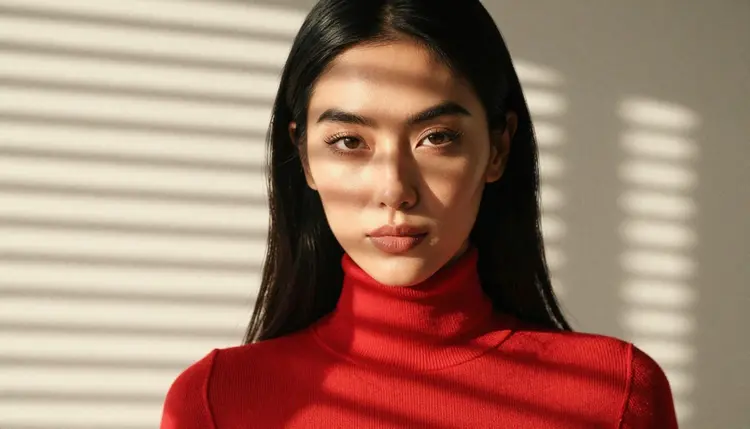
Knit and cotton. Words to use: red knit top, ribbed knit, fine-gauge sweater, soft wool, visible stitch texture, relaxed fit. Knit is the fabric to choose when you want warmth and a softer mood. A tight close-up with striped morning light shows the stitch pattern better than any adjective.
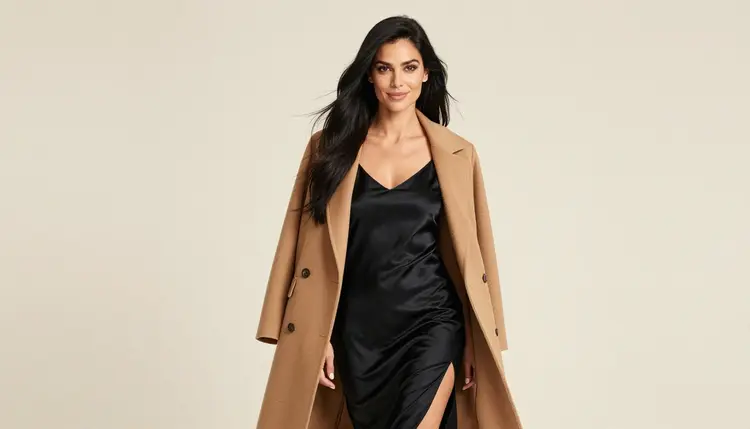
Outerwear and layers. Words to use: camel coat over a black silk slip, blazer over a lace bodysuit, open robe, belted coat, wide lapels, wool texture. A coat or blazer gives the model a structured shape to set against soft cloth, and it is the quickest way to make a lingerie-inspired look feel like fashion photography.
Trim and details. Words to use: satin strap, ribbon tie, covered buttons, contrast piping, hem detail, gold clasp. For a detail shot, ask for one hand on a strap or one hand at a hem, and say "exactly one hand in frame" so the model does not add extra fingers.
Surface words. Use these to describe finish: matte, glossy, brushed, crinkled, creased, pressed, weighted, fluid, structured. One surface word per garment is enough. Two competing ones, such as glossy and matte, make the model average them into a dull middle.
For related wording, the word bank for hair, eyes and skin tone pairs well with this one, and the guide on multiple outfits from one prompt shows how to swap the cloth without losing the person.
Vague cloth. "A silky outfit" can mean anything. Fix it by naming the garment and the fabric together: "opaque ivory silk slip dress", not "silky outfit".
Too many fabrics. A prompt with satin, lace, leather and knit in one outfit usually produces a muddle. Keep one hero fabric and let a second fabric appear only as trim or as an outer layer.
Forgetting the light. Fabric words need a light source. Satin under flat studio light looks like plastic. Add golden hour, window light or candlelight and the same words work much better.
No coverage line. Delicate fabrics can render thin or ambiguous when you do not specify them. Write "opaque" or "fully lined", keep the layers named, and the picture stays elegant and suggestive instead of drifting somewhere you did not intend.
Changing five words at once. If you swap fabric, color, light, lens and pose in one round, you cannot tell which change helped. Change one element, compare, then move on. With the same wording, a stable look builds up quickly.
Asking for motion in a still. Words such as "flowing" and "billowing" can push a still image into a blur. If you want movement, generate the still first and then animate it with a video model, asking for a single slow movement.
Skipping the edit step. If an image is almost right but the outfit is wrong, do not start over. Open it in Picasso Image Editor Pro and describe only the garment change. For lingerie-focused wording, see the lingerie photo template, and for a longer studio setup the boudoir photography template is a good next read.
This page is for adults only. You must be 18 or older to use any of it, and every prompt you write should describe an adult.
Every character is a fictional adult. Do not use the word bank to depict a real or identifiable person, and never write anything that could make the subject read as a minor. Picasso IA is not the place for either, and prompts should say woman or man, never anything that suggests a minor.
Your generations are private by default: what you create is tied to your account and is not published or shown to others. A small free trial on selected models lets you try the wording first, and the pricing page explains how credits and the unlimited tag work.
What is a word bank for outfits and fabrics?
It is a list of ready phrases that describe garments, cloth, color and finish, so you can build a prompt quickly. You pick one fabric, one garment, one surface word and a light, then run it in the toolkit and adjust one element at a time.
Which fabric is easiest for AI image models to render?
Satin and silk usually give clear, readable results because their highlights are easy to describe. Lace and knit need a closer shot and the right light to show their pattern. Start with satin, then move to lace once your wording is steady.
Which models should I try first?
Try Seedream 4.5 for photoreal cloth and Recraft V4.1 Pro for illustrated fashion looks. Both are confirmed for adult prompts, which means Picasso IA tested them repeatedly. Other catalog models are untested.
How do I keep lace and silk looking elegant?
Name the layers and add words such as opaque or fully lined. Pair delicate cloth with a structured outer layer like a blazer or a camel coat, and choose soft light. This keeps the image glamorous and suggestive without anything explicit.
Can I change only the outfit on an image I like?
Yes. Open the picture in Picasso Image Editor Pro and describe only the new garment and fabric. Keep the rest of the prompt short so the person, the room and the light stay the same.
How many fabrics should one prompt include?
One hero fabric and, at most, one supporting fabric as trim or as an outer layer. More than that tends to blur the details and the model averages everything into a vague texture.
Can I make the fabric move in a video?
Yes, with LTX 2.3 Pro, Picasso IA Video or Seedance 2.5 Lite. Ask for one slow action, such as a robe hem swaying, and keep the garment description the same as in your still.
What happens if a model refuses my prompt?
The app shows a message titled "Content Not Supported by This Model". It recommends models that accept adult prompts and carries your prompt over, so you do not retype anything. You can also rephrase the garment wording and try again.
Do I need to describe the person as well as the clothes?
A short line is enough. Describe the adult woman or man once and let the fabric words do the work. For hair and skin wording, the hair, eyes and skin tone word bank has phrases you can add.
Is this content for adults only, and is it private?
Yes. It is 18+ only, every character is a fictional adult, and no real person or anyone who could read as a minor is ever depicted. Your generations are private by default and tied to your account, and you can try selected models in a small free trial first.