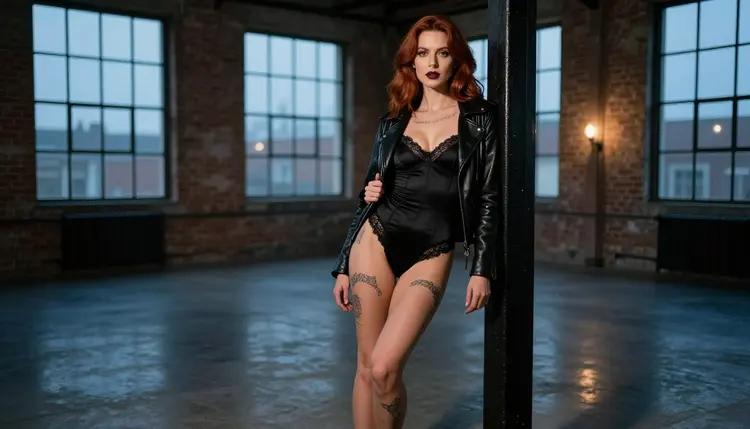
A tattooed alt portrait is a glamour photograph with an edge: black-ink sleeves, a collarbone piece, dark lipstick, lined black lace and a leather jacket worn over satin. The mood is flirty and a little rebellious, the kind of frame you would expect from a boudoir shoot staged in a warehouse instead of a hotel suite. It is NSFW in the way fashion editorials are NSFW: suggestive, never explicit, always about fictional adults.
Picasso IA lets you build that look from a text prompt, in your browser, with nothing to install. This page shows which models to use, how to describe ink and wardrobe so the result stays clean, five steps to follow, and a set of prompt ideas you can paste and adapt.
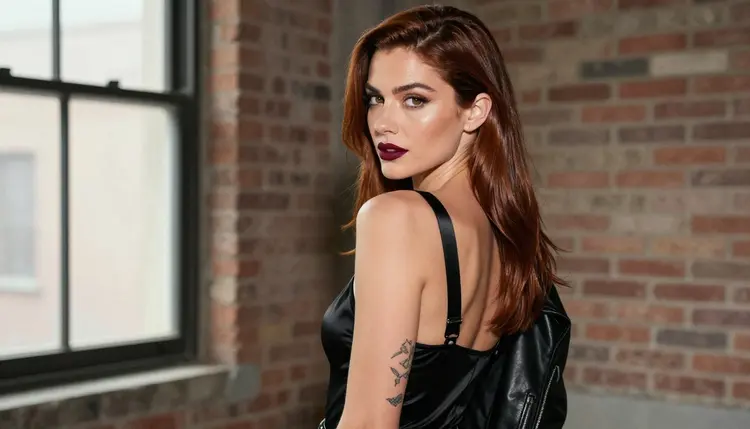
Tattoos are the hardest part of this look. A model that draws a clean forearm sleeve in one frame can turn it into a smudge in the next, and fine linework on a collarbone often melts into skin texture if the prompt only says "tattoos". The fix is to be specific. Say where the ink sits (both forearms, one collarbone, one shoulder), say what colour it is (black ink, fine line), and say how much of it shows. Naming the placement tells the model where to spend its detail.
The second half of the look is wardrobe. Alt glamour leans on contrast: matte leather against glossy satin, hard black lace against bare light skin, dark burgundy lipstick against a pale wall. A prompt that lists three or four garments, each with its material, gives the model a clear palette. "A closed black leather jacket over a lace-trimmed satin bodysuit" works better than "alt outfit", because it names both fabrics and how they sit together.
Seedream 4.5 is the model this page is built around. According to its catalog title, it creates 4K images from text, and in Picasso IA it is one of the models confirmed to accept adult prompts. Confirmed means we tested adult prompts against that exact model repeatedly and watched it generate instead of reject. It is not a published setting of the model's maker, who can change it at any time. For photoreal portraits it is the first model to try, because skin texture, fabric weave and fine lettering on a tattoo hold up at high resolution.
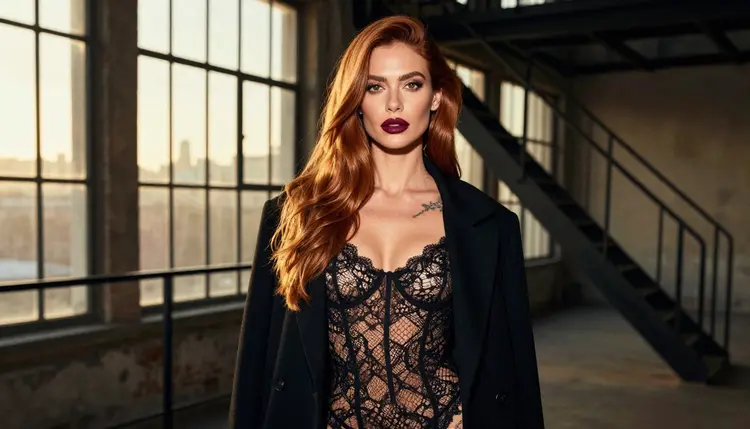
The setting matters as much as the clothes. An industrial loft with brick, steel windows and an iron column gives the ink a strong backdrop and lets the light do the mood work. Blue-hour ambient light makes black leather look deep and slightly cold. Hard sun through blinds draws stripes across the shoulder and shows the tattoo as part of the shadow pattern. Candlelight warms everything and softens the contrast. Pick one light per prompt and name it.
Keep the camera in the prompt too. A 50mm f/1.4 look gives soft backgrounds and a flattering face. A 24mm frame shows more of the loft. A 100mm macro look is for details: a hand, a nail, a strap. When you write the lens, the framing usually follows.
Picasso IA keeps a short list of models it has tested with adult prompts. For tattooed portraits, the image models do the main work, the editor handles fixes, and the video models bring a finished frame to life. The table below lists them with what each does best, taken from their catalog titles.
| Model | Best for | Format |
|---|
| Seedream 4.5 | Photoreal portraits with readable tattoo detail | Text to image, 4K |
| Recraft V4.1 Pro | Illustrated or graphic takes on the alt look, print-ready | Image, 2K |
| Picasso Image Editor Pro | Fixing one detail in an existing portrait | Image editing, unlimited |
| LTX 2.3 Pro | Moody loft clips from a text prompt | Text to video, 4K |
| Picasso IA Video | Animating a portrait or writing a clip from text | Text or image to video, unlimited |
| Seedance 2.5 Lite | Short clips of the walk, the turn, the glance | Video, up to 10 seconds, unlimited |
Start with Seedream 4.5 when you want a photograph. Switch to Recraft V4.1 Pro when you want the tattoos to read like designed artwork, for example a flash-sheet look or a poster crop where the linework is the point. Use Picasso Image Editor Pro after the fact: if the jacket collar sits wrong or one sleeve lost its ink, edit that single detail and leave the rest of the frame alone.
The rest of the catalog is untested. That means worth a try, not confirmed either way. Models such as the many image generators in the full catalog may handle tattoos well, and you can run the same prompt through them and compare. If one of them stops a prompt, the app tells you and points you to models that accept adult prompts, with your text carried over. You can browse them all in the full catalog.
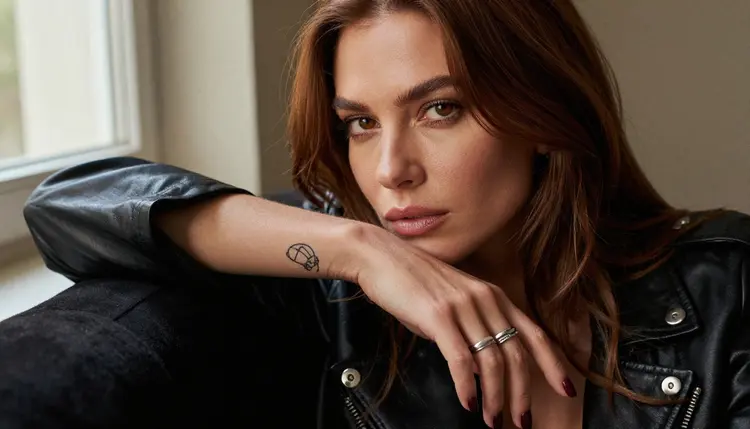
The workflow is short. You pick a model, write a prompt that lists ink, wardrobe and set, choose a light, then look closely at the result before you decide to keep it. Tattoos and hands are where you should spend your review time.
- Open the toolkit and pick the model. Go to the toolkit, choose the text to image mode and select Seedream 4.5 for a photoreal result.
- Describe ink, wardrobe and setting. Write one sentence for the person (an adult of thirty or older, hair, makeup), one for the tattoos with placement, and one for clothes and location.
- Set the light and mood. Name a single light source and a lens, such as blue-hour ambient light and 50mm f/1.4, then add the mood in a few words: confident, moody, flirty.
- Generate and review. Look at the forearms, the collarbone, the hands and the fabric edges. Check that the ink is the same on both arms and that fingers are right.
- Refine or switch. Fix one detail with Picasso Image Editor Pro, or run the same prompt on Recraft V4.1 Pro for a different finish.
These ideas are written as starting points. Each one names wardrobe, setting, light and angle. Change the ink placement, the colour of the satin or the lens to make them yours, and keep the character an adult in every version.
The loft column. A woman with long chestnut hair and deep burgundy lipstick leans against an iron column in a brick loft, black ink on both forearms, a closed black leather jacket over a satin corset-style bodysuit with lined lace, heels, cool blue-hour light, wide frame, 50mm f/1.4, film grain. This is the hero frame of the page and a good first test of how your model handles ink.
Over the shoulder. The same woman glances back at the camera, leather jacket on her shoulders, a collarbone tattoo visible above a black lace bralette, soft window light from the left, shallow depth of field. The turn of the head gives you the face and the jacket line in one frame.
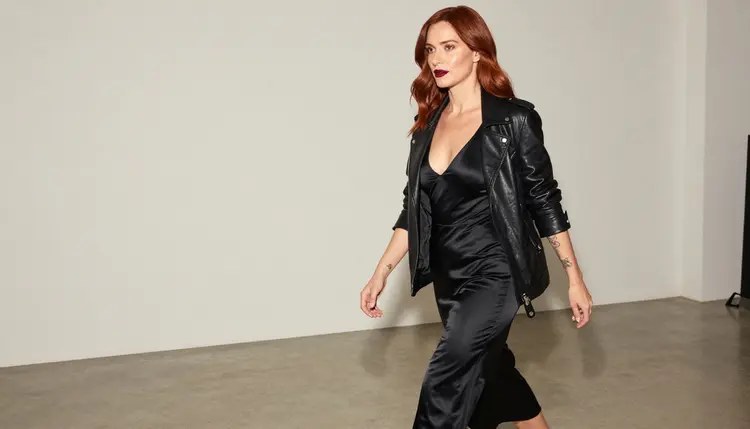
Golden hour in the doorway. A wide environmental portrait: black lace bodysuit under a long dark coat, one shoulder tattoo showing, backlight from a low sun through steel windows, 24mm f/2.8. The backlight rims the hair and turns the lace into a pattern. Ask for lens flare lightly or it will take over.
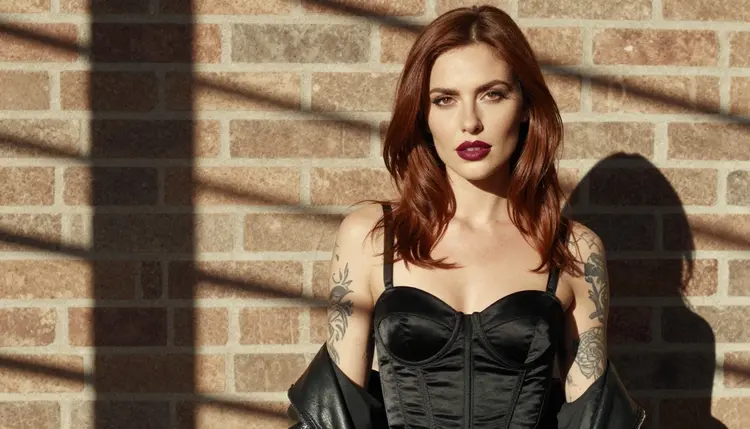
Morning blinds. A waist-up shot, hard sun through blinds, a satin corset top under a leather jacket, forearm sleeves crossed in front, 70mm f/2.8. The stripes of light give you graphic contrast, and the tattoos read as part of the shadow play.
One hand, one sleeve. A detail frame: a single tattooed hand with burgundy nails resting on a leather jacket sleeve, soft window light, 70mm f/2.8. Always say "exactly one hand in frame" or the model may add a second one that does not match.
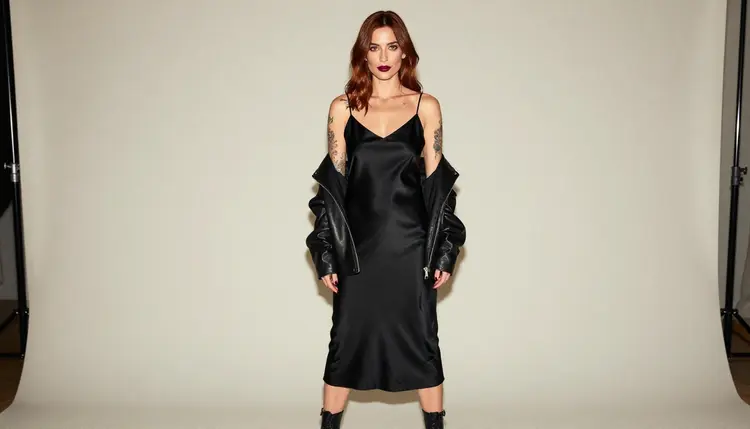
Studio walk. A candid three-quarter walking shot across a bright studio in a satin bodysuit and open leather jacket, soft diffused daylight, 24mm f/2.8. This one tests whether the sleeve ink stays consistent when the arms swing.
Candlelit portrait. The woman stands between tall lit candles in a lace-trimmed satin bodysuit and an open black jacket, one hand on the collar, legs together, confident look to camera, warm candlelight, 50mm f/1.4. For couples or a second character, see NSFW black and white portraits for a monochrome take on the same mood, or the outfit ideas for portraits for wardrobe you can swap in.
Window and robe. A close, tight frame of the model in a satin robe, looking out of a tall loft window, tattooed forearm on the sill, soft side light, 100mm macro f/2.8. Keep the mood quiet. No mirror in this frame, so there is nothing to double.
Everything you make with Picasso IA on this page is for people over 18. If you are not an adult, this section of the site is not for you, and you should leave it. The pages here are written for grown-ups who want glamour and boudoir photography, and the prompts they show are adult in tone only, never graphic.
Every character you generate must be a fictional adult. That means no real or identifiable person, no celebrity, and no one who could read as a minor. Write ages in your prompt as thirty or older, describe a mature face and figure, and skip any word that suggests youth. If a result looks wrong on that point, discard it and rewrite.
Your generations are private by default: they are tied to your account and are not published or shown to other people. What you do with an image afterwards is your responsibility, so keep it fictional and keep it inside the law of where you live. For more portrait ideas in a cleaner studio style, see NSFW realistic portraits.
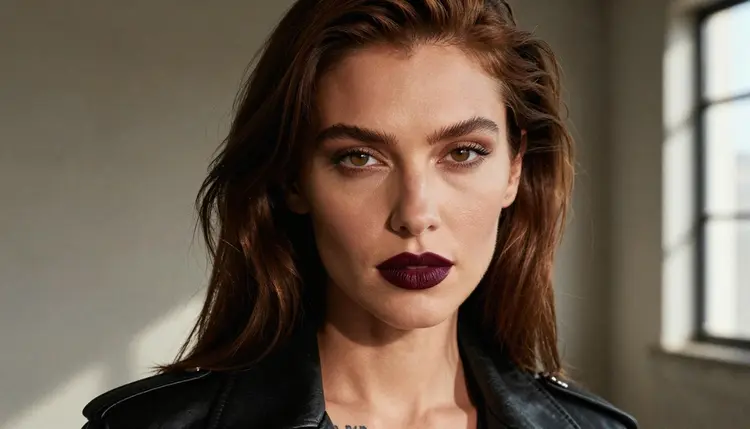
A new account gets a small free trial on selected models, including Picasso Image Editor Pro, Picasso IA Video and Seedance 2.5 Lite. Seedream 4.5 is not part of that trial, so a tattooed portrait made with it spends credits. How many depends on the model and the options you pick, such as resolution. You will find the details on the pricing page. Models marked with the infinity tag do not spend credits on the plans that include unlimited generation.
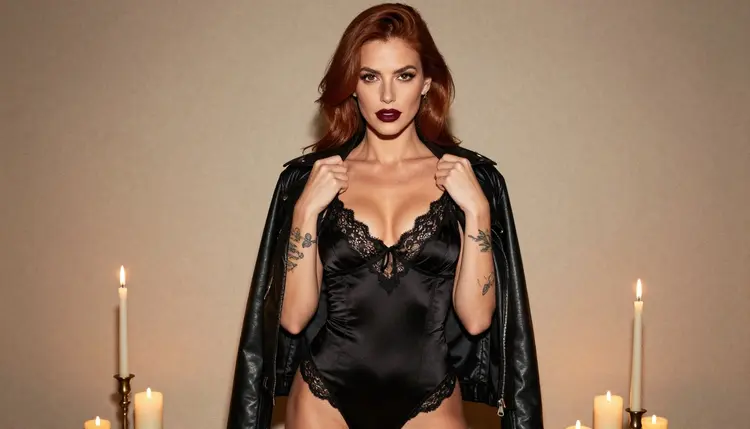
If you have a loft portrait you like, the cheapest next step is a clip. Open Picasso IA Video or Seedance 2.5 Lite and describe a slow movement: the jacket slides off one shoulder, the model turns toward the window, the candle flames move. Both are marked unlimited in the catalog. For a longer, sharper result, LTX 2.3 Pro makes 4K video from text.
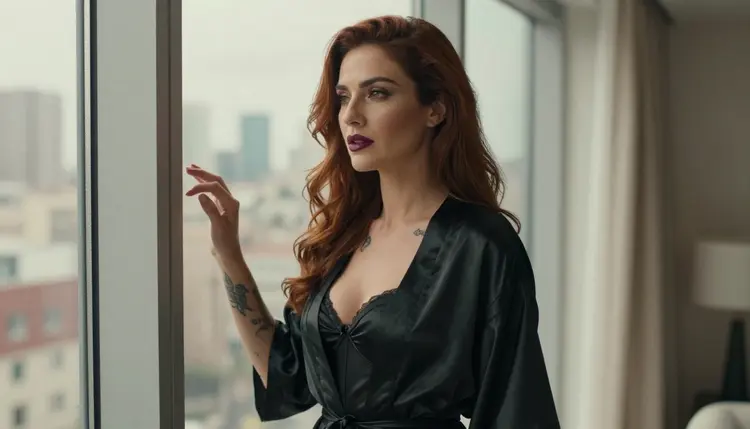
Not every look needs the same model. For colour variety, you can try NSFW redhead portraits for a warmer palette that pairs well with dark ink. Every other model in the full catalog is untested for adult prompts, so treat any of them as worth a try and compare the result with Seedream 4.5.
Which models are confirmed for tattooed alt portraits?
For images, Seedream 4.5, Recraft V4.1 Pro and Picasso Image Editor Pro are confirmed to accept adult prompts. For video, LTX 2.3 Pro, Picasso IA Video and Seedance 2.5 Lite are confirmed. Every other model in the catalog is untested, so it is worth a try but not guaranteed either way.
Why use Seedream 4.5 for this look?
It creates 4K images from text, so skin texture, satin weave and fine tattoo linework have room to show. It also takes long, specific prompts well, which is what ink placement and layered wardrobe need. For an illustrated version, switch to Recraft V4.1 Pro.
How do I make tattoos look consistent across several images?
Repeat the same ink description word for word in each prompt: the placement, the colour and the style, for example fine black linework on both forearms and one collarbone. Do not reword it between runs. If one image drifts, fix it with Picasso Image Editor Pro instead of regenerating the whole frame.
How should I word the prompt?
Write in plain sentences: who, ink, wardrobe, location, light, lens. Name materials (leather, satin, lined lace) and one light source. Use words like glamour, boudoir, flirty and suggestive. Do not use explicit terms, and never hint at youth. The page above has seven ready examples you can edit.
Can I put two characters in one scene?
Yes, if you describe each one separately and keep both adults. Give each a position and an outfit, then name one shared light source. For a couple with a similar styling mood, the male fitness model photos page shows how to describe a second adult clearly.
What happens when a model refuses my prompt?
Picasso IA shows a message titled "Content Not Supported by This Model". It recommends models that accept adult prompts and carries your prompt over, so you do not retype it. Pick one of the recommended models, run it again, and compare the result with your first attempt.
Is this only for adults and fictional characters?
Yes. The section is 18+ only. Every character is a fictional adult: no real or identifiable person, and no one who could read as a minor. If a generated face reads as too close to a minor, discard it and rewrite the prompt with an older, more mature description.
Are my generations private?
They are private by default. What you create is tied to your account and is not published or shown to other people. Sharing an image later is your own choice, and you remain responsible for keeping that content fictional and legal where you live.
Can I turn a tattooed portrait into a video?
Yes. Open Picasso IA Video or Seedance 2.5 Lite, attach your image, and describe one slow movement. LTX 2.3 Pro is the choice for a 4K text to video clip when you want the loft scene written from scratch.
Can I try it before paying?
A new account has a small free trial on selected models: Picasso IA Image, Picasso Image Editor Pro, Picasso IA Video and Seedance 2.5 Lite. Check the pricing page for how credits and unlimited generation work, then open the toolkit to start.