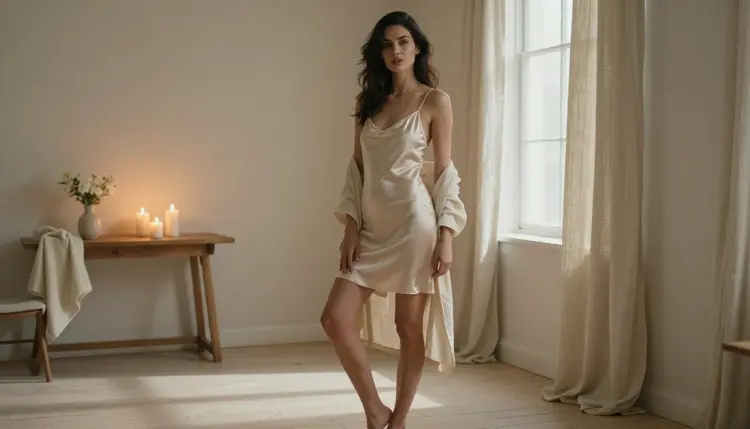
A window is the oldest portrait studio there is. One large source of soft light, a direction you can read at a glance, and a shadow side that gives the face and shoulders their shape. When the subject is an adult in silk, satin or linen, that single source does most of the work: it catches the sheen of the fabric, it rolls off the edge of a collarbone, and it leaves the rest of the room quiet.
This page is about NSFW window light portraits made with Seedream 4.5 on Picasso IA. The mood is boudoir and glamour, suggestive but never explicit, and every character is a fictional adult. You will see how to describe the window, the wardrobe and the lens, which confirmed models fit the job, and nine prompt ideas you can copy and change.
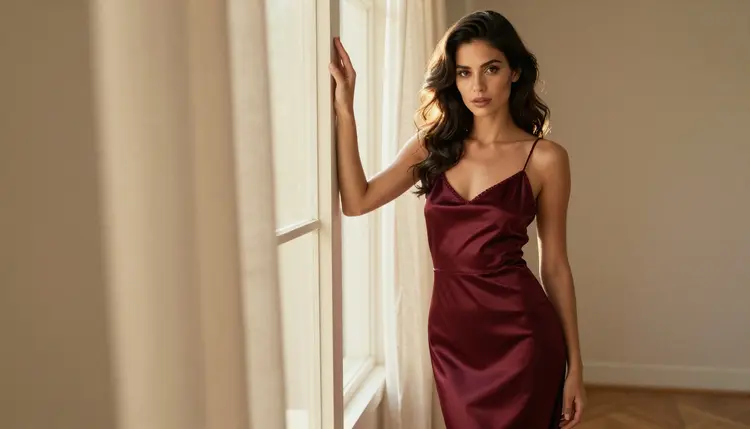
Window light is soft because the source is large compared with the subject. A tall window with a sheer curtain wraps light around a face and fades it gradually into shadow, so skin reads smooth and fabric keeps its folds. Photographers have used it for centuries because it needs no equipment, and the same logic works in a prompt: you name the window, the time of day and the side the light comes from, and the model builds the picture around that.
Seedream 4.5 is a text to image model that creates images up to 4K. It is on the Picasso IA list of confirmed models, which means adult prompts were tested against it repeatedly and it generated instead of rejecting. That is a statement about our tests, not a published setting of the model's maker, and the page about what confirmed means explains the limits of the label. For a look that depends on gentle gradients, a 4K canvas is useful: the fall-off between lit cheek and shadowed cheek has room to stay smooth.
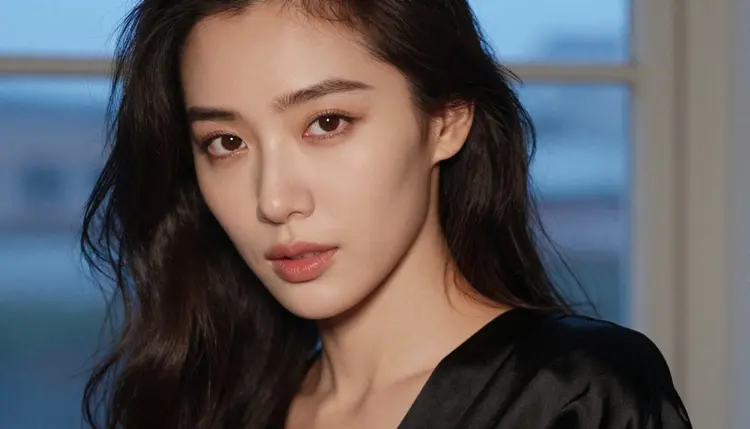
What makes the look read as window light and not as generic studio light? Three things. First, direction: light from the left or right at roughly forty-five degrees gives the face a lit side and a shadow side. Second, color: morning light is cool and pale, golden hour is warm and low, overcast daylight is flat and silvery, blue hour is deep and quiet. Third, a visible window: a bright rectangle, a curtain edge or a sill in the frame tells the viewer where the light comes from, even when the window is out of focus.
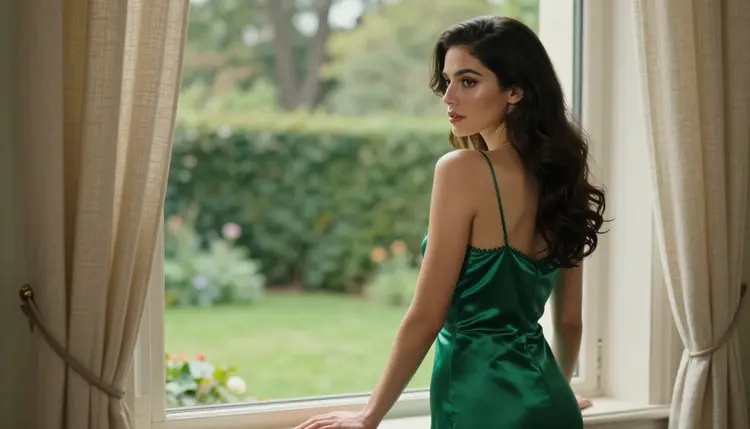
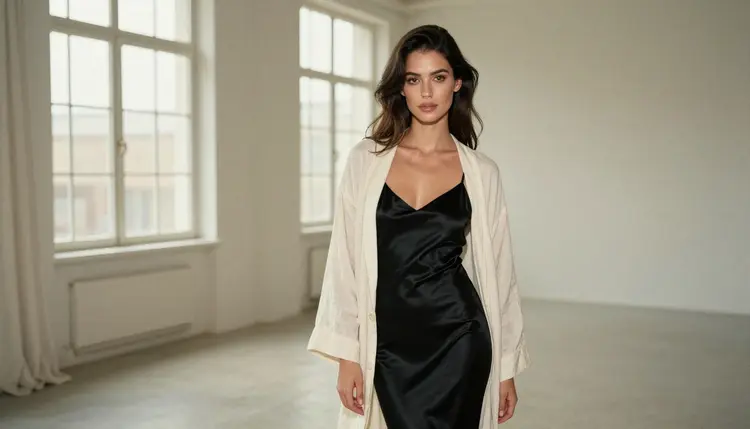
The wardrobe in this style is simple on purpose. Satin slips, silk camisoles, a cream linen robe left open, a black strap against a bare shoulder. Plain fabrics let the light be the subject. If you want a different treatment of the same woman and the same set, try the black and white portraits, where a window turns into pure tone and contrast.
Seedream 4.5 is the main model here, but a portrait session often needs more than one tool: a second image model for a different rendering, an editor for a small fix, a video model to give the frame a few seconds of movement. These are the six confirmed models of Picasso IA and what each one does for this look.
| Model | Best for | Format |
|---|
| Seedream 4.5 | Photoreal window light portraits from a text prompt | Image, up to 4K |
| Recraft V4.1 Pro | Print-ready window scenes with a designed, illustrated finish | Image, 2K |
| Picasso Image Editor Pro | Changing one detail of a portrait you already like | Image edit, unlimited tag |
| LTX 2.3 Pro | A curtain moving and light shifting, from text | Video, 4K |
| Picasso IA Video | Turning a finished portrait into a short clip | Video from text or image, unlimited tag |
| Seedance 2.5 Lite | A quick clip of a window scene | Video, up to 10 seconds, unlimited tag |
Other models in the full catalog are untested for adult prompts. They are worth a try when you want a different look, for example Seedream 5 or Qwen Image 2, but nothing about them is confirmed either way, and Picasso IA does not call them filtered or filter-free. If one of them refuses a prompt, the app tells you and points you to the confirmed models with your prompt carried over.
The workflow is short. Most of the time goes into the second and third steps, because the wardrobe and the light are what you are really designing.
- Open the toolkit and pick Seedream 4.5. Go to the toolkit, choose the model from the text to image list and write your prompt in the box.
- Describe the wardrobe and the window. Name the fabric and its color (burgundy satin slip, ivory silk camisole, cream linen robe), the pose, and the window: tall, sheer curtain, garden outside, wooden sill.
- Set the light and the lens. Say where the light comes from (soft window light from the left), the time of day (golden hour backlight, blue hour, overcast) and a lens such as 85mm f/1.8, then add film grain if you want a photographic texture.
- Generate and review. Check the hands, the edge of the fabric, the eyes and the window frame. A good frame has clean straps and folds, one pair of hands at most, and a window that makes sense.
- Refine or switch. Change one detail with Picasso Image Editor Pro, rewrite the light in the prompt, or try Recraft V4.1 Pro for a more designed finish.
Each idea below combines wardrobe, setting, light and angle. Paste one into the toolkit, then change the colors, the room or the lens until it matches what you picture. Keep the subject to one adult woman or one adult man, and keep the wording about clothes, pose and light.
The golden hour standing portrait. An adult woman in a burgundy satin slip stands full-length beside a tall window, eye-level camera, golden hour backlight that outlines her hair and the hem of the satin, 70mm f/2.8, a soft glow on the floorboards. The backlight is the point here: ask for a rim of warm light around the hair and the model will treat the window as the main source.
The blue hour close-up. A tight portrait in cool blue-hour light from a window on the right, a single black silk strap on one shoulder, wavy dark hair, glamour makeup, 50mm f/1.4, shallow focus so the window behind turns into a pale blur. Cool light with warm skin tones is a classic pairing, so mention both in the prompt.
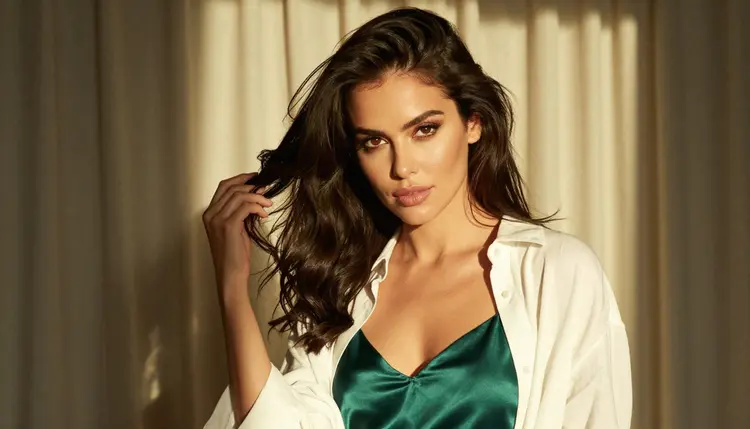
The linen robe, waist up. A medium shot from the waist up of a woman in an emerald satin camisole under an open cream linen robe, golden backlight, 135mm f/2, a curtain edge in the background. The two fabrics give you a contrast of sheen and matte, and the long lens compresses the background into soft color.
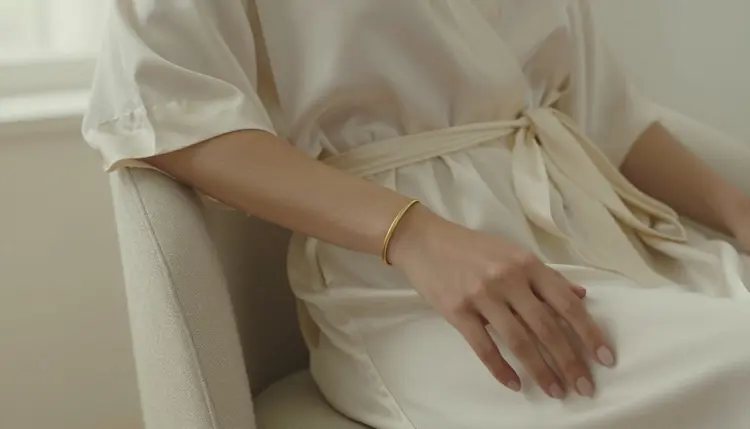
The hand on the robe. A detail frame of exactly one hand resting on a folded ivory silk robe, soft diffused studio daylight, 85mm f/1.8, a visible weave in the silk. Writing exactly one hand in the prompt helps avoid extra fingers, and a detail frame is a good place to check how the model draws fabric before you attempt a full figure.
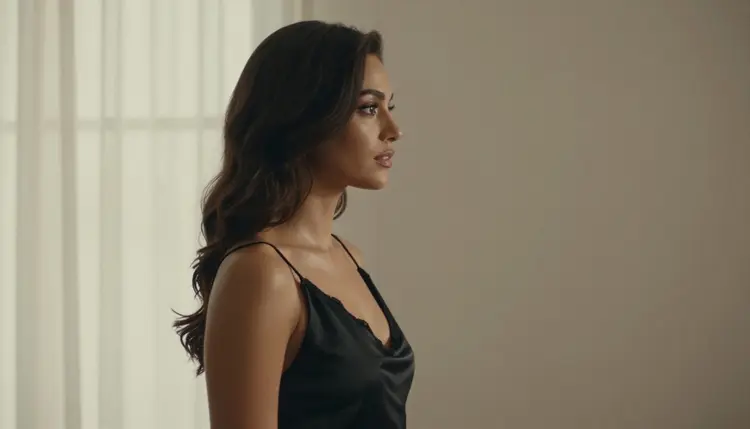
The window silhouette. A profile in a black satin slip facing the window, the light coming from the left, the face and shoulders reduced to a clean outline against a bright pane, 85mm f/1.8. This one rewards short prompts: describe the silhouette, the light and the fabric, and leave the rest alone.
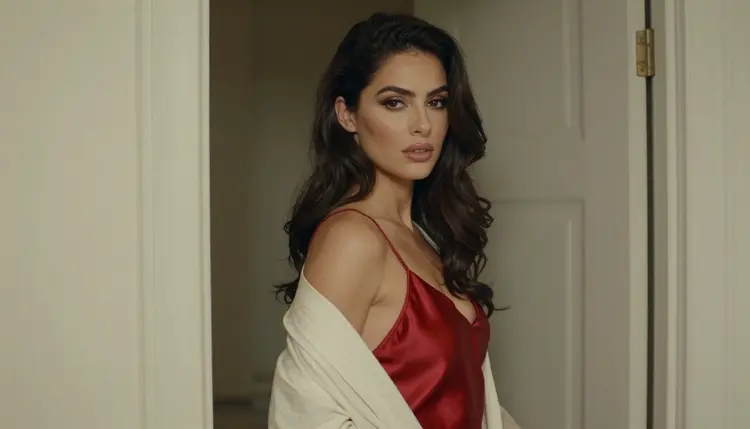
The over-the-shoulder glance. A red satin slip with a cream linen robe slipping off one arm, the woman looking back over her shoulder, overcast soft daylight, 85mm f/1.8. Overcast light is flat and silvery, so the red does the talking. Add a line about a quiet apartment and a sheer curtain.
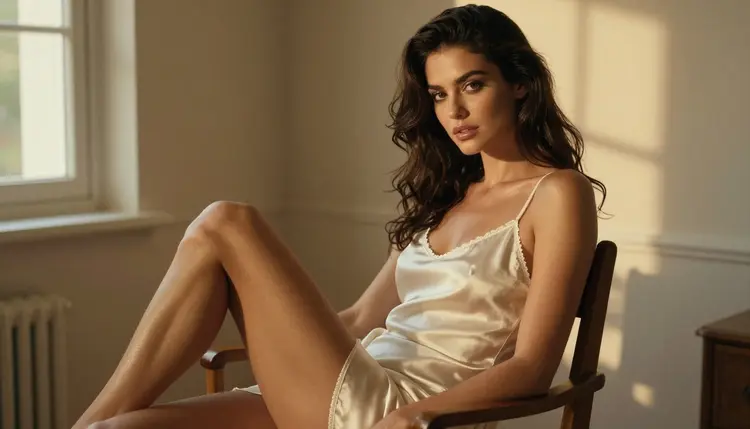
The wooden chair by the glass. A three-quarter view of a woman seated upright on a plain wooden chair, ivory silk slip with a linen wrap across her lap, golden hour backlight, 50mm f/1.4. Ask for an upright, relaxed posture and visible grain in the wood. The mood is calm, almost domestic, and it suits a second image from the same set.
Looking out at the garden. A woman in an emerald silk slip stands at a large window and looks outside at a garden, seen from behind her shoulder, soft diffused daylight, 135mm f/2. Do not ask for a mirror: say she looks out through the glass and describe what she sees, which gives the frame a story without extra figures.
The loft with tall windows. A wide environmental portrait in a bright loft, black silk slip and an open linen robe, window light from the left, 100mm macro f/2.8 for crisp texture and a long room behind. A wide frame tells the viewer where the light comes from, and a small figure in a large room makes the mood more cinematic.
For a different setting with a similar mood, the selfie portraits page shows how to frame a phone-style picture by a window, and the redhead portraits page shows what changes when hair color becomes the lead.
Picasso IA is for adults. You need to be 18 or older to use the NSFW generators on this site, and the pages of this section are written for that audience.
Every character you create must be a fictional adult. Do not describe a real or identifiable person, do not use a celebrity or someone you know, and never write a prompt about anyone who could read as a minor. The portraits on this page show one adult woman in everyday fabrics and that is the standard to follow: clothing, pose and light, nothing explicit.
What you create is private by default. Generations are tied to your account and are not published or shown to others, so you decide what leaves the app. The confirmed label is also a limit: it describes what we saw in tests, and a model's maker can change its behavior at any time.
A new account can run a small free trial on selected models: Picasso IA Image, Picasso IA Editor Pro, Picasso IA Video and Seedance 2.5 Lite. It does not cover the whole catalog, and the credits each generation costs depend on the model and on options such as resolution. Plans and details are on the pricing page.
If you want to widen the session, the models flagged with the infinity tag do not spend credits on plans that include unlimited generation. That tag appears on Picasso Image Editor Pro, Picasso IA Video and Seedance 2.5 Lite, so a window light portrait can go from prompt to edit to short clip without a credit cost on those plans.
For other looks on the same Seedream 4.5 base, try the realistic portraits guide, the watercolor portraits guide or the oil painting portraits guide. If you want a closer look at how the model renders skin, fabric and light, read Seedream 4.5: skin, light and detail. Qwen Image 2 and Seedream 5 are also worth a test, labelled untested, with the confirmed models as your fallback.
Which models are confirmed for NSFW window light portraits?
Six models are confirmed on Picasso IA: Seedream 4.5, Recraft V4.1 Pro and Picasso Image Editor Pro for images, and LTX 2.3 Pro, Picasso IA Video and Seedance 2.5 Lite for video. For window light portraits, Seedream 4.5 is the first one to try.
Why use Seedream 4.5 for this look?
It is a text to image model that creates images up to 4K, and window light is mostly about smooth gradients and fabric texture. A large canvas gives soft light room to fall off gradually, and the model follows direction, wardrobe and lens details in a written prompt.
How should I word the light in a prompt?
Name the source, the side and the hour: soft window light from the left, golden hour backlight, overcast daylight or cool blue-hour light. Add the window itself (tall, sheer curtain, garden outside) and a lens such as 85mm f/1.8. Short, concrete phrases work better than long adjective lists.
Can I put two people in one window scene?
You can try it, but one subject keeps the light easier to read. If you want a pair, describe both clearly and keep the wardrobe simple. For a different framing of a single subject, the selfie portraits page is a useful companion.
What happens when a model refuses my prompt?
The app shows a message titled "Content Not Supported by This Model". It recommends models that accept adult prompts and carries your prompt over, so you do not retype anything. Switching to a confirmed model such as Seedream 4.5 is usually the fastest fix.
Are the characters adults and fictional?
Yes. Every character is a fictional adult, never a real or identifiable person, and never anyone who could read as a minor. Picasso IA is for users aged 18 and over, and prompts should describe adults only.
Are my portraits private?
Generations are private by default. What you create is tied to your account and is not published or shown to other people. You decide what to download, keep or share outside the app.
Can I turn a window light portrait into a video?
Yes. Picasso IA Video takes text or an image, LTX 2.3 Pro creates 4K video from text, and Seedance 2.5 Lite is listed up to 10 seconds. A curtain moving in a breeze is a natural first clip.
How do I change one detail of a portrait I like?
Open the image in Picasso Image Editor Pro, describe the change (a different strap color, a calmer window background) and keep the rest of the frame. It is marked with the infinity tag, so it does not spend credits on plans that include unlimited generation.
Can I try this before paying?
A new account gets a small free trial on selected models, including Picasso IA Image, Picasso IA Editor Pro, Picasso IA Video and Seedance 2.5 Lite. Seedream 4.5 is not part of that trial, and details on credits and plans are on the pricing page.