A realistic photo prompt is a short script for a camera. It names the woman, the wardrobe, the room, the light, the lens and the mood, in that order, so the model has nothing to guess. This page gives you eleven of them, each one a complete prompt idea for glamour, boudoir and lingerie photography with fictional adult models. Nothing here is explicit: the pictures are flirty, suggestive and polished, the way a fashion editorial would shoot them.
Every prompt below was built around the same recipe. Start with the subject and the outfit, add one setting with two or three props, pick one light source, name a lens and a framing, then finish with a film look such as fine grain and warm tones. You can paste a prompt as it is in the toolkit, swap one detail at a time and compare the results. The prompts work best on Seedream 4.5, the photoreal 4K model that Picasso IA has tested with adult prompts, and they carry over to the other confirmed image models too.
If you want more background first, read the guide to the best realistic AI generator for NSFW photos or the list of prompt words that work.
The first six prompts are indoor scenes. Window light, lamp light and soft studio daylight are the easiest sources to control, which makes them a good place to learn how a model reads a lighting instruction.
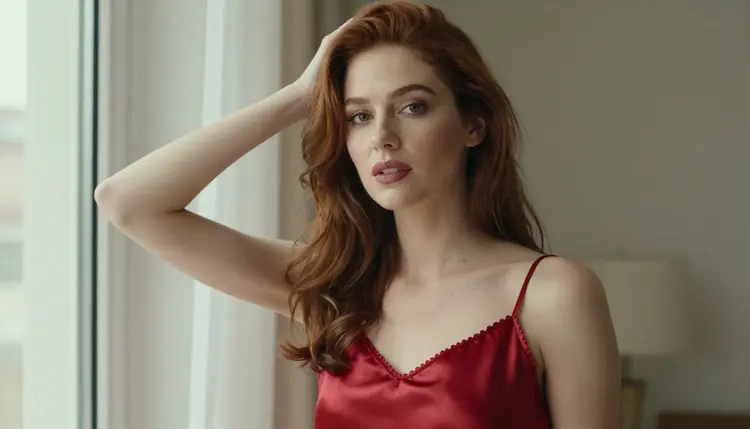
1. Red Slip by the Window. A woman in her late twenties with long auburn curls stands beside a tall window in a red satin slip with a lined neckline, one hand touching her hair, looking at the camera with a confident smile. Soft window light comes from the left, with gentle falloff on the right. Frame it waist up at 70mm f/2.8 so the room melts into a creamy blur. Add fine film grain and a warm palette to keep the silk sheen believable.
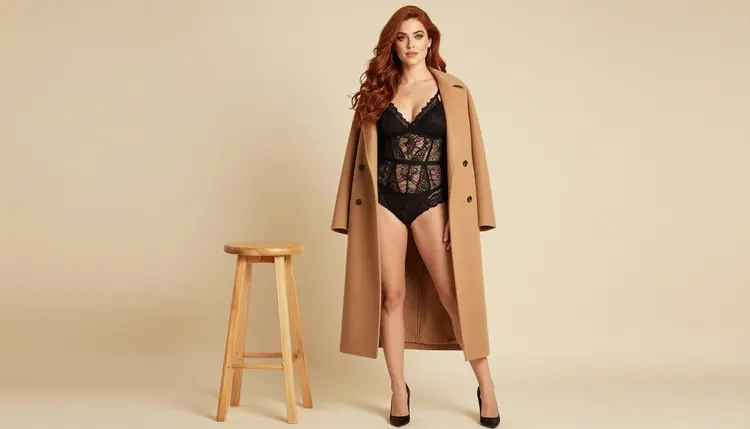
2. Camel Coat over Black Lace. She stands in a bright photo studio wearing a fully lined black lace bralette set under a long camel coat left open, with black heels and a single wooden stool nearby. The backdrop is plain and warm, the light is soft diffused daylight and the lens is a 24mm f/2.8 at eye level. Ask for the full figure with space around her. This is a good first test because the pale background shows every flaw in the fabric and the skin.
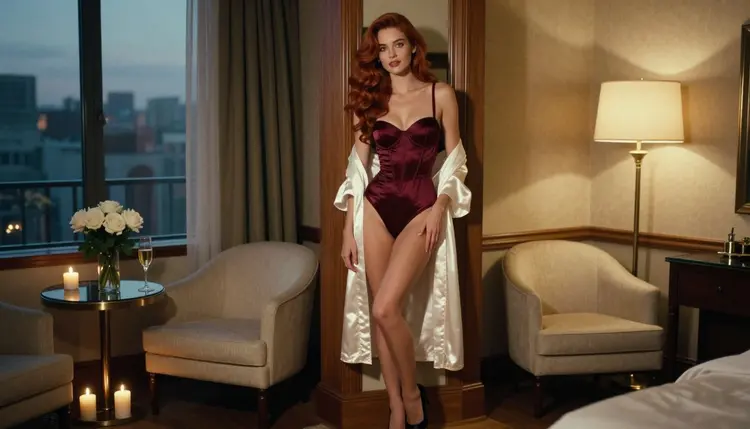
3. Hotel Suite in Tungsten Light. Picture a burgundy satin bodysuit with opaque cups, an ivory silk robe slipping off one shoulder and a cream armchair beside a round table with white roses. A brass lamp at camera right gives warm tungsten light, while a cool dusk skyline glows through the window behind her. Use a 35mm f/2 lens, a wide frame and room for negative space. Mention candles in the background if you want soft bokeh.
4. Dressing Room Mirror. Place her in front of a tall mirror in a silk robe over a lined lace set, caught in a quiet moment while adjusting the robe's sash. Write the mirror into the prompt on purpose: say that the reflection shows the same woman and that the camera is not visible in the glass. Use soft side light from a window, an 85mm f/1.8 lens and a three-quarter angle. Mirrors are hard for any model, so run a few variations and keep the cleanest reflection.
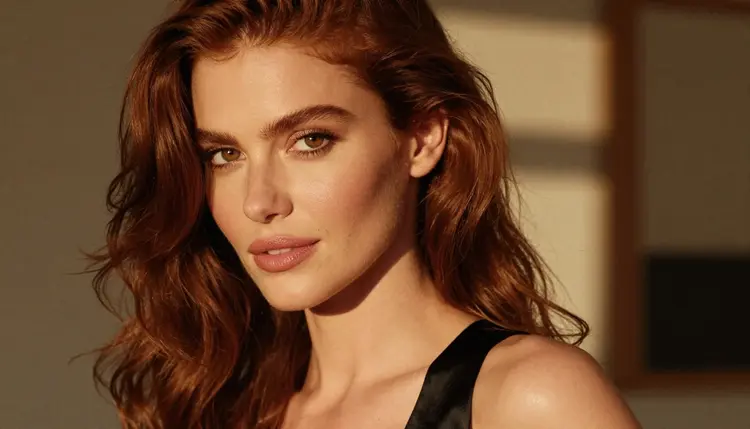
5. Black Strap Close-Up. A tight portrait of her face and bare shoulders, with one black satin strap on a shoulder and lips parted in a knowing smile. Late-afternoon side light warms one cheek and leaves the other in soft shadow. Shoot at 24mm f/2.8 from close range with a warm interior blurred behind her. Ask for a polished but natural skin finish and the mature, confident expression of a magazine cover. For deeper skin work, see the guide to realistic skin detail.
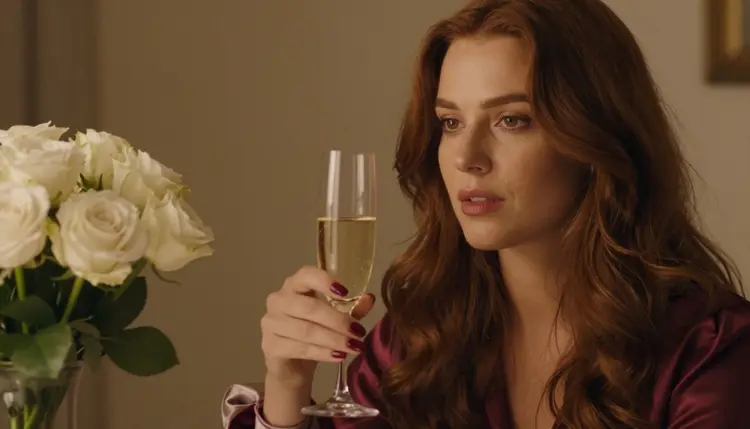
6. One Hand and a Champagne Glass. A detail shot with exactly one hand in frame: polished deep red nails lifting the stem of a champagne glass beside a vase of white roses, with a sliver of burgundy satin sleeve at the wrist. Warm tungsten lamp light, a 135mm f/2 lens and a shallow depth of field. Write "exactly one hand" in the prompt, because hands are where image models slip most often.
The last five prompts move toward daylight, open air and silhouettes. Outdoor light changes fast, so each of these names a precise time of day and a precise angle.
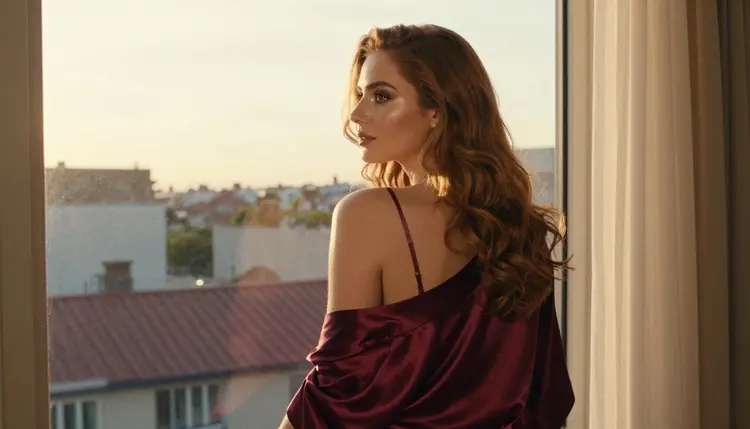
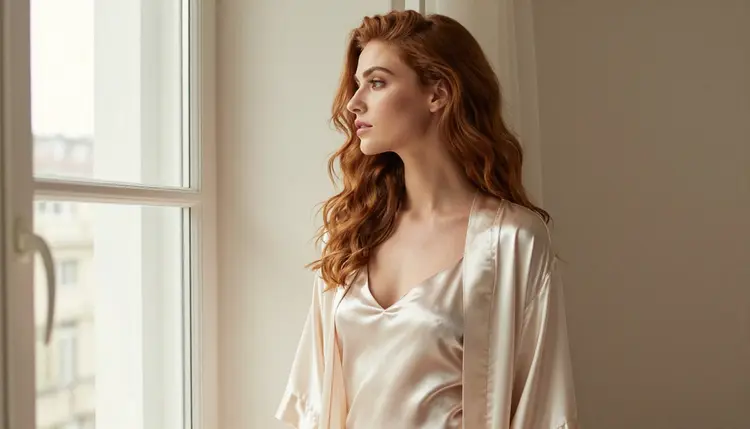
7. Golden Hour at the Window. She stands at a tall window looking out over rooftops, seen from three quarters behind with her face turned into soft profile. She wears a burgundy satin slip with a silk robe resting on her shoulders. Golden hour backlight glows through her hair and adds a warm flare. Use a 35mm f/2 lens at eye level and state that there is no mirror, so the model does not add one.
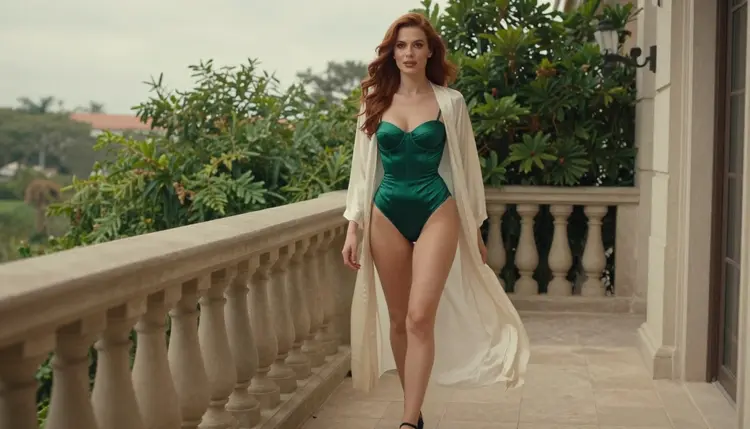
8. Balcony Walk in Overcast Light. A candid three-quarter walking shot along a hotel balcony: an emerald satin bodysuit with a lined bust, a long ivory silk robe flowing behind her, black heels and a glance toward the camera. A stone balustrade and potted greenery sit behind her. Overcast daylight is flat and kind to skin, and a 100mm f/2.8 lens compresses the background nicely.
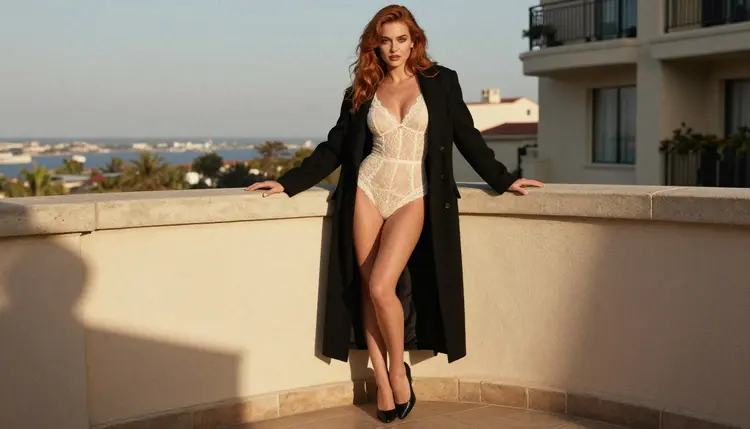
9. Ivory Lace on the Railing. An eye-level, full-length standing frame on a sunlit hotel balcony. She wears an ivory fully lined lace bodysuit under an open long black coat, black heels, one hand resting on the stone railing. Late-afternoon side light draws soft shadows across the fabric. Use an 85mm f/1.8 lens and ask for fine grain and a warm film look. Compare it with prompt 3 to see how daylight and lamp light change the same outfit idea.
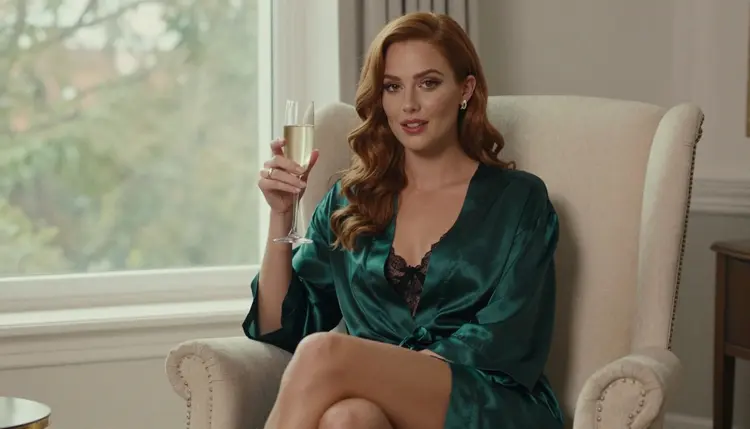
10. Emerald Robe in the Armchair. She sits upright in a cream armchair with her knees crossed, wearing an emerald satin robe over a black lined lace set and holding a champagne glass. Overcast soft daylight arrives from a nearby window in a quiet room. Choose an eye-level three-quarter view at 85mm f/1.8 and a flirty, steady gaze. Seated poses are forgiving, so this is a safe prompt for a first batch.
11. Profile Silhouette. She stands in profile against a bright tall window in a satin slip with a long robe, chin lifted and expression calm. Soft window light from the left outlines her hair and shoulders while the interior stays warm and dark. Use a 24mm f/2.8 lens, a wide frame and plenty of quiet space around her. A silhouette hides detail, so it suits a model that struggles with faces at a distance.
Use this short routine whenever you adapt one of the prompts above to your own idea. It keeps your changes small, so you can tell which edit made the difference.
- Pick One Prompt. Choose the scene closest to what you imagine and paste it into the toolkit with a confirmed image model selected.
- Generate a Baseline. Run it once without changes. This is your reference for every later comparison.
- Change One Detail. Swap only the wardrobe color, the light direction or the lens. If you change three things, you will not know which one worked.
- Check the Hard Parts. Look at hands, mirrors, fabric folds and the edges of hair. Rewrite the prompt to name any part that failed, for example "exactly one hand".
- Refine or Animate. Keep the best frame, polish it with the editor, or turn it into a short clip using the ideas in the image to video prompt list.
Two more habits help. Keep a note of the prompts that worked, because a good wardrobe and light combination can be reused across many scenes. And when a result looks too flat, the cause is usually the light: read how to relight an NSFW AI photo before you rewrite everything. The list of prompt mistakes covers the most common slips.
In Picasso IA, confirmed means the team tested adult prompts against that exact model repeatedly and watched it generate instead of reject. It is not a published setting from the model's maker, who can change it at any time. For realistic photos, the image models in this table are the natural starting point, and the video models are there for the day you want your best frame to move.
For the eleven prompts on this page, Seedream 4.5 is the first choice and Picasso Image Editor Pro is the second: generate the frame, then fix a detail without starting over. Recraft V4.1 Pro leans toward illustration and design, so use it when you want a stylized or print-ready look rather than a camera look.
Every other model in the catalog is untested. That means worth a try, but not confirmed either way. Picasso IA does not call those models filtered or filter-free. If you want to experiment with one, browse the full catalog, and keep the same prompt so the comparison is fair.
This section is 18+ only. Everything on these pages is made for adults, and you need to be an adult to use the generator for this kind of content.
Every character is a fictional adult. Do not write prompts about a real or identifiable person, and do not describe anyone who could read as a minor. Prompts that name a celebrity or an acquaintance go against the rules of this section, whatever the model allows.
What you create is private by default. It is tied to your account and is not published or shown to other people. If a model refuses a prompt, the app shows a message titled "Content Not Supported by This Model", recommends models that accept adult prompts and carries your prompt over, so you do not retype it.
A new account can try a small free trial on selected models: Picasso IA Image, Picasso IA Editor Pro, Picasso IA Video and Seedance 2.5 Lite. The trial does not cover the whole catalog, so check which model is selected before you generate. Plans and what they include are described on the pricing page.
Models marked with the infinity tag do not spend credits on the plans that include unlimited generation. Picasso Image Editor Pro, Picasso IA Video and Seedance 2.5 Lite carry that tag, which makes them a practical way to run many variations of the same prompt. Other models spend credits that vary by model and by options such as resolution or duration.
A good next step is to pick one prompt from the list, run it in the toolkit and change a single detail. When you have a frame you like, bring it into Picasso IA Video or Seedance 2.5 Lite and see how the light behaves in motion. If you prefer anime to photography, the sibling list of anime prompts uses the same structure.
What makes a realistic NSFW photo prompt work?
A good prompt names the subject, the wardrobe, one setting, one light source, a lens and a film look. Specific details such as "satin slip, window light from the left, 70mm f/2.8" give the model fewer chances to guess. Adjectives like "beautiful" add little by comparison.
Are these prompts explicit?
No. They describe lingerie, robes, swimwear-style wardrobe and glamour poses with fictional adult models. They stay flirty and suggestive, and they never ask for explicit content.
Which model should I start with?
Start with Seedream 4.5 for photoreal images. It makes 4K images from text and is one of the models Picasso IA has confirmed with adult prompts. Use the editor model afterwards to adjust a frame you already like.
What does confirmed mean here?
It means Picasso IA tested adult prompts against that exact model repeatedly and watched it generate instead of reject. It is not a published setting of the model's maker, so it can change. Models that were not tested are simply untested, not filtered and not filter-free.
Why do hands and mirrors fail so often?
Image models draw fingers and reflections from patterns, and both are easy to get slightly wrong. Naming "exactly one hand" or "the reflection shows the same woman" in the prompt cuts the failures. When one still slips through, regenerate and keep the best result.
Can I use a real person or a celebrity in a prompt?
No. Characters must be fictional adults. Do not describe a real or identifiable person, and do not write anything about someone who could read as a minor. This is a rule of the section, not just a suggestion.
Is what I generate public?
No. Generations are private by default and tied to your account. They are not published or shown to other people unless you share them yourself.
Can I turn a photo into a video?
Yes. Use Picasso IA Video for text or image to video, or Seedance 2.5 Lite for short clips up to 10 seconds. The image to video prompt list shows how to describe the motion.
What happens if a model refuses my prompt?
The app shows a message titled "Content Not Supported by This Model", recommends models that accept adult prompts and carries your prompt over. You do not need to type it again. Pick one of the suggested models and run it.
Do I need to pay to try these prompts?
A new account can try a small free trial on selected models, and models with the infinity tag do not spend credits on plans that include unlimited generation. Details are on the pricing page. Remember that the content is for adults only and always fictional.