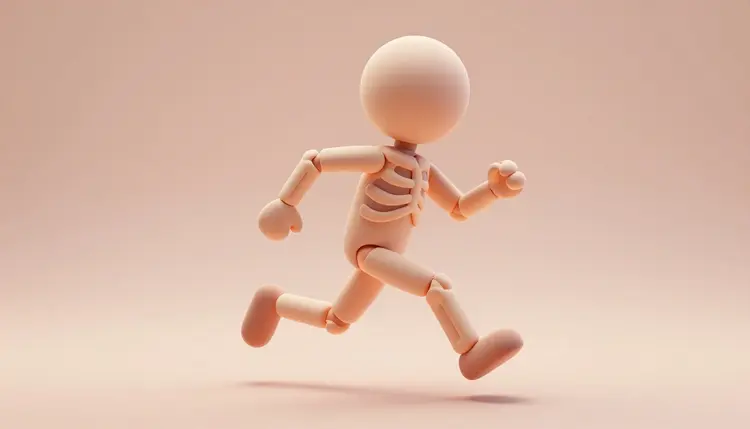
Turning a character concept into something that actually moves used to take three separate skill sets: modeling a mesh, placing a skeleton inside it by hand, and keyframing every stage of a walk cycle. Picasso IA collapses that chain into three linked generations instead. Describe or photograph the character, auto-rig the result in seconds, then generate a motion clip from a sentence, no bone placement and no manual keyframing required.
Most 3D generators stop at the mesh. You get a textured shape you can orbit and export, and everything after that, the skeleton, the weight painting, the animation, is still yours to do by hand in a separate application. That gap is exactly where most character projects stall, because rigging and animation are the slow, specialized parts of the job, not the modeling.
Picasso IA's 3D model catalog covers the whole chain instead of stopping at the mesh. tencent/hunyuan-3d-3.1 and hyper3d/rodin turn a prompt or a photo into a textured mesh. uthana/create-character-v1 takes that mesh and generates a full bone skeleton on it automatically, no manual bone placement. uthana/text-to-motion-diffusion-v2 and text-to-motion-vqvae-v1 then turn a written description like a person doing jumping jacks into an exported animation clip. Few catalogs offer mesh, rig and motion as three connected steps behind one login, which is what makes this pipeline worth naming as its own workflow rather than three unrelated tools.
Not every project needs all three steps, and knowing where yours lands changes how much time you budget. This table is the honest version of what the pipeline delivers for common destinations.
| Destination | What the pipeline delivers | What you still do |
|---|
| Game prototype NPC | A rigged mesh and a rough motion clip in minutes | Retarget the motion, tune collisions |
| Pitch deck previz | A textured, posable character to show a client | Light and render the scene |
| Short animated clip | A moving character without hand keyframing | Trim timing, layer camera work |
| Streaming avatar base | A rigged humanoid mesh ready for a face rig | Add facial tracking, fit clothing |
| 3D printed figurine | A textured mesh, rig not needed at all | Skip rigging, repair and scale for print |
Read the third column before you start. A background NPC can ship with the raw pipeline output; a hero character for a cutscene needs the same pipeline plus a pass of hand animation on top.
Choosing a Starting Point: Text, Photo or Reference Images
hunyuan-3d-3.1 accepts either a prompt or a single image, never both, and works best with a plain background and one subject filling more than half the frame. rodin instead accepts up to five reference images alongside a prompt, which helps when you want the mesh built from several angles of the same character rather than guessed from one.
For a character you plan to rig, turn on rodin's tapose option, which generates the mesh in a T or A pose, arms out from the body. That single setting saves the auto-rigger from guessing a pose later and is the detail most people skip on their first try. If the character has to look the same across a whole project, from a hero shot to concept art to the 3D mesh, the consistent AI characters workflow for locking a reference image pairs naturally with this pipeline.
create-character-v1 accepts a bipedal FBX or GLB mesh and places a full skeleton on it, with a toggle for front-facing export so the character lines up with your engine's default axis. It exists for exactly one job, bipedal humanoid rigging, so a mesh with a tail, four legs or wings will not come back correctly rigged; save the auto-rigger for humanoid characters and handle creatures by hand or in dedicated rigging software.
The motion side works differently than people expect the first time. text-to-motion-diffusion-v2 and text-to-motion-vqvae-v1 generate a clip on one of five built-in figures, Tar, Ava, Manny, Quinn or Y Bot, not directly on the custom mesh you just rigged. What you get back is skeleton animation data at 24, 30 or 60 frames per second, meant to be retargeted onto your own rig inside your 3D software, matching bone by bone since both use a standard humanoid skeleton layout.
Pro tip: generate the motion clip with foot_ik left on. The built-in inverse kinematics keeps feet planted through the step, and turning it off is the single fastest way to get a walk cycle that slides across the floor once retargeted.
This is the full loop from a blank idea to an exported, moving character. It assumes nothing more than a description or a reference photo and access to the Toolkit.
- Generate the character mesh. In the Toolkit, run tencent/hunyuan-3d-3.1 from a prompt or photo, or hyper3d/rodin with the tapose option on for a rig-ready pose.
- Auto-rig the mesh. Feed the FBX or GLB export into uthana/create-character-v1 and let auto_rig build the skeleton in seconds.
- Generate a motion clip. Describe the movement to uthana/text-to-motion-diffusion-v2, pick a frame rate and export format, and download the animation.
- Retarget the motion onto your rig. Import both files into Blender or your engine and map the motion's bones onto the skeleton create-character-v1 generated.
- Refine and export for your destination. Adjust timing, fit any clothing or props, then export for a game engine, a render or a print-ready pose.
An honest page names where a tool stops working rather than presenting the whole thing as flawless. For AI 3D characters, five limits show up often enough to plan around.
- Non-humanoid bodies: create-character-v1 only rigs bipedal characters, so animals, creatures with extra limbs and stylized non-human proportions need manual rigging instead.
- Retargeting is manual: the motion clips animate one of five built-in figures, not your generated mesh directly, so mapping the motion onto your own rig is a step you still do in your own software.
- Facial and finger detail: the auto-rig covers the body skeleton, not individual fingers or a face rig, both of which still need dedicated tools if your character needs them.
- Hidden geometry: a mesh generated from one photo invents the side the camera never saw, so the back of a character built this way can come back generic or simply wrong.
- Complex interaction motion: single-character clips like a walk or a jump come back clean, but multi-character contact, like a handshake or a fight sequence, is not what these motion models are built for.
None of these rule the pipeline out. They are the reasons a background NPC ships as-is while a hero character still gets a pass from a human animator.
Can AI really generate a rigged, animated 3D character?
Yes, across three separate generations rather than one. A model generates the textured mesh, a second model auto-rigs it if the character is bipedal, and a third generates a motion clip from a text description that you retarget onto the rig. Each step is a real, working model in the catalog, not a marketing simplification of a single black box, and each one can also be used on its own.
Which Picasso IA models make up this pipeline?
tencent/hunyuan-3d-3.1 and hyper3d/rodin generate the mesh from a prompt or photo. uthana/create-character-v1 auto-rigs a bipedal mesh in FBX or GLB format. uthana/text-to-motion-diffusion-v2 and text-to-motion-vqvae-v1 generate a motion clip from a written description, exported at 24, 30 or 60 frames per second. All five live in the 3d-models category of the full catalog.
Do I need a 3D modeling background to use this?
No. Every step takes a prompt, a photo or a file upload, not manual vertex editing. What still helps is basic familiarity with your destination software, Blender, a game engine or a slicer, since retargeting the motion onto your rig and doing any final cleanup happens there, not inside Picasso IA.
Can I rig an animal or a creature with extra limbs?
Not with the auto-rigger. create-character-v1 is built specifically for bipedal humanoid meshes, and feeding it a quadruped, a winged creature or anything with a non-human skeleton produces an incorrect rig. For creatures, plan on rigging by hand in dedicated 3D software, using the generated mesh as your starting geometry rather than a finished, riggable asset.
Does the animation apply directly to the character I generated?
Not automatically. The motion models generate a clip on one of five built-in figures rather than your custom mesh, so the practical workflow is generating the motion, then retargeting it onto your own rig inside your 3D software by matching the two standard humanoid skeletons bone for bone. That extra step is the part of the pipeline that still requires a 3D tool outside Picasso IA.
What file formats do I get back?
The mesh comes back as GLB, and depending on the model, also FBX, OBJ, USDZ or STL. The rigged character exports as FBX or GLB. The motion clip exports as FBX or GLB at your chosen frame rate. All of these are standard formats that current versions of Blender, most game engines and common 3D viewers open directly, with no conversion step required.
How long does the whole pipeline take?
Minutes, not hours, for the generation itself. Mesh generation typically finishes in one to a few minutes depending on the model and settings, auto-rigging finishes in seconds, and a motion clip generates in a few seconds too. The time that varies is on your side: retargeting, checking the result from every angle and iterating on a mesh or a prompt that did not come back the way you wanted.
Can I use the built-in characters, Tar, Ava, Manny, Quinn and Y Bot, directly?
Yes, and that is a legitimate way to work when you do not need a custom mesh. Generate a motion clip with one of the five built-in figures selected, export it, and use that figure directly as a placeholder character, a prototyping stand-in or a base for further work. Many game prototypes never need a custom mesh until the project is far enough along to justify one.
How much does generating a full character pipeline cost?
Each generation, the mesh, the auto-rig and the motion clip, costs credits individually, and the amount depends on the model and the settings you choose. New accounts start with free credits, enough to run the full pipeline once or twice before deciding whether it fits your project. Current plans and credit allowances live on the pricing page, which is the only place worth trusting for exact numbers.
Is this a replacement for a professional character rigger or animator?
For a background prop, a game prototype or a previz pass, often yes. For a hero character in a shipped game or a production animation, no. The pipeline removes the slow setup work, generating a mesh, placing a skeleton, producing a rough motion clip, but a professional rigger still refines weight painting and facial rigs, and an animator still hand-polishes any performance that needs to carry real emotion or precise timing.
A character concept stuck in your head is not doing anything for your project. Open the Toolkit and turn it into a mesh, a rig and a moving clip in the same session.