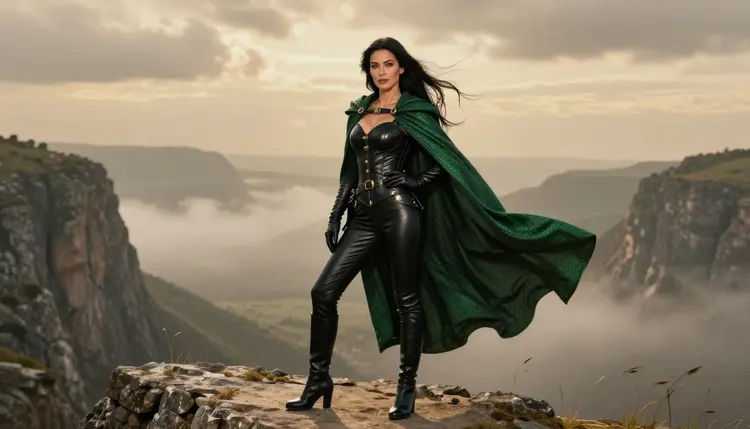
A dragon rider does not need a dragon in the frame to read as one. The story sits in the clothes: a fitted leather corset, riding trousers, scuffed boots, a brass buckle at the wrist and a cloak whose fabric looks like overlapping green scales. Put that outfit on a windswept cliff under a heavy sky and the viewer fills in the rest. The dragon is somewhere behind the clouds, and the woman in front of you has just climbed down from its back.
This page is about making that look with Qwen Image 2, a text-to-image model in the Picasso IA catalog that also edits photos. It is an adult take on the fantasy rider: glamour styling, a suggestive mood, a confident pose, and nothing explicit. Every character is a fictional adult, the pictures read like raw film photography, and the drama comes from wardrobe, weather and light.
You will find the reasoning behind the look, the models that handle it, five steps from blank prompt to finished image, a set of prompt ideas you can paste and adapt, and the rules of the section. If you want a neighbouring fantasy mood, the Valkyrie art page uses the same method with armor and winter light.
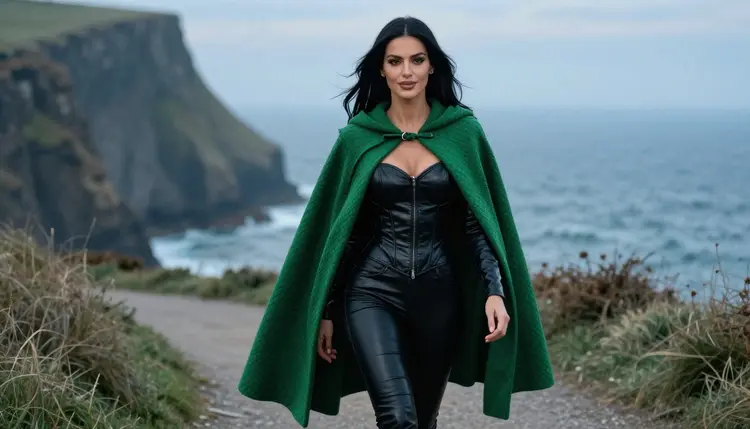
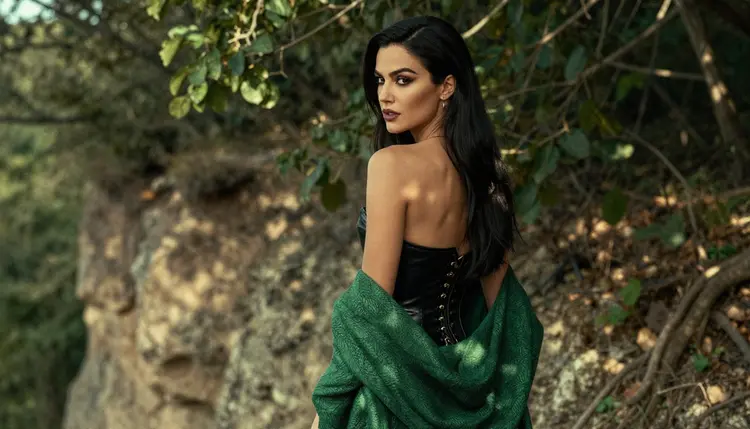
The dragon rider look is built from three layers that an image model can handle well when you name them one by one. The first layer is the costume: black or oxblood leather, a laced corset, a belt with pouches, tall boots and long gloves. The second is the cloak, the one piece of fantasy in the outfit. Describe it as a heavy cloak with a scale texture in emerald or bronze, pinned at the shoulder, and the model gives you the pattern without turning the person into a reptile. The third layer is the place: a cliff, a sea stack, a mountain pass, a stone lodge at the end of the day.
Qwen Image 2 is listed in the catalog as a model to create images and edit photos. For this look that matters in two ways. It follows long, ordered prompts, so a paragraph that moves from the face to the cloak to the horizon tends to come back in that order. And because it also edits, you can generate a scene, keep it, and ask for a change to one part without starting over. Qwen Image 2 is untested for adult prompts in the Picasso IA app: it is worth a try, but it is not on the confirmed list, so we do not promise it will accept every prompt. If it refuses one, the confirmed models below are the fallback.
What makes the style read well is restraint. A glamour portrait of a rider is more convincing with one strong silhouette than with a crowd of props. Pick a single color for the cloak, a single metal for the buckles, and let the weather do the rest. Wind lifts hair and fabric, which gives the picture motion without asking for any action. A slightly desaturated sky keeps the green of the cloak the brightest thing in the frame.
The suggestive part comes from the tailoring and the pose, not from what is missing. A corset that cinches the waist, a neckline held by laces, a gloved hand on a hip, a glance back over the shoulder: these are enough. Keep the wording close to photography, because a prompt that sounds like a fashion shoot gives you a fashion shoot.
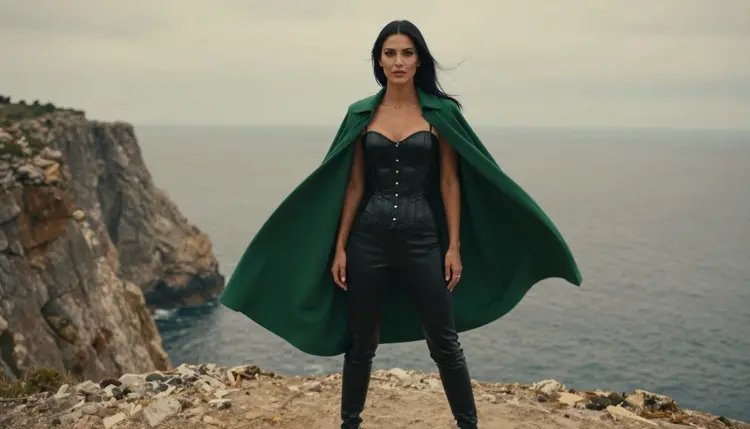
Picasso IA keeps a short list of models it has tested with adult prompts, repeatedly, and watched generate instead of reject. That is what "confirmed" means here. It is a result of our own testing, not a setting published by the maker of the model, and the makers can change their models at any time. For the dragon rider look the three confirmed image models cover most needs, and the three confirmed video models turn a finished still into a clip.
Seedream 4.5 is the pick when you want the raw photograph look, with skin, leather grain and fabric in sharp detail. Recraft V4.1 Pro leans toward illustration and design, so it suits a stylized rider you might print as a poster. Picasso Image Editor Pro is the repair tool: it changes one thing in an existing image and leaves the rest alone.
The rest of the catalog is a different story. Hundreds of other models are untested: Picasso IA has not confirmed them either way, and we will not call them filtered or filter free. Many of them are good at fantasy scenes, so they are worth a try, especially for wardrobe and landscape. Treat them as experiments and keep the confirmed models as your safety net. The full catalog lists everything you can open.
The process is the same every time: choose the model, describe the clothes and the place, set the light, look closely at the result, and fix what needs fixing. Keep the first prompt short and add detail only after you have seen what the model does with it.
- Open the toolkit and pick the model. Go to the toolkit, choose Qwen Image 2 from the image models, and keep the format wide so the cliff has room to breathe.
- Describe the wardrobe and the setting. Name the corset, trousers, boots, gloves and the scale-pattern cloak, then the cliff, the sea and the sky behind the woman.
- Set the light and the mood. Say blue hour, overcast daylight or late-afternoon side light, and add film grain and a lens such as 50mm or 70mm for a photographic feel.
- Generate and review. Check the hands, the buckles, the lacing, the fall of the cloak and the face before you decide the image is done.
- Refine or switch model. Use Picasso Image Editor Pro to fix a single detail, or move the same prompt to Seedream 4.5 or Recraft V4.1 Pro if the first model does not fit.
If a model declines a prompt, the app shows a message titled "Content Not Supported by This Model" and recommends models that accept adult prompts. Your prompt is carried over, so you do not type it again.
These prompts are starting points. Each one names the wardrobe, the place, the light and the angle, because those four things decide almost everything in the result. Swap the colors and the props to make them yours, and keep the subject a single adult woman or a single adult man.
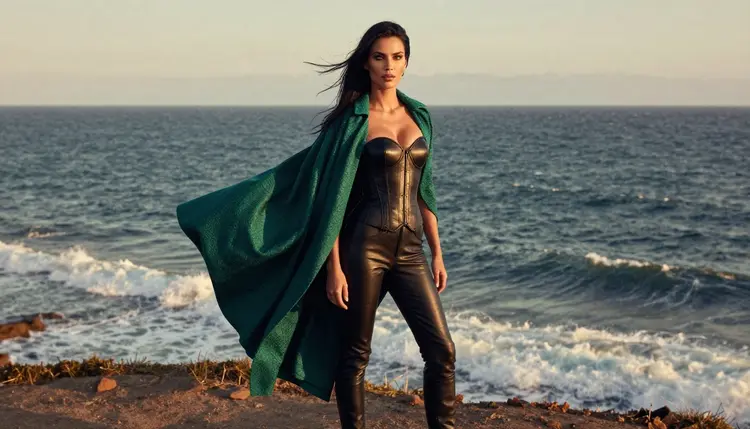
Cliff edge at dusk. A woman with long straight black hair, polished glamour makeup and a black leather riding corset, fitted trousers and tall boots stands at the edge of a sea cliff, an emerald scale-pattern cloak streaming sideways in the wind. Overcast daylight, eye-level frame, 50mm, visible film grain, grey ocean far below.
Walking the ridge path. A candid three-quarter shot of the same woman walking a misty ridge path at blue hour, cloak trailing behind, one hand holding the strap of a satchel. Cool ambient light, shallow depth of field, 100mm lens, mist between her and the camera.
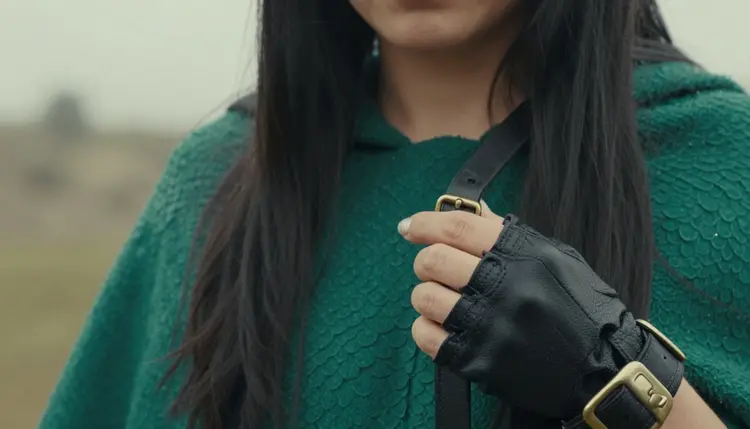
The buckle detail. A close detail of one gloved hand fastening a brass buckle on a leather strap beside the folds of the green cloak. Soft overcast light, 50mm f/1.4, the background melting into grey. Say exactly one hand, or the model may add a second.
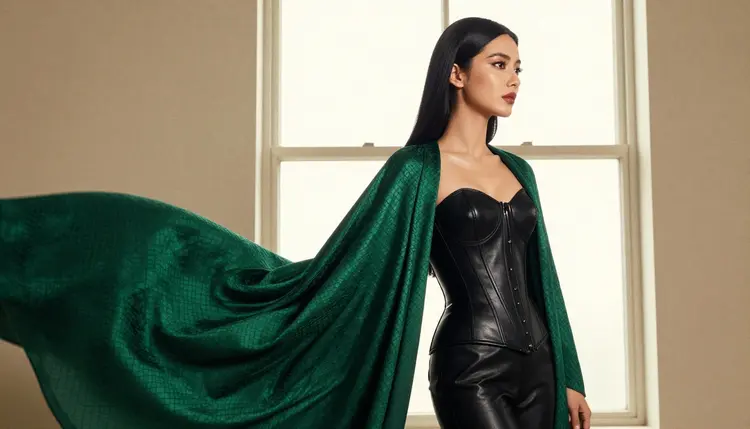
Silhouette at the window. A profile of the rider in a studio, backlit by a tall bright window, the corset outline and the flowing cloak reading as a shape against the light. Soft diffused daylight, 24mm, plain wall behind. This is a good test for how well a model draws edges.
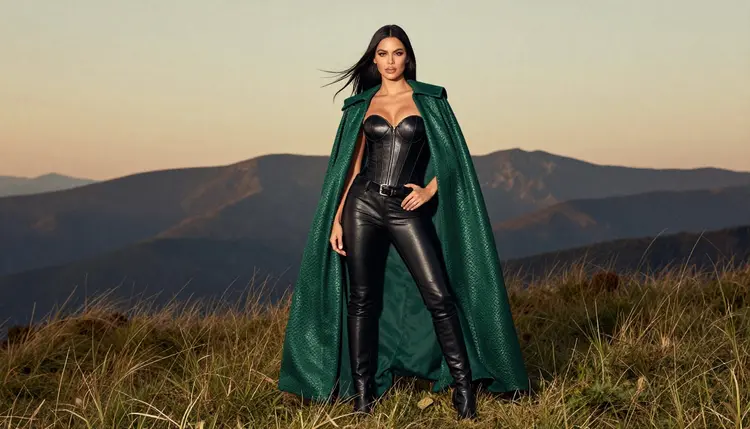
Full length on the clifftop. A standing, full-length frame on a grassy clifftop in late-afternoon side light, the corset laces, boots and cloak all visible, a flat horizon behind. 70mm, eye level, and a line that says the pose is relaxed, weight on one leg.
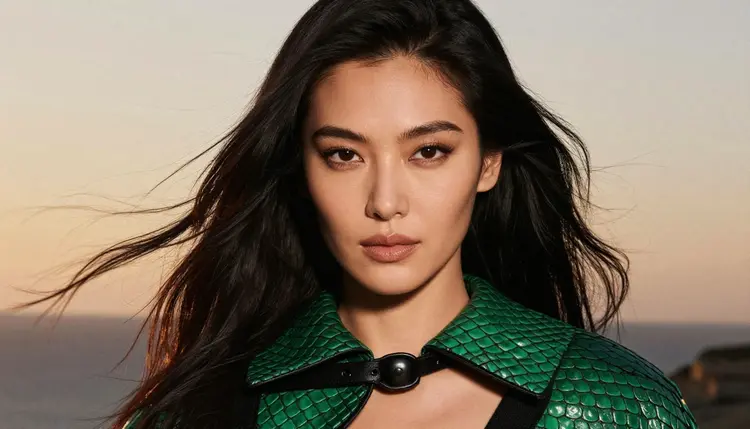
Golden hour close-up. A tight portrait with windblown black hair lit from behind by golden hour, dark eyes looking just past the lens, a small scale-pattern clasp at the collar. 24mm, warm rim light, a little lens flare, grain.
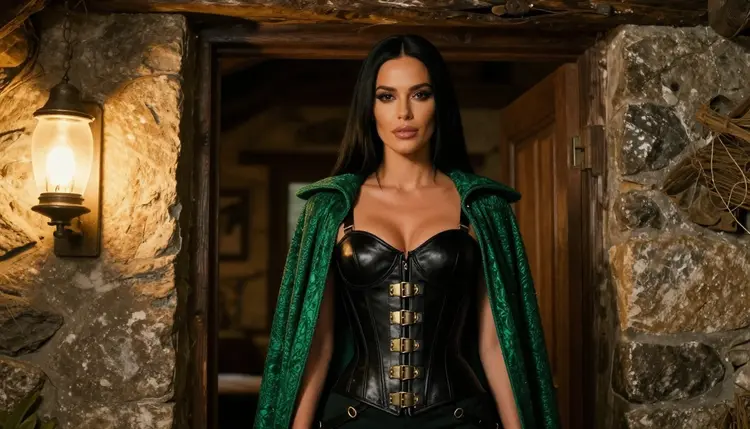
Lodge doorway. A waist-up shot of the rider in the doorway of a stone lodge, warm tungsten lamp light on her face, the green cloak over one shoulder, cold evening behind her. This frame suggests the end of a long flight, and it works well as an image to animate later.
Everything in this section is for adults. You must be 18 or older to use the NSFW pages of Picasso IA, and the images here are meant for adult viewers only.
The people in these pictures are fictional adults. Do not describe a real person, a celebrity or anyone you can identify, and do not write prompts for anyone who could read as a minor. Prompts say woman or man, never anything that points to a child, and a dragon rider is always a grown character with an adult body, adult styling and an adult attitude.
What you make is private by default. Your generations are tied to your account and are not published or shown to other people. Keep it that way: share an image only if you are comfortable doing so, and respect the rules of any place where you post.
A new account can try a few generations for free on selected Picasso IA models, among them Picasso IA Image, Picasso Image Editor Pro, Picasso IA Video and Seedance 2.5 Lite. It is a small free trial on selected models, not on the whole catalog, so check the pricing page for what is included and for how credits work. Generations cost credits that vary by model and by options such as resolution or duration, and models with the infinity tag do not spend credits on the plans that include unlimited generation.
Qwen Image 2 is not among the trial models, so the quickest way to test the look for free is to start with Seedream 4.5 or another confirmed model once you have your account, or to try the trial models for the edit and video steps. When you are ready to compare, run the same prompt on Qwen Image 2 and on a confirmed model and keep the one you like.
Looking for a neighbouring mood? The Kitsune art page swaps leather for silk and fox-spirit details, the Dark Romantasy page goes heavier on shadow and velvet, and the Fallen Angel page is built around wings and ruined light. If you play at the table, the Tabletop RPG art page shows how to make character portraits for a campaign.
Which models are confirmed for dragon rider art?
Seedream 4.5 for photoreal images, Recraft V4.1 Pro for illustration and print-ready work, and Picasso Image Editor Pro for editing. For video there are LTX 2.3 Pro, Picasso IA Video and Seedance 2.5 Lite. Confirmed means Picasso IA tested adult prompts against the model repeatedly and saw it generate, which is not a published setting of the model's maker.
Why use Qwen Image 2 for this look?
It follows long, ordered prompts well, so a description that goes from the face to the cloak to the horizon comes back in that order, and it can edit photos as well. It is untested for adult prompts in the app, so it is worth a try, with Seedream 4.5 and Recraft V4.1 Pro as the fallback.
How should I word the prompt?
Write it like a photographer's brief: the person, the wardrobe, the place, the light, the lens. Name one color for the cloak and one metal for the buckles, say the cloak has a scale pattern, and add film grain. Avoid vague praise words. Concrete nouns such as corset, buckle, cliff and overcast sky give better results than adjectives.
Can I put two characters in one scene?
Yes, but start with one and add the second only when the first looks right. Describe each person separately, with their own wardrobe and position, and keep both as fictional adults. If you want a pair in a fantasy setting, the Valkyrie art page has ideas for composing two figures.
What happens when a model refuses my prompt?
The app shows a message titled "Content Not Supported by This Model". It recommends models that accept adult prompts and carries your prompt over, so nothing has to be retyped. You can pick one of the confirmed models and generate again with the same text.
Is this only for adults and fictional characters?
Yes. The section is 18+ only. Characters are fictional adults, never a real or identifiable person and never anyone who could read as a minor. Prompts that break those rules are not what these pages are for, and you should not write them.
Are my images private?
Generations are private by default: they are tied to your account and are not published or shown to other people. Anything you decide to share outside Picasso IA is your choice.
Can I turn a dragon rider image into a video?
Yes. Picasso IA Video accepts text or an image and is a good place to start, LTX 2.3 Pro makes 4K video from text, and Seedance 2.5 Lite is listed for clips up to 10 seconds. A still with a cloak and loose hair, like the lodge doorway frame, gives the wind something to move.
How do I fix one detail without redoing the image?
Open the result in Picasso Image Editor Pro and describe only the change: a different buckle, a cleaner hand, a darker cloak. It edits the existing image, so the pose, the light and the face stay as they were. The tool is marked unlimited in the catalog.
Can I try it before paying?
A new account can try a few generations for free on selected models, including Picasso IA Image, Picasso Image Editor Pro, Picasso IA Video and Seedance 2.5 Lite. Details and plans are on the pricing page, and you can start creating in the toolkit.