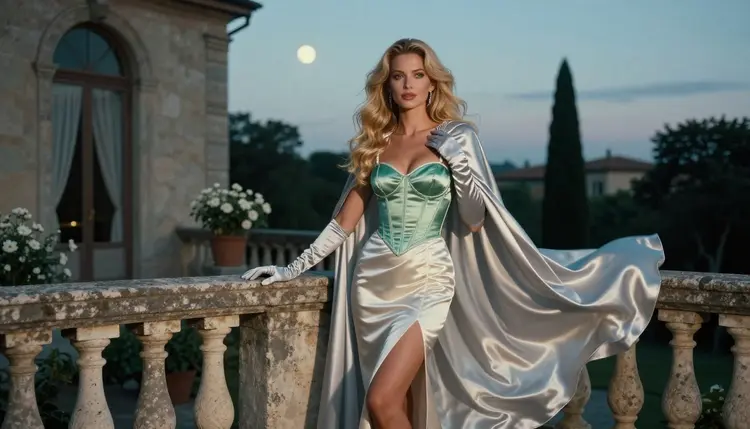
A silver wig under a full moon is one of the quickest ways to make an anime-inspired character feel real on screen. The hair catches the cool light, the costume gives you satin, lace and metal trim to play with, and a stone balcony supplies the rest. This page shows how to build that look with Qwen Image 2 on Picasso IA, using wardrobe, props and light instead of cartoon shortcuts.
The characters here are adult cosplayers, fictional and 18+ only. The mood is flirty, romantic and suggestive: a corset bodice, a satin cape, opera gloves, a glass of champagne on the railing. Nothing explicit, nothing that could read as a minor, and nobody who exists in real life.
If you have tried to get this scene from a general prompt and received a plain studio portrait, the fix is almost always in the wording. The sections below cover the model, the steps, nine prompt ideas and the rules, in that order.
The silver hair anime look is a costume idea more than a drawing style. Think of the character who walks out onto a balcony in a long wig the color of moonlight, an elegant gown cut like a fantasy uniform, a cape with a high collar and gloves that reach the elbow. When it is rendered well, it reads as a cosplay photo shoot: real fabric, real light, one person in frame.
Three things make it read well. First, the contrast between a pale silver wig and a deep jewel tone such as emerald or burgundy. Second, hard materials against soft ones: a metal hair comb or a clasp against satin. Third, a night or dusk setting where the moon acts as a cool backlight and a warm lamp fills the face.
Qwen Image 2 is listed in the catalog as a model to create images and edit photos. That makes it a practical starting point for this style: you can write a long wardrobe prompt, check the result, and then adjust a single detail without starting over. It is an untested model for adult prompts, which means it is worth a try but not confirmed. If it does not accept a prompt, the confirmed models in the next section are the fallback, and your prompt travels with you.
For a sibling take on the same family of looks, see NSFW Anime with Qwen Image 2, which covers the broader anime wardrobe. If your idea is closer to a mythic warrior, NSFW Valkyrie Art with Qwen Image 2 is a better fit.
Confirmed has a narrow meaning on Picasso IA: the app tested adult prompts against that exact model repeatedly and watched it generate instead of reject. It is not a published setting of the maker, who can change it at any time. The page about what confirmed means explains the test in full.
For a silver hair balcony scene, the image models are the main tools, and the video models turn a finished frame into a short clip.
Every other model in the catalog is untested. That includes Qwen Image 2 itself, and it includes plenty of other image and video models in the full catalog. Untested does not mean filtered and it does not mean filter free. It means nobody at Picasso IA has run the repeated test yet, so treat it as an experiment.
The workflow is short. The care goes into the wording of step two and the review in step four.
- Open the toolkit and pick the model. Go to the toolkit, choose Qwen Image 2 from the image models, and set a wide aspect ratio for a balcony scene.
- Describe wardrobe and setting. Name the silver wig, the gown color, the cape, the gloves and the stone balustrade in one or two sentences, then add the villa or terrace behind.
- Set the light and mood. Say moonlight or golden hour backlight, add one warm fill source, and name a lens such as 70mm f/2.8 so the depth of field looks photographic.
- Generate and review. Look at hands first, then fabric folds, then the face. Gloves and cape clasps are the places where errors tend to hide.
- Refine or switch. Fix one detail with Picasso Image Editor Pro, or run the same prompt on Seedream 4.5 or Recraft V4.1 Pro if Qwen Image 2 does not take it.
Each idea below names wardrobe, setting, light and angle. Paste one into the toolkit, change the color words, and keep the prompt in plain language: a woman, an adult cosplayer, a model.
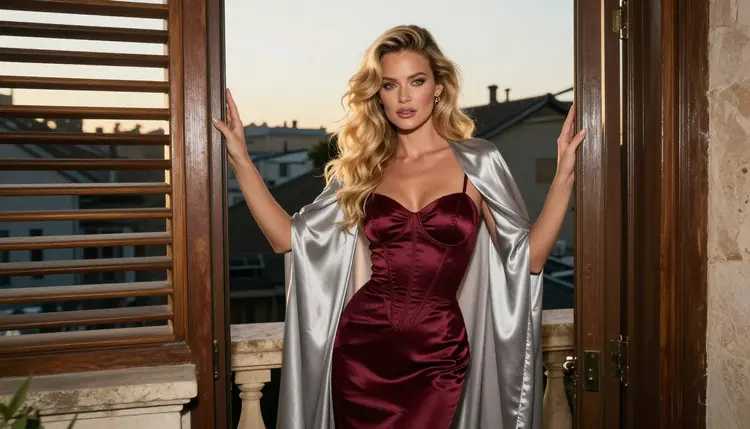
Burgundy corset in the doorway. An adult woman in a long silver wig stands in a balcony doorway wearing a burgundy satin corset dress and a silver cape. Hard morning sun cuts through blinds beside her. Wide environmental portrait, 135mm f/2, the cape hanging behind her shoulders.
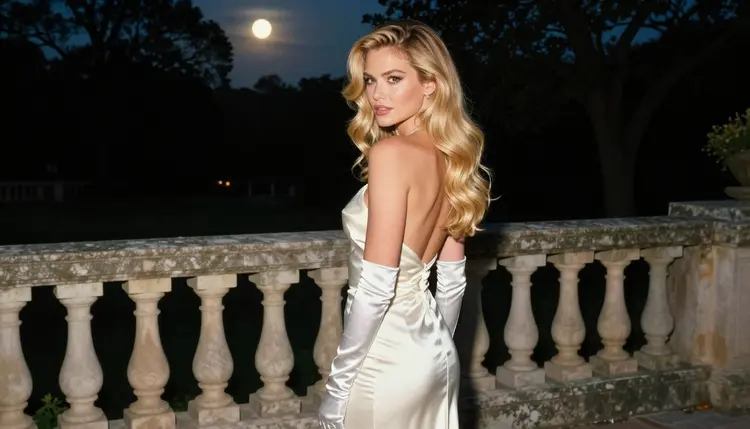
Ivory gown at the balustrade. She looks back over her shoulder at a stone balustrade in an ivory satin gown and silver gloves. Late afternoon side light, 35mm f/2, with the garden softly out of focus behind her. This is the over-the-shoulder frame that works well as a poster image.
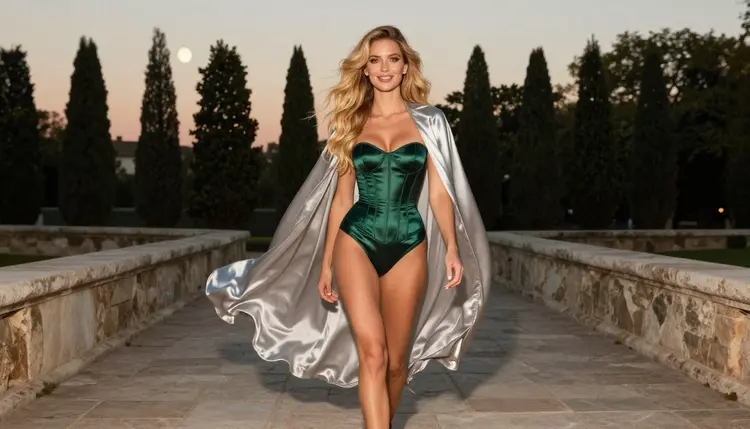
Emerald walk along the terrace. A candid three-quarter shot as she walks past stone pillars in an emerald satin corset dress with a flowing silver cape. Golden hour backlight, 100mm macro f/2.8, the wig catching the sun at the edges.
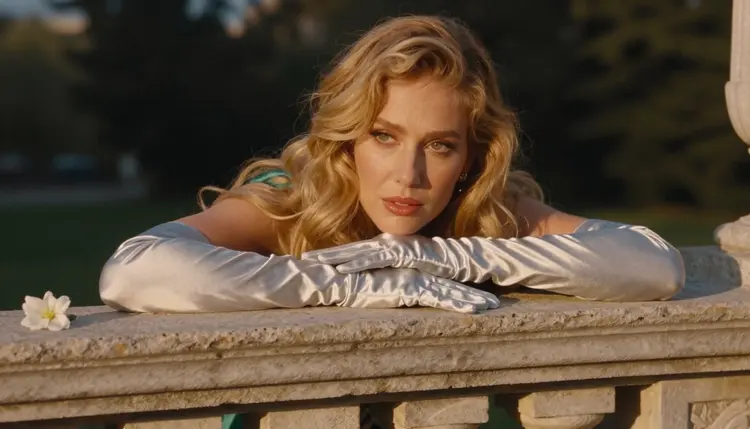
The glove detail. One hand only, in a silver satin opera glove, resting on the balustrade next to a white flower. Golden hour backlight, 35mm f/2. State "exactly one hand" in the prompt, because extra fingers and second hands are the usual failure in a detail shot.
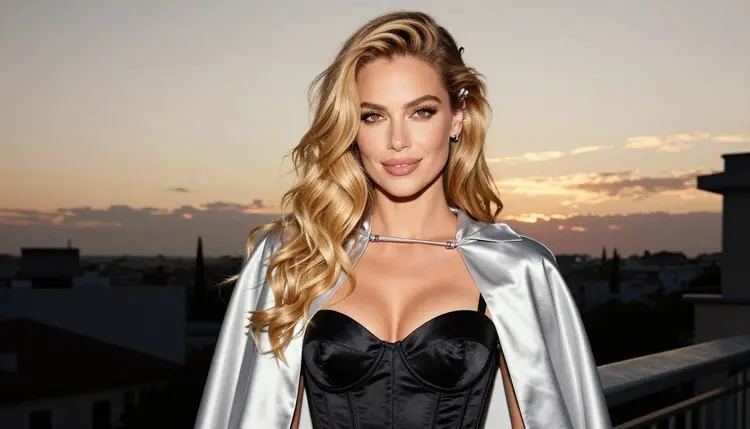
Black corset with a hair comb. A waist-up frame in a black satin corset top, a silver cape and a silver hair comb, 70mm f/2.8. The black fabric makes the wig look brighter, so keep the light behind her at golden hour.
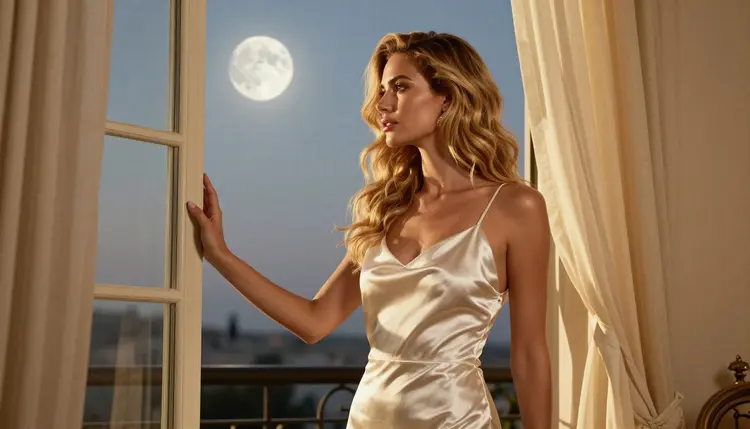
Robe at the window. An ivory satin robe over a slip dress, with her looking out through the balcony window toward the moon. Window light, 70mm f/2.8, no mirror in the scene. The quiet, romantic frame in the set.
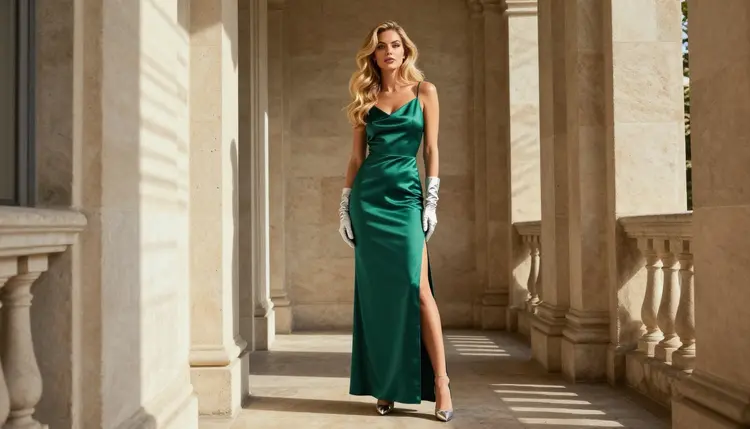
Full length in emerald. An eye-level standing frame in an emerald satin gown, silver gloves and heels, hard morning sun through blinds, 70mm f/2.8. Mention the heels and the hem so the full figure is not cropped.
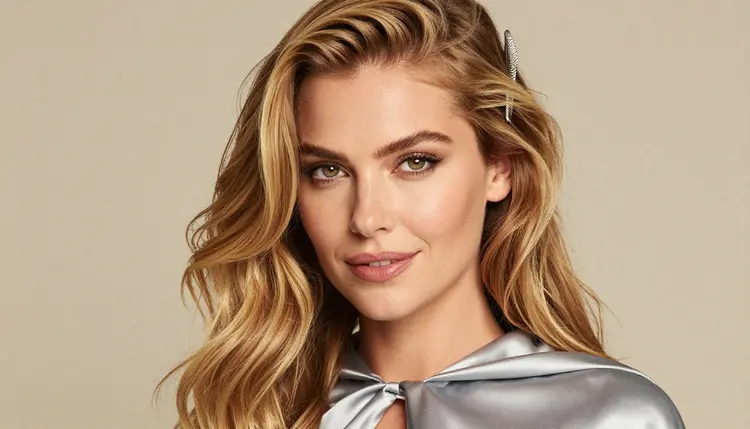
Close-up with the comb. A tight portrait with the silver hair comb and the cape collar visible, soft diffused studio daylight, 35mm f/2, a confident gaze straight at the camera. Use this as an avatar or a cover.
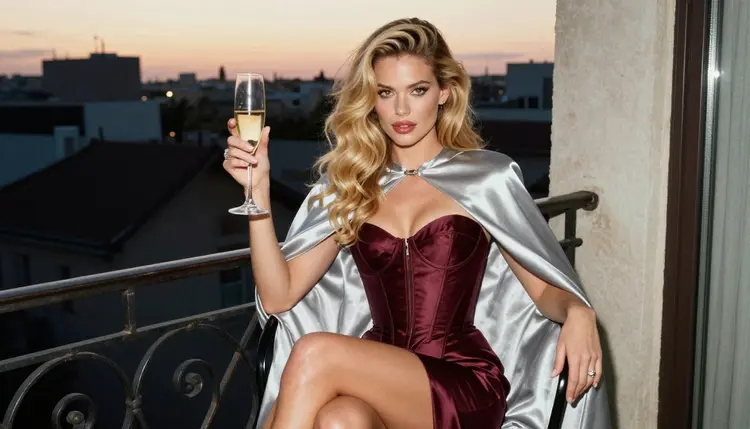
Champagne on the balcony chair. She sits in a balcony chair in a burgundy satin dress with the silver cape draped over one arm, a champagne glass in her hand. Golden hour backlight, 50mm f/1.4. The flirty, relaxed ending to a series.
If you want two characters in one balcony scene, the anime-leaning NSFW Anime with Qwen Image 2 page has wording for pairs, and NSFW Visual Novel Art with Qwen Image 2 shows how to keep a series consistent.
This section is the same on every adult page of Picasso IA, but the reasons matter more for a costume look, so here they are in plain words.
Picasso IA is for adults. You must be 18 or older to use the adult content on this page, and the pictures and prompts are written for adult readers.
Every character is a fictional adult. No real or identifiable person, no celebrity, and no one who could read as a minor. That includes cosplay: a costume does not change the rule, so describe an adult woman or an adult man and do not use words that point to school age or childlike traits.
What you create is private by default. It is tied to your account and not published or shown to other people. Keep that in mind when you share a result yourself: the choice is yours, and the rules of the place where you share it apply.
A new account can try a few generations for free on selected models: Picasso IA Image, Picasso Image Editor Pro, Picasso IA Video and Seedance 2.5 Lite. It is a small free trial, not a free pass across the whole catalog, and the details live on the pricing page. Credits for each generation vary by model and by options such as resolution or duration.
Models marked with the infinity tag do not spend credits on the plans that include unlimited generation. Picasso Image Editor Pro, Picasso IA Video and Seedance 2.5 Lite carry it. If you plan a long series of retouching passes or clips, that tag is the one to watch.
Besides Qwen Image 2, two image models from the catalog are relevant to this look and both are confirmed: Seedream 4.5 for photoreal costumes and Recraft V4.1 Pro for a more designed finish. For a related direction, try NSFW Kitsune Art with Qwen Image 2 or NSFW Dark Romantasy Art with Qwen Image 2, which move the same wardrobe ideas into other settings. If you wonder how Qwen Image 2 stands against another model for anime work, Qwen Image 2 vs Flux 2 for NSFW Anime Art lays the comparison out.
Which models are confirmed for silver hair anime art?
Seedream 4.5, Recraft V4.1 Pro and Picasso Image Editor Pro for images, plus LTX 2.3 Pro, Picasso IA Video and Seedance 2.5 Lite for video. Confirmed means Picasso IA tested adult prompts against each one repeatedly and saw it generate instead of reject. Qwen Image 2 is not on that list yet, so it is untested.
Why use Qwen Image 2 for this look?
The catalog lists it for creating images and editing photos, which suits a costume scene where you want to write a detailed wardrobe prompt and then adjust one thing. It is worth a try for this look. Because it is untested, keep Seedream 4.5 or Recraft V4.1 Pro ready as a fallback.
How should I word the prompt?
Start with the person as an adult woman or adult cosplayer, then list the silver wig, the gown color, the cape and the gloves, then the setting and the light. Add a lens such as 70mm f/2.8. Plain nouns work better than style labels, and the look comes from wardrobe and props, not from adjectives.
Can I put two characters in one balcony scene?
Yes, as long as both are fictional adults. Describe each with their own wardrobe and say where they stand in relation to each other. The wording for pairs is easier to see on NSFW Anime with Qwen Image 2, and the male version is on the male anime art page.
What happens when a model refuses my prompt?
Picasso IA shows a message titled "Content Not Supported by This Model". It recommends models that accept adult prompts and carries your prompt over to them, so you do not retype anything. From there you can pick a confirmed model such as Seedream 4.5 and generate again.
Are the characters adults and fictional?
Always. Every character is a fictional adult, never a real or identifiable person and never anyone who could read as a minor. The page is 18+ only, and prompts that point to a minor or to a real person are outside the rules, costume or not.
Is what I generate private?
Yes. Generations on Picasso IA are private by default: they are tied to your account and not published or shown to others. If you share an image elsewhere, that is your decision and the rules of that place apply.
Can I turn a finished frame into a video?
Yes. Picasso IA Video turns an image into a clip, and LTX 2.3 Pro makes 4K video from text. For a balcony scene, ask for a slow cape movement or a light breeze through the wig and keep the camera still. Both models are confirmed, which Qwen Image 2 is not.
How do I change one detail, like the gloves or the cape color?
Open the image in Picasso Image Editor Pro and describe only the change, for example a different glove color or a brighter hair comb. It edits an existing image, so the rest of the frame stays as it was. It is marked unlimited with the infinity tag and the free trial includes it.
Can I try this before paying?
A new account gets a small free trial on selected models: Picasso IA Image, Picasso Image Editor Pro, Picasso IA Video and Seedance 2.5 Lite. Qwen Image 2 is not one of them, so check the pricing page for how credits work before you start a long series.