An AI girlfriend image is a picture of one fictional adult character that you design yourself: her face, her hair, her wardrobe, her apartment, the light at the end of the day. It is a portrait project, not a chat. Picasso IA makes pictures and short video clips, not a chat companion, so everything below is about the image side: how to get one woman who looks like the same person in a robe on a balcony, in a hallway at night and in a quiet studio. For a deeper walkthrough of that single skill, read how to create an AI girlfriend image with a consistent face.
This list covers nine models from the catalog that fit the job. Six are confirmed for adult prompts, which means Picasso IA tested them repeatedly and watched them generate instead of reject. Three are untested: worth a try, never promised either way. Everything runs in your browser from the toolkit, and everything stays provocative but never explicit: lingerie, satin, boudoir light, glamour and implied intimacy, always for a fictional adult.

The list starts with the confirmed models, because those are the ones where an adult prompt is most likely to reach a finished image or clip. Picks one to five are the core of an AI girlfriend workflow: two image models, one editor and two video models that can animate what you create.
1. Seedream 4.5. The main portrait model on this list. Seedream 4.5 creates 4K images from text and is confirmed for adult prompts. Use it for the hero frame: a woman in her late thirties with natural curls, an ivory satin slip, a leather sofa and a floor lamp. Describe the lens, the light and the fabric, and it gives you a photographic result you can build the rest of the set from.
2. Recraft V4.1 Pro. Recraft V4.1 Pro makes print-ready images at 2K and is strong on illustration and design. It is confirmed for adult prompts. Pick it when your character is a styled illustration or a poster-like glamour portrait instead of a film photograph, for example a retro pin-up scene with clean shapes and a flat colour palette.
3. Picasso Image Editor Pro. The editor for the second stage of the project. Picasso Image Editor Pro edits an existing image, it is confirmed for adult prompts and it carries the infinity tag, so it is unlimited on plans that include unlimited generation. Upload your best portrait and change the robe colour, the earrings or the background without starting over. A tool-by-tool view of this job is in the NSFW image editor guide.
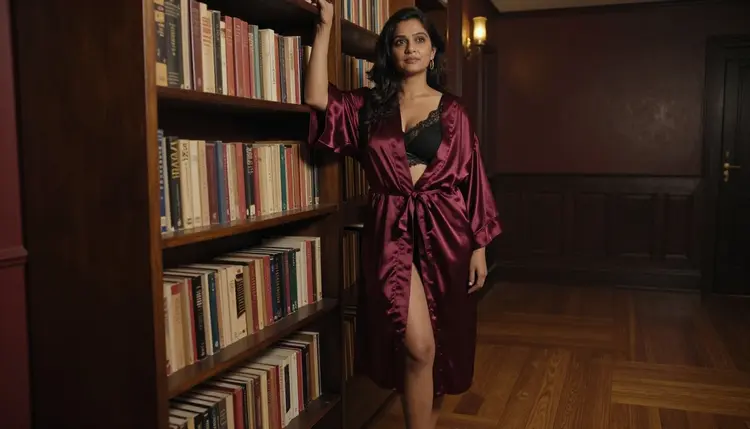
4. Picasso IA Video. Text or image to video, listed as free and unlimited, and confirmed for adult prompts. Picasso IA Video takes your finished portrait and moves it: a slow turn toward the window, a hand brushing hair back, curtains shifting in the draft. If you want more tools for that step, the NSFW image to video tools list goes deeper.
5. Seedance 2.5 Lite. Seedance 2.5 Lite is listed as a free and unlimited video generator up to 10 seconds, and it is confirmed for adult prompts. It is the quick option for a short clip of your character walking down a hallway or laughing over her shoulder. Do not confuse it with the full Seedance 2.5 from ByteDance, which is a different model and is untested here.

The second half starts with one more confirmed model and then moves to three that Picasso IA has not tested against adult prompts. Untested means just that: not confirmed either way. If one of them refuses a prompt, the app shows a message titled "Content Not Supported by This Model" and recommends models that accept adult prompts, with your prompt carried over, so nothing is retyped. For a wider look at image models in general, see the top 7 NSFW AI image generators.
6. LTX 2.3 Pro. LTX 2.3 Pro creates 4K video from text and is confirmed for adult prompts. Choose it when you want a longer look at the character in motion with more detail than a quick clip: a slow dolly through a dim apartment, a woman in an emerald robe turning to laugh, warm lamp light on silk.
7. Flux Kontext Pro. Untested. Flux Kontext Pro edits images with text prompts. It is worth a try for small changes to a portrait you already have, such as swapping a camisole colour or moving the scene from a bedroom to a terrace, as long as you accept that it may refuse and send you to a confirmed model.
8. Nano Banana 2. Untested. Nano Banana 2 edits and fuses images, and its catalog title calls it free, with the infinity tag on plans that include unlimited generation. Fusing is useful when you hold two references, such as a face you like and a wardrobe you like, and want one combined frame. Try it, and keep a confirmed model ready as the fallback.
9. Ideogram Character. Untested. Ideogram Character is built to keep characters consistent, which is the central problem of any AI girlfriend project. Test it with a neutral portrait first and see how well the face holds across a new outfit and a new room before you put an adult prompt through it.
A word on rivals: other platforms and chat companion apps exist, and each has its own rules, so check their current guidelines before you rely on them. Picasso IA is not affiliated with any of them, and this list leaves them out on purpose. The picks above are the models in the Picasso IA catalog, no more and no less.

Treat the character like a small production. You decide who she is once, write that down, and reuse the same description in every prompt. These five steps work with any model on the list.
- Write a character card. Fix age range, skin tone, hair, eye colour, one or two small marks (freckles, laugh lines) and a signature accessory such as gold hoop earrings. Always a fictional adult, always in her late thirties or older.
- Create the hero portrait. Open the toolkit, pick Seedream 4.5 and describe the character card plus one scene: wardrobe, location, light, lens. Generate a few variations and keep the one that feels most like her.
- Reuse the card, change the scene. Paste the same character card and change only the room, the outfit and the light. If the model accepts several inputs, attach the hero portrait as a reference and call it with its @1 badge in your prompt.
- Fix details with the editor. When a hand, a strap or an earring is off, send that image to Picasso Image Editor Pro and ask for that one change instead of regenerating the whole frame.
- Add motion last. Take your favourite portrait into Picasso IA Video or Seedance 2.5 Lite and describe a small movement: a turn, a breath, a glance back. One small movement per clip keeps the prompt clear.
If you only want to know where to start, this table lists the six confirmed models for this topic. Every one of them has been tested with adult prompts inside Picasso IA. That status describes Picasso IA's own tests, not a setting published by the model's maker, who can change it at any time. The page on what confirmed means explains the method.
The untested models are Flux Kontext Pro, Nano Banana 2 and Ideogram Character from this list. They are worth a try, especially Ideogram Character for consistency, but they are not confirmed either way. Treat the first result as a test and move to the table above if a prompt is rejected.
These rules are not optional. Picasso IA is for adults only: use it only if you are 18 or older.
Every character you create must be a fictional adult. Never use a real person, a celebrity or anyone who can be identified, and never create anyone who could read as a minor. Prompts that describe a real face, or that point toward someone who looks like a minor, are outside what this page is for.
What you create is private by default: it is tied to your account and not published or shown to others. Keep the content provocative and not explicit. Wardrobe, light, pose and mood carry a boudoir image better than anything graphic does.
A new account gets a small free trial on selected models: Picasso IA Image, Picasso Image Editor Pro, Picasso IA Video and Seedance 2.5 Lite. That covers the editor and two of the video models on this list, so you can test the second and third stages of the workflow before you spend anything. The trial does not cover the whole catalog, so check the pricing page for what it includes.
Models with the infinity tag do not spend credits on the plans that include unlimited generation. On this list that means Picasso Image Editor Pro, Picasso IA Video and Seedance 2.5 Lite, plus Nano Banana 2 among the untested ones. Other models spend credits, and the amount varies by model and by options such as resolution or duration. The pricing page has the details.
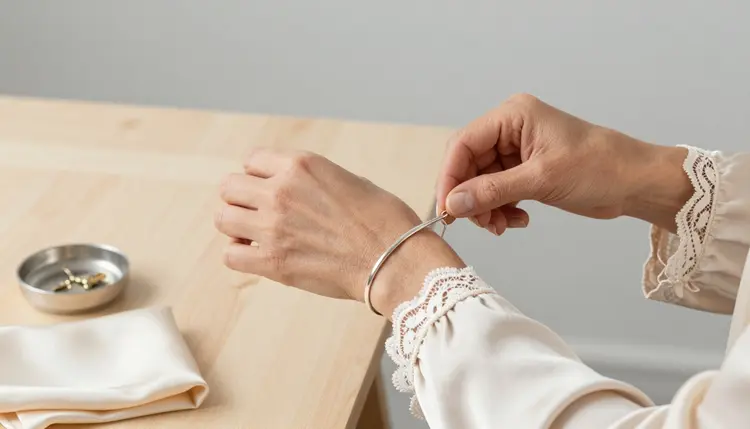
When you want to go beyond this list, browse the full catalog for other image and video models and treat every one outside the confirmed six as a test. For a wider comparison of models that accept adult prompts, read the top 7 uncensored AI image generators. A good first session: one hero portrait with Seedream 4.5, three scene changes, one edit, one short clip.
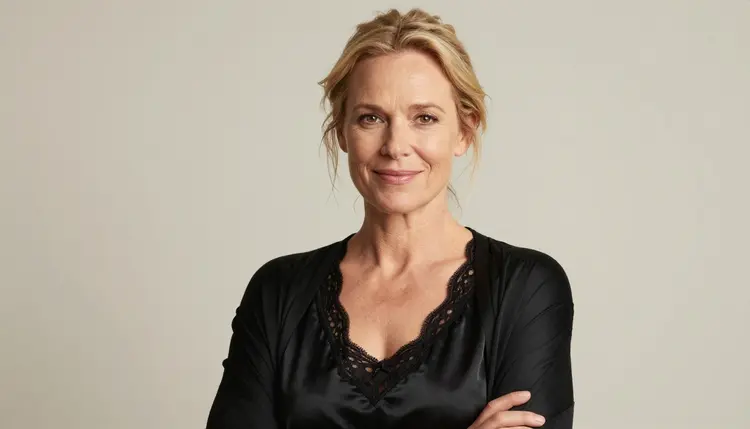
What is an AI girlfriend image generator?
It is a tool that creates pictures of a fictional adult character from a text description. In Picasso IA that means image and video models, not a chat companion. You describe a woman, her outfit and her setting, and the model returns a portrait or a short clip.
Does Picasso IA offer an AI girlfriend chat?
No. Picasso IA makes pictures and videos only. If you want a chat companion you need a different kind of product, and its rules are its own, so check its current guidelines. Here you build the visuals: portraits, scene changes and short clips of one character.
Which model should I start with?
Start with Seedream 4.5 for the first portrait, since it is confirmed for adult prompts and creates 4K images from text. Then use Picasso Image Editor Pro for small changes and Picasso IA Video or Seedance 2.5 Lite when you want the portrait to move.
How do I keep the same face across images?
Write one fixed character card and reuse it word for word, changing only the scene. When a model accepts several inputs, attach your best portrait as a reference and call it with its @1 badge. Ideogram Character is built for consistency but is untested here, so treat it as a test.
What does confirmed mean for a model?
It means Picasso IA tested adult prompts against that exact model repeatedly and watched it generate instead of reject. It is not a published setting of the model's maker, who can change it at any time. The explanation lives on the what confirmed means page.
What happens if a model refuses my prompt?
The app shows a message titled "Content Not Supported by This Model" and recommends models that accept adult prompts. Your prompt is carried over, so you do not retype it. Untested models are the likeliest to do this, so keep a confirmed one as your fallback.
Is there a free way to try this?
A new account gets a small free trial on selected models, including Picasso Image Editor Pro, Picasso IA Video and Seedance 2.5 Lite. Models with the infinity tag do not spend credits on plans that include unlimited generation. Check the pricing page for the current details.
Can I use a real person or a celebrity as the character?
No. Every character must be a fictional adult. Never use a real person or anyone identifiable, and never create anyone who could read as a minor. Picasso IA is 18+ only, and the whole point of this page is an invented character you design from scratch.
Is the content I create private?
Yes, by default. What you create is tied to your account and not published or shown to others. You decide what to do with the files afterwards. The content itself stays provocative but never explicit, and it stays about fictional adults.
Can I make video of my AI girlfriend character?
Yes. Picasso IA Video turns text or a finished image into a clip, Seedance 2.5 Lite handles short clips up to 10 seconds and LTX 2.3 Pro creates 4K video from text. All three are confirmed for adult prompts. Start from a portrait you like and ask for one small movement.