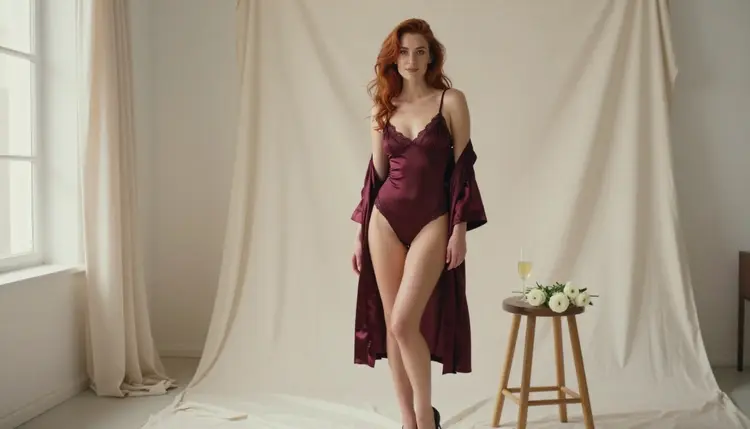
Most prompts for glamour portraits say one thing about the person and then spend forty words on the room. The figure ends up generic: the same silhouette, the same proportions, the same stance, whatever outfit you ask for. If you want the build of the character to read clearly in the frame, you have to describe it the way a photographer would, through cut, fit, posture, lens and light. This guide shows how to do that in Picasso IA, with wording you can copy and adapt, for adults and fictional characters only.
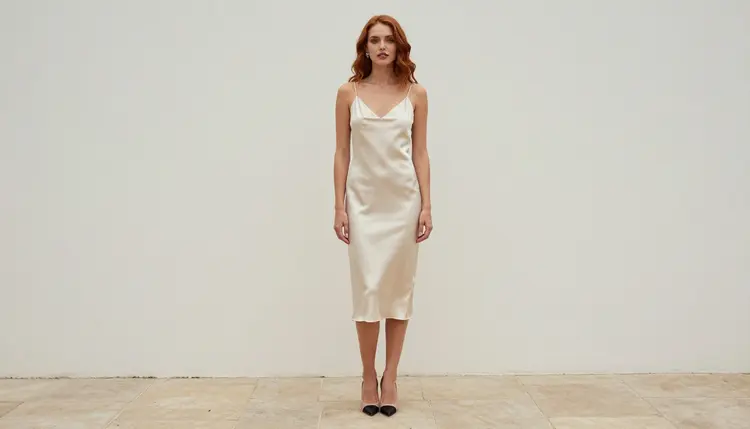
Everything here is provocative but never explicit. We talk about satin, lace, swimwear, window light and pose. We do not talk about anything beyond that, and the models you will use are asked for tasteful, clothed, glamour-style frames.
An image model reads a prompt as a list of visual facts and weighs each one. When the only fact about the body is a word like "beautiful", the model fills the gap with its most common average. That average is a tall, slim, centered figure in a neutral stance. It looks fine, but it is the same figure every time, and it ignores the idea you had in mind.
Figure wording gives the model something to hold on to. Words such as slim, athletic, curvy, tall, broad-shouldered, long-legged or soft-shouldered tell it what proportions to draw. Words about clothing tell it how those proportions meet the fabric: a bias-cut slip falls differently on every build, a structured corset top defines the waist, a wrap skirt moves with the hips. The most reliable way to show a build is to let the garment and the pose explain it, not to stack adjectives.
There are three layers to keep apart in your head. The first is the build itself: the general proportions of the character. The second is the garment: its cut, its fabric, how it sits on the shoulders, waist and hips. The third is the camera: focal length and distance change how proportions look. A 24mm lens at full length makes legs look longer and the frame feel airy. An 85mm lens compresses the picture and flatters the face and shoulders. A 135mm lens at waist height isolates the torso and the neckline.
When a result does not look like what you asked for, the fix is usually in one of those three layers, not in adding more adjectives. Change one layer at a time and keep the rest of the prompt identical, so you can see what moved.
You also gain consistency. Once you have a build description that works, you can reuse it word for word across outfits and scenes, and the same character keeps appearing. Our guide on generating NSFW art in multiple outfits from one prompt builds directly on this habit, and the character backstory template helps you pin down the details before you write the first prompt.
For this technique you want a model that follows detailed visual wording and that Picasso IA has already tested with adult prompts. In the app's own list, three image models fit. "Confirmed" means Picasso IA tested adult prompts against that exact model repeatedly and watched it generate instead of reject. It is not a published setting of the model's maker, who can change it at any time. The page on what confirmed means explains the details.
| Model | Best for | Format |
|---|
| Seedream 4.5 | Photoreal portraits where fabric, skin light and proportions need to read clearly | Text to image, 4K |
| Recraft V4.1 Pro | Stylized glamour, illustration and design looks with clean shapes | Print-ready images, 2K |
| Picasso Image Editor Pro | Changing an outfit, pose detail or fit on an image you already have | Photo editing, unlimited tag |
Seedream 4.5 is the first one to try for photographic work. It takes long, specific prompts and keeps lens and light language in play, which is what you need when the build has to show through a satin top. Recraft V4.1 Pro is the better pick when you want a drawn or designed look and a figure with confident, graphic outlines. Picasso Image Editor Pro does not start from nothing: you give it a picture and describe the change, which makes it the right tool for adjusting a cut, a neckline or a hem without losing the face.
The catalog also holds other image models, such as Qwen Image 2, which are untested. Untested means we have not confirmed either way how they handle adult prompts, so they are worth a try but are not promised. You can browse them in the full catalog. If one of them declines a prompt, the app shows a message titled "Content Not Supported by This Model", recommends models that accept adult prompts and carries your prompt over, so nothing has to be retyped.
If you want to see your character move afterward, the confirmed video models Picasso IA Video, Seedance 2.5 Lite and LTX 2.3 Pro can animate a still or start from text. Everything is created in the toolkit.
The routine below works for every outfit and scene. Write the parts in this order, and keep each part short and concrete.
- Name the character first. Start with one sentence for the adult woman or man: age in the twenties or older, hair, eyes, makeup and a short build phrase such as "slim fashion-model figure" or "athletic, broad-shouldered build".
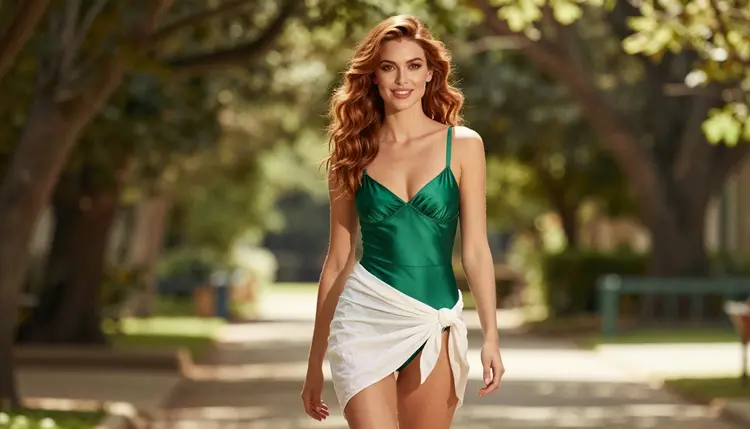
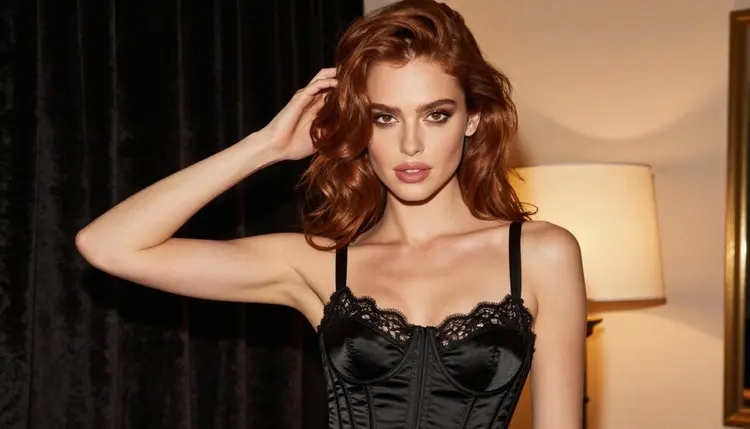
- Pick the garment by its cut. Say what it is, the fabric and how it fits: "opaque black satin corset top with lined lace edges", "emerald satin one-piece swimsuit with a white linen wrap skirt".
- Set the pose and the framing. Choose full length, three-quarter, waist up or close-up, and one clear pose: standing, walking toward the camera, in profile, seated upright.
- Choose the light and the lens. Name one light source and one focal length: overcast soft daylight with 24mm, warm lamp light with 135mm, candlelight with 50mm f/1.4.
- Generate, compare and change one thing. Run it, look at the figure, then change only one layer (build, garment, pose or lens) and run it again so you learn what each word does.
Keep the character sentence identical between runs. If the face or the hair drifts, copy the sentence back in exactly and shorten everything else.
Here is the core of the technique: what to type for the build, and how to pair it with fabric, pose and lens. The examples are prompt text; you can leave them in English even if you work in another language.
Build words. Use plain, respectful descriptors for an adult figure: slim, athletic, curvy, tall, statuesque, long-legged, broad-shouldered, soft-shouldered, narrow-waisted. Choose two or three at most. A prompt with eight build words becomes a mess, because the model tries to honor all of them and averages them out. One phrase for the overall build and one for a feature you care about is plenty.
Before and after. A weak version: "a beautiful woman in a swimsuit on a path". A stronger version: "a 28-year-old woman with long soft-curled auburn hair, hazel eyes and a slim fashion-model figure walks toward the camera on a shaded garden path in an opaque emerald satin one-piece swimsuit with a white linen wrap skirt, dappled shade light, 85mm f/1.8". The second one has a character, a build, a garment, a movement, a light and a lens. Each part is a handle you can change later.
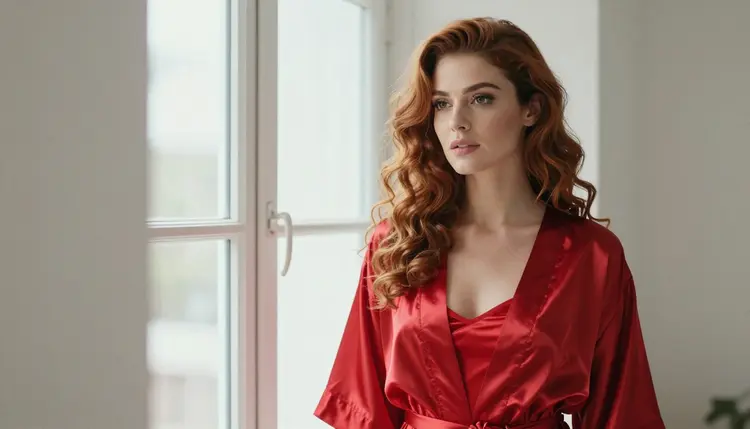
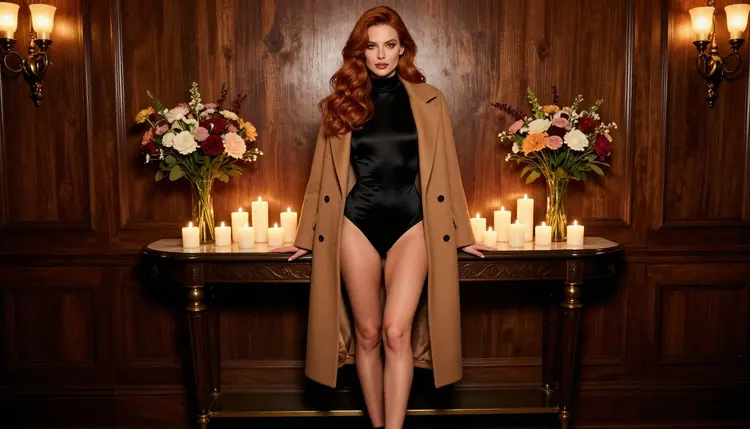
Let fabric carry the shape. Satin follows a figure and shows its outline in the highlights. Lace with a lined edge frames the neckline without hiding the structure. A structured corset top defines the waist, while a loose robe softens it. If you want a more athletic read, try a fitted bodysuit under a long camel coat: the coat gives a long vertical line and the bodysuit shows the shoulders and waist. If you want a softer read, choose a slip dress with a bias cut and say "fabric falls loosely".
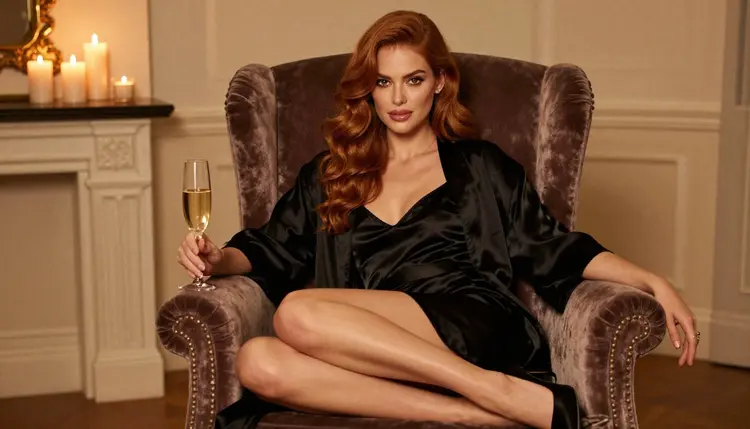
Let posture carry the shape. Standing in profile shows the line of the back, shoulder and hip in one curve. Walking toward the camera adds movement to the skirt and gives the figure length. Seated upright in a velvet armchair, with a glass in hand, shows the shoulders and the posture without needing any other cue. Pick one pose per prompt and write it as a short action phrase.
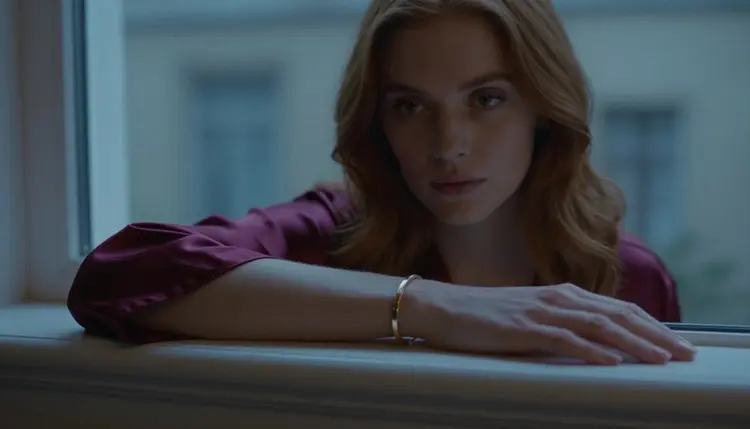
Let the lens carry the shape. Wide angles such as 24mm stretch distance, so a full-length standing frame feels tall and open. A 50mm f/1.4 sits close to how the eye sees and works well for environmental portraits with candlelight. An 85mm f/1.8 is the classic portrait lens and keeps proportions calm. A 135mm f/2 at waist height narrows the view to the corset or neckline and blurs the room. A 100mm macro is for fabric and hands: one hand, one bracelet, one sleeve.
Sample prompt for a waist-up frame. "A 28-year-old woman with long soft-curled auburn hair, hazel eyes and polished glamour makeup, medium shot waist up in a black satin corset top with lined lace edges, warm tungsten lamp light, 135mm f/2, raw film photograph." You can swap "slim fashion-model figure" for another build phrase and watch how the corset sits.
Sample prompt for an editing pass. In Picasso Image Editor Pro, attach your image and write: "keep the face and the hair, change the robe to a fitted red satin robe tied at the waist, keep the window light." With reference images, each attachment gets an @1, @2 badge in the toolkit, and you can point to it inside the prompt. Picasso IA translates the reference to the syntax each model understands, and only models that accept several inputs show the badges.
Too many adjectives. A long chain of build words, mood words and quality words dilutes the figure. Fix: keep two build words, move the rest into the garment and the light.
No garment cut. "Wearing lingerie" tells the model almost nothing about the fit. Fix: write the fabric, the cut and the coverage, for example "opaque black satin bodysuit under a long camel coat".
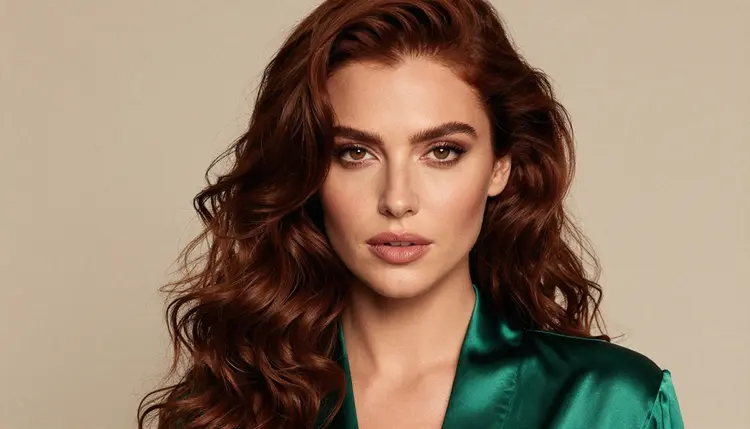
Fighting the lens. Asking for a tall, long-legged look and then choosing a tight 135mm close-up cancels the effect, because the frame no longer shows the legs. Fix: choose the framing that shows the feature you care about. Full length with 24mm for height, waist up with 135mm for the torso, a close-up with 70mm f/2.8 for the face and shoulders.
Changing everything at once. If the build, the outfit, the light and the pose all change between two runs, you cannot tell which word did what. Fix: change one layer, keep the others, and write down the version that worked.
Drifting character. The face and hair change from one image to the next because the character sentence was rewritten each time. Fix: paste the same sentence at the start of every prompt. For a series in several outfits, follow the method in the lingerie photo template and the boudoir photography template.
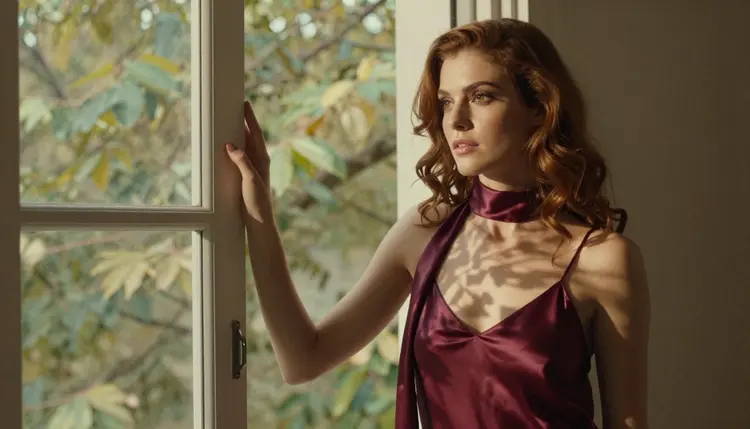
Too much hand detail. Several hands in a frame are a common source of errors. Fix: ask for exactly one hand, or none, and use a detail shot such as a hand on a window sill with a slim gold bracelet.
Wrong look for the model. A photoreal prompt in a design-oriented model gives uneven results. Fix: use Seedream 4.5 for raw photo wording and Recraft V4.1 Pro when you want clean illustration lines. If the project is a male portrait, the template for male portraits has the equivalent wording for an athletic build, and for a retro look the pin-up template pairs well with the same method. Two characters in one frame are covered in the couples art template, and costume ideas live in the cosplay photos template.
Picasso IA's adult tools are for people who are 18 or older. If you are not an adult, this page and the tools it describes are not for you.
Every character you create must be a fictional adult. Never use a real or identifiable person, never a celebrity, and never anyone who could read as a minor. Build wording is about proportions and posture of an adult figure, and it never changes that rule. If a prompt would make someone look younger than a clear adult, rewrite it or drop it.
What you generate is private by default: it is tied to your account and not published or shown to others.
A new account can try a few generations on selected models in a small free trial, and the details of credits and plans live on the pricing page.
How do I describe a body type in an AI prompt?
Use one short build phrase for the whole figure, such as "slim fashion-model figure" or "athletic build", and let the outfit, pose and lens show the rest. Two or three descriptors are enough. More than that makes the model average them.
Which Picasso IA models are best for figure prompts?
For photo-style results, try Seedream 4.5, which is confirmed and takes long, detailed prompts. For a designed or illustrated look, try Recraft V4.1 Pro. To change a fit or outfit on an existing picture, use Picasso Image Editor Pro. You can browse the full catalog for others.
Why does my character always look the same?
Without detail, models fall back on an average figure. Add a build phrase, a garment cut and a framing choice, and the result moves away from the default. Changing the lens also changes how proportions read.
How can I keep the same character across several images?
Write one character sentence with age, hair, eyes, makeup and build, and paste it at the start of every prompt without changes. Then vary only the garment, light and pose. The outfits guide walks through a full series.
Which lens makes a figure look taller or softer?
A wide lens such as 24mm at full length makes the frame feel tall and open. An 85mm lens keeps proportions calm and flattering for portraits. A 135mm lens at waist height isolates the torso and softens the background.
Can I edit the fit of an outfit without starting over?
Yes. In Picasso Image Editor Pro, attach the image and describe the change, for example a different robe or neckline, and say what to keep, such as the face and the window light. It is marked unlimited with the infinity tag in the catalog.
Does Picasso IA allow uncensored prompts?
Only the models on the app's own confirmed list are, after repeated adult-prompt tests. Everything else in the catalog is untested, which means worth a try but not confirmed either way. Read what confirmed means for the full explanation.
What happens if a model refuses my prompt?
The app shows a message titled "Content Not Supported by This Model" and recommends models that accept adult prompts. Your prompt is carried over, so you do not retype it. Try again with one of the confirmed models in the toolkit.
Are the characters real people?
No. Every character is a fictional adult. Never use a real or identifiable person or anyone who could read as a minor. Prompts that ask for a real person or a likeness of one are outside the rules of this section.
Can I try this for free?
A new account can run a small free trial on selected models, and the pricing details are on the pricing page. Generations are private by default and tied to your account. Check the page for the current options before you start a longer series.