A photo set is not one good frame. It is a run of frames that share a place, a light and a wardrobe, so the viewer feels they are flipping through a real shoot. The easiest way to get there with AI is to pick a theme first and write every prompt around it. This page lists nine themes that work well for adult, suggestive, 18+ photo sets: a brick loft, a spa, a garden, a cabin, a library, a vineyard, a hotel suite, a beach boardwalk and a rooftop terrace.
Each theme below gives you the wardrobe, the light, the lens feel and the angle to type, plus a short note on which model to open in the toolkit. Everything here is provocative but never explicit: lingerie, swimwear, silk robes, long coats, implied intimacy. Every character is a fictional adult, and you can read the rules in the section further down. If you want to plan a whole shoot before you start, read how to plan an NSFW photo set before generating next to this list.
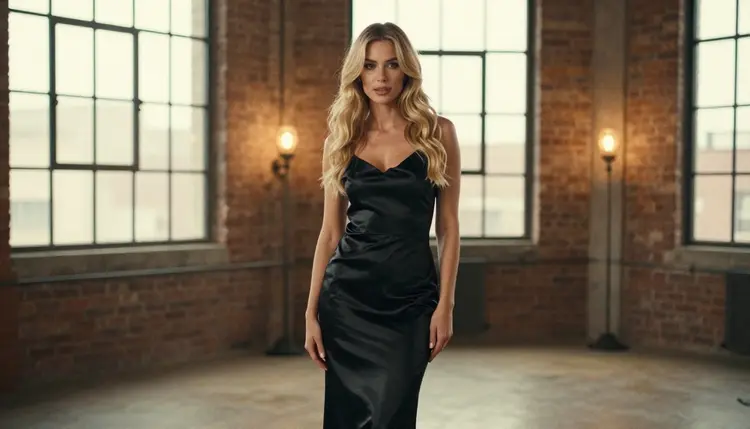
1. Brick Loft. Exposed brick, tall steel-framed windows and a worn wooden floor give you a clean backdrop that never competes with the subject. Dress the model in a black satin slip dress, bare shoulders, a thin gold chain. Ask for a full-length standing frame at eye level with warm lamp light from the left and a 24mm wide lens feel. Seedream 4.5 handles this kind of realistic interior well, and you can open it from its model page.
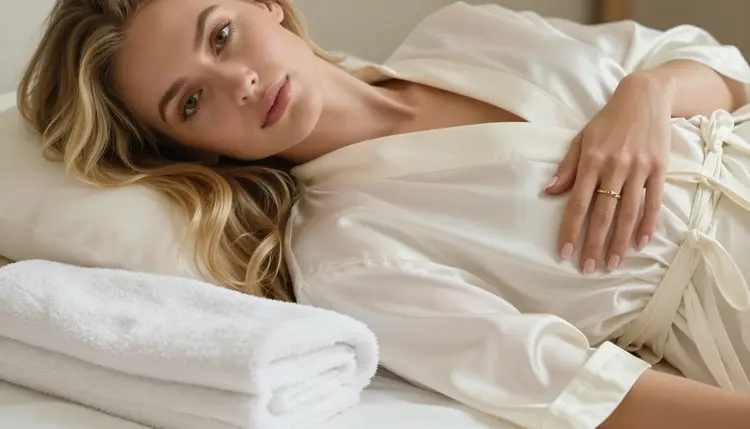
2. Spa Robe. The calm of a spa suite works because nothing in it is hurried. Think ivory satin robe, a folded white towel, a small tray with candles, steam on the glass. For a detail frame, ask for a single manicured hand with one gold ring resting on the robe sleeve, soft daylight, 35mm. Detail shots like this are the quiet frames that make a set feel edited by a person. Keep the prompt strict about one hand only, or the model may add extras.
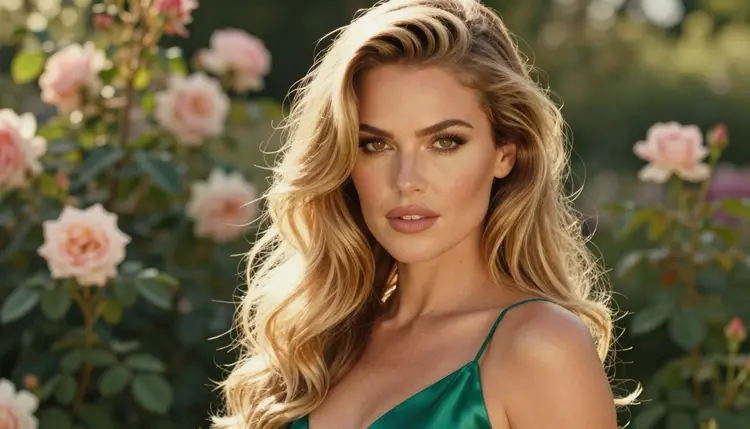
3. Rose Garden. Late afternoon light in a walled garden gives warm skin tones and a soft green background. Pick a pale silk camisole under an open linen shirt, loose hair, no heavy jewelry. Ask for a tight close-up portrait with side light and a 50mm f/1.4 look so the roses fall into blur. This is the theme to use when you want a romantic, flirty mood rather than a dramatic one.
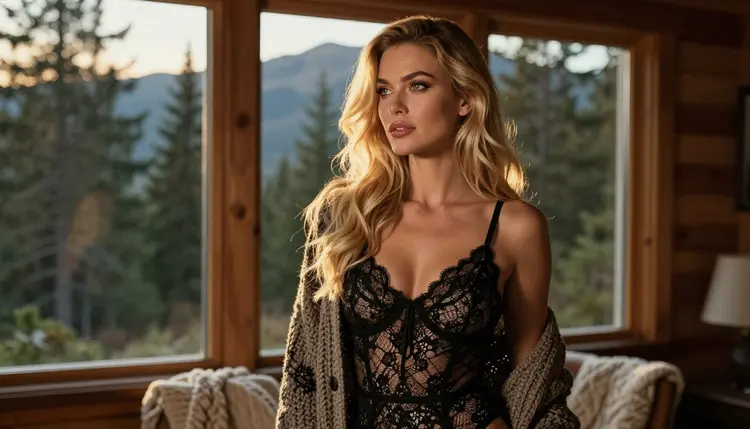
4. Pine Cabin. A cabin gives you wood, wool and a window with a forest behind it. Put the model in a cream knit wrap and lace underneath, standing at the glass and looking out at the trees. Ask for golden hour backlight, a 70mm lens feel and a warm rim of light on the hair. Specify that she looks out of the window and that there is no mirror in the frame, because reflections are where generated images most often break.
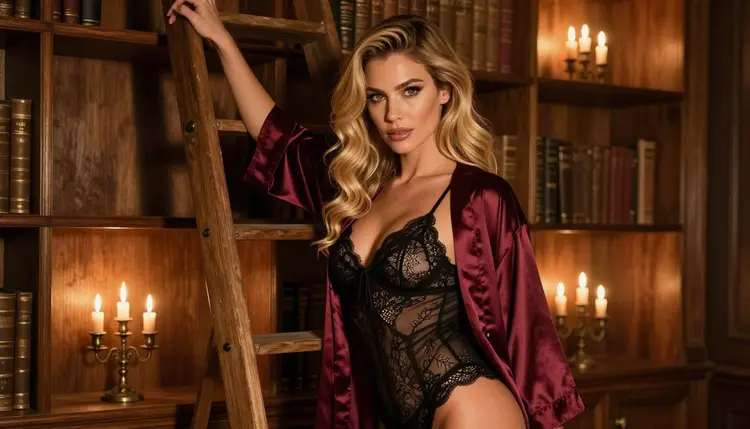
5. Candlelit Library. Floor-to-ceiling shelves, leather spines and one candle on a side table make an intimate, slow set. Wardrobe: a burgundy silk robe over matching lingerie, belt loosely tied. Ask for a waist-up medium shot, candlelight only, 135mm f/2, shallow depth so the books turn into warm shapes. Candlelight prompts need the words "single warm light source" or the model will add a second, cooler one.
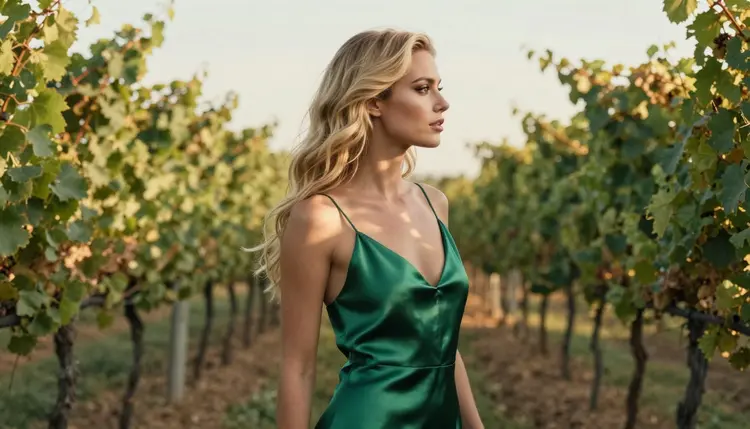
6. Vineyard at Dusk. Rows of vines, dappled shade and a long dress give the set a European summer feel. Choose an emerald slip dress with thin straps. Ask for a profile silhouette against the light, a 100mm lens feel and leaf shade falling across the shoulders. Silhouettes are forgiving: the outline does the work, so the model has fewer small details to get wrong. Use this frame to break up a run of close portraits.
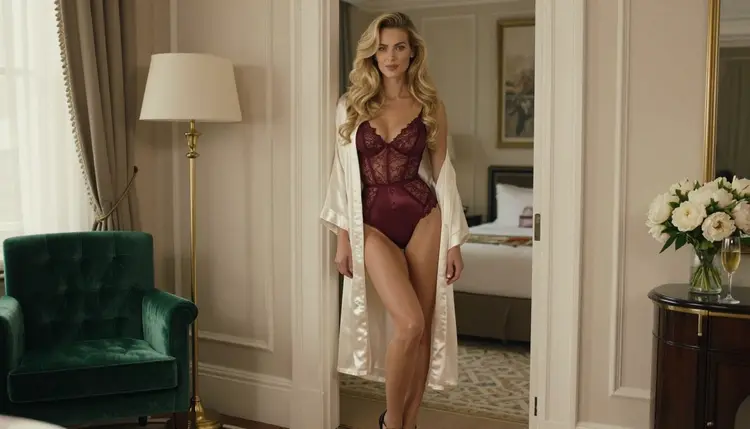
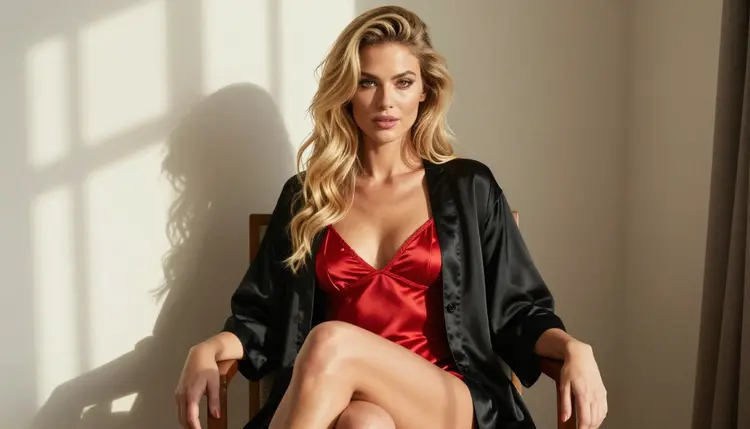
7. Hotel Suite. This is the classic boudoir theme: crisp linen, a velvet chair, a window with blinds. Dress the model in red satin lingerie, seated upright on the chair, three-quarter view, with hard morning sun cutting stripes across the wall. Ask for a 24mm lens feel and eye-level framing. Keep the pose composed, not lying down on the bed, and the picture reads as glamour instead of snapshot. The NSFW photo realistic AI generator guide has more on keeping this look photographic.
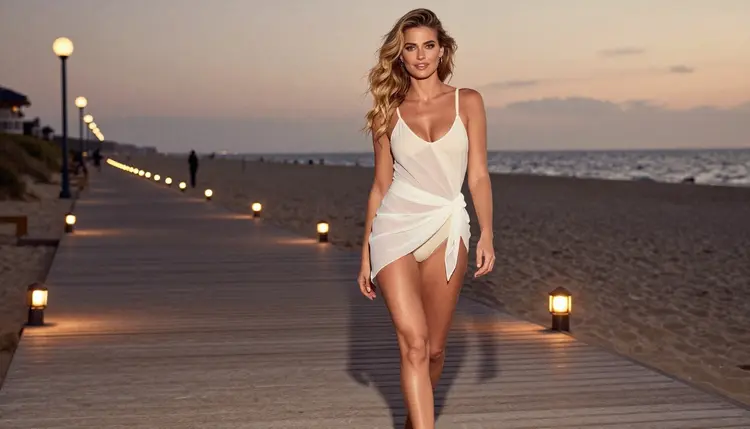
8. Beach Boardwalk. Skip the midday sand and shoot the boardwalk at blue hour, when string lamps are already on. An ivory one-piece swimsuit with a loose cover-up works best. Ask for a candid three-quarter walking shot, a 70mm lens feel and warm tungsten lamps against a cool sky. The mix of warm and cool light is what makes the frame feel like evening instead of a flat holiday photo.
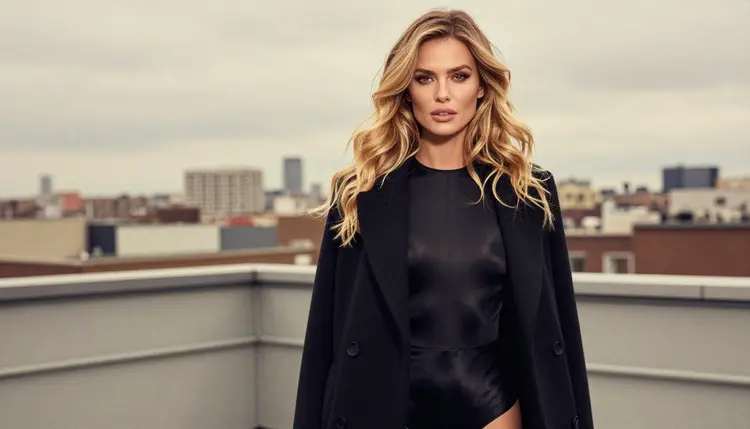
9. Rooftop Terrace. City roofs give you a skyline, a metal railing and a lot of open sky. Put the model in a long black coat over a simple bodysuit, glancing back over her shoulder. Ask for an over-the-shoulder frame in soft diffused daylight and a 100mm lens feel. The coat does the suggestive work through what it hides and shows, which keeps the frame elegant. For a closing image in a set, this one is hard to beat.
Once you have picked a theme, the workflow is the same every time. The five steps below take you from a blank prompt box to a set you can actually use.
- Lock the setting. Write one sentence that names the place, the time of day and the main light source, and paste it at the start of every prompt in the set.
- Fix the wardrobe. Choose one outfit per theme and describe it the same way each time: fabric, color, cut. A slip dress that is "black satin" in one prompt and "dark silk" in the next will drift.
- Vary only the frame. Change the shot type between prompts: wide, full-length, detail, close-up, profile, over-the-shoulder. Keep the setting sentence and the wardrobe untouched.
- Attach a reference. Once one frame looks right, attach it as a reference image in the toolkit. Each attachment gets an @1 or @2 badge you can mention in the prompt, so the next frame keeps the same woman and the same room.
- Edit, then animate. Fix small flaws with Picasso Image Editor Pro, then turn your best frame into a short clip with one of the video models if you want motion.
Photo sets live or die on consistency, so spend your first few generations on the setting sentence and not on the pose. The guide to a full NSFW character set goes deeper on keeping one character steady across many frames.
Picasso IA keeps a list of six models it has tested repeatedly with adult prompts, watching each one generate instead of reject. "Confirmed" describes that testing only. It is not a published setting from the model maker, who can change a model at any time. The page on what confirmed means explains the details.
For stills, Seedream 4.5 is the model to start with: it was built for text-to-image work at 4K, and the themes above are written with it in mind. Use Recraft V4.1 Pro when you want an illustrated look. Use Picasso Image Editor Pro as your cleanup step. For a looping effect from a single frame, the NSFW cinemagraph looping photo generator page shows how to use the video models for it.
Every other model in the catalog is untested for adult prompts. That means worth a try, not confirmed either way. Qwen Image 2 and Picasso Video (Pruna P-Video) are two examples. If you try an untested model and the app shows the message "Content Not Supported by This Model", it recommends models that accept adult prompts and carries your prompt over, so you do not retype anything.
This section is short on purpose. Picasso IA is for adults only. You must be 18 or older to create anything here, and every theme on this page assumes a viewer and a creator who are.
Every character you generate must be a fictional adult. Do not use the name, face or likeness of a real person, and do not write prompts about anyone who could read as a minor. That includes the setting and the wardrobe: if a prompt would make the subject read as anyone below a mid-twenties adult, rewrite it.
What you create is private by default. It is tied to your account and not published or shown to anyone else. What you do with it afterward, including sharing, is your responsibility, and the same rules apply there.
A new account can try a small free trial on selected models: Picasso IA Image, Picasso Image Editor Pro, Picasso IA Video and Seedance 2.5 Lite. It is a small taste, not access to the full catalog, so use it on the setting sentence and one or two test frames. Details are on the pricing page.
Models marked with the infinity tag in the catalog do not spend credits on plans that include unlimited generation. Picasso Image Editor Pro, Picasso IA Video and Seedance 2.5 Lite carry that tag. That makes them a good fit for the repetitive parts of a photo set: edit passes, test clips and loops. Seedream 4.5 and the other models spend credits that vary by model and by options like resolution.
When you are ready, open the toolkit, pick a theme from the list and write your setting sentence. For more prompt wording, see the top realistic photo prompts that work, and for lighting changes after the fact, how to relight an NSFW AI photo. If you want a different grain and color feel, try the film photo look generator. You can browse every other model in the full catalog, and the Seedream 4.5 photo set walkthrough covers one model start to finish.
What is an NSFW AI photo set?
It is a group of AI-generated images that share one setting, light and wardrobe so they read like a single photo shoot. On Picasso IA the sets are suggestive and glamour-led: lingerie, swimwear, robes and implied intimacy, never explicit, and always about fictional adults.
Which theme should I start with?
Start with the hotel suite or the brick loft. Both have simple backgrounds, clear light and a single outfit, so you can learn how to keep a setting consistent before moving on to harder scenes like candlelight or silhouettes.
Which model is best for a photo set?
Seedream 4.5 is the usual first choice for realistic stills, since it creates 4K images from text and is one of the six models Picasso IA has confirmed with adult prompts. Recraft V4.1 Pro suits an illustrated look, and Picasso Image Editor Pro handles cleanup.
How do I keep the same woman across every frame?
Generate one frame you like, then attach it as a reference image in the toolkit and mention its @1 badge in the next prompt. Keep the setting sentence and wardrobe words identical, and change only the shot type, such as close-up, profile or walking.
Can I use a real person as the character?
No. Every character must be a fictional adult. Picasso IA does not allow real or identifiable people, and it does not allow anyone who could read as a minor. Write the character from scratch with wardrobe, hair and mood instead of a name.
Are my generations public?
No. Generations are private by default and tied to your account. They are not published or shown to other users. Any sharing you do afterward is your choice and your responsibility.
What does "confirmed" mean for a model?
It means Picasso IA tested adult prompts against that exact model repeatedly and watched it generate instead of reject. It is not a published setting from the model maker, who can change it at any time. Every other model is untested, not confirmed either way.
What happens if a model refuses my prompt?
The app shows a message titled "Content Not Supported by This Model". It recommends models that accept adult prompts and carries your prompt over, so you can switch without retyping. Rewrite the wardrobe or pose if a prompt keeps being refused.
Can I turn a photo set into video?
Yes. Take your best still and use Picasso IA Video or Seedance 2.5 Lite, both marked with the infinity tag, or LTX 2.3 Pro for 4K video from text. Short clips of a robe moving or light shifting suit these themes better than long action scenes.
Do I need to pay to try these themes?
A new account gets a small free trial on selected models, including Picasso IA Video and Seedance 2.5 Lite. Other models spend credits that vary with the model and options. Check the pricing page for how plans and unlimited models work, and remember the content is 18+ only.