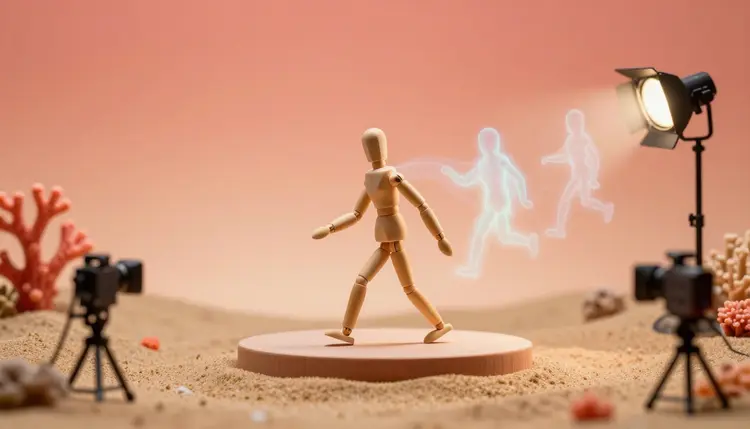
Traditional motion capture means a suit covered in markers, a room full of cameras and a performer who repeats the take until it works. If all you need is a character that walks, jumps or waves in a game prototype or a previs scene, there is a lighter route: describe the movement in a sentence and get an animation file back. Here is how text-to-motion works on Picasso IA, and where it stops.
Capturing a performance is the right call when the performance is the point. But a large share of character animation is plain utility: an idle loop for a shopkeeper, a run cycle to test a level, a gesture for a virtual presenter. Text-to-motion models were built for that gap. You write the action, the model predicts a skeleton moving through it, and you receive a file instead of a booking.
The other change is how cheap it becomes to be wrong. When a clip arrives in seconds, you can ask for a slower walk, a heavier landing or a different arm swing and compare versions side by side. With a capture session, each retake costs a person's time. Here, a retake costs a few credits, and new accounts get free credits to try the idea before paying for anything.
What you get is animation data, not video. The output is an FBX or GLB file with a skeleton and, if you want it, a character mesh, so it drops into a 3D application or an engine the way any animation clip does. If you only want a clip to watch, a video model is the better tool; this page is about files you can use inside a 3D project.
Text-to-Motion Models on Picasso IA, Side by Side
Three models from the 3D category cover the whole path from a bare mesh to a moving character. They all live in the toolkit next to the rest of the 502-model catalog, so you can chain them without leaving the workspace.
| Model | What you give it | What you control | Best for |
|---|
| text-to-motion-diffusion-v2 | A written motion description | Length, frame rate, prompt strength, seed, character, foot and internal IK | Iterating on a motion until it feels right |
| text-to-motion-vqvae-v1 | A written motion description | Frame rate, character, foot IK, animation-only output | Quick first drafts and simple actions |
| create-character-v1 | A bipedal mesh in FBX or GLB | Auto-rig on or off, front-facing export | Preparing your own character for animation |
| Animation-only export | Either motion model with the mesh option switched off | Output without a character mesh | Lighter files you retarget onto another rig |
The diffusion model is the one with more dials. It accepts a motion length in seconds (the default is five), a prompt-strength value that makes the result follow your words more or less closely, and a seed so a good result can be reproduced. The VQVAE model is the leaner option: fewer settings, same five built-in characters, same FBX and GLB formats.
This is the shortest route from an empty prompt box to a clip inside your 3D project. It assumes you either use one of the built-in characters or have a bipedal mesh of your own.
- Open the toolkit and choose a motion model. Pick text-to-motion-diffusion-v2 if you want control over length and prompt strength, or text-to-motion-vqvae-v1 for a quick draft.
- Write the motion as one clear sentence. Name the action, the manner and anything that matters, such as a slow walk with the arms hanging loose or a jump landing on both feet.
- Set the character, format and frame rate. Choose Tar, Ava, Manny, Quinn or Y Bot, then FBX or GLB, and 24, 30 or 60 fps to match your project.
- Generate, then read the clip in your 3D software. Import the file and watch it from several angles, paying special attention to the feet and the hands.
- Rewrite and rerun until it works. Change one thing per attempt, keep the seed when a result is close, and keep the best files as a small library for the project.
Prefer to animate your own character? Run the mesh through create-character-v1 first, described below, so it has a skeleton to receive the motion.
A motion prompt is closer to a stage direction than to an image prompt. The model needs the action, and it benefits from the manner, but it does not need a scene, a location or a lighting mood, because none of those exist in the file. Describing a sunny meadow does nothing for a skeleton. Describing how heavy the footsteps are does.
The most common failure is asking for three actions in one prompt. A character that walks, picks something up and waves usually does a muddled version of each. Generate each action as its own clip and join them in your animation software.
A few habits keep results usable. Ask for one action per clip, because a walk, a jump or a wave generates more cleanly than a chain of events and short clips are easier to loop or blend. Describe the manner, since slowly, heavily, nervously or with a limp changes the motion more than extra nouns do. Pick the length on purpose: a loop wants a clip that ends near where it began, while a one-off action needs room to start and finish. On the diffusion model, raise the prompt strength gently, because pushing it far can look stiff. And when a result is almost right, reuse its seed and edit one word instead of starting over.
The mistakes beyond that are mostly about expectations. Asking for something a human body cannot do rarely produces something convincing, and neither does asking for an exact match to a specific famous performance. Fictional characters and generic actions are the safe ground, and the clip should never be presented as the recorded movement of a real, identifiable person.
The built-in characters are enough for prototypes, but most projects have their own model. A mesh without bones cannot play an animation, and rigging by hand is slow. create-character-v1 takes a bipedal mesh in FBX or GLB, generates the bones when the file has none, and can export the character facing forward so it lines up with the default axis in most engines.
Two limits matter here. The model expects a bipedal body, so a quadruped, a creature with extra limbs or a very abstract shape is outside what it was built for. And an automatic rig is a starting point: check how the shoulders and hips deform before you rely on it. If you do not have a mesh yet, the image to 3D model page covers making one from a picture, and the 3D characters page walks through the full generate, rig and animate chain.
Text-to-motion is a drafting tool for character movement, not a replacement for a capture stage when the performance has to be exact. These are the places it stops:
- Foot sliding: the models apply inverse kinematics to keep feet planted, which helps a lot, but fast turns, stops and changes of direction can still make a foot glide, so check every locomotion clip in your engine.
- Complex interactions: anything involving a second object or character, such as handing over a cup, a handshake or climbing a ladder, depends on props the model cannot see, so the hands rarely land where the story needs them.
- Fine hand and face work: expect body-level motion, not finger articulation or facial performance, which need other tools.
- Exact timing: you set the clip length, but you cannot say that the jump peaks at 1.2 seconds, so shots that must hit a beat belong in your animation software.
- Non-human bodies: the built-in characters are humanoid, and creatures with tails, wings or extra legs need a different workflow.
For game assets that only need to look natural at a distance, these limits are often acceptable. For a hero character in a close-up, treat the generated clip as a rough pass and finish it by hand.
Can AI really replace a motion capture suit?
For simple, generic movements, it can replace the need for one. You describe a walk, a jump or a wave, and the model returns skeleton animation without any suit, markers or cameras. It does not replace capture when you need a specific performance, precise timing or detailed hands and face. Think of it as a fast way to get usable body motion for prototypes, background characters and previs, with capture still the right tool for a performance that has to be exact.
What file formats does the animation come in?
Both text-to-motion models export FBX or GLB, the two formats most 3D applications and game engines open directly. You also pick the frame rate, 24, 30 or 60 fps, so the clip matches the rest of your project. If you only want the skeleton data, there is an animation-only option that leaves the character mesh out, which gives a lighter file you can apply to a rig you already have.
Which model should I start with?
Start with text-to-motion-diffusion-v2 if you plan to iterate, because it lets you set the motion length, the prompt strength and a seed. Try text-to-motion-vqvae-v1 when you want a quick draft with fewer settings. Both share the same five built-in characters and formats, so running one prompt through both costs little and shows you which one interprets your wording better.
Can I use my own character instead of the built-in ones?
Yes, with a step in between. create-character-v1 takes a bipedal mesh in FBX or GLB and generates a rig when the file has no bones. After that, you apply the generated motion files to your rigged character in your 3D software. How clean the result looks depends on how well the skeletons correspond, so test a single clip before you generate a whole set of animations.
Why do the feet slide in some of my clips?
Foot sliding happens when the body moves across the ground faster or differently than the feet are planted. Both models offer foot inverse kinematics to reduce it, and it is on by default, but quick turns, sudden stops and unusual gaits can still show some glide. Regenerate with a calmer description, shorten the clip, or clean up the contact frames in your animation software, which is a quick fix compared with animating the whole clip.
Can the model animate two characters interacting, or a character using a prop?
Not reliably. The model only predicts the body of one skeleton and cannot see an object or a second character, so handing over a cup, shaking hands or climbing a ladder will not line up with anything. A practical workaround is to generate the body motion for each action separately, then adjust hands and timing around the prop in your 3D software.
How long can an animation be?
You set the length in seconds on the diffusion model, and the default is five. Short clips tend to come out cleaner than long ones, and a long scene is usually easier to build by generating several short actions and joining them. The practical limit is less about the setting and more about how coherent a single prompt stays over time, so one action per clip is a good rule.
Do I need any 3D or coding experience?
You need to be able to import an FBX or GLB file into something that plays it, whether that is a 3D application, a game engine or a web viewer. The generating part is a text box and a few dropdowns, with no coding. Retargeting a clip, fixing foot contact and blending clips are normal animation tasks, and the file is meant to be the start of that work rather than the end.
Can I generate the motion of a real person or celebrity?
Do not. The models work from a text description of an action, and a generic action is the safe use. Using the output to imitate the signature movement of a real, identifiable person, or presenting it as their recorded performance, is a bad idea ethically and may be a legal one. Fictional characters, your own original characters and plain everyday motions are the right material for this tool.
How much does it cost?
Each generation uses credits, and the cost depends on the model and the settings you choose, so a number written here would go stale. New accounts get free credits, which is enough to test a handful of motions and see whether the output fits your project. Current plans and credit amounts are on the pricing page, which is the only place worth trusting for figures.
Ready to see your character move? Open the Picasso IA toolkit, pick a motion model and generate the first clip from a single sentence.